5 Signs Your Website Monitoring Setup Isn't Good Enough (and How to Fix Each One)
18 min read
Loading...

Your website monitoring setup probably isn't good enough if customers tell you about outages before any tool does, your alerts are noisy or ignored, you only check the homepage, certificates and domains go unwatched, or you can't tell whether scheduled jobs ran. The good news is that each gap has a practical fix. With a modern tool, you can often get a simple setup running in about an hour, and you don't need a DevOps hire to do it. ☕
Let's walk through the five signs together. As you read, ask yourself one question: is this me?
Picture a small online shop owner. Let's call her Priya. It's Saturday morning, the busiest trading window of her week, and she's having a lazy coffee. Then an email lands: 'Hi, is your checkout down? I keep getting an error.' She checks. It's been broken since Friday night. No alert, no warning, just a customer kind enough to tell her. Hours of sales are gone.
Priya did have monitoring. Two years earlier she'd set up a single ping to her homepage, and it had been green ever since. The problem is that her business had grown and her monitoring hadn't. She'd since added a checkout, a customer login, a stock-sync API and a nightly backup. None of those were watched.
That's how most setups go. You start with one homepage check, it works, and you forget about it. Meanwhile your business adds moving parts, and every new part is another way to fail quietly.
Think of this article as a self-audit. Each sign below is a symptom you might recognise from your own experience, followed by a quick fix. If you want the short version of 'how do I know if my website monitoring setup is enough?', skip to the 15-minute audit at the end. But I'd read the signs first. They're more fun than they sound.
The symptom: your first alert is a support email, a reply on social media, or a message from a colleague who happened to be browsing your site.
The obvious cost is lost sales. If someone can't pay you, they go elsewhere, and some of them don't come back. The less obvious cost is trust. Customers who find the problem before you do start to wonder what else you're missing. And then there's the stress of scrambling with no context: you don't know when it started, how many people were affected, or what broke.
Serious outages can get very expensive at scale. The Uptime Institute's Annual Outage Analysis 2024 reported that 54% of respondents said their most recent significant outage cost more than $100,000, and 16% said it cost over $1 million. Those figures are in US dollars and come mostly from larger organisations running data centres and critical IT, so treat them as an illustration, not a benchmark for a small UK shop or booking business. The principle does carry down, though. The longer a problem goes unnoticed, the more it costs, and a few lost hours of orders or bookings can sting when you're running lean.
Set up external uptime monitoring that checks your site every minute or so, from outside your own hosting environment. Then send alerts somewhere shared, like a Slack or Discord channel, a Telegram group or a team email address, so more than one person sees them.
Most monitoring tools, including Moonitor, offer a free trial, so you can try this on your real site before paying for anything. Check the current trial terms on the provider's site first.
The symptom: a muted channel. A 'probably fine' reflex when your phone buzzes. Or a 3am notification that turned out to be absolutely nothing, after which you stopped trusting the whole system.
Many false alarms come from checking from a single location. If that one checker has a brief network blip, or there's a routing problem between it and your host, your tool decides your site is down, even though visitors elsewhere can reach it just fine. The problem is on the checking side, but you're the one getting woken up.
You know the story of the boy who cried wolf? Alert fatigue is that story with a phone. After enough false alarms, people stop reacting. Then one day the wolf is real, and the alert is ignored, muted or dismissed with a sigh. A noisy monitoring tool can be worse than none, because it gives you the feeling of coverage while training you to look away.
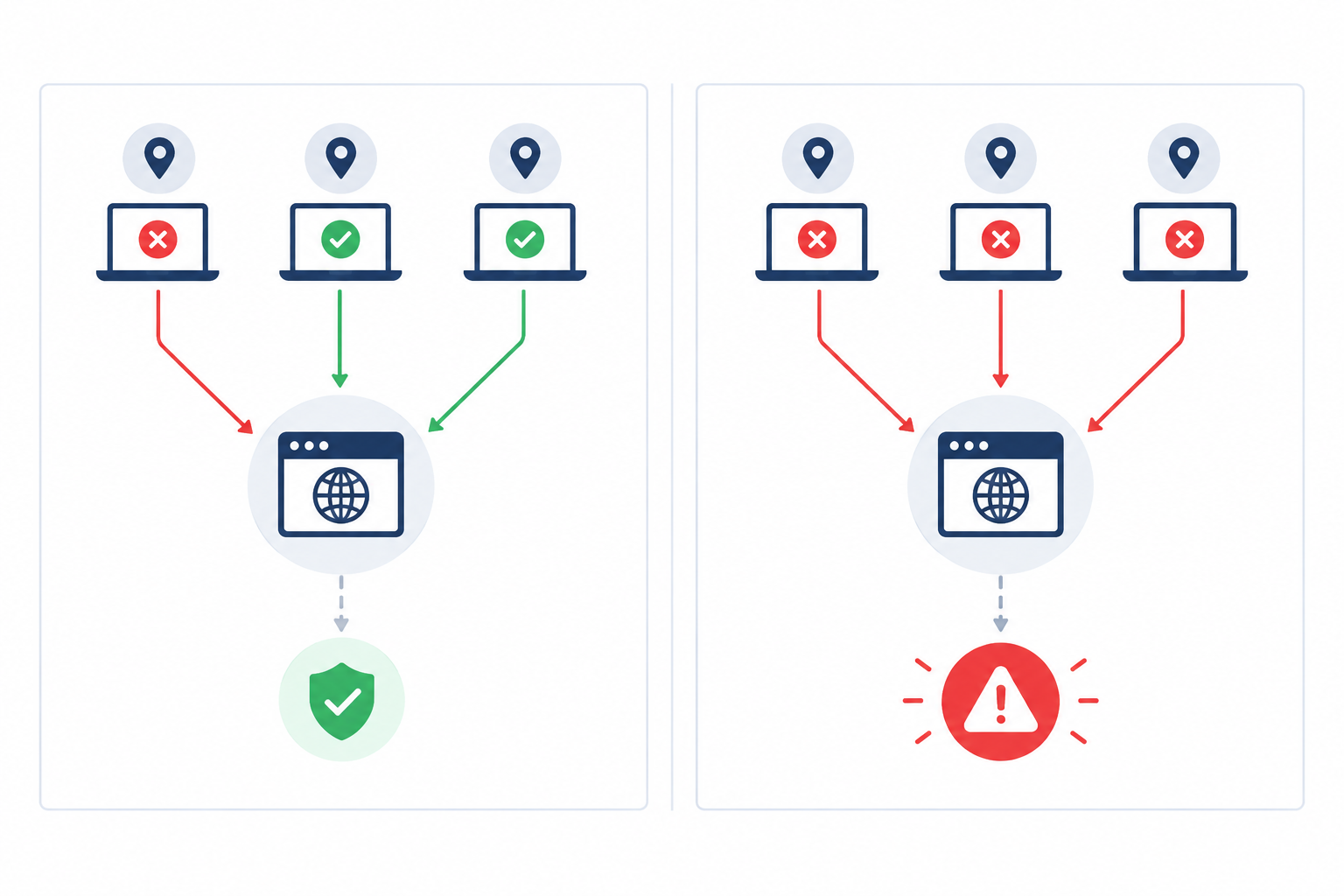
Look for multi-region failure verification. Instead of alerting the moment one location sees a problem, the tool asks other regions to confirm. If one location says 'down' and two say 'up', that disagreement may point to a checker or regional network issue rather than a problem with your site, so you stay asleep. It doesn't prove your site is healthy for everyone, which is why a persistent disagreement is still worth a look. If several regions agree your site is unreachable, you get the alert, and you can trust it far more. Not every tool does this by default, so check the settings of whichever one you use.
The payoff is simple: fewer, more trustworthy alerts mean faster reactions. When your phone buzzes, you look, because it matters.
The symptom: the homepage loads beautifully while login, checkout, your API or a key landing page is broken. Customers can see your shop window but can't get through the door.
A homepage is often the sturdiest page you have. It's frequently cached, mostly static and the least likely to fail. The pages that make you money tend to be more complicated, and so more fragile.
Here's a practical list:
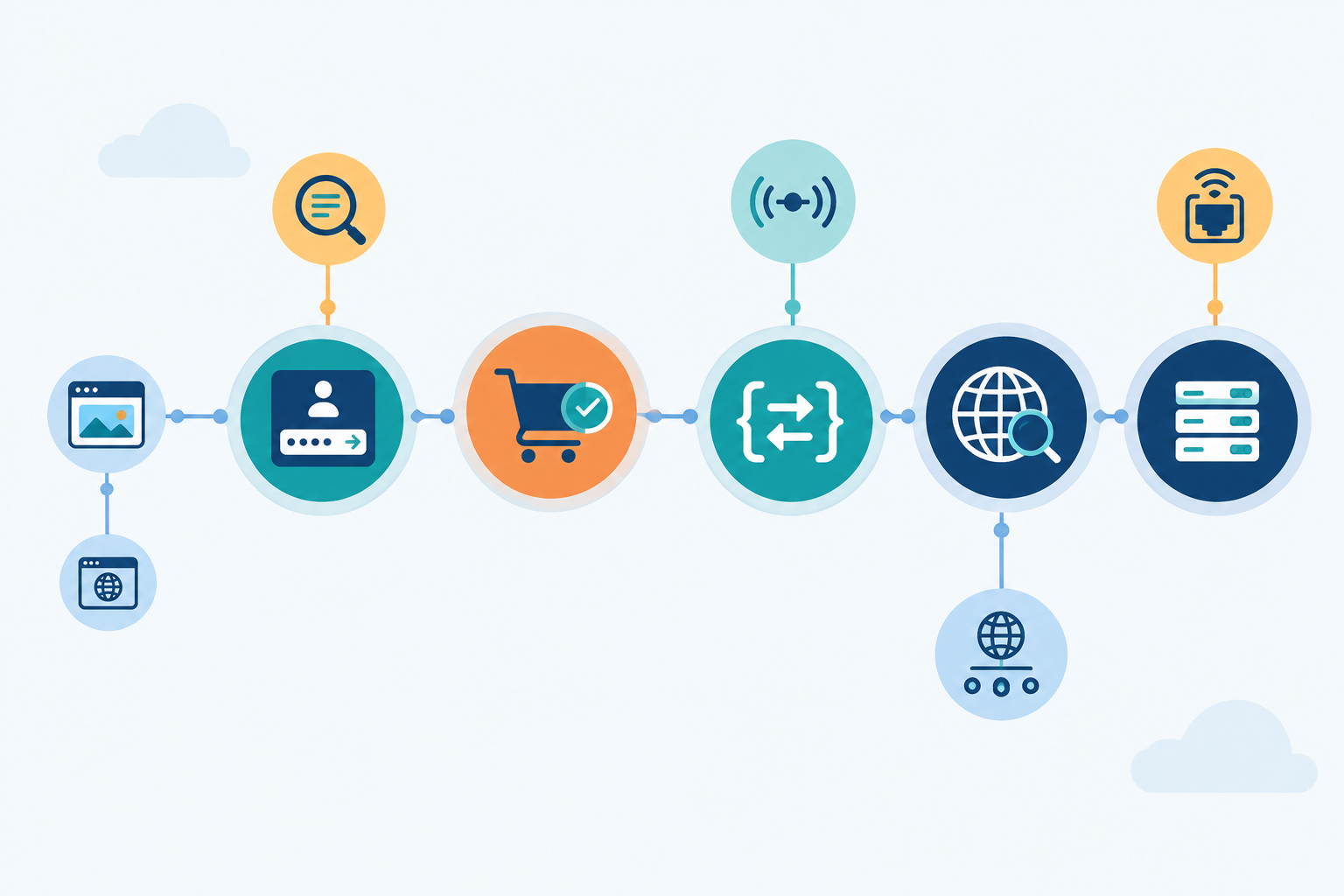
To be honest, these checks tell you a lot, but they don't prove a whole customer journey works. For an online store, the real questions are whether a product page loads, whether an item can be added to a basket, and whether checkout reaches its confirmation step. Testing that end to end usually needs a synthetic transaction (a scripted run-through of the journey), which some tools offer and others don't. Until you have that, page, keyword and API checks on each key step are a sensible start.
Write down your five most business-critical user journeys. Perhaps 'view a product', 'log in', 'pay', 'book a slot' and 'API call from our partner'. Then add at least one check for each. Five monitors beat one, and you don't need to be exhaustive on day one. If you can, keep them all in a single dashboard so you aren't juggling several tools.
The symptom: if I asked when your SSL certificate and domain registration expire, you couldn't say off the top of your head.
I've seen this one catch out sensible people. A small business owner gets a renewal reminder, but it goes to an inbox belonging to the freelancer who built the site five years ago. Nobody sees it. A few months later, visitors hit a big red browser warning: 'Your connection is not private.' The site is technically up and the servers are running, yet customers leave, because nobody clicks past a security warning to buy something.
Expiry is predictable. You know the date months in advance, which is exactly what makes it so frustrating when it bites. And it's becoming more relevant, not less.
There's a UK example worth knowing about. In December 2018, an expired certificate in Ericsson software disrupted O2's mobile data service for customers. It wasn't a website certificate, but it shows how an overlooked expiry date can take down something big.
Add SSL certificate monitoring and domain expiration monitoring for every production hostname that matters. Set alerts to arrive weeks ahead, not days: for example, at 30, 14 and 7 days before expiry. That gives you time to sort out a failed card or find the right login without panic.
A couple of extra tips:
The symptom: backups, invoice runs, email digests or data syncs fail silently, and you only find out days later, usually at the worst possible moment. 'We can't restore from last night's backup' is a sentence nobody wants to say.
Uptime checks work by asking something a question: 'are you there?' But a scheduled job has no page to ping. If the job simply doesn't run, nothing is down, nothing returns an error, and nothing looks wrong. A normal check can't see something that never happened.
The fix is to flip the direction. Instead of your monitoring tool checking on the job, the job checks in with the monitoring tool when it finishes. That check-in is called a heartbeat. You tell the tool how often to expect it, and if the heartbeat doesn't arrive on time, you get an alert. No check-in, no calm.
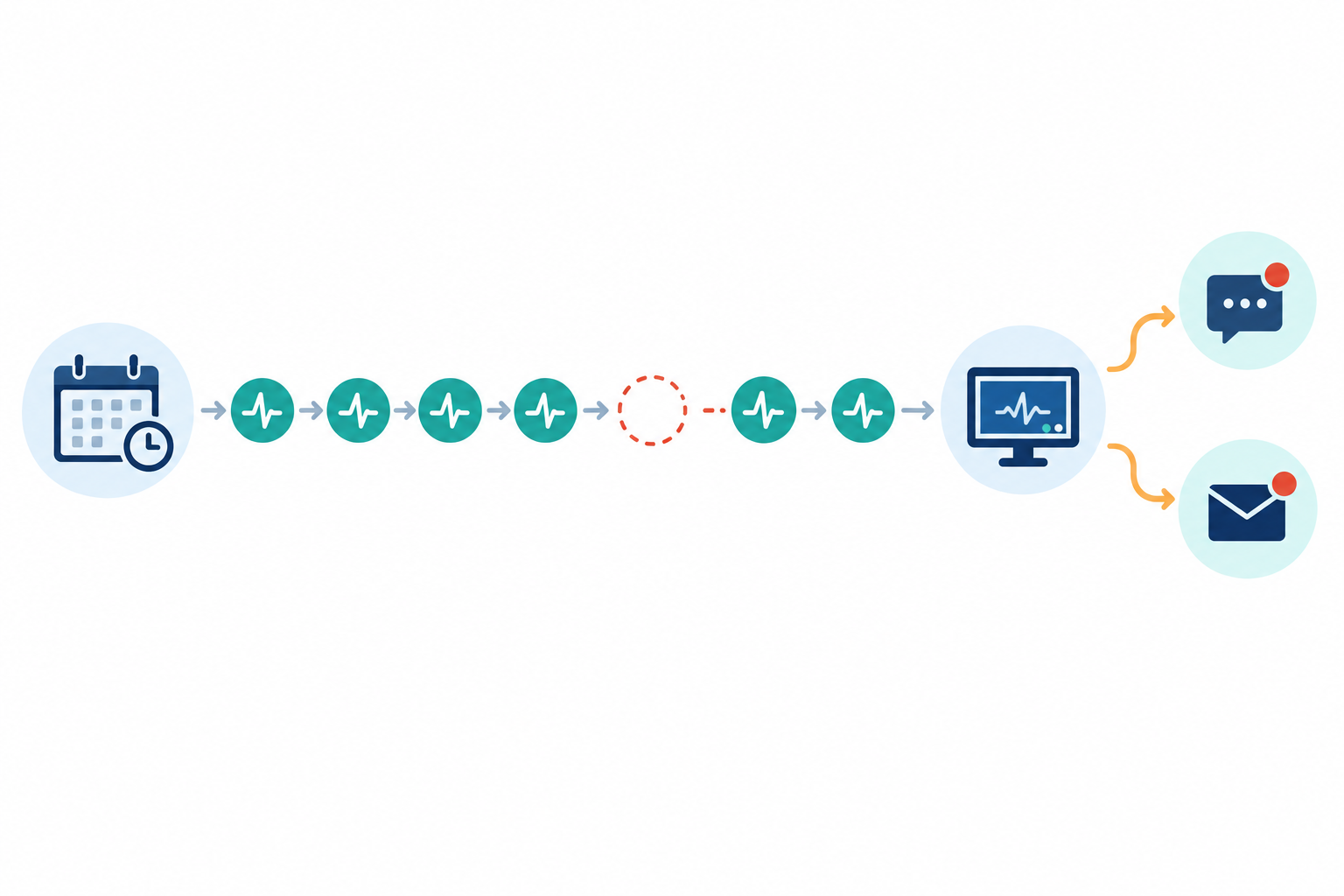
Add one heartbeat call at the end of each important job, so it only fires on success. Then set a sensible grace period, such as a few minutes of leeway for jobs that vary in how long they take.
If that sounds technical, it's usually a single line added to a script you already have. Here's an illustration only, with a placeholder URL. Use the exact heartbeat address from your monitoring provider's documentation, and treat that address like a password, since anyone who has it can send check-ins.
./run-nightly-backup.sh && curl -fsS --retry 3 https://your-monitor-url/heartbeat/your-unique-id
The && means the check-in only happens if the backup script exits successfully. That's the catch: the heartbeat is only as honest as your script. If the script reports success even when the backup fails, the monitor will stay calm. Make sure your job exits with an error when something goes wrong. If your developer or hosting provider manages your jobs, forwarding them this idea is a perfectly reasonable ask.
Ready to find out where you stand? Grab a coffee and a notepad. This checklist takes about 15 minutes to work through. Setting everything up takes longer, but we'll get to that.
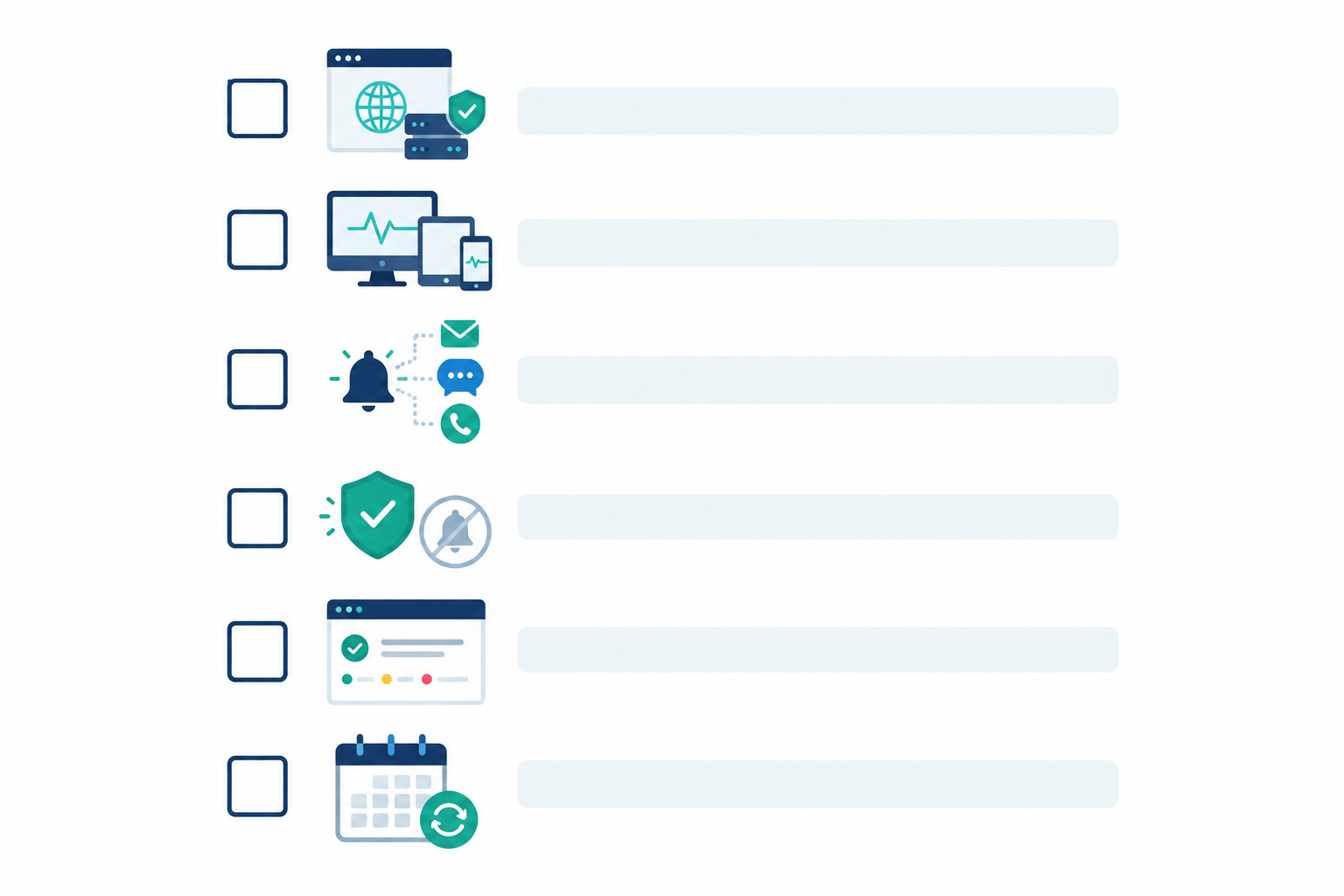
As a rough guide for a simple site: your first monitor takes a few minutes, and the basics (homepage, login, checkout and a couple of alerts) might take 10 to 15 minutes. A fuller small-business setup covering certificates, domains, DNS, servers and heartbeats can fit inside an hour or so. It can take longer if you need to track down logins, connect alert channels, edit scripts or test each check. Your hosting and your chosen tool's features will make a difference too.
Costs vary a lot between tools, so compare what each plan includes (monitor limits, check frequency, alert channels, status pages and API access). As one example, Moonitor's published plans were listed in US dollars when I wrote this, with Solo at $14 a month for 20 monitors and Max at $49 a month with unlimited monitors. UK readers should expect currency conversion and possibly VAT to change the final figure, so check the current pricing before you decide.
If you want a gentle benchmark, here's how a basic setup compares with a solid one. Treat it as a yardstick, not a pass/fail test. Most businesses sit somewhere in between, and even a solid setup won't catch everything.
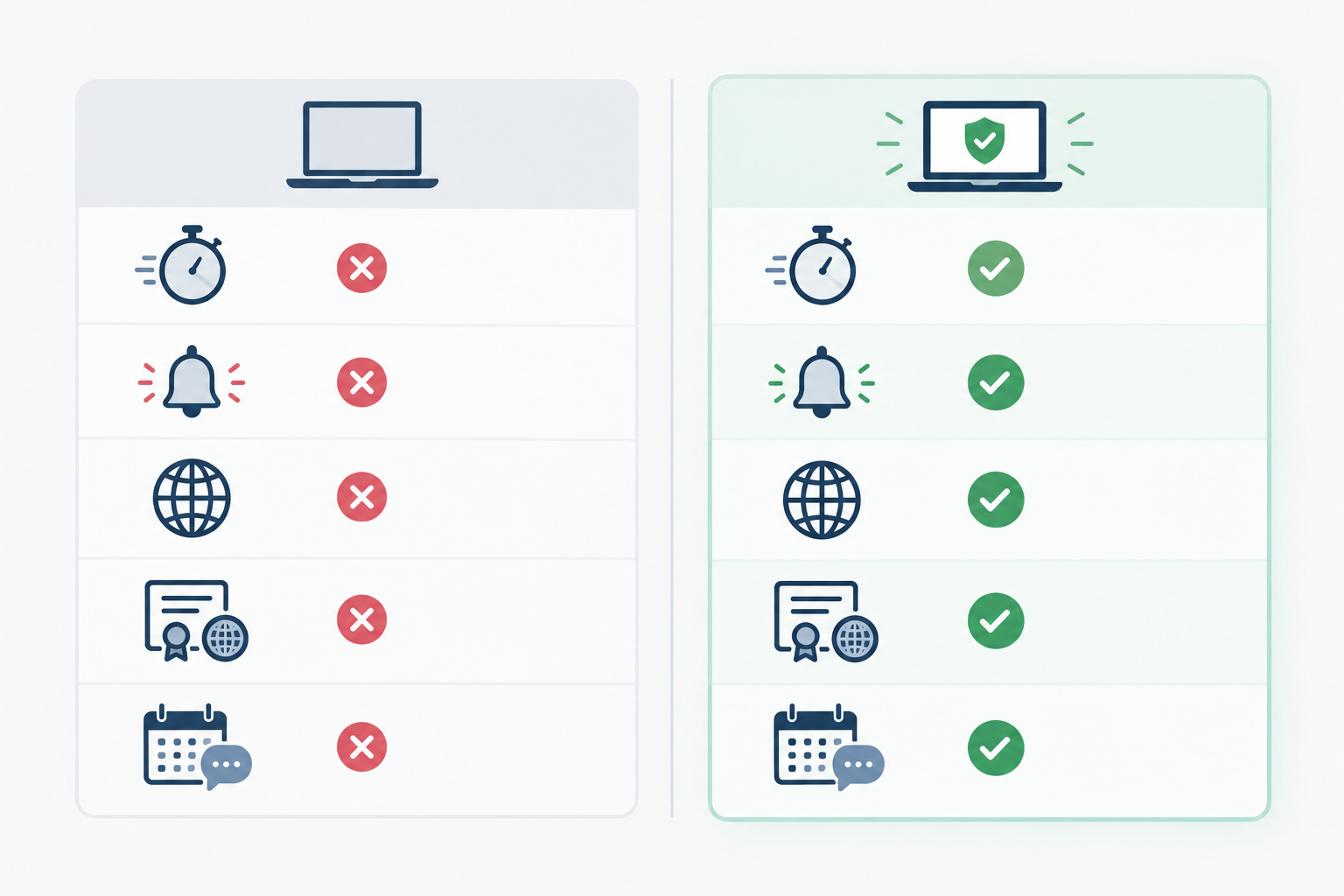
| Basic setup | Solid setup | |
|---|---|---|
| Detection speed | Hours, or when a customer says something | Within a minute or two, with alerts to a shared channel |
| False alerts | Frequent, from single-location checks | Fewer, thanks to multi-region verification |
| Coverage | Homepage only | Login, checkout steps, key pages, APIs, servers and DNS |
| Certificates and domains | Checked when someone remembers | SSL and domain expiry monitored with alerts weeks ahead |
| Scheduled jobs | Assumed to be fine | Heartbeat monitoring with sensible grace periods |
| Customer communication | Support emails and apologies | Public status page and incident history |
Here's my encouragement: you don't need to fix everything today. Pick the sign that felt most familiar, the one that made you wince a little, and fix that first. For many people it's Sign 1 or Sign 5. Then work down the list over the next week or so.
If you'd like a tool to try it with, Moonitor has a free trial that covers the monitor types above. Whichever tool you choose, check that it supports the checks you've listed in your audit. 🌙
Ask yourself four things. Would I hear about an outage before my customers? Do I trust my alerts? Do my monitors cover more than the homepage? Do I have eyes on certificates, domains and scheduled jobs? If any answer is no, there's a gap worth closing.
Start with the pages and services that make you money: login, checkout, key landing pages and API endpoints. Then add SSL and domain expiry, DNS records, reachability checks for important servers or ports, and heartbeat monitors for scheduled jobs like backups.
Often it's because checks run from a single location, where a brief network hiccup looks like downtime. Multi-region verification only alerts you once several locations confirm the problem, which cuts the noise.
For a simple site, a first monitor takes a few minutes and a fuller setup can take around an hour. Getting access to accounts, connecting alerts and testing can add time.
You don't need one on day one, but it helps a lot. A public status page lets customers see what's happening during an incident, which means fewer support emails and more trust.