
Loading...
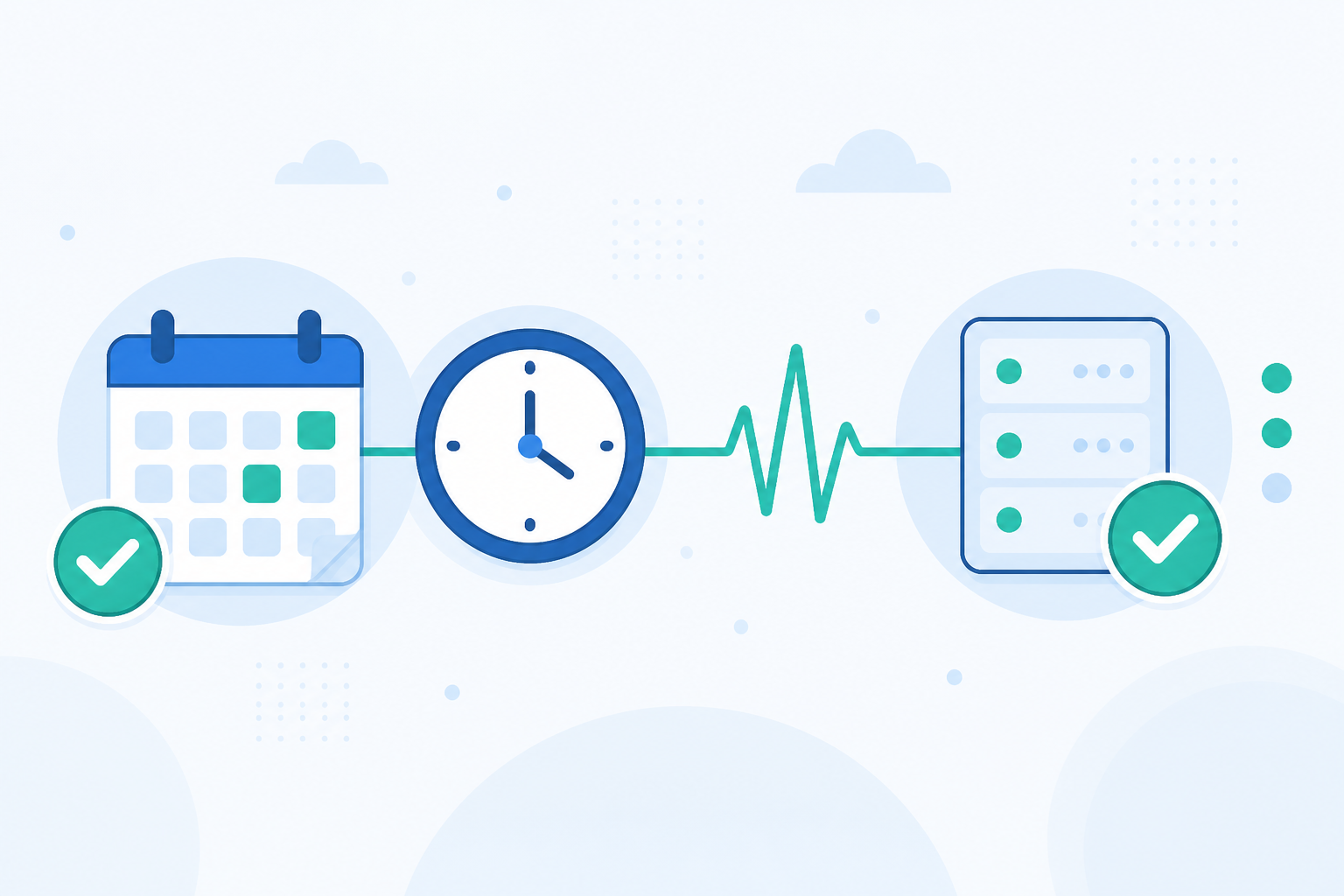
If you're running scheduled jobs, here's the uncomfortable truth: cron doesn't care if your job actually did its job. It only cares that it tried. Cron job monitoring solves this by having your scheduled task check in with a monitoring service, such as Moonitor, every time it runs successfully. If that check-in doesn't arrive within the expected window, you get alerted immediately.
This catches silent failures that traditional uptime monitoring simply can't see. The job process itself might be running fine while the actual work never happens.
I've heard some version of “but the server was up the whole time!” more times than I can count, usually as an explanation for why nobody noticed a job had stopped running. That's the trap. Server uptime and job success are two completely different things, and mixing them up is how silent failures turn into very loud problems. Let's look at why this happens, how heartbeat monitoring fixes it, and what it can and can't tell you.
Here's something that surprises many people the first time they hear it: cron has no opinion about whether your job worked. It fires the command at the scheduled time, and that's basically it. If the script throws an error and exits, cron waits for the next cycle. There is no built-in “this job failed” alert. You're on your own.
That gap is where things go quiet, and quiet is exactly the problem. Common cron job failure scenarios include:
Here's a story that sticks with me: a small SaaS team had a nightly billing job that ran successfully for more than a year. Then they migrated servers. The migration script moved the application code, database and environment variables—everything except the scheduled task definition. Nobody checked because the website was up, the API was responding and every dashboard looked green. Meanwhile, invoices quietly stopped generating for two weeks until a customer asked where their bill was.
That's the core problem with relying on standard uptime monitoring for scheduled tasks. Pinging a URL tells you that the server responds. It tells you nothing about whether the 2am job that processes orders, sends reports or reconciles payments actually ran. The server can be 100% healthy while the work you care about has stopped entirely.
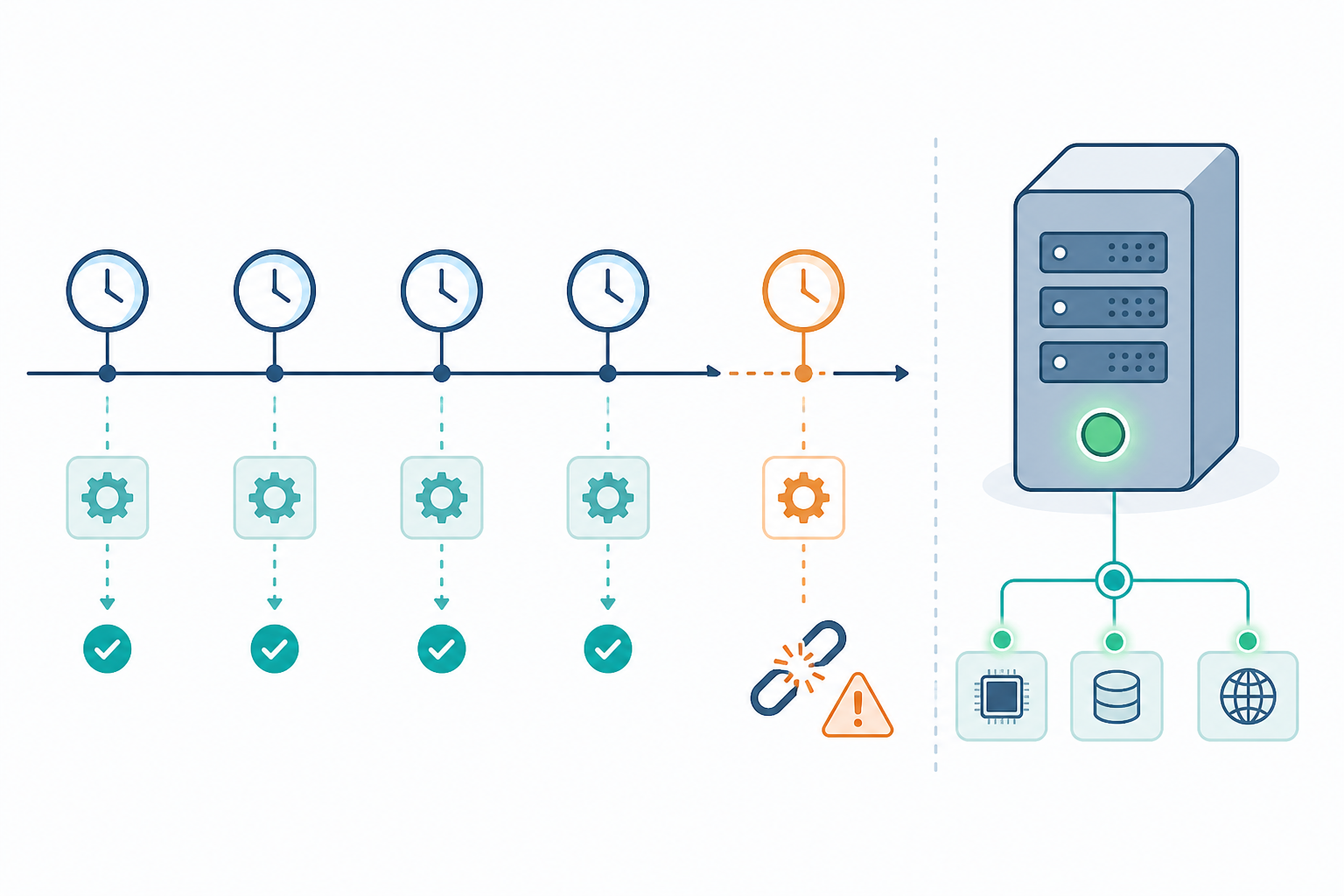
Once you understand why cron jobs fail quietly, the fix is refreshingly simple: flip the monitoring model on its head.
With regular website or API monitoring, a service reaches out to you and checks whether you respond. With heartbeat monitoring, your job reaches out to the monitoring service to prove it reached a specific point in its execution, usually the end of a successful run. It sends a quick request to a unique URL when the job finishes.
It is important to be precise about what that ping proves. A heartbeat tells you that your script reached the line of code where the ping is called, under whatever conditions you put there. It does not automatically confirm that every database write committed, that a report contains correct figures or that a downstream system received the expected data. For most jobs, placing the ping after your success checks provides most of the value. For revenue-critical work, pair it with output validation too.
The basic cron monitoring workflow is:
This is why heartbeat monitoring is purpose-built for cron jobs and background workers rather than being a repurposed form of generic HTTP monitoring. Regular uptime checks ask, “Is this service responding?” Heartbeat checks ask, “Did this scheduled task actually happen when it was supposed to?” Those are different questions.
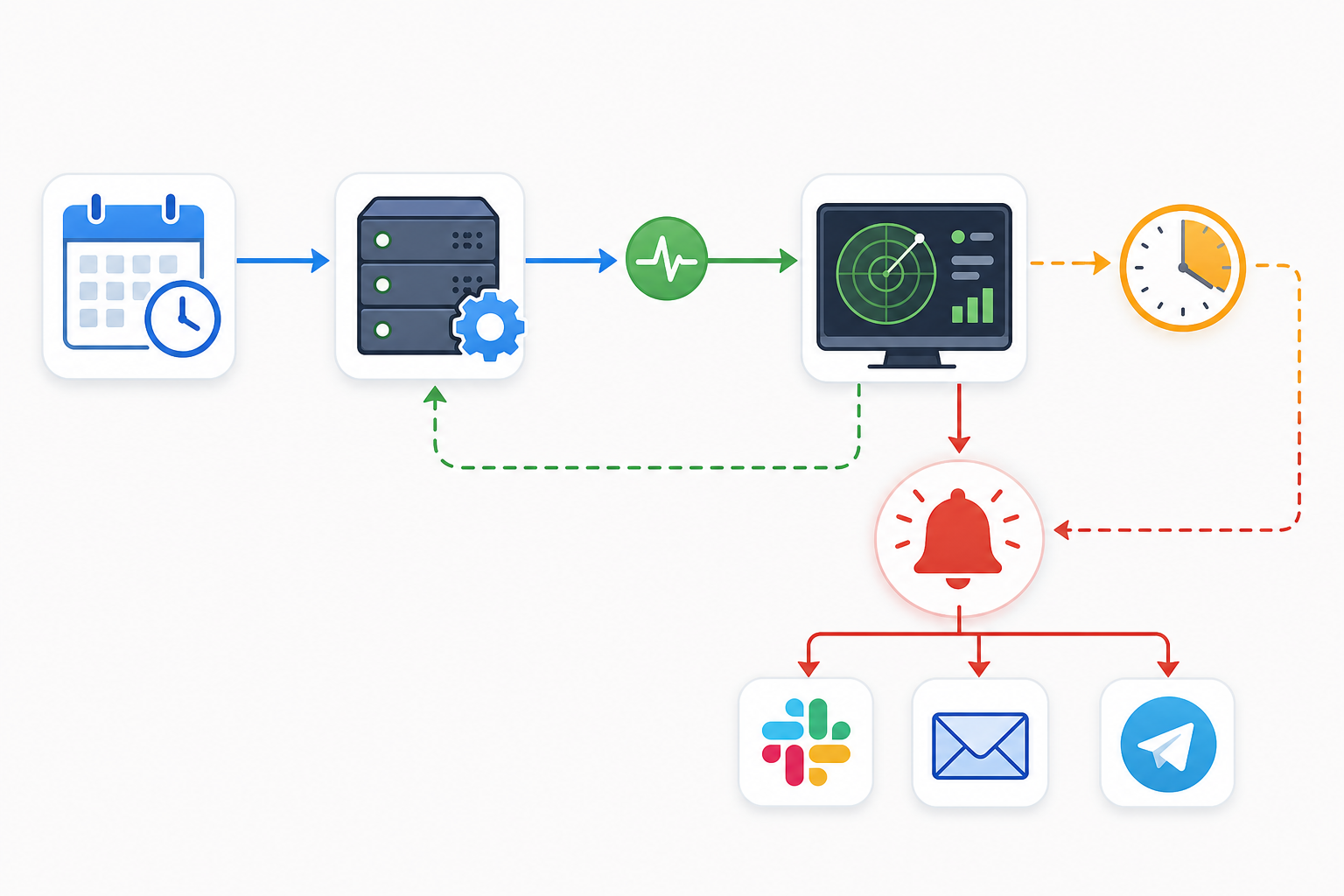
Setting up a heartbeat check takes minutes rather than hours. Here's the process I'd walk a teammate through.
curl command is not enough for an important job. Use explicit error handling and a timeout so a slow monitoring endpoint cannot hang the task. For example:#!/usr/bin/env bash
set -Eeuo pipefail
PING_URL="https://ping.moonitor.example/abc123"
cleanup() {
local exit_code=$?
if [ "$exit_code" -ne 0 ]; then
echo "Job failed with exit code $exit_code - not sending heartbeat" >&2
fi
}
trap cleanup EXIT
## ... your actual job logic goes here ...
run_billing_reconciliation
## Only reached if the line above succeeded
curl --fail --silent --show-error --max-time 10 "$PING_URL" \
|| echo "Warning: job succeeded but heartbeat ping failed" >&2
set -Eeuo pipefail makes the script stop at the first error rather than continuing silently. --max-time 10 prevents a flaky network call to the monitoring service from hanging the job, and the ping only fires after the actual work is complete. If the ping fails, that is logged separately rather than silently treating the business task as failed.

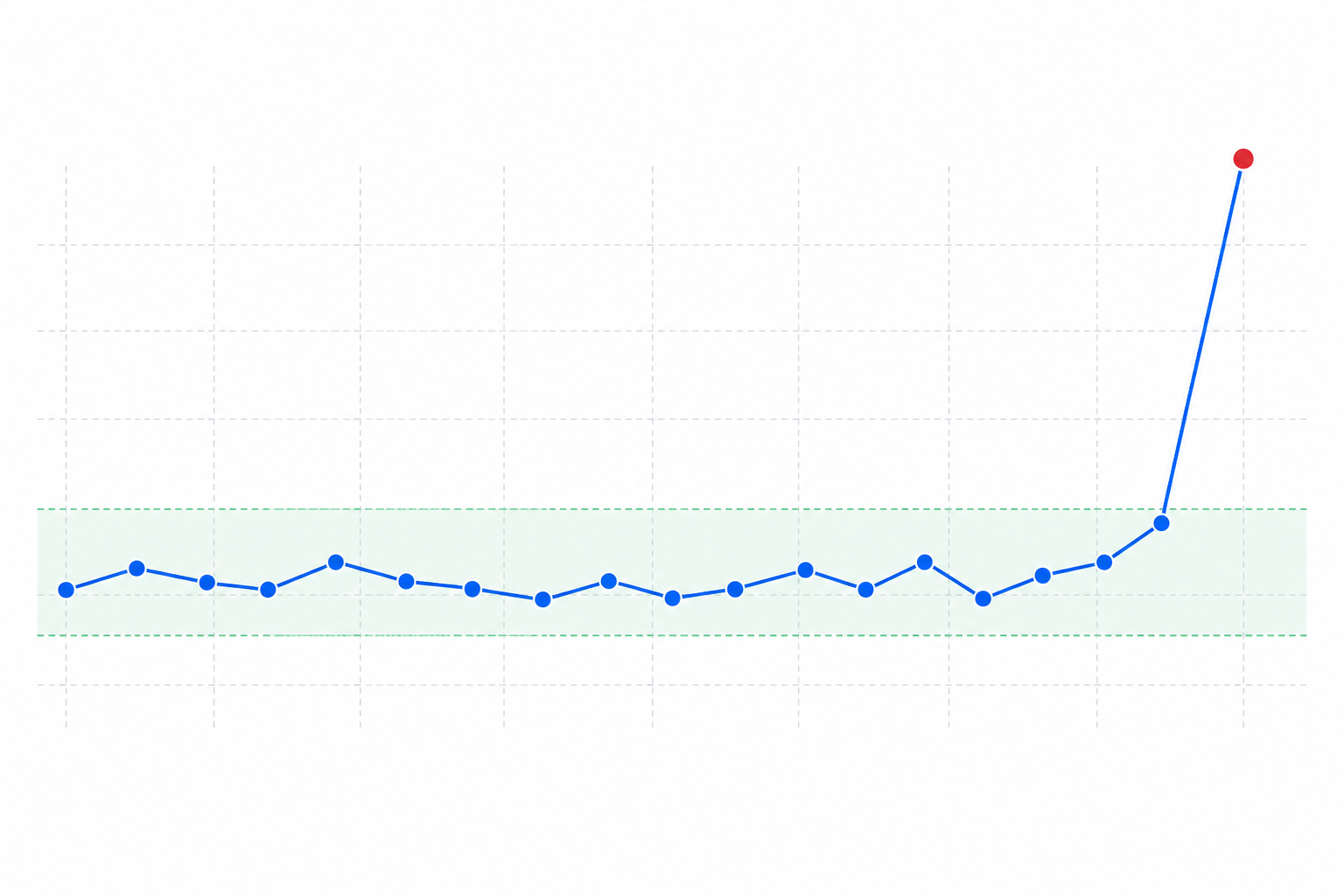
A grace period is the buffer after a job's expected run time before the monitoring service sends an alert. If a job runs every hour on the hour and you set a 10-minute grace period, the alert will not trigger until 10 minutes after the expected check-in.
Without this buffer, you may be alerted every time a job runs a few minutes late because the server is under load, a queue is backed up or a dependency takes longer than usual.
The right grace period depends on the job:
Use this process to choose a sensible threshold:
A good monitoring setup should help verify that a failure is genuine before interrupting you, rather than firing on every temporary delay. Check your provider's documentation to understand how it handles missed or delayed heartbeats, and aim to trust every notification that reaches your team.
Yes, but distributed systems require you to distinguish between several monitoring signals.
A scheduled heartbeat works well for predictable tasks such as “this batch job should finish roughly every hour”. A queue worker may process messages continuously, however, so the important questions become whether the worker is alive, whether the queue is growing and whether individual tasks succeed.
Monitor these separately:
Most teams combine these signals: a liveness heartbeat for each worker, queue metrics for backlog and completion pings for batch-style tasks. One “everything is healthy” heartbeat can hide the precise failure you need to find.
Give each worker or job type its own unique ping URL. If an order-processing worker fails while an email worker remains healthy, you should be able to identify exactly which component stopped working.
Helpful practices include:
service-name.job-type.environment, so the purpose is clear across multiple servers.Even with heartbeat monitoring in place, a few problems are common:
finally-style block that runs regardless of success. Move it strictly after your success checks.Without heartbeat monitoring, you may not know until a downstream problem appears, such as a missing report, billing error or stale data. With a heartbeat check, you receive an alert by email, Slack, Discord, Telegram or webhook when the expected check-in does not arrive within the grace period.
This catches jobs that did not run or crashed before completion. It does not catch a job that ran, sent its heartbeat and produced incorrect output, so pair cron monitoring with output checks for business-critical tasks.
Heartbeat monitoring reverses the usual monitoring model. Instead of a service pinging your server to check whether it is available, your job pings the monitoring service to confirm that it reached a specific success point. If the ping does not arrive on schedule, something may be wrong with the job, server or scheduler.
A heartbeat proves that the code reached that line; it does not guarantee that every downstream effect was correct.
Measure the job's actual start times and runtime over several weeks. Separate schedule delays from execution time, then set the threshold around a high percentile of the observed variance rather than the average. This helps catch genuine failures without alerting on ordinary slow runs.
A rough starting point is 10–20% of the job's run interval, but adjust the value once real performance data is available.
Yes, but distinguish between worker liveness, queue backlog and individual task completion. A liveness heartbeat confirms that the worker process is running, queue metrics show whether work is building up, and per-task completion pings confirm that individual jobs finished successfully.
Most distributed systems need some combination of these signals, each with its own unique ping URL and appropriate schedule.
Cron job monitoring is not about adding another dashboard to check. It is about making sure the work you automated actually happens, and knowing as soon as it does not—while remaining clear about what a successful heartbeat does and does not prove.
Once heartbeat checks are running on your critical scheduled jobs, the question “has this actually been running?” becomes much easier to answer. That is a worthwhile return for a few minutes of setup.

Learn how cron job monitoring and heartbeat checks catch silent failures. Includes grace period advice and ping examples in bash, Python and Node for
Backup jobs fail silently more often than you'd think. Learn how to set up heartbeat monitoring for scheduled backups so you find out in minutes, not

Heartbeat monitoring explained: learn how cron job monitoring catches silent scheduled-job failures, missed runs and bad output before they cost you.