AI-Generated Images: A Visual Content Strategy Guide for E-commerce Blogs
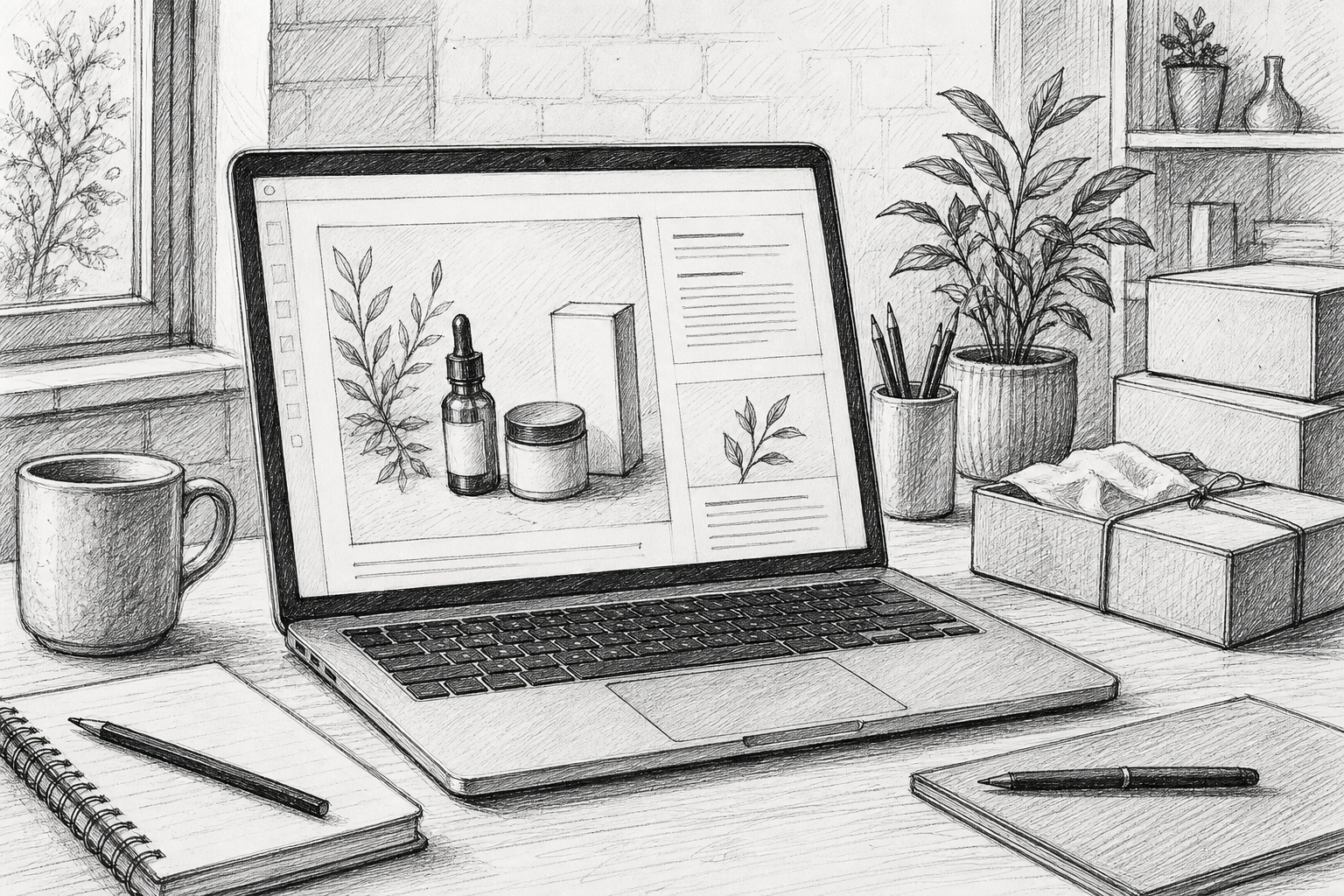
Can AI-generated images replace product photography for e-commerce blogs?
If you run an e-commerce brand, you know the tension well: your blog needs fresh content every week, but you can't justify booking a photographer every time you want to publish a new post. A five-post-a-month content calendar doesn't mean five photoshoots. So what fills the gap?
The short answer is AI-generated images, but only for the right jobs. They're brilliant for illustrating concepts, setting a mood, breaking up long text, and supporting how-to or informational posts. They are not a substitute for real product photography when accuracy matters to a buying decision. Get that split right and you'll save real time and money while keeping your blog looking professional. Get it wrong, and you risk misleading customers or publishing images that just look a bit off.
Below, I'll explain where the line sits, how to keep AI visuals on-brand, and a practical workflow you can start using this week.
Why visuals matter for e-commerce blog engagement
Readers don't read blog posts the way they read a novel. They scan first, then decide whether the content is worth their time. Usability research from the Nielsen Norman Group has long shown that people read web content in an F-shaped or scanning pattern. Visuals that explain something, rather than simply decorate a page, can help readers process and retain information faster than text alone.
There's also an oft-cited BuzzSumo analysis, originally published in 2015 and still referenced widely in content marketing circles, which looked at more than a million articles and found that posts including an image roughly every 75 to 100 words received significantly more social shares than image-light posts. It's worth being honest about the limits of that data: it's nearly a decade old, it measured shares rather than sales or engagement time, and correlation isn't causation. Adding pictures at fixed intervals won't automatically make your content go viral. What it does suggest is a durable pattern: content broken up with relevant visuals tends to get noticed and passed around more than dense walls of text.
For e-commerce specifically, visuals do more than decorate. Google's guidance on image SEO confirms that well-optimised, genuinely useful images, with descriptive filenames and proper alt text, can help a page perform better in image search and improve overall page quality. A 2023 Venngage survey of more than 500 marketers found that 86% considered visual content important to their overall strategy, with custom graphics being the most commonly produced format. That doesn't prove visuals cause longer time on page by themselves, but it does reflect a strong industry consensus that visual content supports the reading experience.
There's a trust dimension too. Consistent, well-considered visuals signal a brand that's put effort into its content rather than churned out text to hit a publishing quota. For UK shoppers in particular, who tend to be discerning about polish and provenance, a blog that looks scrappy or inconsistent can quietly undermine confidence in the products being discussed, even if the copy itself is excellent.
When do AI-generated images work best?
AI-generated images aren't universally good or bad for blog content. They're a tool with specific strengths and specific limits, and knowing which is which will save you a lot of headaches and potentially some awkward customer complaints.
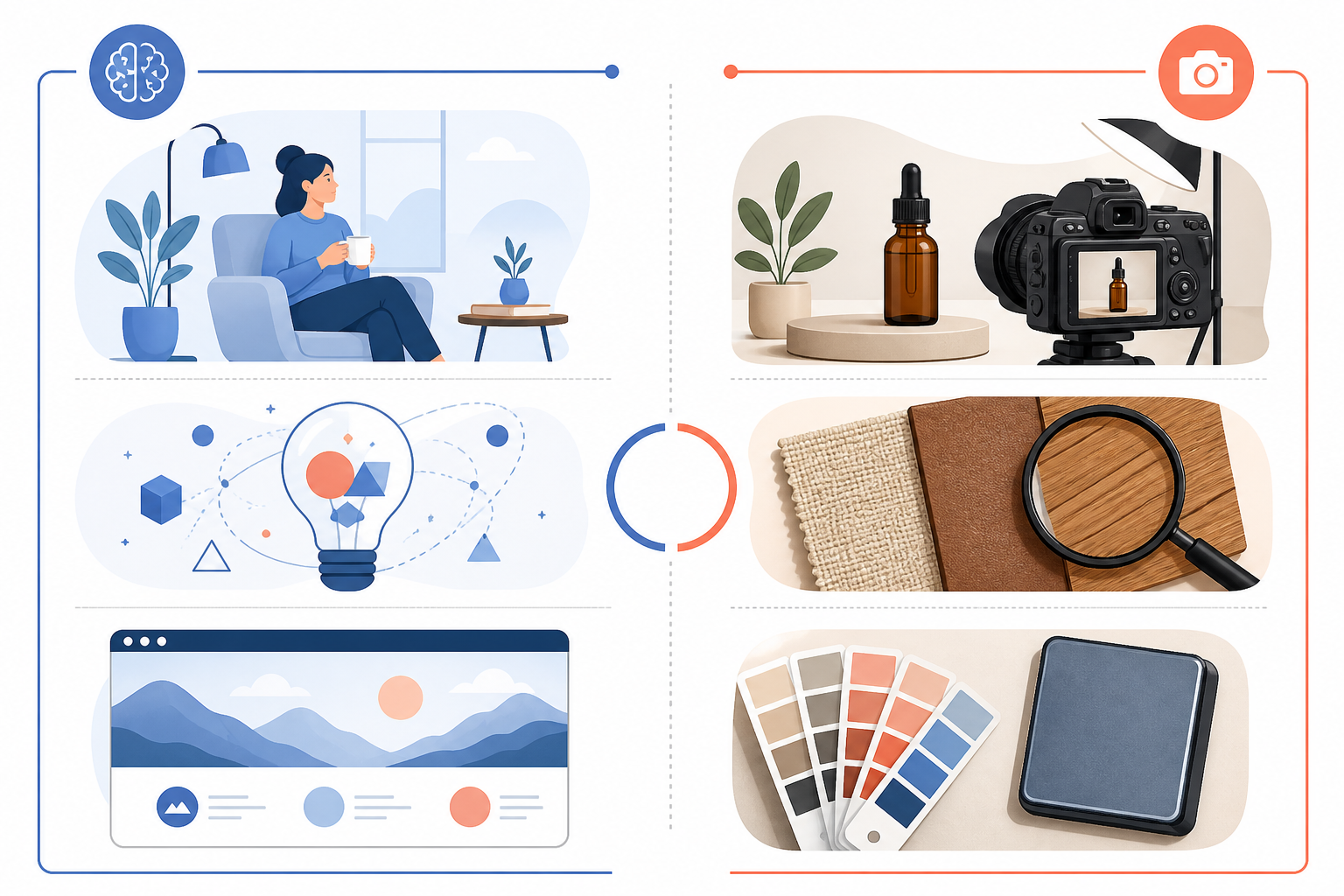
| Use case | AI suitability | Customer risk | Recommended treatment |
|---|---|---|---|
| Blog header or section divider | High | Low | AI-generated, brand-styled |
| Lifestyle mood shot, such as a cosy reading nook | High | Low | AI-generated |
| Explainer diagram showing how a process works | High | Low, if facts are checked | AI-generated, fact-checked |
| Product close-up showing texture or stitching | Low | High | Real photography only |
| True colour representation | Low | High | Real photography only |
| Sizing or scale reference | Low | High | Real photography, ideally with a measurement overlay |
| Seasonal or trend-based visual | High | Low | AI-generated |
Take a beauty brand: it's fine to open a blog post about layering products with an AI-generated image of a serene morning skincare routine, but never use AI to depict the actual bottle, texture, or true shade of a foundation. A fashion retailer can lean on AI for a stylised capsule wardrobe graphic, though real photography is still needed once fabric drape, colour accuracy, or fit becomes part of the story. And a homeware brand might generate an autumnal living room scene for inspiration content, while still photographing the actual cushion or throw it's selling.
This distinction matters because a widely referenced MDG Advertising survey, originally from 2014, found that a large majority of consumers rated image quality as very important when deciding whether to purchase online. The exact figure should be treated as directional rather than current, but newer UK consumer research consistently echoes the same underlying point: when someone is close to buying, they want to see the real thing.
Why AI images shouldn't replace accurate product photography
Beyond the general distinction between real and AI-generated images, there are some practical risks to manage:
- Distorted details. AI models still struggle with hands, small text, logos, and repeating patterns. Always check generated images closely before publishing.
- Inaccurate product representation. Never let an AI-generated image imply a feature, colour, or specification your product doesn't actually have. Under UK advertising rules, misleading imagery can fall foul of ASA and CAP guidance even if the copy nearby is accurate.
- Copyright and licensing uncertainty. Check the commercial-use terms of whichever tool you use. Some models are trained on data with unclear provenance, and licensing terms vary considerably between providers.
- Disclosure expectations. If a reasonable reader might assume an image is a genuine product photo when it isn't, consider a small caption noting that it is an illustrative or AI-generated image. This is good practice for transparency and helps you stay ahead of future UK regulatory guidance on synthetic media.
- Accidental resemblance to competitors. AI tools sometimes generate imagery that echoes existing branded products. A quick visual check before publishing can avoid awkward overlap.
How to pair AI diagrams with real product content
One of the most useful applications of AI-generated images is pairing a real product photo with an AI-generated diagram that explains something about it. Real photography answers "what does this look like?" while a diagram can answer "how does this work?" or "how do I use it?" more clearly than a paragraph of text.
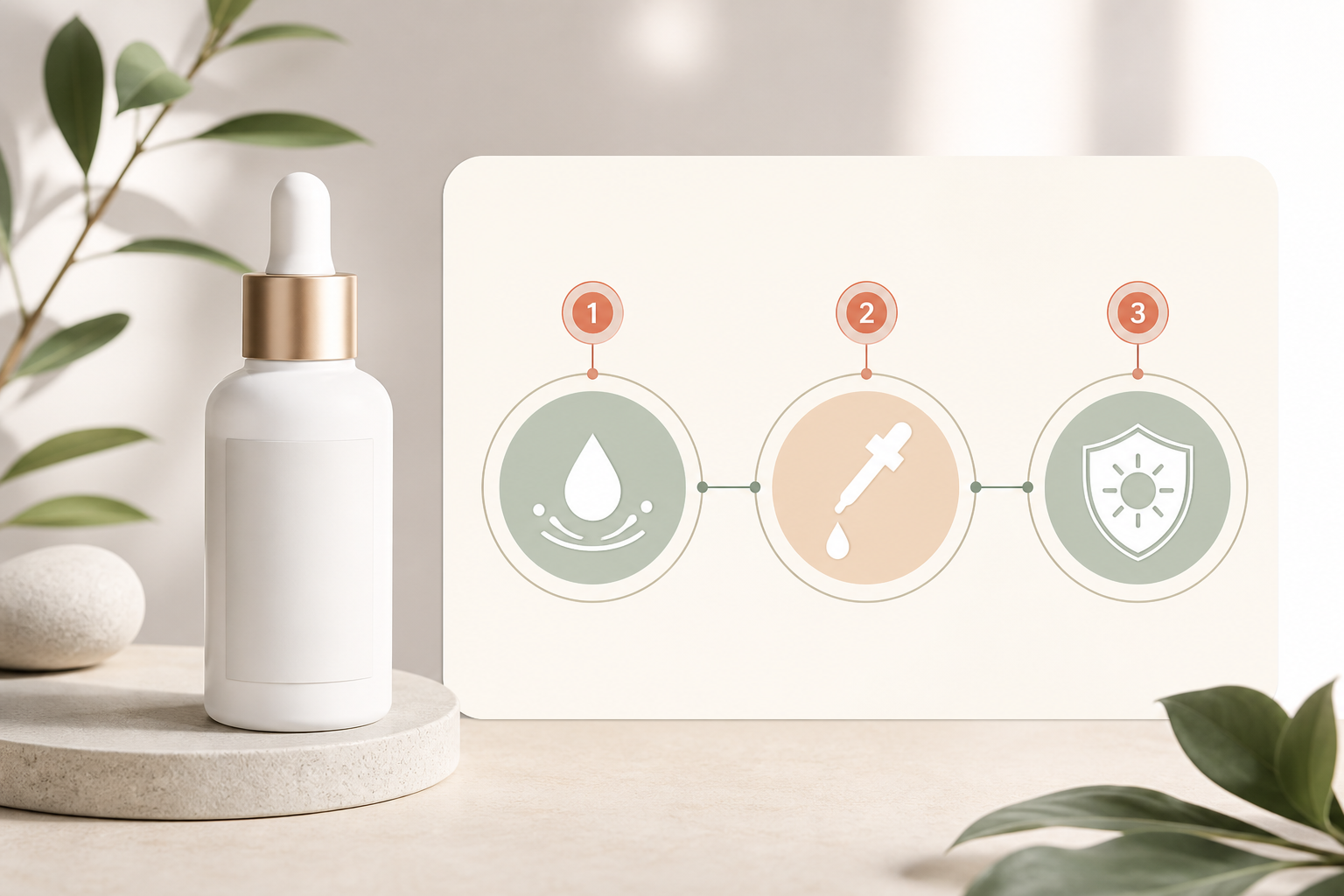
Take a skincare example. Say you're writing a blog post about layering a vitamin C serum under moisturiser and SPF. You'd use a genuine product photo to show the actual bottle and packaging, since that's what builds trust and matches what the customer will receive. Then you'd pair it with an AI-generated diagram showing the three-step application order, complete with simple icons and short labels. The diagram doesn't need to be photorealistic. It needs to be clear.
The one non-negotiable rule here is to fact-check every diagram before it goes live. AI models will confidently generate an incorrect step order, a wrong ingredient percentage, or a mislabelled process if you're not paying attention. Treat AI-generated diagrams like a first draft from a junior team member: useful and often mostly right, but never published without a proper check against your actual product information and any regulatory claims you're allowed to make.
This pairing approach works well beyond skincare too. A homeware brand might use a real photo of a rug alongside an AI diagram showing recommended room layouts. A supplement brand might pair a genuine bottle shot with an AI-generated infographic on recommended dosage timing. Again, fact-check this against the actual product labelling, since UK rules around health claims are strict.
How to maintain visual brand consistency with AI images
The fastest way for AI-generated images to look cheap or off-brand is to generate them ad hoc, with no shared reference point. The fix is to treat your AI visuals the same way you'd treat a photography brief.
Build a short visual brief that covers:
- Colour palette - the specific brand colours or a defined mood, such as warm neutrals or cool pastels
- Lighting style - soft and natural, moody and dramatic, bright and clean
- Composition - close-up, wide shot, centred subject, or negative space for text overlay
- Camera angle - eye-level, overhead flat lay, or slightly elevated
- Background and setting - minimal studio, lived-in home environment, or outdoor context
- Subject positioning - where people or objects sit within the frame
- Prohibited styles - anything that clashes with brand identity, such as overly saturated colours or an aesthetic too close to a competitor's
Once you've defined this, keep a simple prompt library: a running document of prompts that have worked well, organised by use case, such as headers, lifestyle scenes, and diagrams. This saves time because you're not reinventing your brief every time, and it keeps a junior team member or freelancer producing visuals that match what has gone before.
Finally, add a lightweight approval checklist before anything is published. Ask:
- Does it match the brand palette?
- Is any text or logo rendering correctly?
- Does it avoid depicting the actual product inaccurately?
- Has someone other than the creator reviewed it?
Five minutes of review can save a lot of embarrassment later.
Practical tips for creating better AI-generated visuals
Here's a practical, repeatable workflow I'd recommend for any e-commerce content team:
- Define the visual's job first. Is it a header, a mood-setter, or an explainer diagram? The purpose shapes the prompt.
- Write a specific, brand-aware prompt. Vague prompts produce generic results. Compare "a cosy living room" with: "A softly lit Scandinavian-style living room in muted sage and cream tones, overhead flat-lay angle, a knitted throw draped over a linen sofa, autumn morning light, no text, no people, photorealistic." The second version gives the model far more to work with.
- Generate several variants. Never settle for the first output. Generate at least four to six versions and choose the strongest, or combine elements across a couple of favourites.
- Check for AI artefacts. Look closely at hands, text, logos, symmetry, and small repeating patterns. These are where AI models most often slip up.
- Edit and finish in a design tool. Crop, adjust the colour balance to match your brand palette, and add any text overlay using your own brand fonts rather than relying on AI-rendered text.
- Add descriptive alt text and a proper filename. Instead of "image1.jpg", use something like "ai-generated-autumn-living-room-scandi-style.jpg". Write alt text that describes what's actually shown, which supports accessibility and image search visibility.
- Compress before publishing. Large image files slow down page speed, which hurts the user experience and can drag down search performance. Most e-commerce platforms, including Shopify and WooCommerce, have built-in or plugin-based compression tools.
- Monitor performance. Track click-through rate on posts using AI visuals, time on page, and scroll depth where you have that data. Over a few months, you'll get a clearer sense of what's working for your audience rather than guessing.
A sample prompt for a conceptual explainer graphic is: "A flat, minimal icon-style diagram showing three numbered steps for skincare application, muted pastel colour palette, clean sans-serif labels, plenty of white space, no photorealistic elements."
For a lifestyle header, try: "A warm, natural-light photo of a wooden desk with a candle, notebook, and cup of tea, autumnal colour palette, shallow depth of field, no visible branding or text."
How Scribe fits into an AI visual content strategy
We built our workflow around the idea that visuals shouldn't be an afterthought bolted onto finished copy. When you're planning a blog post in Scribe, you can flag where a visual is needed as part of the outline itself, whether that's a header image, an explainer diagram, or a spot where a real product photo needs to slot in. This keeps visual planning and writing connected, rather than leaving someone to hunt for images after the draft is done.
The practical benefit is consistency. Because the visual notes travel with the content brief, anyone producing images, whether that's a designer, a freelancer, or an AI tool, has the same brand guidance in front of them that shaped the prompt library discussed above. It won't replace your judgement about when a product genuinely needs a real photoshoot, but it does make the process of deciding, generating, and checking visuals far less chaotic.
Frequently asked questions about AI-generated images
Are AI-generated images good enough for a business blog?
Yes, for the right purposes. AI-generated images work well for lifestyle scenes, conceptual graphics, headers, and explainer diagrams where literal accuracy isn't the point. They're not good enough for showing exact product details such as colour, texture, or scale, where customers need to see the real item to make a confident buying decision.
How do I keep AI visuals on-brand?
Build a written visual brief covering colour palette, lighting, composition, and prohibited styles. Then keep a running prompt library of what has worked before. Add a short approval checklist before publishing so every image gets a second look against your brand standards, not just the creator's judgement.
Can AI images replace product photography for blog posts?
Not for the product itself. AI-generated images can reduce the need for a full photoshoot around supporting visuals, such as lifestyle scenes, diagrams, and headers. However, the actual product should be shown through real photography whenever texture, colour accuracy, or scale matters to the reader's decision.
The bottom line: use AI images alongside product photography
AI-generated images aren't a replacement for your product photography, and they were never meant to be. Used well, they're a genuinely useful way to fill the visual gaps around your product content: headers, mood-setting lifestyle shots, and explainer diagrams that make a how-to post easier to follow.
Keep real photography for anything where accuracy drives the buying decision. Build a simple brand brief and prompt library so your AI visuals stay consistent, and put a review-and-measure workflow in place before you scale up. Do that, and you'll get the time and cost savings of AI-generated images without sacrificing the trust your e-commerce blog has worked to build.
Create content like this automatically
Scribe uses AI to generate high-quality blog posts that engage your audience and drive traffic.