How to Choose Payment Processing That Pays You Directly: A South African Guide for Local Shops and Studios
Payment Processing for Small South African Businesses: A Practical Guide to Fees, Payouts and Safety
A note on perspective: we're the team behind Shopstar, so we use Shopstar Go as our worked example. The checklists and break-even maths work for any provider. Shopstar's pricing, payout terms and features can change, so always confirm the current details on the provider's own pricing and help pages before you decide.
When you're choosing payment processing for your online store, three things matter most: the all-in cost per sale in rand, how and when the money reaches your own bank account, and what support you get when something goes wrong. A platform with card, Apple Pay and Scan to Pay built into its checkout saves a lot of admin. You don't need to apply for a separate gateway or merchant account, and you don't need to hire a developer. Whether that's right for you depends on your sales volume and how you like to work.
The rest of this guide explains the jargon, works through real rand examples and gives you questions to take to any provider. 😊
What Direct-to-Bank Payouts Actually Mean
We talk to shop and studio owners every week who are baffled by payment jargon. Gateways, acquirers, settlement, reserves. The confusion usually costs them money or cash flow, either through fees they didn't see coming or payouts that arrive later than planned.
When we say direct payouts, we mean this: your customer pays, and the processor sends that money to your own South African bank account on a set schedule. You don't submit withdrawal requests, and you don't have a balance to chase.
Wallet-style setups work differently. Your sales sit in a platform balance until you withdraw them. That's perfectly workable, but it adds a step, and how fast you can get at the money depends on the platform's withdrawal rules and your bank's timing.
Here's a quick way to see the main options side by side:
| Setup | How you get set up | How you get paid | Worth checking |
|---|---|---|---|
| Built-in payments on your store platform | Usually part of store setup, with no separate gateway account | Often automatic to your bank account, depending on the provider | Fees, payout schedule, supported methods |
| Separate gateway and merchant account | Application, approval and a contract, often with technical integration | Set by your acquirer or gateway | Monthly fees, setup fees, integration effort |
| Wallet-style balance | Quick signup | You withdraw to your bank when you choose | Withdrawal rules, fees and timing |
Requirements vary by provider and by your business profile, so treat this as a starting framework, not a rulebook.
Below we cover how the money moves, what payment processing costs, how fast it arrives, how to stay safe and legal, and what to ask before you sign up.
How Online Payments Reach Your Bank
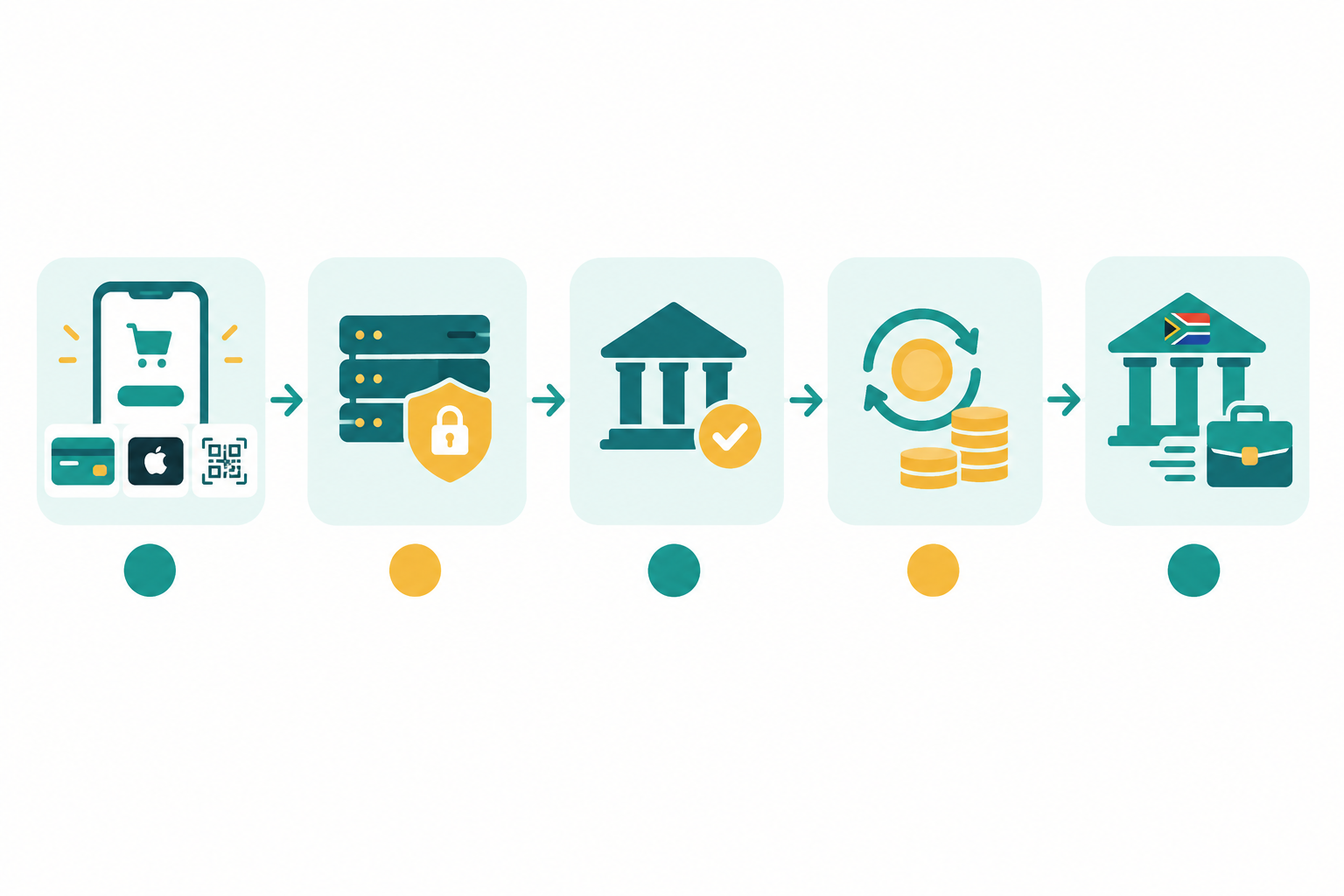
When a customer taps 'Pay', a lot happens in a few seconds. Here's a simplified version of the journey. The exact flow, and who plays which role, varies between providers.
- The customer checks out. They enter card details, tap Apple Pay or use Scan to Pay.
- The payment details are sent for approval. The gateway securely passes them to the card network and the customer's bank.
- The customer's bank decides. It approves or declines, usually within seconds.
- Approved funds are settled. Fees are deducted at or around this stage.
- The payout is sent to your bank account. With some providers this happens automatically on a schedule.
The thing to take from this: an approved payment isn't the same as money in your bank. Approval and payout are separate events, and the South African Reserve Bank's material on the national payment system treats clearing and settlement as distinct stages. A sale can show as successful in your store while the funds are still waiting to be settled.
Payment Processing Terms in Plain English
Some providers combine these roles, so you may not deal with each one separately.
- Payment gateway: the secure link between your checkout and the banks. Think of it as the card machine for your online store.
- Payment processor: the company that handles the transaction behind the scenes.
- Acquirer: the bank or institution that receives money on your behalf from the card networks.
- Merchant account: the account that lets you accept card payments. Traditionally, you applied for one yourself.
- Settlement: the stage where approved funds are allocated to you, minus fees.
- Payout: the transfer from the processor into your own bank account.
Do I Need a Separate Payment Gateway Account?
The traditional route is to apply for a merchant account, wait for approval, sign with a gateway and get a developer to connect it to your website. It's still used, and it suits some larger or more complex businesses.
For a local shop or studio, though, that's a lot of admin. On a platform with payments built in, like Shopstar Go, card, Apple Pay and Scan to Pay are already part of your store. You don't apply for a separate gateway or merchant account, and you don't touch any code. (Shopstar may still ask for some details to verify your business and bank account.) For non-technical owners, skipping the integration work can be the difference between launching this month and putting it off until next year.
One caution: an online store builder isn't automatically the payment processor. Some builders only display the checkout and hand payments to a third party. Always check who actually handles the money, and whether they support South African merchants and banks.
Understanding Payment Processing Fees (With Rand Examples)
Fees are where small businesses get tripped up, so here are the layers you might meet:
- Gateway or processing fee: a percentage of each sale, sometimes plus a fixed rand amount.
- Platform fee: what the store software charges on top.
- Monthly fee: a flat subscription, which may or may not lower your per-sale rate.
- Extras: setup fees, refund charges, chargeback fees and payout fees.
A fixed fee per transaction hurts most on small purchases. On a R100 sale, an extra R2 is 2% of the order. On a R1,000 sale you'll barely notice it. So don't just compare headline percentages. Look at the full cost of a successful payment.
Shopstar's Two Payment Plans
Here's how Shopstar's plans work, based on the pricing we publish. Check the current pricing page before you decide, as plans can change.
- Start Free: no monthly fee, and 6% all-in per sale. That's a 2.9% payment gateway fee plus a 3.1% Shopstar fee.
- Lower Fees: a monthly fee, and 2.9% per sale.
The table shows what that means in rand. The Lower Fees figures are before the monthly fee, which is charged separately.
| Sale amount | Start Free fee (6%) | You receive | Lower Fees fee (2.9%) | You receive |
|---|---|---|---|---|
| R250 | R15.00 | R235.00 | R7.25 | R242.75 |
| R500 | R30.00 | R470.00 | R14.50 | R485.50 |
| R1,000 | R60.00 | R940.00 | R29.00 | R971.00 |
How to Calculate Your Payment Processing Break-Even Point
You can do this sum yourself, no guesswork needed:
- Estimate your monthly online sales in rand.
- Multiply by 6% to get the monthly cost of Start Free.
- Multiply by 2.9% and add the Lower Fees monthly fee to get the monthly cost of that plan.
- Compare the two totals.
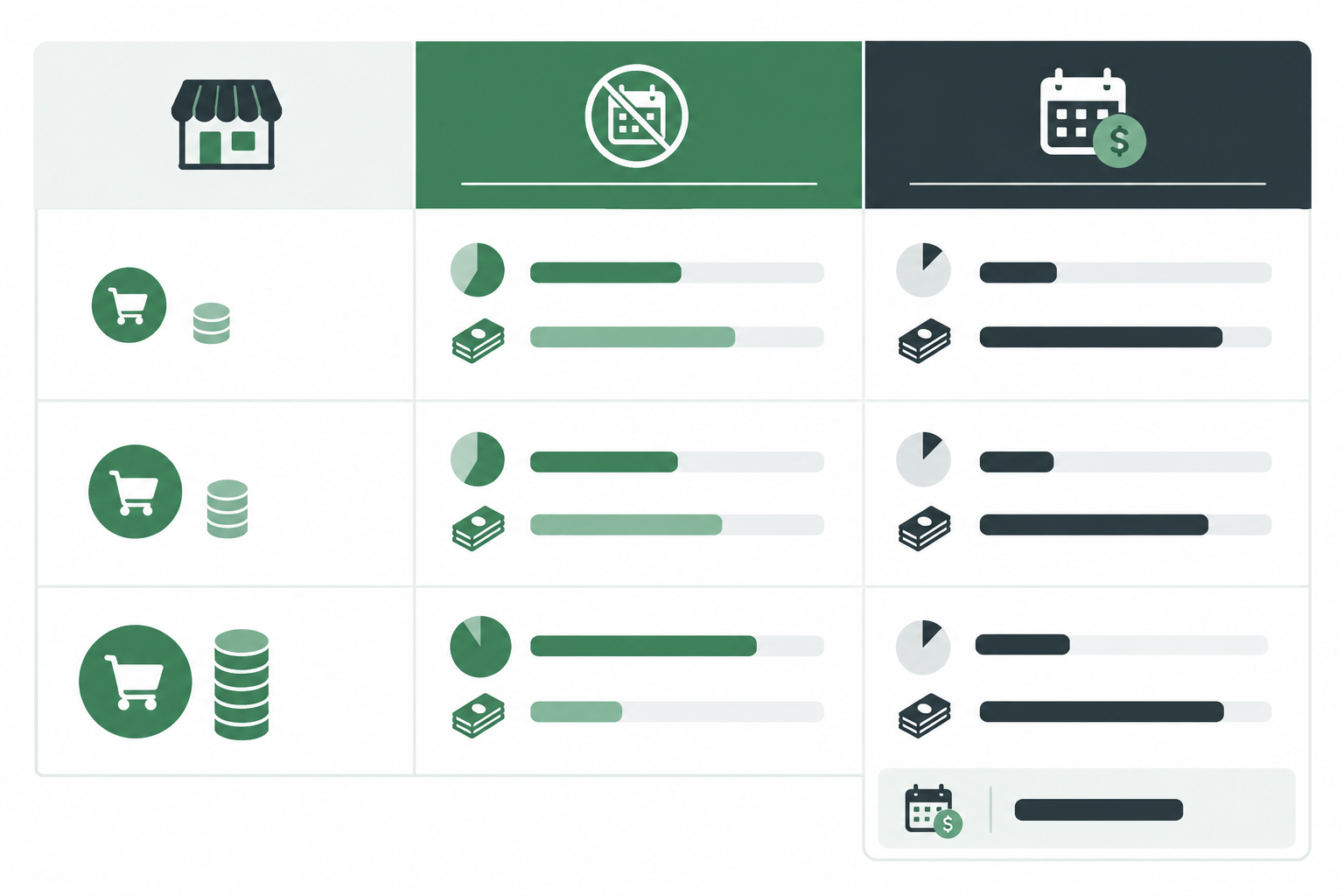
The gap between the plans is 3.1% of your sales, so your break-even point is the monthly fee divided by 0.031. Below that level of sales, Start Free costs less. Above it, Lower Fees wins.
Here's a worked example. We've used a made-up fee of R300 a month purely for illustration, so please swap in the current Lower Fees price from Shopstar's pricing page.
- Break-even sales: R300 ÷ 0.031 = about R9,677 a month.
- At R6,000 in monthly sales, Start Free costs R360. Lower Fees costs R174 plus R300, which is R474. Start Free is cheaper.
- At R15,000 in monthly sales, Start Free costs R900. Lower Fees costs R435 plus R300, which is R735. Lower Fees is cheaper.
The calculation assumes the same sales volume on both plans and compares only the fees mentioned above. It leaves out other charges, such as refund or chargeback fees. Also confirm whether the monthly fee is quoted with or without VAT.
A new studio taking a handful of bookings a month will probably land on Start Free, with nothing to pay in a quiet month. A busy shop with steady daily orders will often come out ahead on Lower Fees. Let your actual sales pattern decide, not whichever plan sounds cheapest.
Don't Forget VAT on Payment Processing Fees
VAT in South Africa is 15%. When you read any provider's pricing, ask whether the quoted fee includes VAT, and what refunds and chargebacks cost. A fee quoted exclusive of VAT can end up noticeably higher once VAT is added, so get the total in writing. If you're a VAT vendor, your accountant can tell you how to treat VAT on the fees you pay.
Why Payout Speed Matters for Small Businesses
How quickly do you get paid after a sale? It depends on the provider. There's no single payout time for online payments in South Africa, and it can vary by payment method, cut-off times, weekends and public holidays. What you want is a clear, automatic schedule, plus an honest answer on how long your own bank takes to show the funds.
Shopstar Go pays out automatically each day to your South African bank account, so there's no manual cash-out step to remember. Cut-off times, business-day rules and your bank's own processing time still apply, so funds may take a little longer to appear. Check Shopstar's current payout terms for the details.
Why does this matter so much? Because small business cash flow runs on timing.
- Paying suppliers in Joburg or Cape Town on time keeps good relationships and good terms.
- If you're buying stock before a market weekend, you need the cash a few days earlier, not a few weeks later.
- Studio rent and instructor pay don't wait for your payout schedule.
- Load-shedding brings its own costs, like a battery backup, a power bank for your card reader or a generator top-up.
Here's an illustrative example, not a promised timeline. Imagine a pilates studio owner in Cape Town who sells a block of classes on Monday. If her provider pays out daily and automatically, that money could reach her account within the working week. She might then pay a freelance instructor on Friday and order new mats without waiting on a weekly or monthly cycle. If a system held funds for several days or needed a withdrawal request, she'd be juggling her own bank balance instead of running classes.
A quick tip for any provider: run a small test sale and follow it all the way through, from the order record to the payout report to your bank statement. You'll see the real timeline before your cash flow depends on it.
Is Online Payment Processing Safe? Security and Trust
It can be, when a reputable, compliant provider processes the payments. With a hosted or built-in checkout you usually don't store or handle card numbers yourself, which greatly reduces your risk. It doesn't remove your responsibilities altogether, though. Here's what's happening behind the scenes:
- Encryption (HTTPS) scrambles data between the customer and the checkout, so it can't be read in transit.
- 3D Secure is an extra step where the customer's bank confirms it's really them, often with a one-time PIN or app approval. It isn't triggered on every transaction, because banks decide when to apply it.
- PCI DSS is the industry security standard for handling card data. A good provider handles most of this for you, but ask what your own obligations are.
- Tokenisation replaces real card details with a token, so there's little of value to steal.
- Apple Pay typically uses a device-specific token instead of the customer's actual card number, which adds a layer of protection.
You still have a role. Use strong, unique passwords, switch on multi-factor authentication for your admin and payment accounts, keep any software up to date, and limit who on your team can see customer data and issue refunds.
South African Online Payment Rules in Plain Language
This is a summary, not legal advice or a complete list of your obligations. Follow the links to the official sources.
- POPIA: when customers check out, you collect personal information. Keep it secure, collect only what you need and have a clear privacy policy. If you suspect a data breach, section 22 requires you to notify the Information Regulator and the affected people as soon as reasonably possible.
- ECTA: your online store should show your business name, contact details, physical address, pricing and terms. ECTA also sets cooling-off rights for many distance sales, but exceptions apply, so check how they apply to what you sell.
- CPA: keep pricing clear and descriptions honest, and handle refunds and returns fairly, especially for faulty goods.
Most of this is common-sense good practice that also builds customer confidence. For anything specific to your business, speak to a legal adviser.
Trust Signals Customers Notice at Checkout
Shoppers look for a recognisable checkout, clear contact details and good reviews. Shopstar had a 4.9-star Google rating from 120+ reviews when we wrote this, and you can check our public Google listing for the current figures. A rating tells you about customer experience, though, not how reliable the payments are, so treat it as one signal among several. Make sure your own store shows your contact details and return terms where people can see them.
Tax and Record-Keeping for South African Online Stores
Online sales are income, and SARS expects them to be recorded like any other. Here's the practical side:
- Keep matching records. Hold on to order records, payout reports and bank statements, and make sure they line up. SARS generally expects supporting records to be kept for five years.
- Record sales and fees separately. The money that lands in your account is the sale minus fees, refunds or other adjustments. Don't treat the net deposit as your revenue. Record the full sale, then record the fees as business expenses, which means keeping the fee breakdown.
- Make reconciliation easier. Order reports and regular payout reports help you match orders to payouts to bank deposits at month-end.
- Know the VAT basics. VAT is 15% in South Africa. Registration is compulsory once taxable turnover passes R1 million in a 12-month period, and voluntary registration is possible from R50,000. VAT vendors must issue valid tax invoices.
Accepting online payments doesn't make you a VAT vendor by itself. For your own position, confirm with SARS or a registered accountant.
What Your Ecommerce Platform Should Support Beyond Product Sales
Most local businesses don't sell just one thing. A yoga studio sells class bookings and a few retail items. A bakery sells gift boxes. A photographer sells presets. None of them should need three separate payment setups.
On Shopstar Go, a single checkout is designed to handle:
- Physical products
- Digital downloads
- Bookings and appointments (a simple booking system)
- Event ticketing
- Membership or subscription payments (a basic membership site)
Features can differ by plan, so check the current product documentation for any limits or conditions on the ones you need.
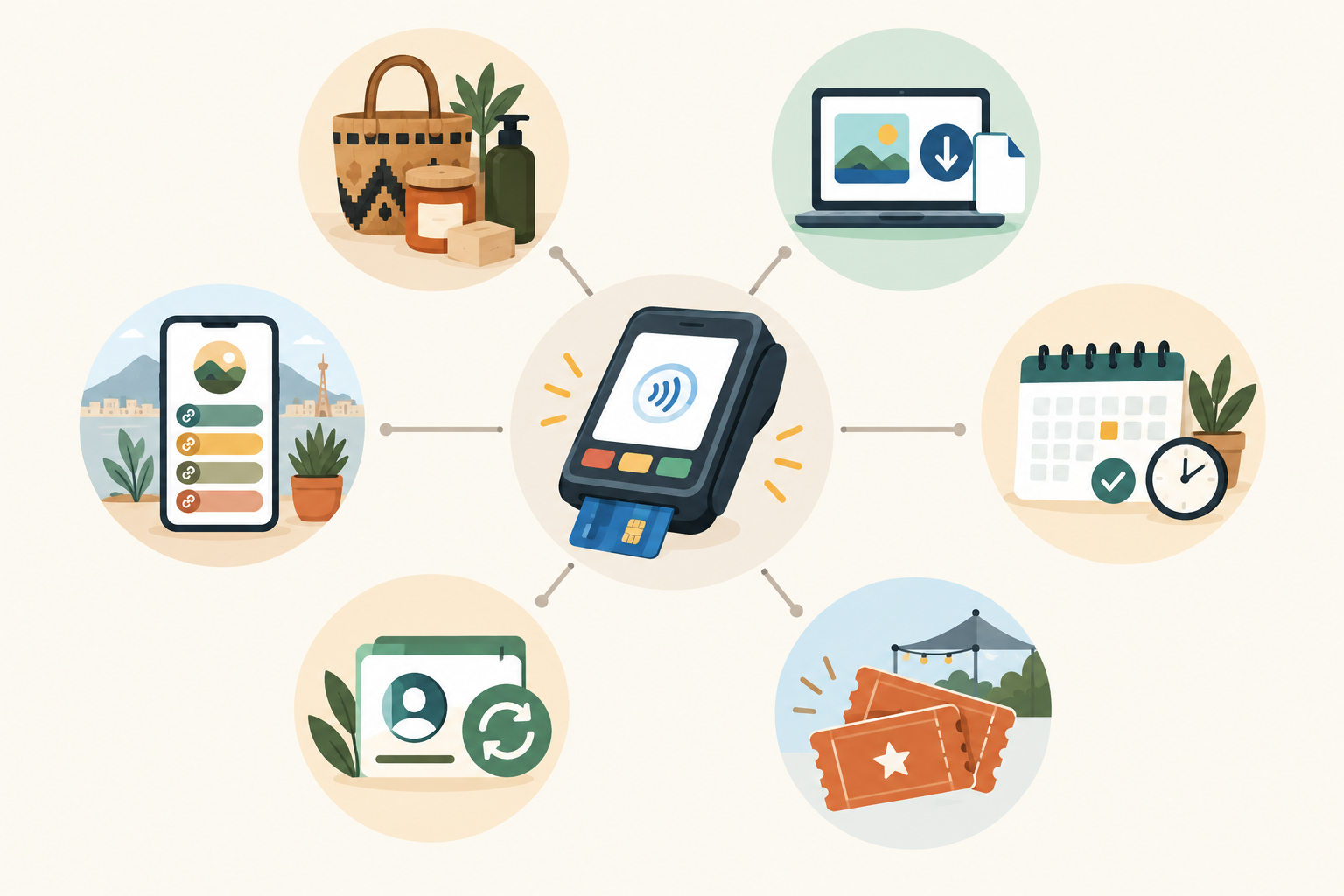
Shopstar works as both a link in bio page and an online store builder. You get one simple page to share on Instagram, WhatsApp and TikTok, with no full website build. You can claim a shopstar.page URL or connect your own domain, and everything goes through the same checkout and payout process.
Payment processing works best as one piece of your small business toolkit, not a standalone headache you have to solve on its own.
Questions to Ask Before Choosing a Payment Processor
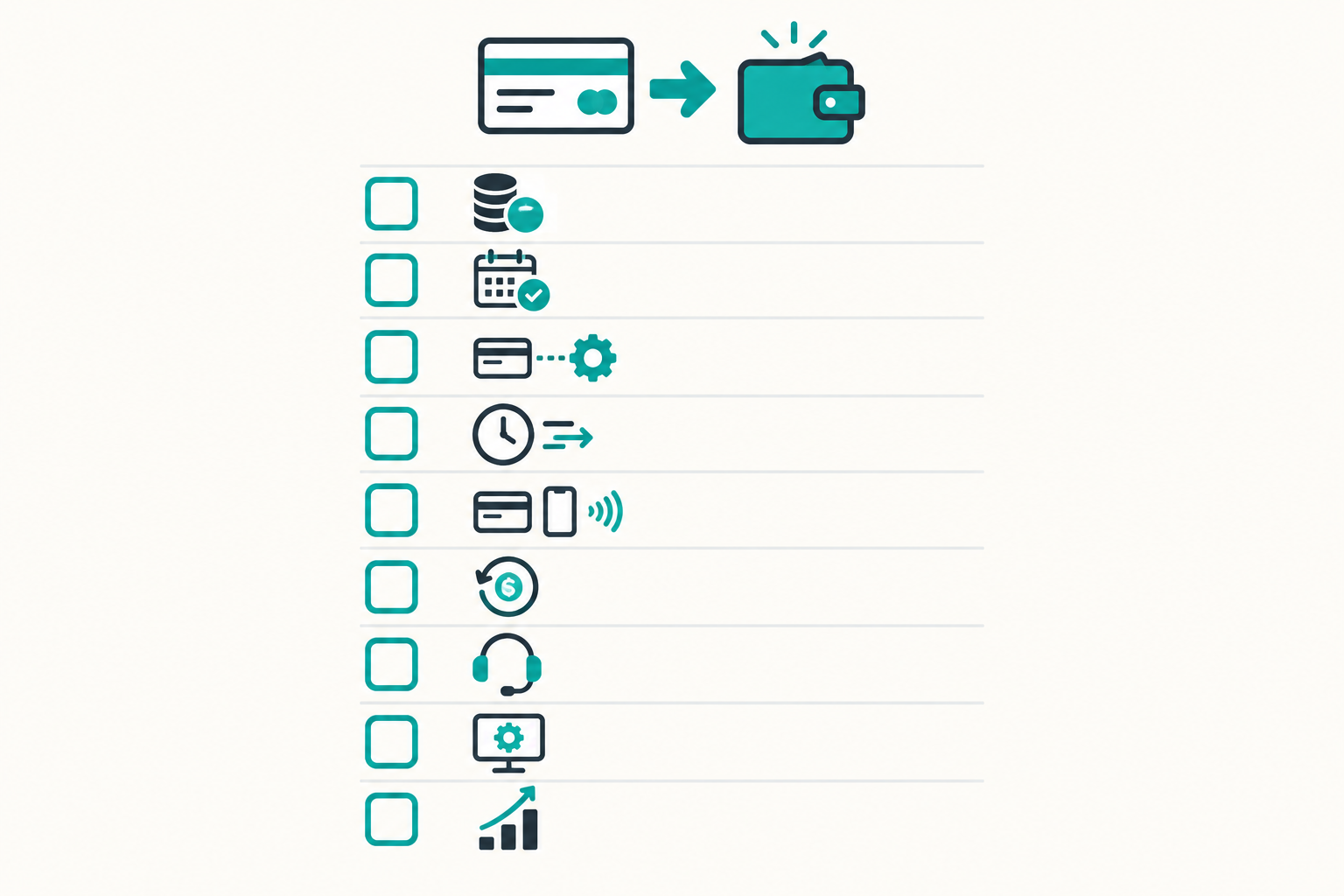
Take this list into any conversation with a provider, including us:
- What is the total cost per sale in rand? Include every fee, and ask whether VAT is included.
- Is there a monthly fee? At what sales level does a lower per-sale rate make sense?
- Do I need a separate gateway or merchant account, or are payments built in?
- How often am I paid? Is it automatic, and does it go straight to my South African bank account? What are the cut-off times?
- Which payment methods can my customers use? Card, Apple Pay, Scan to Pay?
- What happens with refunds and disputes? Are there extra costs?
- How will I get help if something goes wrong? Is there a real person to talk to?
- How easy is setup for someone who isn't technical?
- Can the same checkout handle products, bookings, tickets and memberships as I grow?
Here's our honest nudge. Shopstar's stores have processed over R250 million in paid orders (a figure from our own records at the time of writing), we offer hands-on onboarding, and you can start on the free plan with no monthly commitment. If it isn't right for you, you haven't lost anything.
Choosing Your Next Step
If you only remember three things, make them these: clear all-in fees, automatic payouts to your own bank account on a schedule you understand, and a setup you can manage yourself without a developer.
Grab your average order value and run the numbers on the plans you're considering. It takes five minutes and tells you far more than any sales page can. When you're ready, take a look at Shopstar Go and set up a store, and lean on our onboarding support if you'd like someone to walk you through it. No pressure from us. 🙌
Frequently Asked Questions About Payment Processing
How Quickly Do I Get Paid After a Sale?
It depends on the provider's schedule, cut-off times and your bank. Shopstar Go pays out daily and automatically, but weekends, public holidays and your bank's processing can add time. A test sale will show you the real timeline.
What Fees Should I Expect Per Transaction?
Expect a percentage of each sale and possibly a monthly fee. On Shopstar's Start Free plan, a R500 sale costs R30 in fees. Whatever provider you choose, ask about refund, chargeback and payout charges, and whether VAT is included.
Is It Safe to Accept Card Payments Online?
It can be, with a reputable provider that manages encryption and card-data compliance. You're still responsible for protecting customer information under POPIA, displaying the required details under ECTA and securing your own admin logins.
Do I Need a Separate Payment Gateway Account?
Not necessarily. Some platforms, including Shopstar Go, include payments in the store, so there's no separate gateway to apply for. Other providers do require one, so ask each of them directly.
Do I Have to Be VAT Registered to Accept Online Payments?
No. Registration is compulsory once your taxable turnover exceeds R1 million in 12 months, and voluntary from R50,000. Check with SARS or an accountant for your situation.
Can I Take Payments for Bookings, Tickets and Memberships, Not Just Products?
On Shopstar Go, yes, through one checkout. Confirm any plan-specific limits in the current product documentation.
Related Articles

Launch Your Shopstar.page in Under an Hour: A Checklist
Launch your South Africa ecommerce store in about an hour with an ecommerce platform. Get your products, payments and page ready to share.

How to Turn Your Skills Into Digital Products You Can Sell in South Africa
Turn your skills into digital products in South Africa: find a sellable idea, choose a simple digital download, and launch with an online store builder.

Create content like this automatically
Scribe uses AI to generate high-quality blog posts that engage your audience and drive traffic.