Dead Man's Switch Monitoring: A Simple Guide for Cron Jobs
Dead Man's Switch Monitoring for Cron Jobs: A Simple Guide
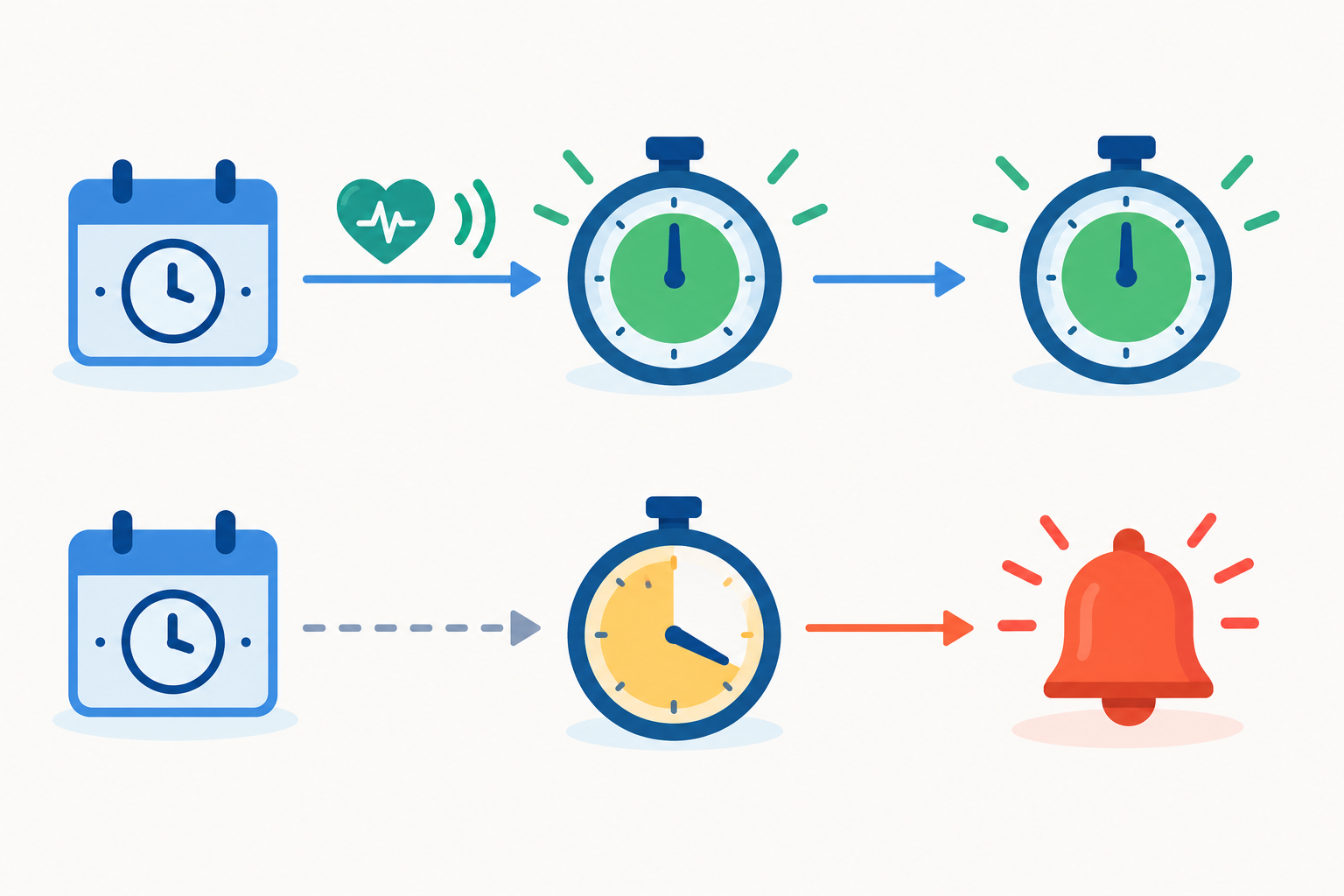
Dead man's switch monitoring flips normal monitoring on its head. Instead of the monitor checking your job, your job checks in with the monitor, and you get an alert when it goes quiet. For a cron job, that means a quick ping at the end of each successful run, plus a timeout window that matches your schedule. If the ping doesn't arrive in time, you hear about it, so silent failures stop being silent.
That's the whole idea. The rest of this guide covers how to set it up, how to pick a sensible timeout (the part that trips people up most), what an alert looks like in practice, and the mistakes I see most often. ☕
What is dead man's switch monitoring?
Picture this. Someone on your team sets up a nightly database backup. It runs beautifully for months. Then a deploy overwrites the crontab, and the job quietly stops. Nobody notices. Three weeks later, a table gets dropped by accident, someone says "no problem, we'll restore last night's backup," and the newest backup is three weeks old.
I've heard versions of this story more times than I'd like. Nothing crashed loudly. Nothing sent an alert. The job simply wasn't there any more.
The name comes from the physical world. Train drivers and operators of heavy machinery have controls they must actively hold or press. If the operator lets go, because they've fallen ill or lost consciousness, the system triggers automatically and brings things to a halt. It doesn't wait for anyone to report a problem. It reacts to the absence of a signal.
Software borrows the same logic: the missing signal is the signal. You'll also see this called heartbeat monitoring. Same pattern, different name, so if you've searched for either term, you're in the right place.
How dead man's switch monitoring differs from a regular uptime check
Most people meet monitoring through uptime checks. The monitor reaches out to your website, API or port and asks, "Are you there?" That's an active (pull) check, and it works well for anything that's meant to be always on.
A dead man's switch is a passive (push) check. Your job reaches out and says, "I ran, all good," while the monitor waits and watches the clock. A nightly script has no URL, no open port, nothing listening, so there's nothing for a normal check to poll. Pinging the server would tell you the machine is up, not that the job ran.
| Active uptime check | Dead man's switch (heartbeat) | |
|---|---|---|
| Who initiates | The monitor contacts your service | Your job contacts the monitor |
| What it detects | A service that's unreachable or responding badly | Work that never happened or finished late |
| Best for | Websites, APIs, servers, open ports | Cron jobs, backups, imports, scheduled reports |
| Example | HTTP check on your checkout page | Ping after the nightly backup completes |
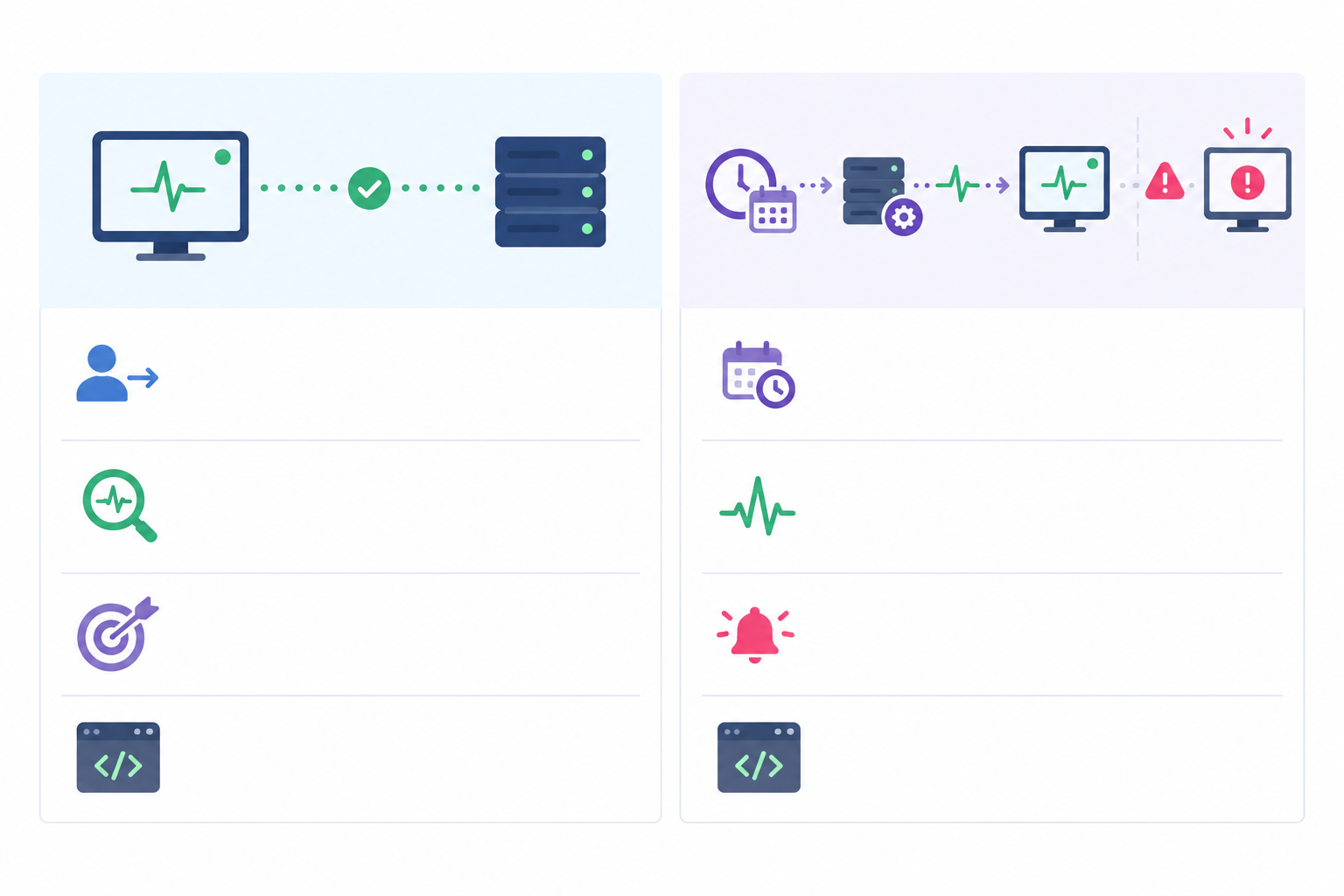
Most teams end up wanting both: active checks for the things that should always answer, and heartbeats for the scheduled work happening behind the scenes. Moonitor offers website, API and server monitoring alongside heartbeat monitoring, so you can keep them in one dashboard rather than juggling separate tools.
How dead man's switch monitoring applies to cron jobs
Here's the uncomfortable truth: a cron entry is a schedule, not a success check. Cron will try to start your job at the right time, but it won't tell you whether the job finished, produced anything useful, or even started properly. Unless something separate verifies completion, a broken job can go unnoticed for weeks.
These are the usual suspects:
- The server rebooted, or the crontab was overwritten. A deploy, a config management run or a well-meaning teammate replaces the file, and your job vanishes.
- The script errors and exits quietly. The failure is written to a log file that nobody reads.
- The environment is different from your shell. Cron runs with a limited environment, so variables like
PATHmay not match what you get interactively. A command that works by hand can fail under cron because an executable isn't found. - Credentials expire, disks fill up or paths change. The script is fine; the world around it moved.
- The job hangs. It never finishes, so it never errors either, and the next run might pile on top of it if there's no lock in place.
- Cron's email goes nowhere. By default cron mails output to the crontab owner, but that only helps if the host can send mail and someone reads that inbox. Redirect output to
/dev/nulland even that faint signal disappears. - Clock changes cause surprises. Around daylight saving transitions, a job scheduled for a local time that doesn't exist can be skipped, and a time that occurs twice can run twice, depending on your cron implementation.
What's at stake is usually very ordinary and very painful: missed backups, invoices that never went out, stale reports, or an SSL renewal script that stopped running right before the certificate expired. You find out when somebody needs the result.
Setting up your first dead man's switch
Let's make this real. Creating the monitor itself takes a minute or so in Moonitor, and wiring up your script takes a few more. Here's the flow.
- Create a heartbeat (cron) monitor and name it after the job it protects. "Nightly Postgres backup" beats "Monitor 7" when you're reading an alert at 3am.
- Copy the unique ping URL the monitor generates. This is the address your job will call.
- Add a curl or wget call to the end of your script, chained with
&&so it only fires on success. - Set the expected interval and grace period to match your schedule (more on that in the next section).
- Choose your alert channels: email, Slack, Discord, Telegram or a webhook.
- Run the job once manually to confirm the first check-in lands and the monitor turns healthy.
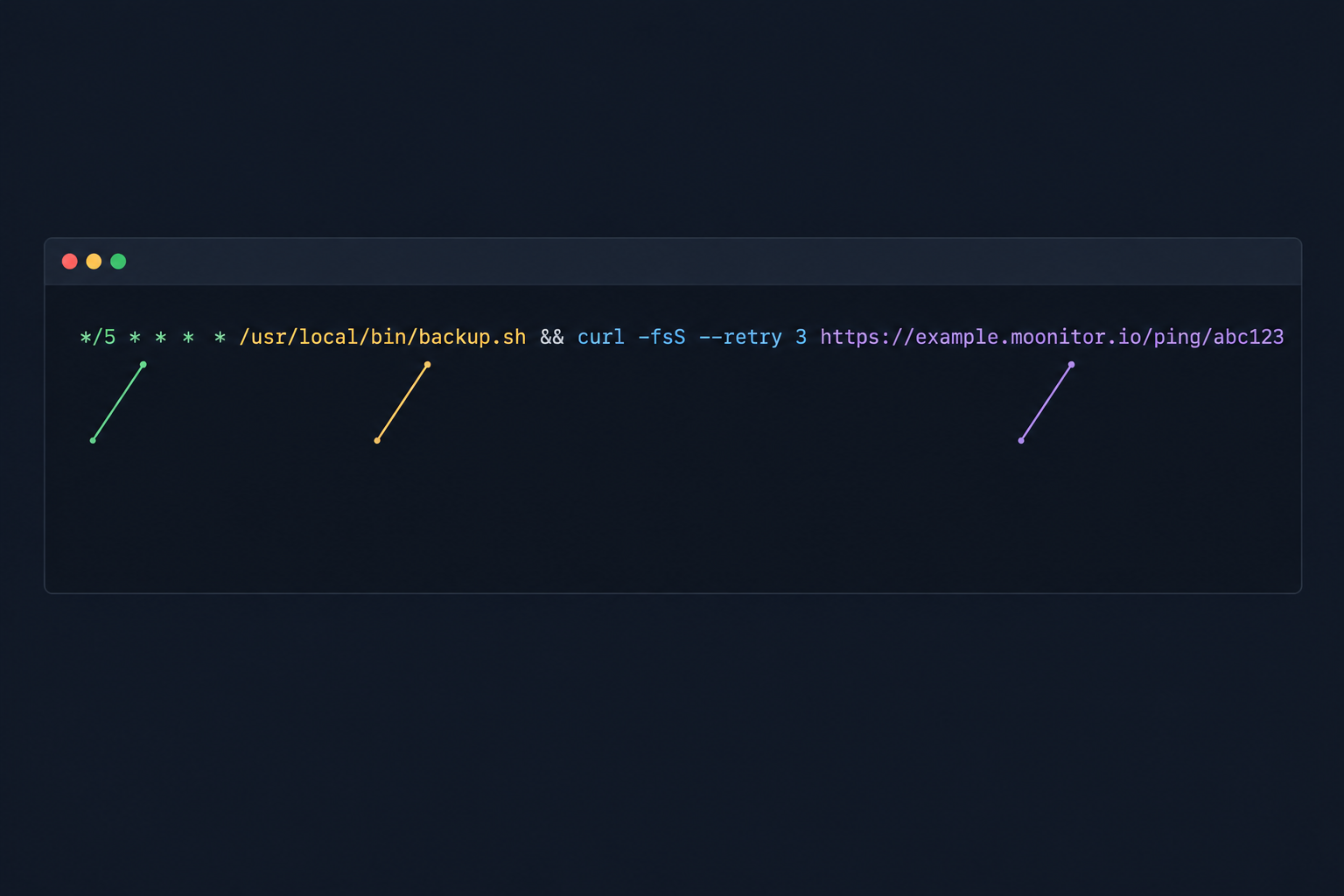
Here's what the crontab line looks like:
30 2 * * * /usr/local/bin/backup.sh && curl -fsS -m 10 --retry 3 https://example.moonitor.io/ping/abc123 > /dev/null
The schedule runs the job at 02:30 every night, backup.sh does the work, and the && means the ping only happens if the script exits successfully. The curl flags matter too. -fsS keeps output quiet but still reports errors and fails on HTTP errors, -m 10 stops the call hanging for more than ten seconds, and --retry 3 gives a brief network blip a few chances to clear.
One small upgrade is worth making. For something like a backup, don't just trust the exit code. Have the script check that the file exists and is a sensible size, and only then let the ping through. That catches both a missing run and a run that "succeeded" but produced nothing usable.
If you'd like to try this on a real job, Moonitor offers a free trial (at the time of writing, 7 days with no credit card, but do check the current terms on the site). Pick the job you'd least like to discover broken, and start there.
Choosing dead man's switch timeout windows
This is the part people either overthink or skip, so let's pin it down. There are two numbers:
- Expected interval: how often a ping should arrive.
- Grace period: how much lateness you'll tolerate before an alert fires.
First, know how your monitor counts
This matters more than anything else in this section, because it decides whether you accidentally count runtime twice. Heartbeat tools generally work in one of two ways, so check which one yours uses:
- Time since the last ping. The monitor expects a ping every interval, measured from the previous ping. Because you ping at the end of the job, runtime is already baked into that gap. Set the interval to the time between successful pings, then add a grace period only for how much that gap can wobble.
- Time relative to a schedule. The monitor expects a ping by a specific clock time, such as the scheduled start. Here the grace period has to cover the job's runtime plus a buffer, because the ping can only arrive once the work is done.
The examples below assume the first model, since it's the most common for cron-style heartbeats. I'll flag where the second model changes the numbers.
Dead man's switch timeout examples
- 5-minute sync job (usually finishes in seconds): interval of 5 minutes, grace of 3 to 5 minutes. A couple of missed beats are a real problem here, and you want to know fast.
- Hourly import (typically 8 minutes): interval of 1 hour, grace of 15 to 20 minutes. The ping time barely drifts, so this covers a slow run without waiting a whole extra cycle.
- Nightly backup that takes about 40 minutes: interval of 24 hours, grace of 30 to 60 minutes. Because pings are measured end to end, you don't add the 40 minutes again. The grace only needs to cover how much the runtime varies, so if the backup occasionally takes 70 minutes, a 30-minute grace covers that swing. Under the scheduled-time model, you'd instead allow roughly 40 minutes of runtime plus the same buffer, so around 70 to 100 minutes after the 02:30 start.
- Weekly report: interval of 7 days, grace of a few hours. Nobody needs a 2am page for a report that isn't read until Monday morning.
There's a trade-off, and it's worth being honest about it. Too tight, and a slightly slow night wakes someone up for nothing. Too loose, and a real failure sits undetected for hours. The right answer depends on how quickly the output goes stale, or a downstream deadline gets missed, if the job doesn't run.
Watch the clocks
If you're in the UK, the switch between GMT and BST deserves a moment. When the clocks go forward, the hour between 01:00 and 02:00 doesn't exist, and when they go back, it happens twice. A job scheduled at 01:30 might be skipped in spring or run twice in autumn. Jobs around midnight can also trip you up if the server and your monitor disagree about time zones.
The simplest fix is to schedule jobs in UTC, or to avoid that awkward 01:00 to 02:00 window. Whichever you choose, make sure the expected schedule in your monitor matches it.
Start generous, then tighten
Don't agonise over the first numbers. Start a little generous, let the job run for a couple of weeks, then tighten the window using real runtime history. If your setup supports it, you can also send a start ping as well as a finish ping for long-running jobs. A start with no finish tells you the job hung, which is a very different problem from it never starting.
And if a job can legitimately run longer than its interval, think in terms of a maximum expected runtime rather than assuming the next scheduled start proves the last one finished. Retries add time too, so factor them in.
What happens when a cron job never checks in?
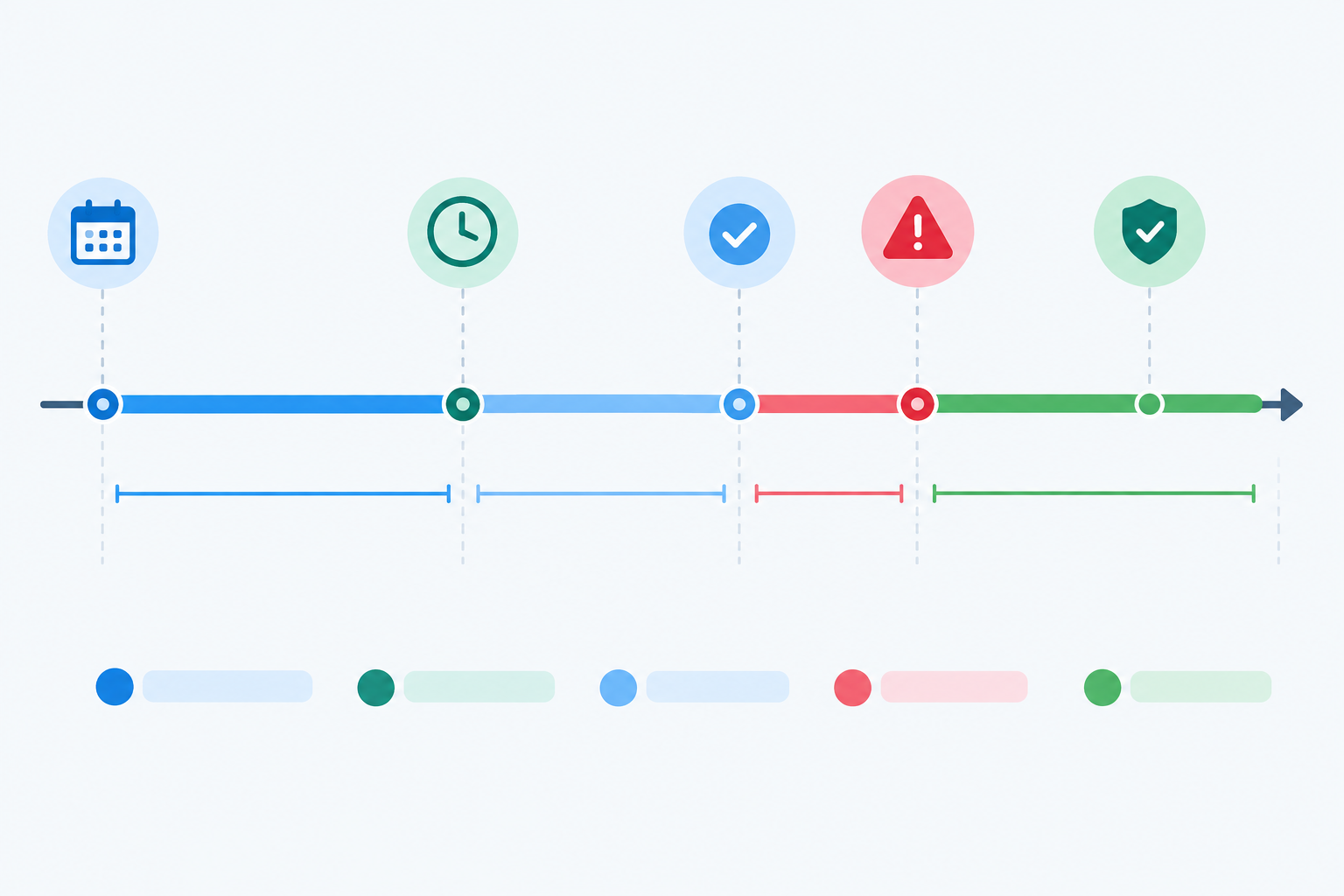
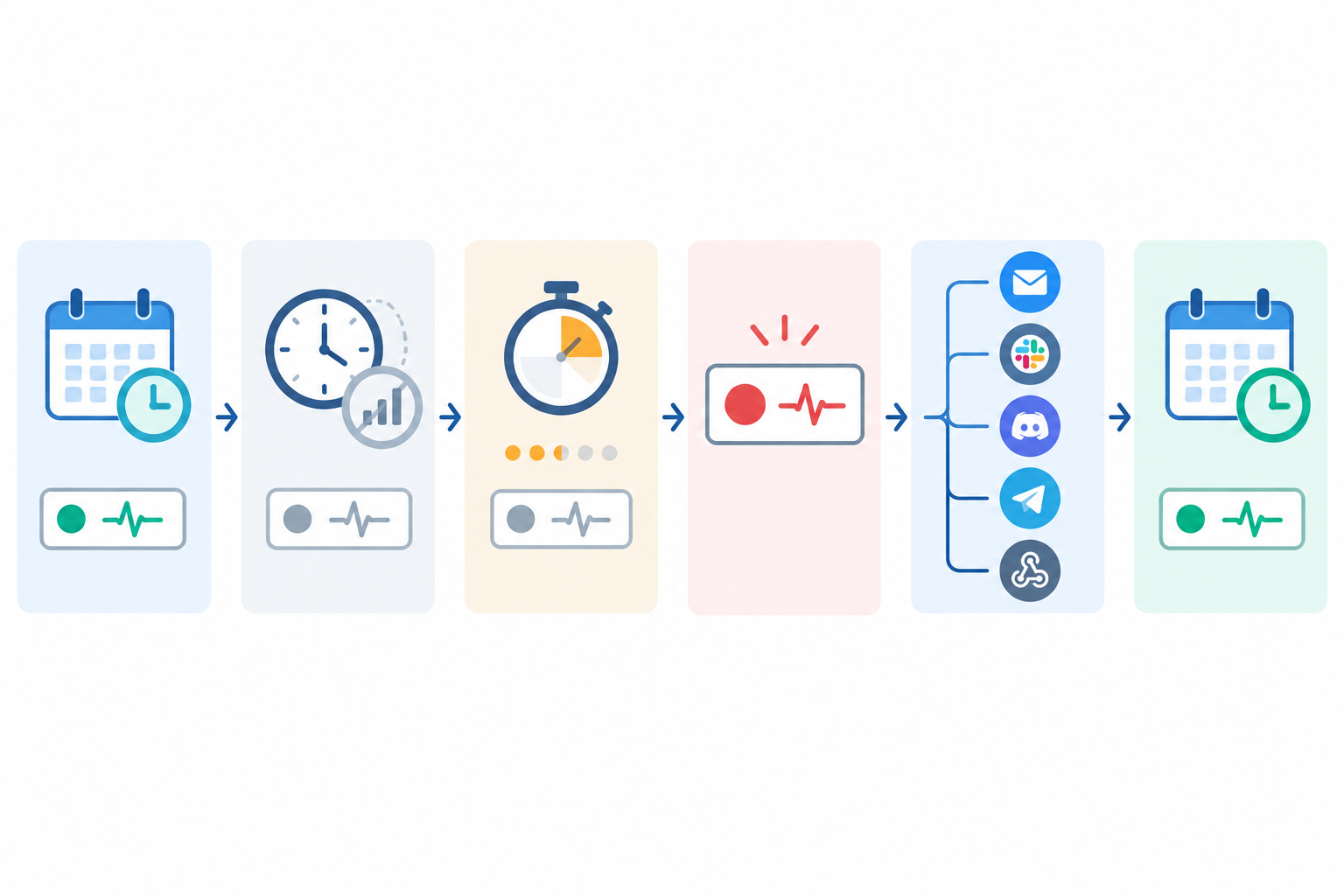
Let's walk through a realistic one. Your nightly backup is due to ping at around 03:10. The deploy that afternoon overwrote the crontab, so the job never started. With a 30-minute grace period, here's how the night plays out:
- 03:10 passes with no ping, and the grace period begins.
- At 03:40 the grace period expires. The monitor is marked as down and an incident is opened.
- Alerts go out to the channels you chose, say Slack and email.
- You triage. You know the job failed to report, but not why. That's still a far better starting point than finding out three weeks later.
My usual triage order looks like this:
- Check the crontab. Is the entry still there? In our example, this is where you'd spot the overwritten file.
- Check the logs for an error, a permissions problem or a missing path.
- Check the server's health. Did it reboot? Is the disk full? Is it out of memory?
- Run the job by hand, preferably in the same environment cron uses, to see what breaks.
Once you restore the crontab and the next successful ping lands, Moonitor marks the monitor as recovered and closes the incident, and the event stays in your incident history. Other heartbeat tools may handle recovery differently, so check how yours behaves. That history is handy for spotting patterns: if the same job goes quiet every few weeks, it's worth fixing properly. And if a failed job affects customers, a public status page can save you from writing the same message ten times.
Common dead man's switch monitoring mistakes to avoid
These are the slip-ups that turn a good safety net into a false sense of security:
- Pinging at the start of the script. If the job crashes afterwards, the monitor still thinks everything's fine. Ping at the end, after the real work and any validation.
- Using
;instead of&&. A semicolon runs the next command regardless of what happened before it, so the ping fires even when the job errors. - Setting the grace period too short for your slowest night. Do the maths on your worst-case runtime variation, not your average.
- Forgetting to update the monitor when the schedule changes. Move the job from nightly to hourly and leave the monitor alone, and you'll get constant alerts or missed detection.
- Sending every alert to one overloaded channel. If everything pings the same busy Slack room, people learn to ignore it. Route critical jobs somewhere they'll be noticed.
- Monitoring the scheduler, not the outcome. The job ran, but it produced no data. Add a basic sanity check before the ping.
- Leaving the ping URL somewhere public. Anyone who has it can trigger a check-in. Keep it out of public repos and shared logs, and treat it like a low-grade secret.
- Never testing the failure path. Deliberately skip a run once and watch the alert arrive. It's the only way to know the whole chain, from missed ping to notification, actually works.
Building a fuller safety net around scheduled jobs
A heartbeat tells you the job reported in. That's one layer, and it works best alongside a few others:
- Server monitoring and port checks for the machine that runs the job, so you can tell "the job broke" from "the box is down".
- API monitoring for endpoints the job depends on or feeds into. A job pushing data to an API that's down isn't going to succeed.
- SSL certificate monitoring and DNS monitoring, which catch quieter failures like a renewal script that never ran or a DNS record that changed unexpectedly.
Moonitor brings these together with heartbeat monitoring in one place. If you'd like to try it, start with a single heartbeat monitor on your most critical job. At the time of writing, the Solo plan is listed at $14/mo (billed in US dollars) for 20 monitors, but plans and trial terms can change, so check the pricing page for current details. No pressure, but your future self will probably thank you.
FAQ: dead man's switch monitoring
What does dead man's switch mean in monitoring?
It's a pattern where a system sends regular signals to say it's alive, and an alert fires if they stop. It's the same idea as heartbeat monitoring, and it suits cron jobs and other scheduled tasks that have no public endpoint to check.
How is a dead man's switch different from a regular uptime check?
An uptime check contacts your service to see if it responds. A dead man's switch waits for your job to contact the monitor, so it catches work that never happened rather than services that are unreachable.
How do I set the right timeout for my job?
Set the interval to match how often pings should arrive, then add a grace period for normal variation. Check whether your monitor measures from the last ping or from a scheduled time, as that decides whether runtime belongs in the grace period. Start generous, then tighten after a couple of weeks of real data.
What happens if my job never checks in?
Once the grace period runs out, the monitor is marked as down and alerts go to your chosen channels. In Moonitor, the next successful ping recovers the monitor automatically.
Can I monitor a job that runs less often than daily?
Yes. Weekly and monthly jobs work well. Set the interval to match the schedule and allow a generous grace period so a slightly late run doesn't trigger a false alarm.
Will a failed job still send a ping?
Not if you set it up correctly. Put the ping at the very end and chain it with && so it only fires when the job completes successfully.
Create content like this automatically
Scribe uses AI to generate high-quality blog posts that engage your audience and drive traffic.