How to Stop Duplicate Replies in a Shared Support Inbox
Here's the short answer: duplicate replies are almost always a process problem, not an agent mistake. The fix is to give every conversation one visible owner, using a simple four-step habit: claim, assign, note, hand off. Then make that ownership obvious inside your shared support inbox so nobody has to guess.
You don't need more seats or a heavier tool to do it. You need a few clear rules and a setup where the whole team sees the same thing. I'll walk you through it step by step, with a few templates you can use in your shared inbox for small teams.
Why two agents end up answering the same customer
Picture it. It's 9:02am on a Monday. A new message lands in your inbox. You spot it and start typing. Across the room (or across a Slack channel), your colleague spots it too and starts typing. Two minutes later the customer has two replies, and they say slightly different things.
Nobody was careless here. You were both trying to help, and that's the point. When you can't see that someone else is already on it, jumping in feels like the right thing to do. It's a visibility problem, not a competence problem.
The usual causes are pretty consistent:
- No visible owner. If a conversation looks unclaimed, everyone treats it as up for grabs.
- Replying from memory. You remember talking to this customer last week, so you answer without checking whether a teammate picked up the follow-up.
- Two channels, one customer. They start in live chat, get impatient, then email about the same thing.
- Simultaneous pickup. Two people open the same message within seconds of each other.
It tends to get worse as you grow. A team of two can shout across the desk. A team of six, plus a founder who dips in between meetings and a part-timer working evenings, can't. Every extra person who touches support adds another chance of a collision.
Many small teams also run split tools: a chat app over here, a personal inbox over there. Collisions in that setup stay invisible until the customer complains, because nobody can see anyone else's screen. Bringing everything into one shared support inbox for small teams is the first step, and the rules below are what make it work.
What duplicate replies cost you in trust and time
Let's be honest about what's at stake, without overdramatising it.
The trust cost. Conflicting answers make a small team look disorganised. Customers of small SaaS and e-commerce brands often judge the whole company by one reply, because that reply may be their only human contact. A duplicate can make a customer repeat information, follow conflicting instructions, or wonder whether either agent has actually read the conversation.
A caveat: I'm not aware of research that isolates duplicate replies as a cause of churn, so treat these figures as general customer experience context rather than proof. PwC's Future of Customer Experience survey (2018, so a bit dated now) found 32% of consumers would stop doing business with a brand they loved after one bad experience. Salesforce's State of the Connected Customer report found 80% of customers say the experience a company provides matters as much as its products and services. Contradictory support could feed into that, but the studies don't say so directly.
The time cost. Every collision wastes the second agent's reply, then adds the awkward follow-up to smooth things over ("Sorry about the mixed message, here's the right answer...").
The hidden cost. Once your team has been burned a few times, people start hesitating. "Is anyone on this? Should I wait?" That second-guessing slows your first response time, which is the opposite of what you want.
Here's a small worked example. These numbers are purely illustrative, so swap in your own:
- 5 collisions a week
- About 10 minutes for the redundant reply and checking which answer was right
- About 10 minutes for the follow-up that smooths things over
That's roughly 100 minutes a week, or around seven hours a month, spent on work that helped nobody. The reassuring bit? Fixing this is mostly a habit, not a purchase.
Set a simple ticket ownership rule for your team
Here's the lightweight playbook I'd suggest for a shared support inbox. Four verbs, easy to remember. The first two are easy to blur together, so here's the difference: claiming is something you do for yourself, and assigning is how the team hands out work nobody has claimed.
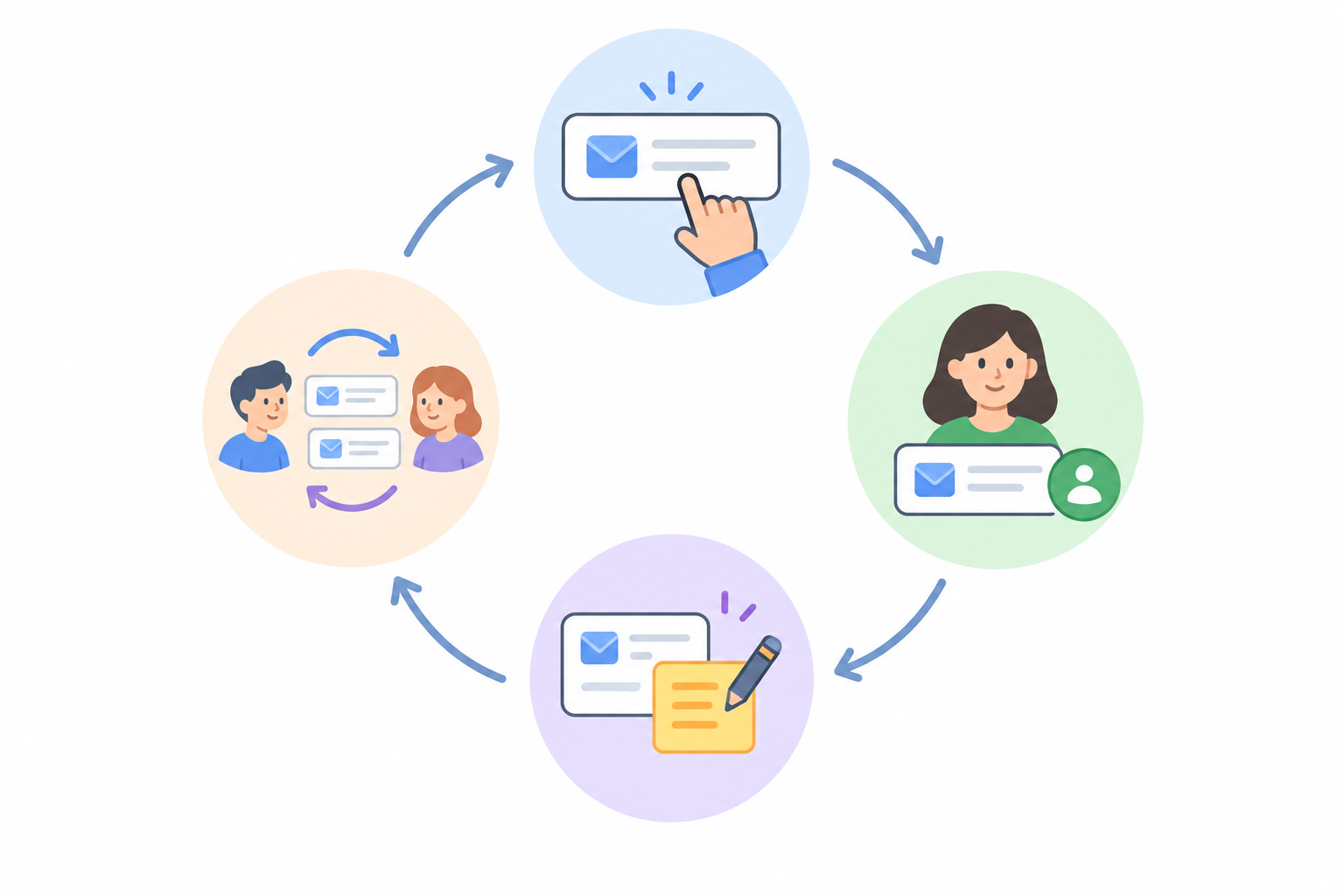
- Claim. If you open a conversation and plan to answer it, put your name on it before you start typing. Not after, not when you hit send. Before.
- Assign. This is the triage job. Anything still unowned after a set window (say 15 minutes in working hours) gets given to someone by whoever is on triage that day. A daily rotation works nicely.
- Note. If you pause, need information, or are waiting on someone, leave a one-line internal note so the next person knows what's happening.
- Hand off. If you can't finish, reassign it with a note explaining what's done and what's next. Never just walk away.
Write the rule in plain English
If your rule needs a flowchart, nobody will follow it. Try something like this:
"If you're going to reply, assign it to yourself first. If you can't finish, reassign it with a note."
For example: Priya spots a billing question at 9:02, claims it, and starts typing. When Tom opens the inbox a minute later, the conversation already has Priya's name on it, so he moves on. No messages, no meetings, no collision.
Why first to claim beats whoever is faster
It's tempting to think the fastest typist should win. But that rewards racing, which is exactly what causes collisions. "First to claim wins" is clearer: the name on the ticket is the owner, full stop.
Occasionally two people will claim at nearly the same moment. Keep the tie-break drama-free: whoever's name ended up on the ticket keeps it, and the other person says "all yours" and moves on. If that's awkward, the triage person decides.
Include everyone, not just the "official" agents
This is where pricing quietly affects process. With per-seat tools, teams ration logins, so the founder, the developer and the part-timer don't get one. They end up replying from a personal inbox or borrowing someone's account, and that's where invisible collisions breed. A tool with unlimited agents, like Sonny, lets you put everyone in the same shared inbox under their own name and apply the same rule to all of them.
Use assignments and filters to make ownership visible
Ownership only works if everyone can see it at a glance. A rule that lives in someone's head won't stop a collision. A name on the ticket will.
You want the queue to answer "what should I pick up?" without you asking anyone. Three or four saved views will do it:
- Unassigned: everything that needs an owner. This is your triage list.
- Mine: your own conversations, so you know what you've committed to.
- Waiting on customer: tickets where you've replied and are expecting an answer, so they don't clutter your active work.
- Unassigned for more than X minutes: your safety net for anything left unclaimed past your window.
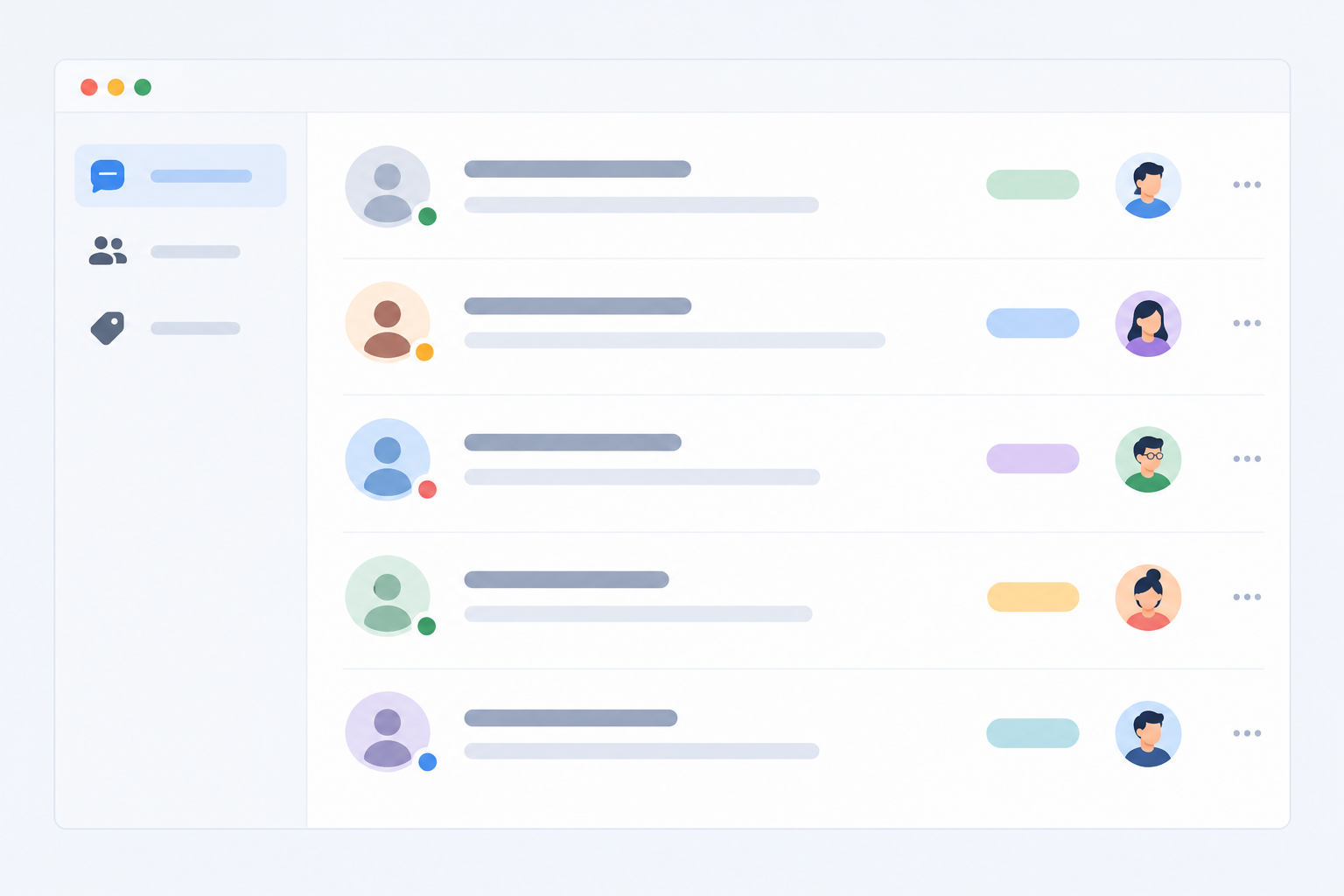
Add a few tags too, for topic or status: billing, bug, refund, and so on. If a refund query arrives, you can see at a glance who normally handles those.
A shared support inbox works best when it mirrors a real-life routine. Think of a morning triage check, like sorting the post at a small office. Someone opens the Unassigned view at 9am, gives each conversation an owner, and everyone else gets on with their own list. That's the whole ritual.
Most help desk software offers assignment, tagging and filtering, and Sonny's versions support exactly this setup. Whichever tool you use, keep the admin light. Three or four views is plenty to start.
Leave internal notes so handoffs never start from zero
A quick but important distinction: a customer reply goes to the customer. An internal note stays inside the team. Mixing them up is a nightmare, so double-check which mode you're in before you hit send.
Notes are where the quiet coordination happens. Instead of messaging a colleague to ask what happened with a ticket, you read the note and carry on. A good handoff note covers what the customer wants, what you've already tried or promised, what's blocking progress, and the next step. Here's a template to copy:
Customer wants: ...
Done / promised: ...
Blocked by: ...
Next step: ...
Picture Aisha finishing her shift at 5pm with a refund query half-resolved. Her note reads: "Customer wants a refund for a duplicate charge. I've confirmed the charge in Stripe and promised an answer today. Waiting on finance to approve. Next step: process the refund once approved and confirm to the customer." When Dan picks it up at 5:10, he knows exactly where things stand. The customer doesn't repeat themselves, and Dan doesn't re-read a 20-message thread.
If the next person needs a nudge, @mention them in the note. It also meets something customers expect: Zendesk's CX Trends research reports that around 70% of customers expect anyone they interact with to have the full context of their situation. Good notes are how a small team gets there.
Handling live chat and email threads from the same customer
This is the trickiest collision. A customer starts in live chat, doesn't get an instant answer, gets impatient, and emails about the same issue. If chat and email live in different tools, two people will answer the same person without ever knowing.
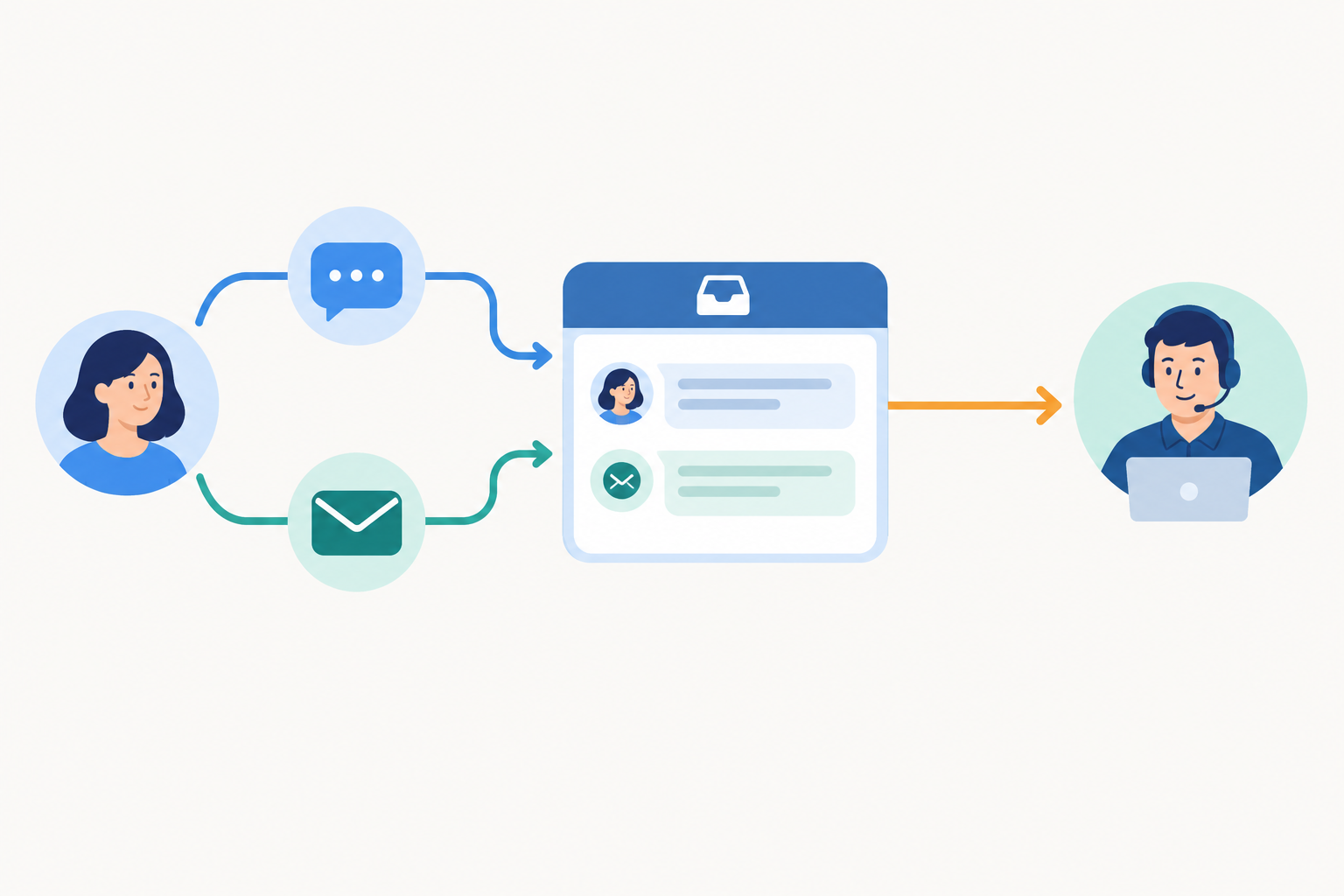
Here's how I'd handle it:
- Keep both channels in one inbox. The full history sits in one place and one person can see both threads. Sonny's live chat widget and email forwarding feed into the same inbox, but check the current feature documentation for how your setup behaves.
- Default to the existing owner. If one thread already has an owner, that person handles the issue, and the newer thread is linked or noted rather than answered separately.
- Have a fallback. If the older thread is closed, stale, or its owner is off today, link the two threads and let the triage person assign one active owner. The rule is one issue, one owner, not "oldest thread wins no matter what".
- Tell the customer where you'll continue. Something like: "Thanks for getting in touch by email too. I'll carry on with you here so everything stays in one place."
- Plan for out-of-hours. Messages left while your chat is offline should land in the Unassigned view for your morning triage person to hand out.
- Tag duplicates. A tag like "duplicate-thread" plus a cross-reference note keeps your reporting honest. Otherwise one customer issue can look like two tickets and skew your response-time numbers.
Do you need a bigger tool or more seats?
Usually, no. It helps to separate coordination problems from capacity problems. If multiple agents answer the same message, or nobody can tell who owns it, that's coordination. Improve assignment, visibility and notes first. If messages are clearly assigned but the queue still grows, or coverage is thin at busy times, that's capacity, and more staffing may be the real answer. Zendesk's research also reports that around 72% of customers expect immediate service, so coverage deserves honest attention too.
There's also the per-seat trap. When every seat costs money, teams ration logins, people share accounts, and collisions go invisible. Flat-rate pricing removes that incentive.
I'll be straight with you: a tool won't fix a team with no agreed rule. Process comes first. Software just makes it easier to follow.
If you'd like to try this in a tool built around unlimited agents, Sonny is listed at $19.99/month with unlimited agents and conversations, and offers a 7-day free trial. Those figures are in US dollars and can change, so check Sonny's pricing page for the current price in pounds, any VAT, and the trial and setup details before you commit.
A one-page shared inbox etiquette checklist
Here's a pinnable version of everything above. Copy it, tweak it, and put it where your team will see it.
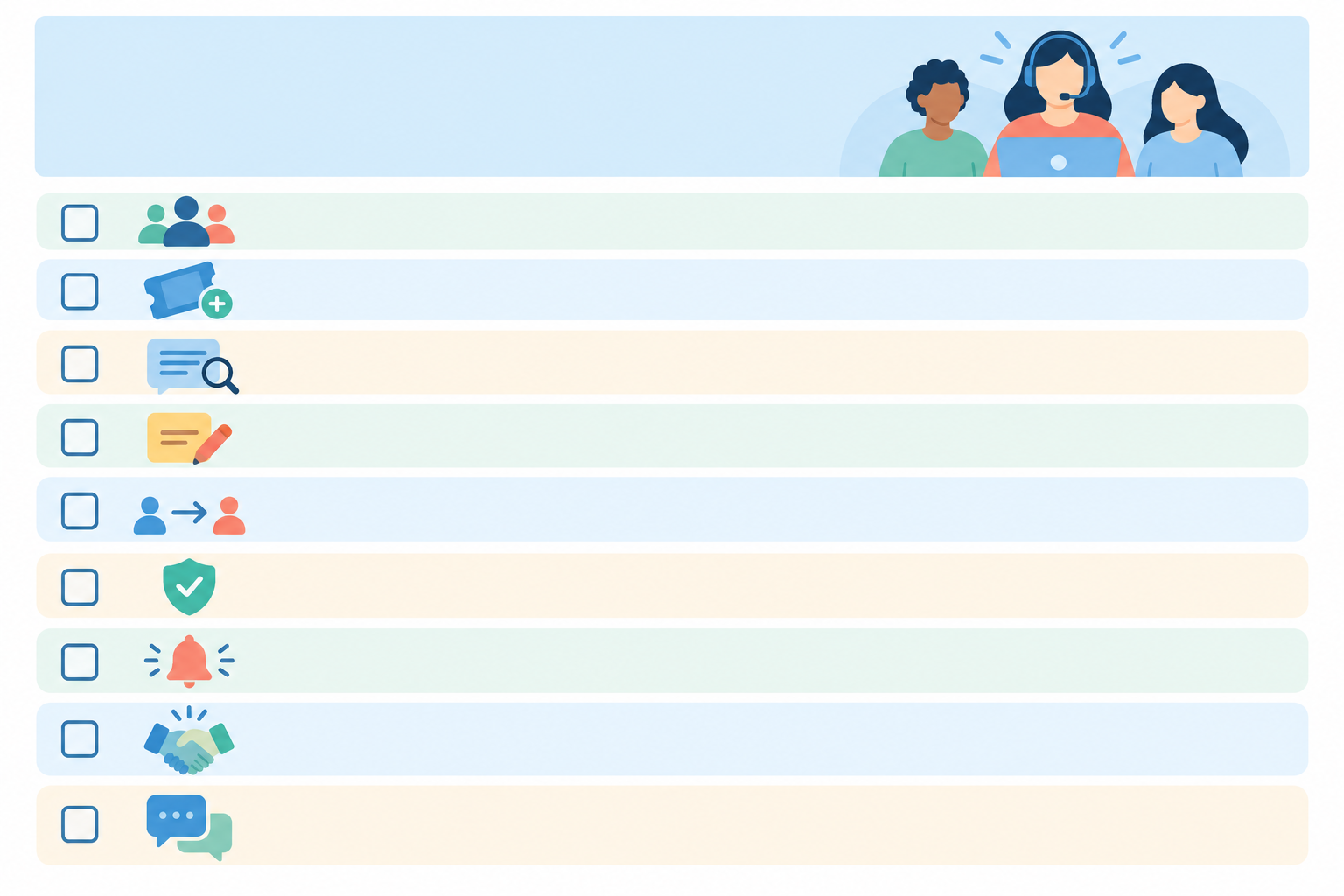
Shared Inbox Etiquette
- ☐ Claim it before you start typing.
- ☐ Check for an existing owner before replying.
- ☐ Look at the customer's other conversations, including chat and email.
- ☐ Never reply to something assigned to someone else without a handoff.
- ☐ Leave a one-line note when you pause or wait on someone.
- ☐ Reassign with a note when you hand off: what's done, what's next.
- ☐ Tag as you go (topic, status, duplicates).
- ☐ Keep internal notes and customer replies clearly separate.
- ☐ Close the loop when it's resolved, and tell the customer.
- ☐ When in doubt, ask in an internal note, not the customer thread.
Adapt it to your rhythm. If your team works in shifts, add a shift-end rule. If you're a two-person shop, trim it to five lines.
How to review and improve your process each month
You don't need a big audit. A 20-minute monthly check-in is enough, and much more likely to actually happen.
- Count collisions. Whenever a duplicate reply happens, tag it. At month end, total them up. That's your baseline.
- Check response time and unassigned time. Long unassigned stretches usually mean your triage routine has a hole in it.
- Skim a handful of handed-off tickets. Were the notes useful? Could the next person pick up straight away?
- Pick one small change. Tighten the assignment window, add a tag, or change who's on triage on Fridays. One thing, then see what happens.
Celebrate progress, even if it's "two collisions instead of five", and keep it blame-free. If people fear being named, they'll stop tagging collisions and you'll lose the data you need. There's no universal benchmark for duplicate replies, so compare your team against itself. If duplicates fall but the backlog keeps growing, that points to capacity, not coordination.
Frequently asked questions
Why do my agents keep replying to the same ticket?
Usually because there's no visible owner, so each person assumes it's up for grabs. Claim before you reply, and use an Unassigned view so everyone can see what's genuinely free.
How do I show who owns a conversation in a shared inbox?
Assign every conversation to a named person, and use Mine and Unassigned views so ownership is clear at a glance.
What should an agent do when taking over a teammate's ticket?
Read the internal notes, reassign the ticket to yourself, and leave a short note confirming you have it. If anything's unclear, ask your teammate in a note, not in the customer thread.
How do I avoid duplicate answers when a customer writes by chat and email?
Keep both channels in one inbox, let the existing owner handle the issue, and link the newer thread. If the owner is unavailable or the first thread is closed, assign one new owner.
Do I need a bigger tool or more seats to fix collisions?
Not typically. Clear ownership rules and visibility do most of the work. Only consider more staffing if assigned messages still pile up.
How can I track whether duplicate replies are still happening?
Tag each collision and count them in your monthly review, alongside response times and unassigned time.
Start small, start this week
If you take one thing from all this, make it the first step: claim before you type. That single habit does more than any feature. Try it with your real queue for a week, add a quick morning triage, and see how it feels. I think you'll be pleasantly surprised. ☕
Create content like this automatically
Scribe uses AI to generate high-quality blog posts that engage your audience and drive traffic.