Integrating AI Content Tools Into Marketing Workflows: A Practical Guide for UK Marketing Teams

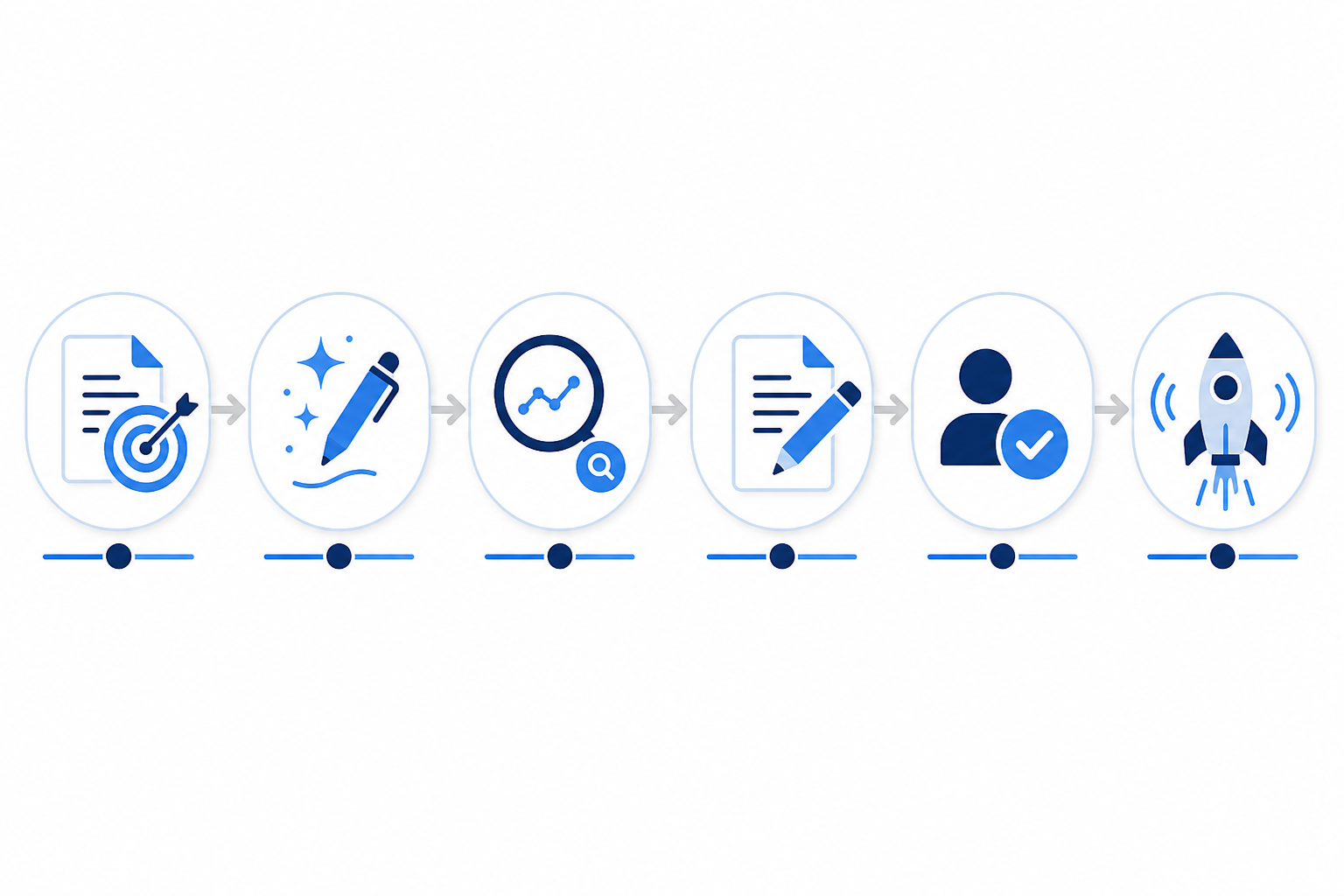
Integrating AI content tools into marketing workflows isn't about replacing what you already do. It's about adding a new capability where your team needs it most, such as first drafts, content briefs or keyword research. The practical approach is to map where your team actually spends its time, introduce AI at that exact point, keep your existing sign-off structure intact, and connect the tool directly to your publishing platform so nothing gets lost between drafting and going live.
These four steps address common operational headaches, including chaotic rollouts, duplicated work and drafts stuck in limbo. They don't cover everything. You'll still need separate processes for data protection, factual accuracy, copyright, security and accessibility, and we'll come back to each of those as we go.
I've seen marketing teams try this both ways. Someone gets excited about a new tool, skips the planning stage, and three weeks later there's a pile-up of unreviewed drafts nobody quite trusts. Other teams treat AI workflow integration as a proper operational project, not just a subscription you switch on, and it works far more smoothly.
This guide explains how UK marketing teams can integrate AI content tools into existing marketing workflows: mapping the process, piloting before scaling, deciding where AI content automation fits without disrupting approvals, connecting it to a CMS, assigning clear roles and measuring what actually changed. It also covers practical considerations for UK teams, from GDPR-conscious data handling to the usual mix of WordPress sites and bespoke CMS builds.
Mapping Your Current Content Workflow Before Adding AI
Before you look at any AI content tool, you need to know what your workflow actually looks like right now. Not what it looks like on the process diagram from two years ago — what it actually looks like today, including the informal Slack messages and the person who always ends up double-checking the SEO metadata.
Here's a simple way to map it:
- List every stage content passes through. Typically this runs from briefing, through drafting, SEO check, editing, legal or compliance review (if you're in a regulated sector), and finally publishing.
- Time each stage roughly. You don't need exact figures, just enough to see where hours are actually going. In the teams I've worked with, first drafts and keyword research tend to be the two biggest time sinks, though this varies by content type and team size.
- Note who's involved at each stage and why. Is your editor checking tone, or are they also checking facts? Is the SEO check done by a specialist, or does whoever writes the brief just add keywords themselves?
- Flag existing bottlenecks. If legal sign-off already takes five days, adding AI-generated drafts won't fix that. It'll just mean more content queuing up at the same chokepoint.
It helps to put this into a simple table rather than leaving it as notes on a whiteboard. Something like this:
| Stage | Owner | Avg. Time | Inputs | Outputs | Bottleneck? | AI Opportunity |
|---|---|---|---|---|---|---|
| Briefing | Content lead | 1 hour | Campaign goals, keyword list | Approved brief | Rarely | Suggest structure/angles |
| Drafting | Writer | 3–4 hours | Brief | First draft | Often | First-draft generation |
| SEO check | SEO specialist | 30 mins | Draft | Optimised draft | Occasionally | Initial optimisation |
| Editing | Senior editor | 1–2 hours | Optimised draft | Approved copy | Sometimes | None — human judgement |
| Legal review | Compliance owner | 1–5 days | Approved copy | Sign-off | Often (regulated sectors) | None — human judgement |
| Publishing | Publisher | 15 mins | Signed-off copy | Live content | Rarely | Staging/scheduling |
Filling this in for your own team, even roughly, is what determines whether AI content generation actually saves time or just creates a new kind of chaos further down the pipeline. This mapping exercise usually takes half a day with the right people in the room. It's tempting to skip it and jump straight to trialling a tool — resist that.
Running a Small AI Content Tool Pilot Before You Scale
Once you've mapped the workflow, resist the urge to roll AI out across every content type at once. A short, contained pilot gives you real data instead of guesswork. It's also much easier to get buy-in from sceptical stakeholders when you can point to your own before-and-after numbers rather than a vendor's promises.
A workable AI content pilot structure looks like this:
- Pick one content type. Blog posts are usually the easiest starting point because they're lower-risk than product pages or anything customer-facing with pricing or legal claims.
- Set a baseline. Record your current average time-to-publish, revision rounds and any quality issues for that content type before you introduce the tool.
- Run five to ten drafts through the new process. Keep every existing review step in place. This isn't the time to shortcut anything.
- Assign one owner for the pilot. Someone needs to collect feedback, track the metrics and decide whether to expand, adjust or stop.
- Review after two weeks. Compare time-to-publish, editor feedback and any factual or tone issues against your baseline.
Vague metrics make for vague decisions, so it's worth defining terms before you start. A “revision round” is a full pass back to the writer or the tool for changes, not a quick tweak in the editing window. A “major factual error” is anything that would need a correction if it went live unnoticed, not a stylistic quibble. An “approved draft” is one that clears every review stage without a major revision round. Here's a sample scorecard to adapt:
| Metric | Definition | Example Baseline | Target After Pilot | Owner | Decision Threshold |
|---|---|---|---|---|---|
| Time-to-publish | Brief to live, in hours | 8 hours | 5 hours | Pilot owner | Scale if reduced by 25%+ |
| Major revision rounds | Full passes needing rework | 1.5 per piece | 1 or fewer | Senior editor | Scale if not worse than baseline |
| Factual-error rate | Errors caught after publish | 0 | 0 | Editor/legal | Pause pilot if any occur |
| Approval rate | Drafts clearing review first time | 60% | 75%+ | Pilot owner | Scale if improved |
| Editor satisfaction | Simple 1–5 rating per piece | N/A | 4+ average | Reviewing editor | Investigate if below 3 |
The figures above are illustrative, not targets to copy — your own baseline will differ by team size and content type. What matters is that you're making the decision to scale based on evidence from your own team, not a general assumption that it'll work the same way everywhere. A shared spreadsheet and a fortnightly quick call is usually enough to run this properly.
Integrating AI Content Tools Into Marketing Workflows Without Disrupting Approvals
Once you know where the time actually goes, the next question is where an AI writing assistant slots into your existing content operations without disrupting marketing workflow approvals.
In the workflows I've seen work well, the pattern is fairly consistent: AI content generation tends to replace the blank-page problem, not the approval chain itself. Your team still needs to check tone, verify facts and sign off before anything goes live. What changes is that instead of a writer starting from nothing, they're starting from a first draft that's already structured and keyword-aware.
Think of an AI drafting tool as a layer that feeds into your existing review process, rather than a shortcut around it. The draft still goes to your editor. Your SEO check still happens. Legal still reviews what needs reviewing. What's different is the starting point, not the checkpoints — and that principle holds regardless of which specific tool you choose.
Understanding “Self-Improving” AI Content Tools
One area worth being precise about, because vendors describe it inconsistently, is what people mean by a tool being “self-improving.” These usually aren't the same thing:
- Prompt or workspace configuration — you set style guides, tone preferences or approved examples within your own account, and the tool applies them going forward. This is common and generally low-risk.
- Retrieval from approved content — the tool references past approved drafts to match structure or phrasing. Useful, but it depends on how much approved content you've fed in.
- Model fine-tuning on your data — a version of the underlying model is adjusted specifically for your account. Less common, and usually a higher-tier feature if offered at all.
- Vendor-side model training — your content is used to improve the vendor's general product for all customers. This is the one that matters most for confidentiality, and it should always be optional and clearly disclosed, never a default.
If a vendor claims their tool is self-improving, ask which of these four it actually means, what data is used, how it's stored and whether it is isolated to your workspace. That distinction matters both for trust in the output and for data protection compliance. It is not something to take on faith from marketing copy.
A common worry I hear is that AI will somehow bypass brand voice checks, producing generic copy that slips through because nobody's paying close attention. In my experience, the opposite is more likely, provided quality scoring is actually configured against your standards rather than left on default settings.
Quality scoring — checking structure, keyword placement and readability before a human sees the draft — means reviewers spend less time catching basic errors and more time on judgement calls: does this sound like us, is this claim accurate, and does it fit our current campaign messaging? It clears space for your team to focus on brand voice properly; it doesn't replace that check.
Connecting AI Content Tools to Your Publishing Platforms
This is the part that trips up a lot of teams, mostly because it gets treated as an afterthought. You've got solid drafts coming out of your AI content tool, but if there's a manual copy-and-paste step into your CMS, you've created a new bottleneck and a new source of errors — mismatched formatting, missing metadata and images that don't upload properly.
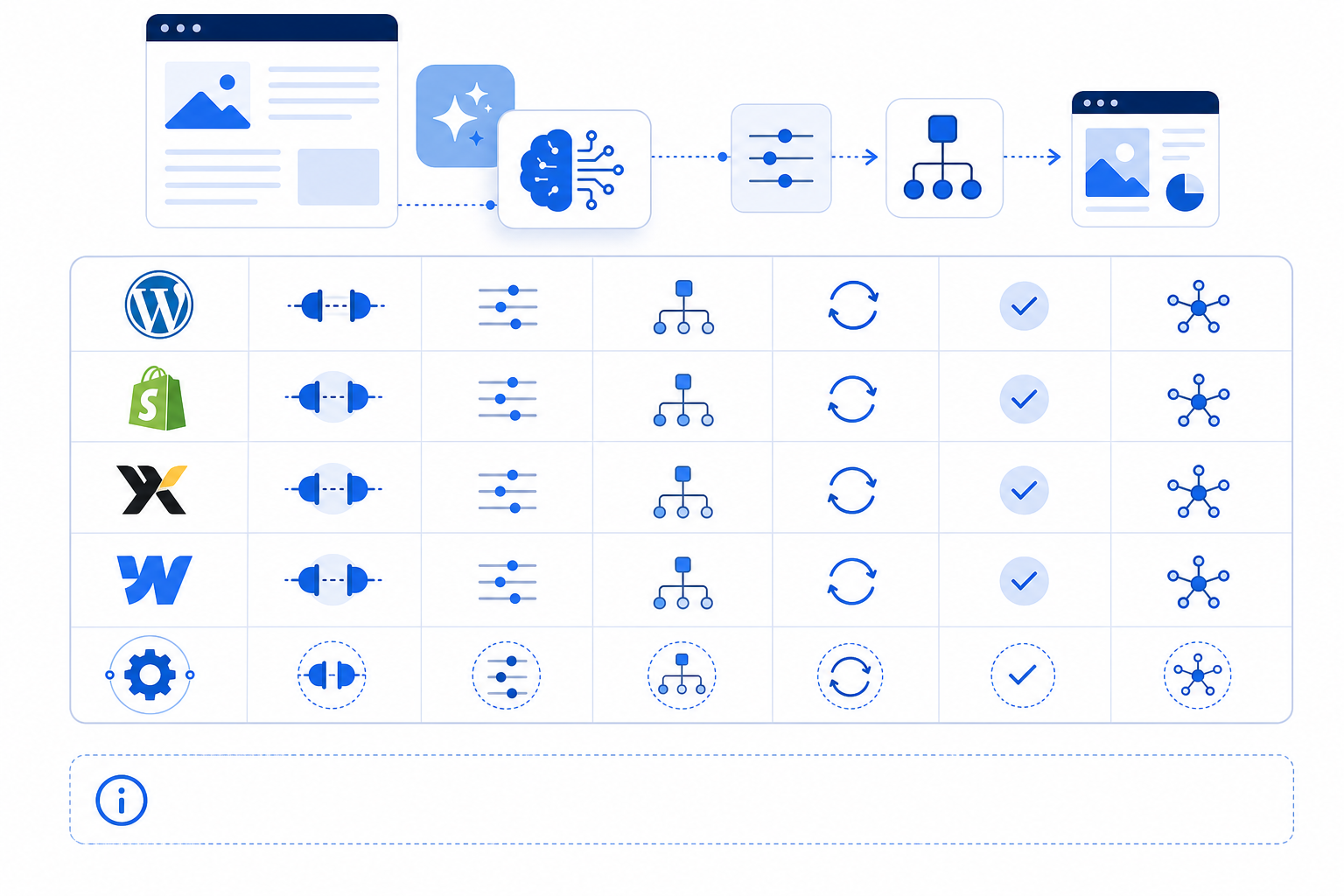
The fix is connecting your content tool directly to wherever you publish. Most established AI content platforms offer some form of integration with WordPress, Shopify, Wix, Webflow and custom setups via API or webhooks, which covers a large share of what UK marketing teams run on.
WordPress in particular remains a common choice for editorial sites, which is part of why solid WordPress support matters for most teams evaluating a tool. Exactly what's supported — one-click publishing, scheduled drafts, staging holds, media and metadata handling — varies by vendor, plan and how your own CMS is configured. Treat any specific feature claim as something to verify directly with the vendor before you commit.
Here's a general checklist of what to ask about, rather than a definitive feature list for any one product:
| Platform | Typical Integration Method | Ask About |
|---|---|---|
| WordPress | REST API or plugin | Plugin/version compatibility, staging support, metadata mapping |
| Shopify | Native app or API | App permissions, store plan tier, image/asset handling |
| Wix | API connection | Feature availability by Wix plan, authentication method |
| Webflow | CMS API | CMS collection limits, field mapping, publish scheduling |
| Custom/Contentful/HubSpot | Webhooks & APIs | Developer setup time, authentication, error handling |
One-click publishing matters because it closes the gap where version mismatches happen. If a draft gets approved in one place and manually re-typed or uploaded somewhere else, you're one copy-paste error away from publishing something that skipped review, or publishing an outdated version. Direct integration means the approved draft is the one that goes live, with no middle step where things can go wrong.
Before connecting any tool to your CMS, a few things are worth checking:
- Staging environments. Ideally, drafts land in staging first, not directly on your live site. This gives you a safety net if something's misconfigured.
- User permissions. The integration should have the minimum access it needs — generally the ability to create and update drafts, but not to delete published content or bypass your scheduling calendar.
- Scheduling conflicts. If you're running automated publishing alongside a content calendar with fixed dates, make sure the tool respects your existing schedule rather than pushing content out whenever a draft is marked ready.
Data Governance and UK Compliance for AI Content Tools
It's worth separating two issues that often get conflated: editorial review and data protection. Keeping a human checkpoint before publishing supports accuracy and accountability — that's good editorial practice regardless of what tool you use.
Data protection is a separate matter with its own checklist, and it's genuinely more involved than “get a lawful basis and sign a DPA.” Before any customer data or commercially sensitive information touches an AI tool, work through:
- What personal or confidential data is actually being entered, and whether it needs to be entered at all
- Whether your organisation is the controller and the vendor the processor, or whether the relationship is more complex
- Your lawful basis for that specific processing
- Purpose limitation, so the data isn't used beyond what you agreed
- Retention periods and deletion
- Whether data leaves the UK or EEA and what safeguards apply if it does
- The vendor's security certifications
- The actual terms in your contract or data processing agreement, which won't be identical for every vendor relationship
- Whether the processing is significant enough to warrant a Data Protection Impact Assessment
Check current ICO guidance on AI and data protection as your starting point, and treat this as a procurement and legal question rather than something an editor signs off on informally. For anything touching sensitive categories of data or regulated sectors, get advice from someone qualified to give it — this guide isn't a substitute for that.
Automated publishing doesn't mean unattended publishing. Most teams I've seen set up a manual hold-and-review step even with full CMS integration — content sits in a queue, someone gives it a final look, and then it goes live. You get the speed of automation with a human check still in place.
Setting Roles and Review Responsibilities for AI-Generated Content
Once the tool is drafting and the pipeline is connected, you need clarity on who's actually responsible for what. Ambiguity here is where quality slips through.
A good starting principle is that whoever would normally review a junior writer's work should review AI-generated drafts. That's usually your senior editor or content lead, which means you're redirecting an existing review layer rather than inventing a new one.
Here's an ownership matrix many teams adapt, expanded to cover a few responsibilities that often get missed:
| Stage | Accountable Owner | AI's Role | Mandatory Human Check | Escalation Trigger |
|---|---|---|---|---|
| Briefing | Content lead | Suggests structure/keywords | Brief approved by lead | Scope unclear or off-strategy |
| Drafting | Writer + AI tool | Produces first draft | Writer reviews before submission | Draft far below quality threshold |
| SEO check | SEO specialist | Initial optimisation | Specialist confirms strategic fit | Keyword cannibalisation risk |
| Editing | Senior editor | N/A | Tone, accuracy, brand fit | Factual claim can't be verified |
| Source/citation checking | Named researcher or editor | May suggest sources | Verify every stat and quoted claim | Source is outdated, paywalled or unverifiable |
| Copyright/originality | Editor or legal | N/A | Plagiarism/originality check | Substantial overlap with existing published text |
| Accessibility | Publisher/editor | N/A | Alt text, heading structure, readable formatting | Missing alt text or broken heading hierarchy |
| Legal/compliance | Legal/compliance owner | N/A | Mandatory for pricing, health, financial claims | Any regulated claim present |
| Publishing | Publisher/editor | Pushes to staging | Final look before going live | Scheduling conflict or missing metadata |
A few specifics are worth calling out beyond the table:
- Factual accuracy needs a named owner, especially for anything data-led or claim-heavy. This is non-negotiable — AI tools tend to be good at structure and tone, but far less reliable at verifying facts independently.
- Quality scores act as a first filter, not a final decision. If a draft comes in with a low score, it goes back before a human even looks at it, so reviewer attention goes towards nuance rather than basic structure issues.
- Escalation paths for legal or compliance should be documented clearly, particularly for regulated industries. Drafts touching pricing, health claims or financial information should always have a mandatory legal checkpoint, regardless of how polished the draft looks.
- Document the whole process. New hires need to understand exactly where AI sits in the chain without asking five people. A simple one-page workflow document, built from the matrix above, saves a lot of confusion later.
This structure keeps accountability clear. Nobody's wondering who's supposed to catch what, and nothing falls through the gap between “the AI wrote it” and “someone should have checked that.”
Measuring the Impact of AI Workflow Integration
Once everything's running, you'll want proof it's actually working, not just a feeling that things are faster.
Here's a sample dashboard structure — adapt the cadence and sources to what your analytics tools actually provide:
| Metric | Definition | Data Source | Review Cadence |
|---|---|---|---|
| Time-to-publish | Brief to live, hours or days | Project management tool | Monthly |
| Organic traffic & rankings | Sessions and position for target keywords | Analytics/rank tracker | Quarterly |
| Revision rounds | Full passes requiring rework | Editorial tracker | Monthly |
| Factual-error rate | Errors caught post-publish per 10 articles | Editor log | Monthly |
| Approval rate | Drafts cleared without major rework | Editorial tracker | Monthly |
| Cost per approved article | Tool cost + editorial hours, per published piece | Finance/time tracking | Quarterly |
Organic traffic and keyword rankings should be tracked over three to six months rather than judged after the first week — SEO gains take time to show up, and early data can mislead in either direction. When you review this, compare similar content cohorts rather than the site as a whole: look at blog posts against other blog posts from a similar period, and account for seasonality, changes in topic mix, and any shifts in distribution or paid promotion that happened at the same time.
Otherwise, you risk crediting or blaming the AI content tool for something else entirely.
You'll see vendor case studies quoting large traffic increases after adopting AI content tools, and some of these are genuine. But treat any single figure with appropriate scepticism unless it comes with a named source, a stated baseline, a clear definition of “organic traffic” and an honest acknowledgement of other contributing factors. Rather than anchoring your expectations to someone else's headline number, use your own pilot data as the real benchmark. It's less exciting, but it's the number you can actually trust.
Revisit your workflow map every quarter. As your team gets more comfortable with the tool and trust builds, some of the review stages you kept fully intact at the start might be safe to streamline. That's a good problem to have — it means the integration worked.
A Simple 90-Day AI Content Integration Plan
If you want a concrete starting point rather than a list of principles, here's roughly how the phases above map onto a quarter:
- Weeks 1–2: Map your current workflow using the template above. Identify the one content type for your pilot.
- Weeks 3–6: Run the pilot — five to ten drafts, baseline recorded, existing review steps intact, one named owner.
- Week 7: Review pilot results against your scorecard. Decide: scale, adjust or stop.
- Weeks 8–10: If scaling, connect the tool to your CMS with staging and permissions configured, and finalise your roles matrix and data governance checklist.
- Weeks 11–13: Extend to additional content types. Set up your measurement dashboard and agree the next quarterly review date.
That's the whole process. It isn't fast in the sense of “switch it on today,” but it's fast in the sense that most teams following this get through it in one quarter with far less disruption than the alternative — someone getting excited, skipping the planning and spending the next three months untangling a pile-up of unreviewed drafts.
Frequently Asked Questions About AI Content Workflow Integration
How do I add an AI content tool without disrupting our current process?
Start small. Map your existing workflow first, then run a short pilot — one content type, a clear baseline and five to ten drafts — before rolling the tool out more widely. Keep every review and approval step you already have in place for the first few months. Once your team trusts the output based on your own pilot data, you can gradually streamline review rather than removing it all at once.
Who should review AI content before it publishes?
The same people who'd normally review content at that stage. If you have an editor checking brand voice, they still check it. If SEO gets reviewed separately, that continues too. Quality scoring built into some tools can mean reviewers spend less time catching basic issues and more time on nuance and strategic fit, but how well that works depends entirely on whether the scoring criteria are configured for your brand rather than left as generic defaults.
Which publishing platforms work with content automation tools?
Most established AI content platforms integrate with major CMS options such as WordPress, Shopify, Wix and Webflow, plus custom APIs for bespoke setups. Exactly which features are available — one-click publishing, scheduled drafts and staging holds — varies by vendor and plan, so confirm the specifics directly before connecting anything to a live site. Also check that your staging environment and user permissions are configured so drafts can't accidentally go live without review.
Will AI-generated content sound like a robot wrote it?
It depends heavily on the source material, the constraints you give it and how much editing happens before publishing. No tool guarantees an authentic brand voice out of the box. A practical way to test this is to take three pieces of existing brand content, run equivalent briefs through the AI content tool, and have an editor rate the outputs blind against your usual style guide before and after you configure any tone settings.
That gives you evidence rather than an impression. Some platforms do adapt over time based on editorial feedback or approved examples, which can gradually reduce correction time, but that requires you to feed the feedback back in consistently, and results vary by tool and by how much data you provide.
What happens if AI-generated content contains an error that gets published?
Treat it the same way you would a human error: correct it, understand why your review process missed it, and adjust the checkpoint that should have caught it. This is one reason mandatory legal review for regulated claims — including pricing, health and financial information — shouldn't be skipped even when a draft looks polished.
AI-generated fluency isn't the same as factual accuracy, and your existing accountability structure should still apply regardless of what produced the first draft.
Create content like this automatically
Scribe uses AI to generate high-quality blog posts that engage your audience and drive traffic.