Monitoring Background Workers in Distributed Systems: A Practical Guide
20 min read
Loading...
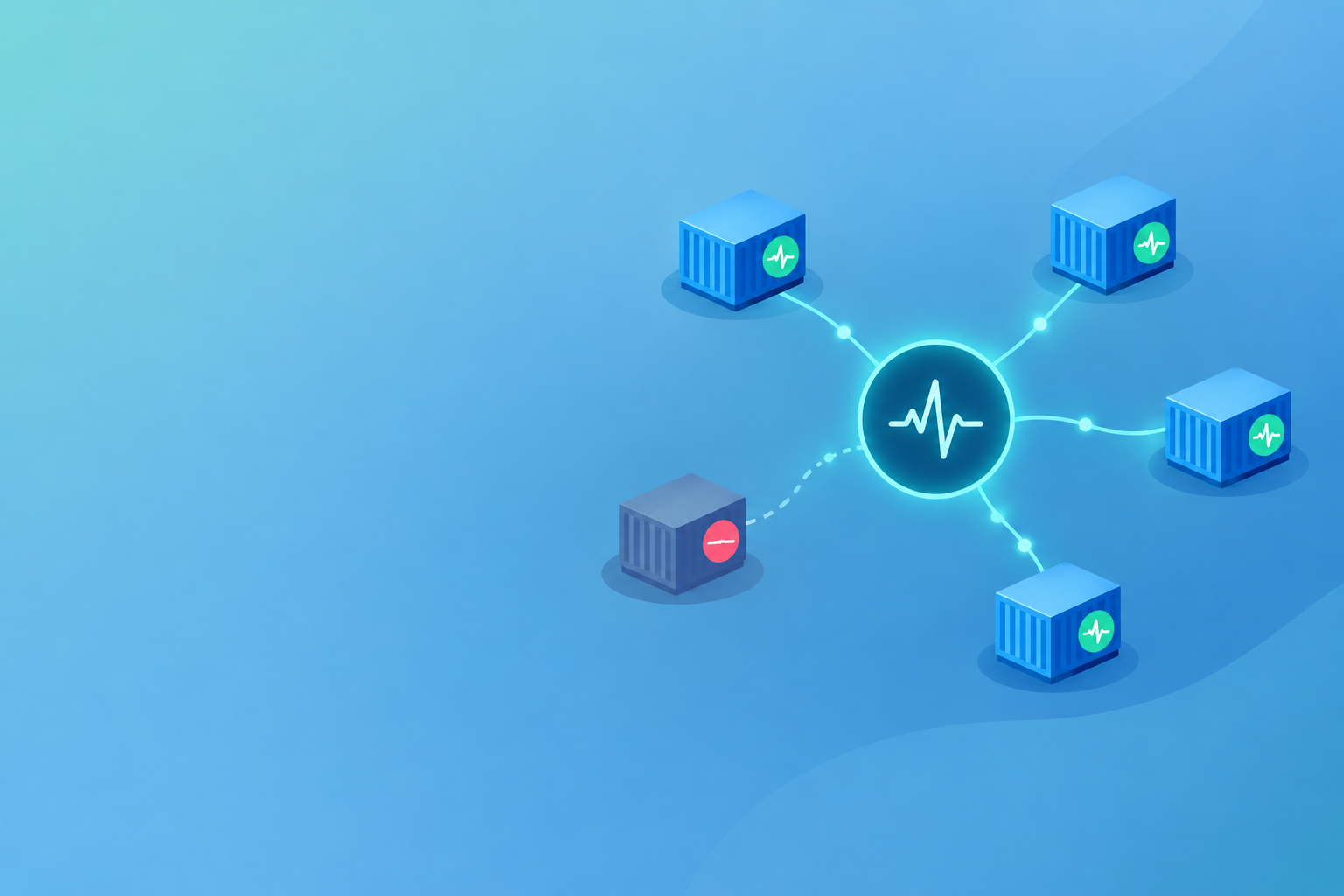
Monitoring background workers in distributed systems means having each independently expected unit of work check in with a heartbeat monitor on a schedule, then alerting when a check-in goes missing. Pair heartbeat checks with queue-age and completion signals to catch stalled queues, and group alerts by service so one failure doesn't bury you in noise. Below, I'll walk you through a setup you can start on this afternoon, including a worked alert policy and a queue watchdog script you can adapt.
If you've ever been burned by a job that quietly stopped doing its work, this one's for you. Workers spread across containers and services are a different beast from a single cron job, so let's start with why.
Picture a nightly billing job. It runs across a handful of containers, pulls invoices off a queue and sends them to your payment provider. For three weeks, everything "ran fine". Dashboards were green, the website was up, nobody complained. Then finance noticed a gap in the numbers. One container had quietly stopped picking up work after a deployment, and the others coped with the extra load until they couldn't.
I've seen this pattern more than once. Workers fail silently because nothing watches them the way users watch a website. There's no HTTP endpoint to ping, no customer refreshing a page, no error screen. The work simply doesn't happen, and the absence of something is much harder to notice than the presence of an error.
Distributed setups add their own complications:
On a single server, "is the process running?" is often enough. Across a fleet, a running process tells you very little about whether useful work is being done.
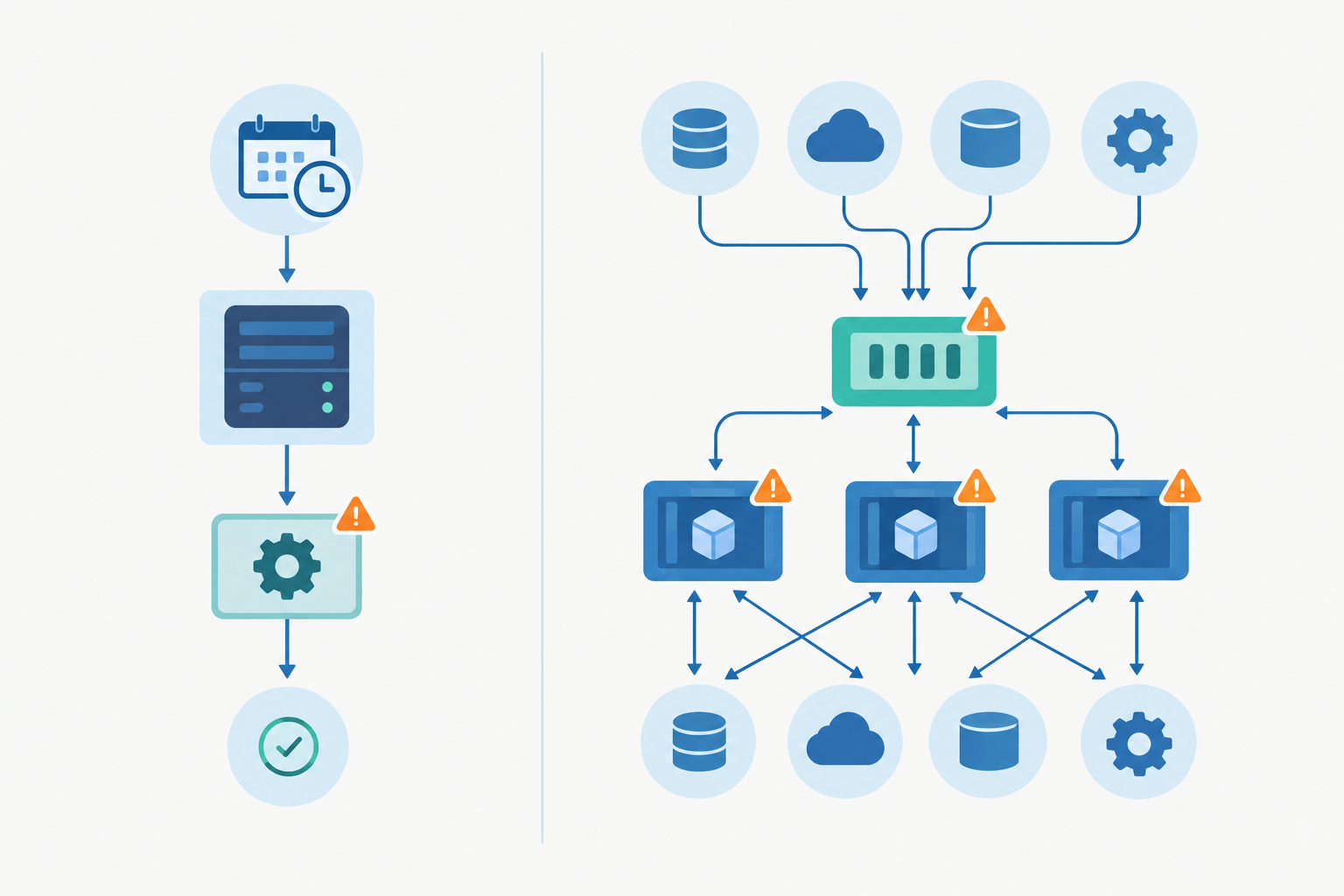
The mindset shift is simple. Stop asking "is the server up?" and start asking "did the work actually happen?" Ordinary uptime monitoring of your website or API is still essential, but it won't reveal a dead worker sitting behind it. Your homepage can load beautifully while no emails have gone out since Tuesday.
Heartbeat monitoring (often called cron job monitoring) flips the usual model. Instead of your monitor reaching out to check on something, your job reaches out to the monitor. Each monitor gives you a unique URL. The job requests that URL when it succeeds, and if the ping doesn't arrive within the expected window, you get an alert.
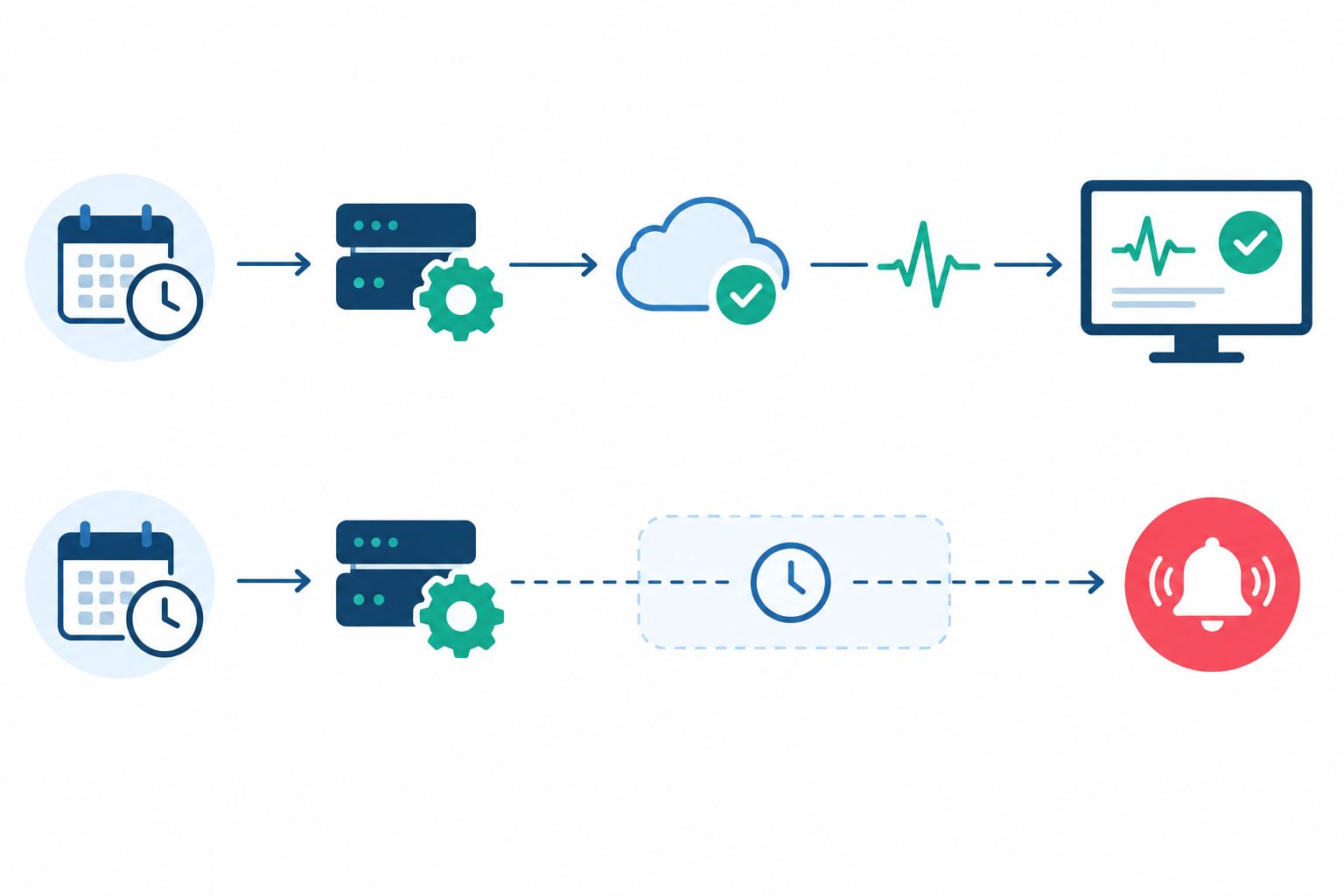
This catches the thing you actually care about: the work not happening, for whatever reason. Here's how to roll it out across several services.
Write down every scheduled task, queue consumer and recurring worker you run. Don't trust your memory. Check crontabs, Kubernetes CronJobs, your scheduler config and your job library's recurring tasks. For each one, note how often it should run, how long it normally takes and how late is too late. Almost every team finds at least one forgotten job, and it's usually a little humbling.
Start with one monitor per logical job. If your invoice job runs on five interchangeable replicas and any one of them can complete the whole run, you want a single monitor called something like billing-nightly-invoices, not five. Whichever instance finishes the work sends the ping.
The catch is what "logical job" means. Define it as the thing that must happen independently, and split the monitor whenever one success could hide another unit's failure:
Overlapping runs matter too. If a slow run is still going when the next starts, a later success can paper over an earlier miss. Use a lock so runs can't overlap, and where every execution matters, include a run ID in the ping or track completions in your own datastore.
A ping at the start only proves the job began. A ping at the end proves it finished, and if the script crashes halfway, you want the silence. Here's what that looks like:
#!/bin/bash
set -euo pipefail

/usr/local/bin/run-nightly-invoices

## Only reached if the job succeeded. A failed ping must not fail or re-run finished work.
curl -fsS --retry 3 --max-time 10 https://your-heartbeat-url.example/ping/abc123 > /dev/null || echo "Heartbeat ping failed; job itself succeeded" >&2
Because of set -euo pipefail, a failure in the job stops the script before the ping. The final || is deliberate. If the monitoring request fails after the work succeeded, you don't want your scheduler to mark the run as failed and retry it, as that could send every invoice twice. The monitor will alert on the missing ping, and you'll have a log line explaining why.
For jobs that run for an hour or more, an end-only ping leaves a blind spot: a run that hangs forever just looks like a late job. Signalling at both start and finish lets you tell "never started", "started but never finished" and "finished fine" apart. If your tooling only offers one URL per monitor, use two monitors.
A grace period is the buffer between when a ping is due and when you get alerted. It absorbs deployments, cold starts and the odd retry. A reasonable starting point is roughly 10 to 25 percent of the job's interval, longer if runtimes vary a lot. Too tight and every release triggers an alert. Too loose and you hear about failures hours late. Tune it from a few weeks of real behaviour.
One naming tip while you're here: a consistent service-environment-job convention, such as payments-prod-reconcile, makes scanning sixty monitors painless.
Yes, but you need to choose what the heartbeat represents. A scheduled job has a natural finish line. A queue consumer that runs continuously doesn't, so you have to define what healthy looks like.
A process being up is not the same as a worker being useful. A consumer can be connected to the broker, pass every liveness probe and still process nothing, perhaps because it's stuck on one bad message or waiting on a dead dependency. Three patterns help.
The canary job. Schedule a small job that travels through the queue end to end, gets picked up by a real worker, and pings the heartbeat URL on completion. If anything between enqueue and execution is broken, the ping never arrives. It's also the best option when traffic is too sparse to prove health from completions.
Progress-based worker pings. Have workers ping after successful job completions, for example after every N jobs, or at most once every few minutes if at least one job finished in that time. The ping must be tied to verified progress. A timer-driven ping from a live process stays green even when the worker is stuck on a poisoned message, so never ping on a timer alone. Pair it with a canary or a queue-age signal, because an idle worker on a quiet queue may legitimately have nothing to report.
The watchdog. A lightweight process checks queue statistics every minute or so and pings only when conditions look healthy. It's the cheapest to add because you don't touch the worker code, though it infers health from numbers rather than proving it.
| Situation | Start with |
|---|---|
| Critical queue where any broken step matters | Canary job |
| Busy queue, no appetite to change worker code | Watchdog |
| Steady traffic and workers you can modify | Progress-based worker pings plus a queue-age check |
| Business-critical and busy | Watchdog first, then add a canary |
The classic symptoms of a stalled background worker or queue are easy to describe and annoyingly easy to miss. Queue depth climbs steadily. The oldest job keeps getting older. Throughput drops to zero while every worker still looks healthy on the dashboard.
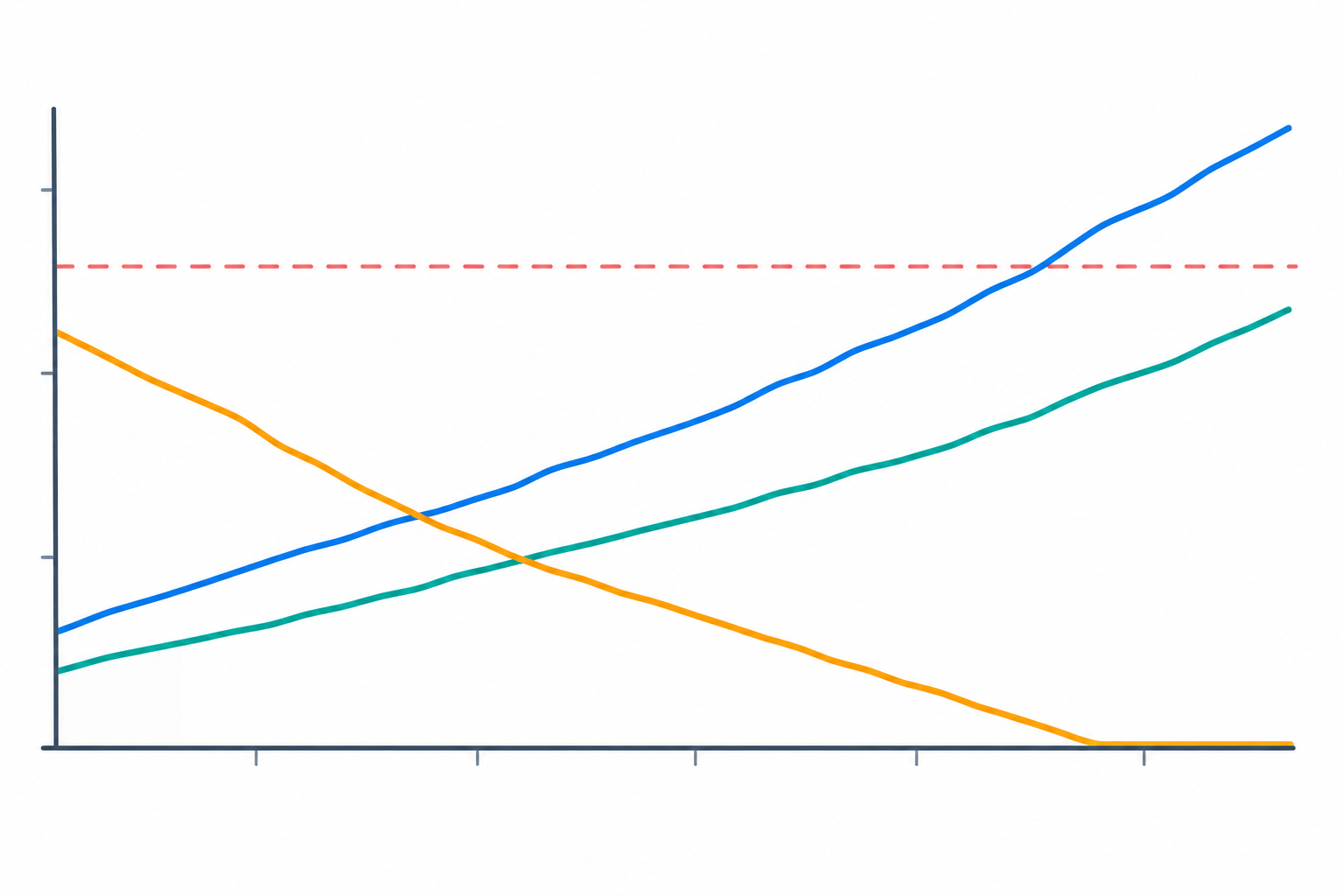
Here they are, roughly in order of how useful they tend to be:
ApproximateAgeOfOldestMessage, Google Cloud Pub/Sub reports oldest unacknowledged message age, and Sidekiq offers queue latency. SQS describes its metric as approximate, so treat it as a trend rather than a precise clock.One bad job can block a worker or loop forever: it's picked up, fails, returns to the queue and gets picked up again. Your defences are retry limits, dead-letter queues and a sensible visibility timeout (SQS's term; RabbitMQ has acknowledgement timeouts). That's the period before an unacknowledged job is handed to another worker. Set it with normal processing time and its slow tail in mind. Too short and a slow job gets processed twice; too long and recovery after a crash is delayed. Where you can, make handlers safe to retry.
Here's a watchdog that pings only when the queue is demonstrably healthy. It fails closed: if a metric is missing or isn't a number, it doesn't ping, so the monitor alerts. It also checks that jobs are completing, while treating a genuinely empty queue as fine.
#!/bin/bash
set -euo pipefail

MAX_AGE=300   # seconds; derive from your queue's service objective
MIN_DONE=1    # completions expected per window; set from real arrival rates

AGE=$(/usr/local/bin/get-oldest-job-age-seconds || true)
DEPTH=$(/usr/local/bin/get-queue-depth || true)
DONE=$(/usr/local/bin/get-completions-last-5m || true)

## Fail closed: missing or non-numeric metrics mean no ping
for v in "$AGE" "$DEPTH" "$DONE"; do
  [[ "$v" =~ ^[0-9]+$ ]] || { echo "Bad metric, not pinging" >&2; exit 1; }
done

## Healthy if the queue is empty, or work is young AND finishing
if [ "$DEPTH" -eq 0 ] || { [ "$AGE" -lt "$MAX_AGE" ] && [ "$DONE" -ge "$MIN_DONE" ]; }; then
  curl -fsS --retry 3 --max-time 10 https://your-heartbeat-url.example/ping/queue-watchdog > /dev/null || echo "Heartbeat ping failed" >&2
fi
The three get-... commands are whatever fits your stack: a Redis command, the RabbitMQ management API, a CloudWatch query for SQS, or a SQL query against a Postgres-backed queue.
The 300 seconds is a placeholder, not a safe default. Say a queue's median wait is 20 seconds, its worst typical wait is 90, and you promise customers "within 10 minutes". A MAX_AGE around 300 leaves headroom over normal behaviour while giving you time to react before you breach the promise. A nightly batch queue might sensibly tolerate hours.
When this rule does not fit: requiring a completion in every five-minute window assumes steady traffic. On a low-volume queue, a bursty one, or one that is intentionally idle for stretches, a healthy system will fail that check and cause false alerts. For those, widen the window to match your expected arrival rate, lower MIN_DONE, rely on queue age alone, or use a canary job instead.
It's also worth being clear about where the sustained-condition work happens. The heartbeat grace period only delays the alert for a missing ping; it doesn't evaluate queue health. The "sustained" part comes from your window and check frequency. To tolerate brief blips, widen the window or require several consecutive bad checks before you stop pinging.
These are starting points, not rules. Adjust them to how your own queues behave.
| What to check | How often | Sensible starting threshold |
|---|---|---|
| Oldest job age | Every 1 to 5 minutes | A few multiples of normal wait time, sustained for several checks |
| Queue depth trend | Every 1 to 5 minutes | Steady growth over 15 to 30 minutes while completions are flat |
| Time since last completion | Every 5 minutes | Well beyond the normal gap between jobs |
| Dead-letter queue size | Every 5 minutes | Any sustained growth, for critical queues |
| Canary round trip | Every 5 to 15 minutes | One missed run plus grace period |
Two diagnostic rules help when an alert fires. If the oldest age rises while completions stop, look at worker health, downstream dependencies and failing messages. If completions continue but age still rises, you probably need more capacity. On RabbitMQ, a growing ready count points at too little consumption, while a pile of unacknowledged messages suggests blocked or slow consumers.
A missed heartbeat is a symptom, not a diagnosis. The real cause could be a database under strain, a DNS change, an expired certificate or a full disk. If the heartbeat is your only monitor, you'll know something broke but not why, and you'll spend the first twenty minutes of an incident guessing.
That's why it helps to run several monitor types side by side:
Here's a timeline to show why. An upstream API's SSL certificate expires at 02:00. Your worker starts failing TLS handshakes a minute later. Jobs retry, the queue backs up, and by 02:20 your heartbeat goes quiet and the alert fires. Without context, you're staring at a missed heartbeat and wondering about your own code. With certificate monitoring in the same place, the first domino is visible straight away, and it's a short fix rather than a long hunt.
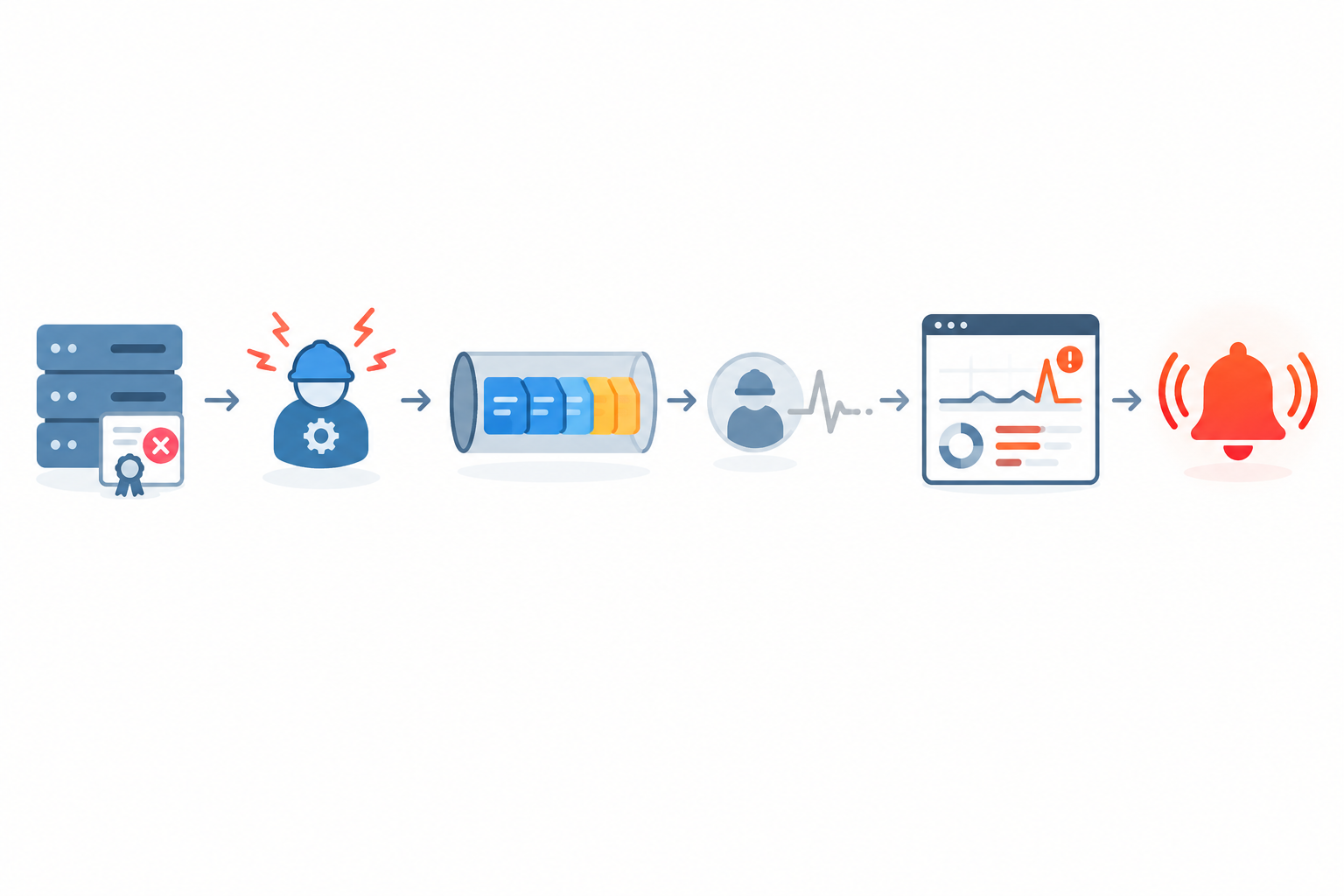
When several things go wrong at once, scroll back and find the earliest event, not the loudest alarm. An API response time that started creeping up an hour before the heartbeat failed is a strong hint about where to look.
Two habits make this easier. Name or tag monitors by service, so related failures cluster together. And where multi-region verification is available for your HTTP and port checks, use it. Confirming a failure from more than one location before alerting cuts false positives from network blips. It won't remove them entirely, and it doesn't apply to heartbeat check-ins, which come from your own jobs.
So, what's the best way to alert on background worker fleet failures? Alert on outcomes, route by ownership, and escalate by duration. Here's the practical version, including a sample policy.
A missed hourly internal report is not the same as a stalled payments queue. Sort your monitors into three tiers: needs someone now, needs attention within the working day, and good to know. If your team keeps UK office hours, be explicit about what can wait until 9am, and keep schedules in UTC while showing on-call rotas in UK local time so nobody misreads a handover when the clocks change.
Match the channel to the urgency. Slack or Discord work well for team awareness, and email suits low-urgency items. Telegram or webhooks suit on-call setups and automation, such as opening a ticket or paging someone.
When a shared dependency fails, you don't want fifty notifications from fifty monitors. Organise by service and owner so one outage reads as one story, and the right team sees it first.
Escalating by duration means the longer a problem stays unresolved, the wider the net gets. Here's an example for a critical queue such as payments:
| Time since missed check-in | Action |
|---|---|
| 0 minutes | Alert the owning team's Slack channel and fire a webhook to open an incident ticket |
| 15 minutes, still unacknowledged or unresolved | Page the on-call engineer |
| 45 minutes, still unresolved | Notify the engineering lead and update the status page |
| Check-ins resume | Send a recovery notice to every channel that received the alert |
Those timings are illustrations, not a universal schedule. Derive yours from the service objective: a queue with a ten-minute customer promise needs a much shorter ladder than a weekly report. Your paging tool or webhook receiver usually handles the time-based steps, so check what your alerting setup supports. A lower-tier monitor might simply post to Slack in working hours and email out of hours.
Knowing a job has checked in again is almost as useful as knowing it stopped, because it lets people stand down. Review noisy monitors monthly, too. If one keeps crying wolf, adjust its grace period or threshold rather than muting it, since muted alerts have a habit of staying muted until the day you need them.
If customers rely on scheduled exports, email delivery or report generation, a status page lets them see when something is delayed. It cuts support tickets and builds trust, because you're telling people before they have to ask.
Moonitor's cron/heartbeat monitors work the way I've described: you get a unique URL, add a ping to your job, and get alerted by email, Slack, Discord, Telegram or webhook when a check-in goes missing. The same dashboard covers HTTP/S, port and ping, SSL and domain expiry, and DNS record change detection, which makes the correlated picture above easier to build. Plans, monitor limits and trial terms change over time, so check the Moonitor pricing page for current details before deciding what size you need.
Most teams hit a few of these at some point. Here's a quick checklist:
You don't need to monitor everything today:
Your future self, the one who isn't surprised by a three-week-old failure, will thank you.
Monitor each independently expected unit of work, not each server. Interchangeable replicas share one monitor; shards, tenants and must-run-everywhere consumers need their own.
Yes. Use a canary job, progress-based pings after real completions, or a watchdog that pings only when queue age and completions look healthy. Avoid timer-only pings, which can't tell a stuck worker from an idle one.
Watch for a missed heartbeat, a rising oldest-job age, or a long gap since the last completion. Queue depth alone can mislead, and your checks should fail closed when a metric can't be read.
Alert on missed outcomes rather than individual instance noise, route to the owning team, and escalate by duration using timings based on your service objectives. See the sample policy above.
Start with roughly 10 to 25 percent of the job's interval, then tune it around deployments and peak load. It only delays the alert for a missing ping; it doesn't judge queue health.