Multi-Client Content Workflows for Digital Agencies: A Practical System for Staying Organized at Scale

Multi-Client Content Workflows: How Agencies Scale Without Chaos
Agencies that grow past a handful of clients without falling apart usually rely on three things: strict naming and folder conventions per client, approval chains that match each client's actual sign-off style instead of forcing everyone through the same process, and a publishing setup that connects directly to each client's CMS. Get this right and a well-run agency can go from five clients to 25 without hiring a new project manager every ten accounts. That's the short version. The rest of this post is about what it actually takes to build workflows that hold up once your client roster stops being small enough to manage from memory.
If you're running content for multiple clients right now, you already know the feeling: it's not the writing that eats your week, it's everything around the writing. The brief that got approved by the wrong person. The blog post that went out under the wrong brand voice. The Tuesday afternoon spent digging through Slack threads trying to work out whether a draft was ever actually signed off.
We built Scribe after hearing versions of this same story over and over from agencies trying to scale past a handful of clients. Worth saying upfront: the chaos isn't inevitable. It's usually a missing system, not a lack of effort from your team. Let's walk through what those systems look like in practice, including the parts that are easy to gloss over — naming, ownership, and what happens when a client goes quiet three days before a deadline.
Why multi-client content workflows become complex
Here's something that catches a lot of agency owners off guard: five clients isn't five times the work of one client. It doesn't scale in a straight line, because each new client brings its own tone of voice, approval habits, reporting format, and competitive landscape to keep track of.
To make that concrete: imagine an agency running five clients, each needing a monthly report, a distinct brand voice guide, and two stakeholders who sign off on content. That's five voice guides to keep straight, ten approval relationships to manage, and five separate competitive contexts to stay on top of — before anyone's written a word. Add a sixth client with three stakeholders instead of two, and the admin load jumps again, not because the content itself got harder, but because there's a whole new set of preferences, deadlines, and quirks to track. This is probably why agency owners so often describe the jump from five to fifteen clients as feeling much bigger than the numbers suggest.
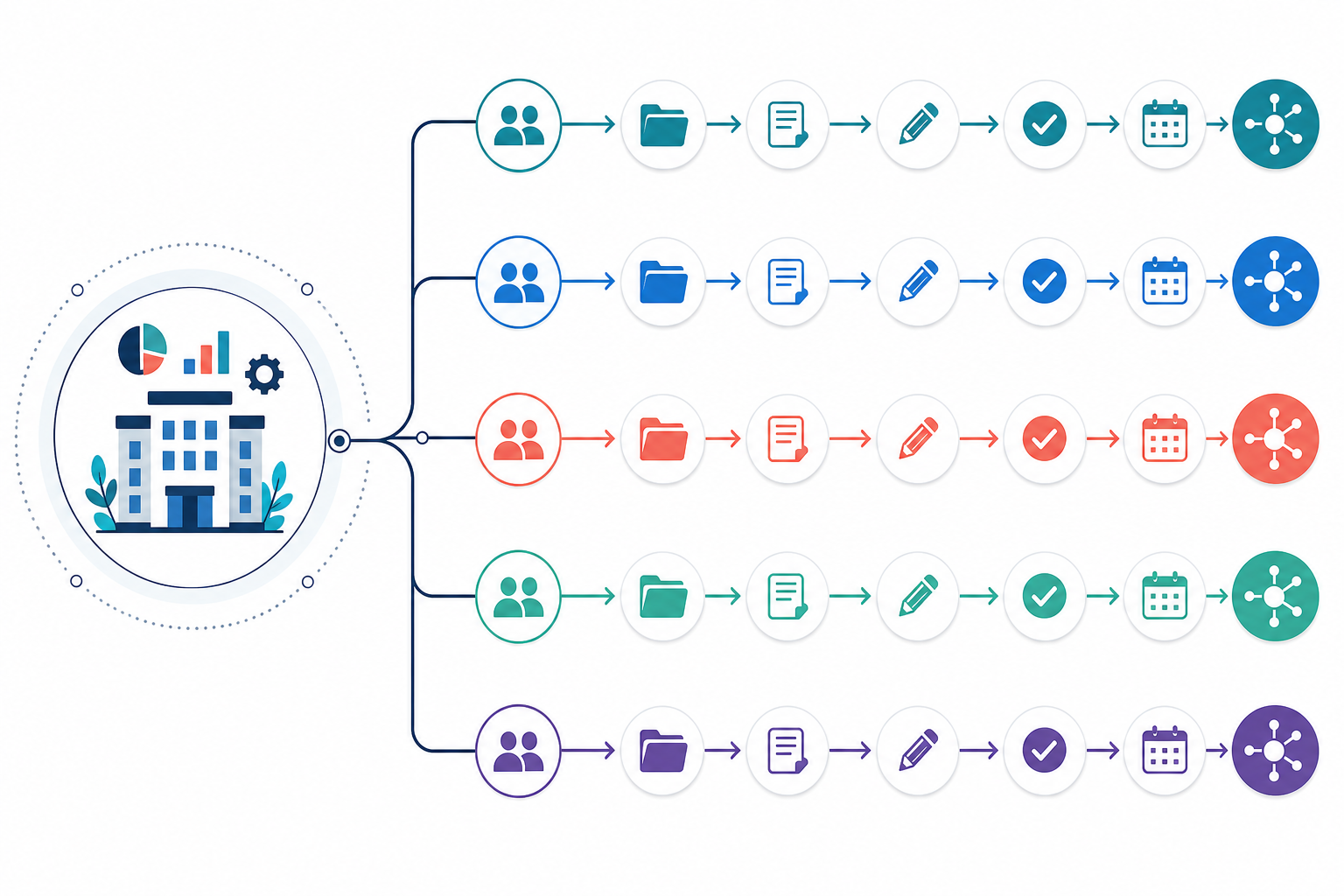
This is where most of the painful mistakes happen:
- Wrong brand voice used. A draft written for one client's casual, witty tone gets sent to a client that expects formal, technical language.
- Content published to the wrong site. Sounds absurd until it happens to you, usually during a busy week when someone's covering for someone else.
- Keyword cannibalisation between clients. Two clients in the same niche end up competing for the same search terms, which helps nobody and can quietly damage both accounts.
The real cost isn't just an awkward apology email. It's missed deadlines that erode trust, client churn that hits your recurring revenue, and account managers who burn out doing admin instead of the strategic work they were actually hired for. If your best people are spending their time double-checking file names instead of planning content strategy, something in your workflow needs to change.
How to organise topics and keywords for each client
The fix starts with treating every client as its own self-contained content operation, even when two clients sit in the same industry. It feels like extra admin up front. It saves far more time later than it costs.
Use client-specific folders and file naming conventions
A simple folder structure makes this concrete rather than aspirational. Something like:
/Clients
  /ClientName
    /Briefs
    /Drafts
    /Approved
    /Published
    /Keyword-Bank
    /Brand-Voice-Guide
Pair that with a consistent file naming syntax — ClientName_Topic_YYYYMMDD_v1 — and you get rid of the fifteen-minute scavenger hunts that happen when a file is named "blog draft FINAL v2 (1)". Assign one owner per client folder, usually the account manager, who's responsible for keeping it tidy, and give writers and editors access based on their role rather than blanket access to everything.
Keep content calendars and keyword research separate
Beyond naming, a few habits make the biggest difference:
- Separate content calendars and keyword banks for every client. Even if Client A and Client B both sell software to accountants, their keyword banks should be built and maintained independently. Shared research might feel efficient, but it's exactly how cannibalisation creeps in.
- Tag content by funnel stage and service line. This lets you glance at a calendar and immediately spot whether a client is overloaded on top-of-funnel blog posts but has nothing addressing bottom-of-funnel decision content.
- Run a cross-client keyword conflict check before publishing. A quick search of your active client list against target terms can catch two accounts quietly working against each other in the same search results. Worth doing monthly, not just at onboarding.
- Keep data handling client-specific and documented, particularly if you're working with UK clients who want clarity on where their content, keyword research, and performance data sit, and who has access to it under your agency's data protection policy.
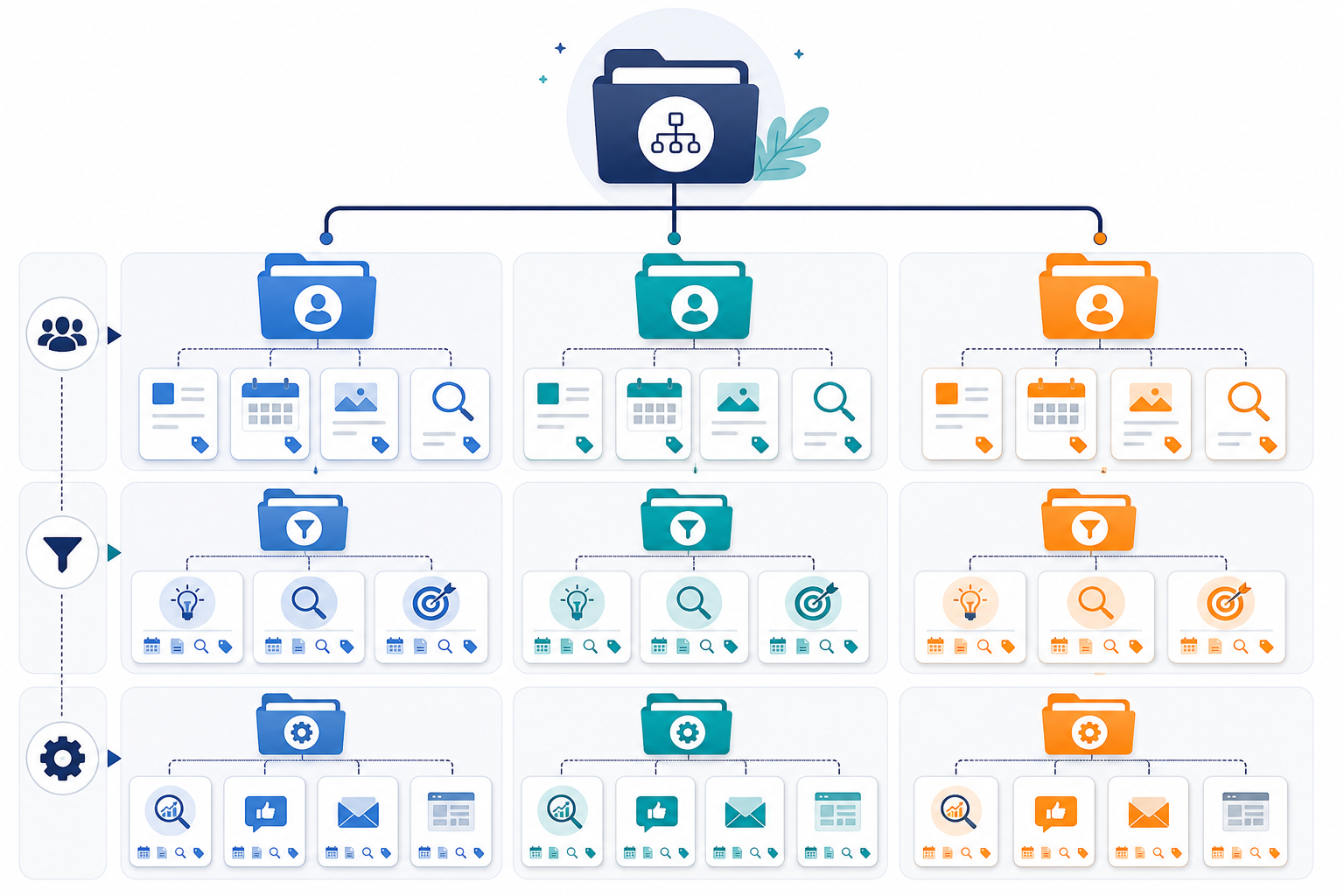
The right tools can support this rather than work against it. Scribe, for example, keeps quality scoring and performance history separate per client account rather than pooling everything into one shared model, on the logic that what works for Client A's audience shouldn't quietly bleed into recommendations for Client B's very different readers. Whatever platform you use, it's worth asking directly how it separates client data — pooled learning is exactly the kind of shortcut that causes the cannibalisation problem above.
How to build approval chains that don't create bottlenecks
Approvals are where agency workflows tend to fall apart. Not because clients are difficult, but because most agencies run one generic approval process for every account, even though every client actually wants something different.
Some clients want to review every single post before it goes live. Others are happy to see a monthly report and trust your team completely. Forcing both types through the same rigid process either annoys the hands-on clients or wastes the hands-off ones' time.
Create a clear client content approval process
Here's a practical sequence for building approval chains that hold up under pressure:
- Map out each client's real sign-off process, in writing. Don't assume — ask directly, and confirm who has final authority. Some clients think they want to review everything until they realise how much that slows things down.
- Assign clear ownership using something like a simple RACI split. For most clients: the writer is Responsible, the editor is Accountable, the account manager is Consulted, and the client is Informed (or Consulted, for hands-on accounts). Write this down per client so it doesn't live only in one person's head.
- Set a sensible default workflow, then document named exceptions. Most clients can follow a standard three-step approval process. Flag the handful who need something different, and keep that documentation somewhere the whole team can find it.
- Use a shared status system everyone understands. Draft, Client Review, Revisions, Approved, Scheduled — five statuses is usually enough to remove the ambiguity that causes content to sit untouched for weeks.
- Set automatic reminders and a defined response-time policy. A gentle nudge at 48 hours and again at five days keeps things moving without anyone manually chasing. Agree the SLA with the client at onboarding, not after the first missed deadline.
- Build a lightweight escalation path for unresponsive clients near a deadline. Decide in advance who steps in and what the fallback is — publish under existing approval terms, delay and notify the client, or escalate to the account lead — so nobody's improvising under pressure. This is worth putting in the contract or onboarding pack, not just agreeing verbally.
None of this needs expensive project management software. It needs a clear, written-down process that your whole team can follow without you having to personally remember every client's quirks.
Publishing content across WordPress, Shopify, Webflow and more
Even with perfect approvals, agencies lose a lot of time at the very last step: actually getting content live. Manual copy-and-paste publishing is one of the biggest hidden time sinks in agency work. Formatting breaks, images don't upload properly, and someone always forgets the meta description.
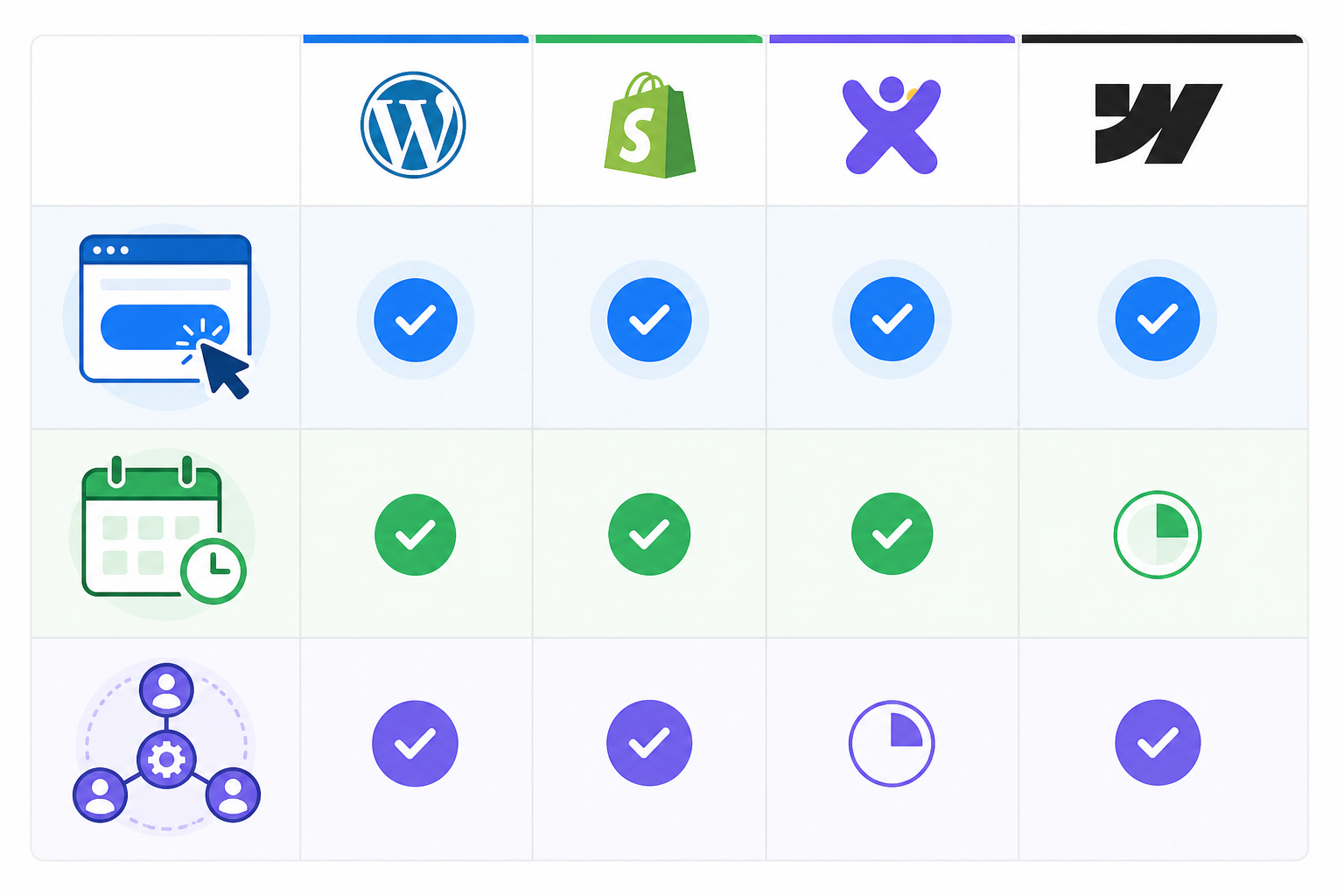
What helps here is a CMS-agnostic publishing setup — one workflow that handles the mechanics regardless of which platform a given client happens to use. When you're evaluating tools, check specifics rather than taking "integrates with everything" at face value. What actually matters: authentication method, scheduling reliability, how images and alt text are handled, support for custom fields, and whether you can preview or roll back a post before it goes fully live.
| Evaluation criteria | What to check |
|---|---|
| Authentication | Does it use the platform's official API, and does access survive a client changing their password or host? |
| Scheduling | Can you queue posts for a specific date and time, and does it handle time zones correctly? |
| Image handling | Are images uploaded and compressed automatically, and is alt text carried across? |
| Custom fields | Does it support the platform's custom fields (e.g. Shopify metafields, Webflow CMS collections)? |
| Preview and rollback | Can you preview before publishing, and undo a mistake without editing the live page directly? |
Exact capability varies by platform and by the specific integration or connector a tool uses, so confirm directly with any vendor rather than assuming blanket support. Scribe, for instance, integrates with WordPress, Shopify, Wix, Webflow, and custom APIs, with the specifics of scheduling and image handling depending on the connector for each platform — worth checking against your own clients' CMS versions before relying on it.
Scheduling matters more than people expect once you're juggling ten or more clients. Automated scheduling means content goes out at the right cadence for each account without someone manually clicking publish every Monday morning across a dozen dashboards. Even a modest estimate — say, ten minutes saved per client per week on manual publishing — adds up to a couple of hours back across a fifteen-client roster. That's time better spent on strategy than on formatting.
How to scale agency content without adding project managers
If every ten new clients requires another full-time project manager, your margins are working against you as you grow. Headcount-heavy scaling feels safe because it's familiar, but it caps how profitable that growth can actually be.
Here's a simple way to think about capacity: if a project manager can comfortably run manual QA and approval-chasing for around ten clients, and automation removes, say, half of that admin load per client, the same person can realistically support closer to fifteen or eighteen. That's not a guarantee — client complexity varies — but it's the rough logic behind why automation changes the staffing maths rather than just making things feel less frantic.
Agencies that scale smoothly from five clients to 25, and beyond, tend to share a few habits:
- They use automated publishing and quality scoring to cut manual QA time per article. Instead of a human reading every draft line by line for basic issues, a quality score can flag anything that needs a closer look, freeing up review time for genuinely strategic feedback. Treat this as a first pass, not a replacement for human editorial judgement.
- They standardise client onboarding. New accounts slot into existing naming conventions, calendar structures, and approval defaults instead of needing a bespoke workflow built from scratch every time.
- They use performance data to inform strategy, with a person checking the output. Rather than an account manager adjusting strategy every month purely on gut feel, tools like Scribe analyse what's driving traffic and engagement for that specific client and adapt future content patterns accordingly — though this works best when someone still reviews the reasoning rather than trusting it blindly, particularly for clients in regulated or reputation-sensitive sectors.
- They reallocate account manager time away from admin and toward relationships and strategy. When someone isn't spending their afternoon chasing approvals or reformatting a blog post for the third time, they can focus on the conversations that keep clients renewing.
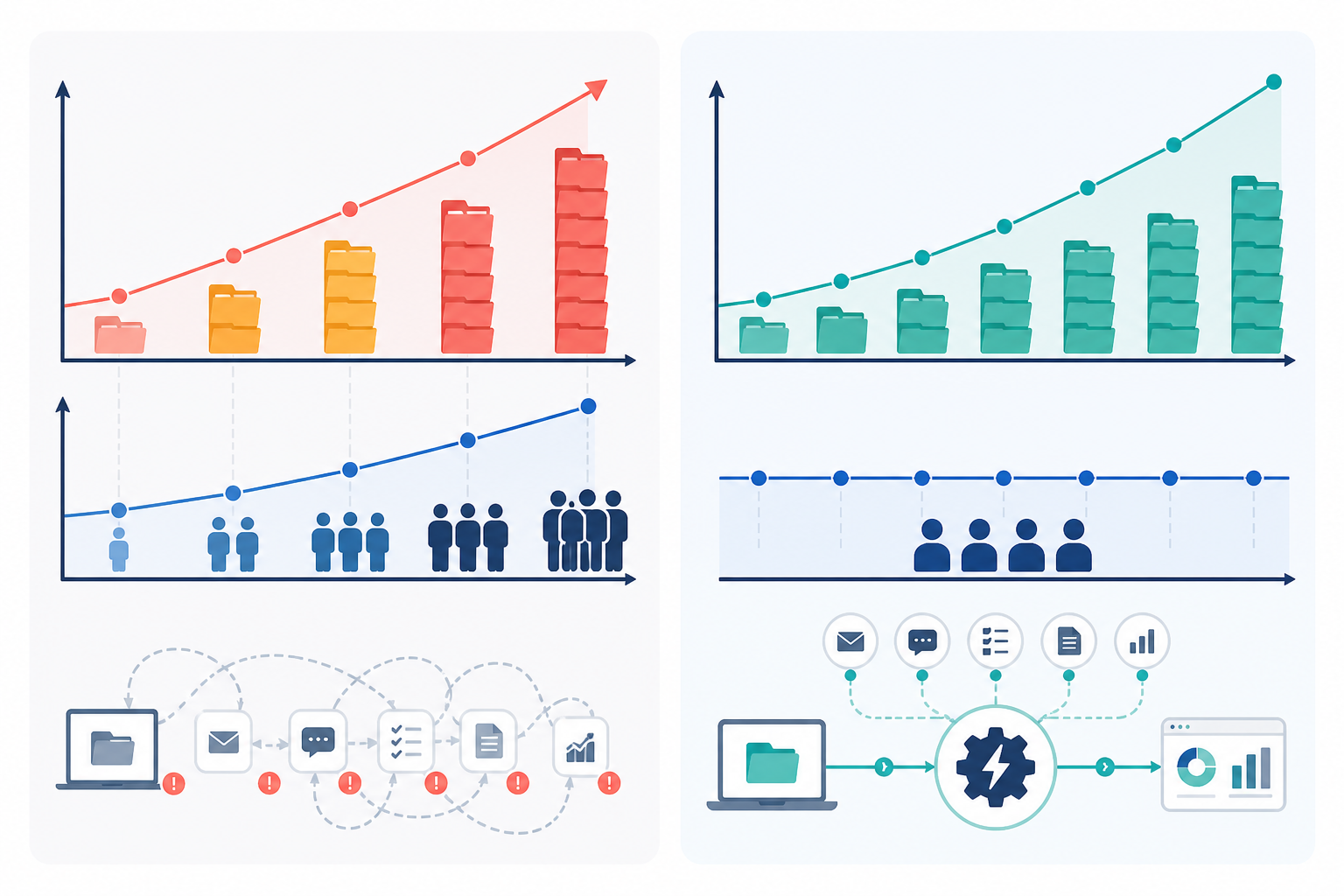
The point of a well-designed multi-client content workflow isn't to work faster in some frantic sense. It's to strip out the repetitive, error-prone parts of the process so your team's time goes toward the things that actually need human judgement: strategy, client relationships, and the occasional judgement call automation genuinely can't make.
Frequently asked questions about multi-client content workflows
How do agencies keep client content from getting mixed up?
The most reliable approach is strict separation at every stage: individual content calendars, dedicated folder structures and naming conventions, and keyword research kept siloed per client even within the same industry. Assigning one clear owner per client account, usually the account manager, also helps — there's always someone accountable for checking a draft is going to the right place before it's approved.
What's the best way to manage approvals across many clients?
Set a default approval workflow that works for most accounts, then document exceptions for clients who need extra review steps. A shared status system your whole team understands cuts down on confusion, and an agreed response-time policy — with a clear escalation path for what happens if a client misses it near a deadline — stops approvals stalling without anyone having to improvise under pressure.
Can one platform handle publishing to different client CMSs?
Yes, though capability varies by platform and by the specific connector a tool uses. Check scheduling reliability, image handling, and custom field support for each CMS you actually work with, rather than assuming universal support. Tools like Scribe support WordPress, Shopify, Wix, Webflow, and custom APIs, but confirm the specifics against your clients' exact setups.
How much content should agencies produce per client each month?
There's no fixed number that fits every account — it depends on the client's search demand, competitive landscape, conversion goals, and how much review capacity your team has. A useful way to decide is to work backwards from what your team can properly review at the quality bar you've promised the client, rather than picking a volume target first and hoping capacity keeps up.
Who owns a decision if a client's approval is late and a deadline is close?
This should be decided before it happens, not during it. Most agencies name the account lead as the person who decides whether to publish under existing approval, delay and notify the client, or escalate further. Worth putting that decision rule in the client onboarding documentation so nobody's guessing under time pressure.
Getting multi-client content workflows right isn't about finding one clever hack. It's about putting reliable systems in place for naming, approvals, and publishing, then letting automation handle the repetitive parts so your team's time goes toward what actually grows client accounts. Once those foundations are solid, scaling from a handful of clients to two dozen stops feeling like a staffing problem and starts feeling like exactly what it should be: a sign your agency is doing something right.
Create content like this automatically
Scribe uses AI to generate high-quality blog posts that engage your audience and drive traffic.