The Media Buyer's Guide to AI-Powered Competitive Ad Analysis
15 min read
Loading...

AI-powered ad analysis takes the raw mess of competitor ad data (new creatives, paused campaigns, scaling patterns) and turns it into a plain-English strategic read, the kind of thing a senior media buyer might give you in a Monday morning debrief. Used well, AI ad intelligence doesn't replace your own account data. It tells you where to look first, so you spend less time hunting through screenshots of competitor ads and more time acting on what actually matters for bids and budgets this week.
In this guide, I'll walk through exactly how AI-powered competitive ad analysis works in practice: how the underlying data becomes a strategic read, how to translate that read into bid adjustments and budget decisions, and how to build a weekly workflow that fits around your own account data rather than replacing it. I'll also flag, honestly, where these signals fall short, because they do, and pretending otherwise doesn't help anyone hit their targets.
If you're a media buyer or PPC manager juggling five, ten or twenty competitors across Meta, Google Ads, TikTok and LinkedIn, you already know the problem isn't a lack of data. It's too much of it, scattered across platforms, with no obvious signal about what's worth your attention. That's the gap AI ad intelligence is built to close. Let's get into how it actually works and, more importantly, how to use it without falling into the trap of chasing every competitor move like it's a fire alarm.
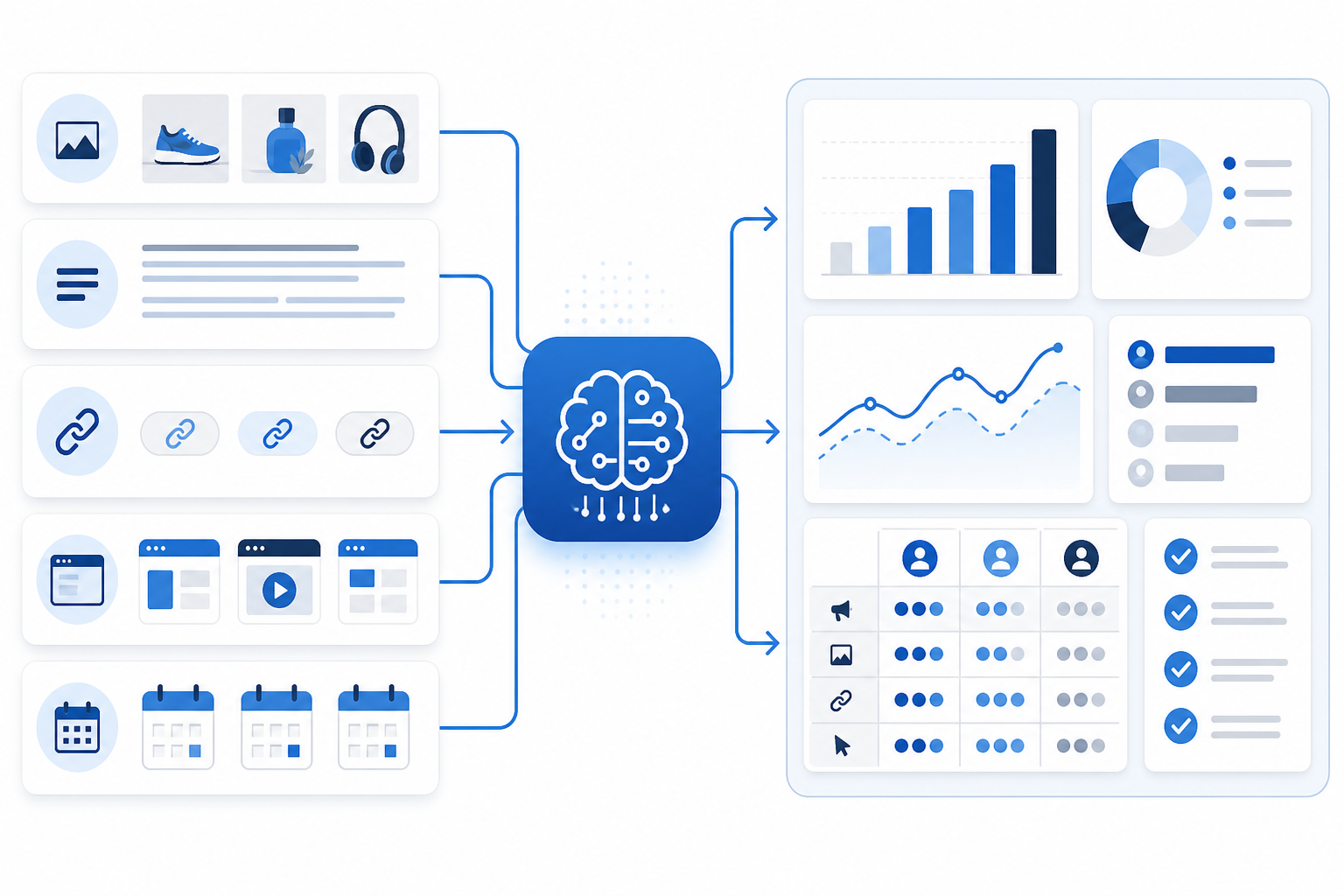
Before any AI can tell you something useful, it needs the right raw material. This matters because an AI summary is only as good as the data behind it: garbage in, confident-sounding garbage out.
Here's what typically goes into building a proper strategic read:
On their own, these are just facts. The value comes from stacking them week over week, so you can see what's actually new, what's stopped and what's continuing to run unchanged. Any decent AI ad analysis system, ours included, needs that structured, dated and platform-tagged history before an AI model gets anywhere near it. Without it, you're looking at a single snapshot and guessing.
Worth being precise about what continuity actually tells you, though. An ad running unchanged for six or more weeks is a persistence signal, not proof of profitability. It's a reasonable working assumption that the advertiser hasn't felt the need to change it, but there are other explanations too: it could be evergreen brand content nobody's got round to refreshing, a low-spend test that's simply been left running, or a creative sitting in a rotation you can't fully see from outside the account. New isn't automatically unimportant, and old isn't automatically a winner. Treat longevity as a prompt to dig further, not a verdict.
At Rival Ads, this is why we build week-over-week diffs as the backbone of the system, flagging what's new, what's stopped and what's continuing, and why we structure that data before Claude (the AI model we use for the narrative layer) ever writes a summary. That's our implementation. The general principle applies whichever tools you use: an AI model doesn't magically infer change over time on its own. It needs to be given organised, diffed, dated data and prompted to interpret it. The quality of the read depends entirely on the quality of that structure underneath it.
Here's the difference that actually matters for your day-to-day work. A basic ad monitoring tool gives you a data table: three ads paused, two new and one running unchanged. That's useful, but it's inventory, not insight. You still have to do the thinking.
AI ad intelligence goes further and gives you a narrative: "Competitor appears to be testing a price-led message ahead of a seasonal push." That sentence is only worth trusting if there's a visible evidence chain behind it. In practice, that might look like a new headline mentioning a percentage discount, appearing on two ad variants, linking to a landing page with matching sale pricing, first spotted this week and still running the following week. String those observations together across two or three weekly diffs, and the pattern becomes genuinely more reliable than any single week's snapshot.
This matters because patterns are hard to spot manually when you're scanning dozens of ads across four platforms every week. A slow pivot, say a competitor gradually shifting from broad awareness messaging to hard conversion copy over three weeks, is easy to miss if you're only glancing at this week's ads in isolation. It's exactly the kind of shift a model prompted to compare week-over-week diffs will surface, because that comparison is what it's been given the data to do.
For media buyers, this is the part that changes how useful the tool is. You're not just told what changed. You're given a reasoned interpretation of what it might mean for your own positioning: a hint that a well-funded competitor could be about to flood a channel you rely on, or that they're quietly retreating from a segment you could pick up more cheaply. That's the shift from "here's data" to "here's a plausible reason it matters," and it's the whole point of layering AI on top of raw competitor ad tracking. Note the word plausible, though: it's an interpretation to test, not a fact to act on blindly.
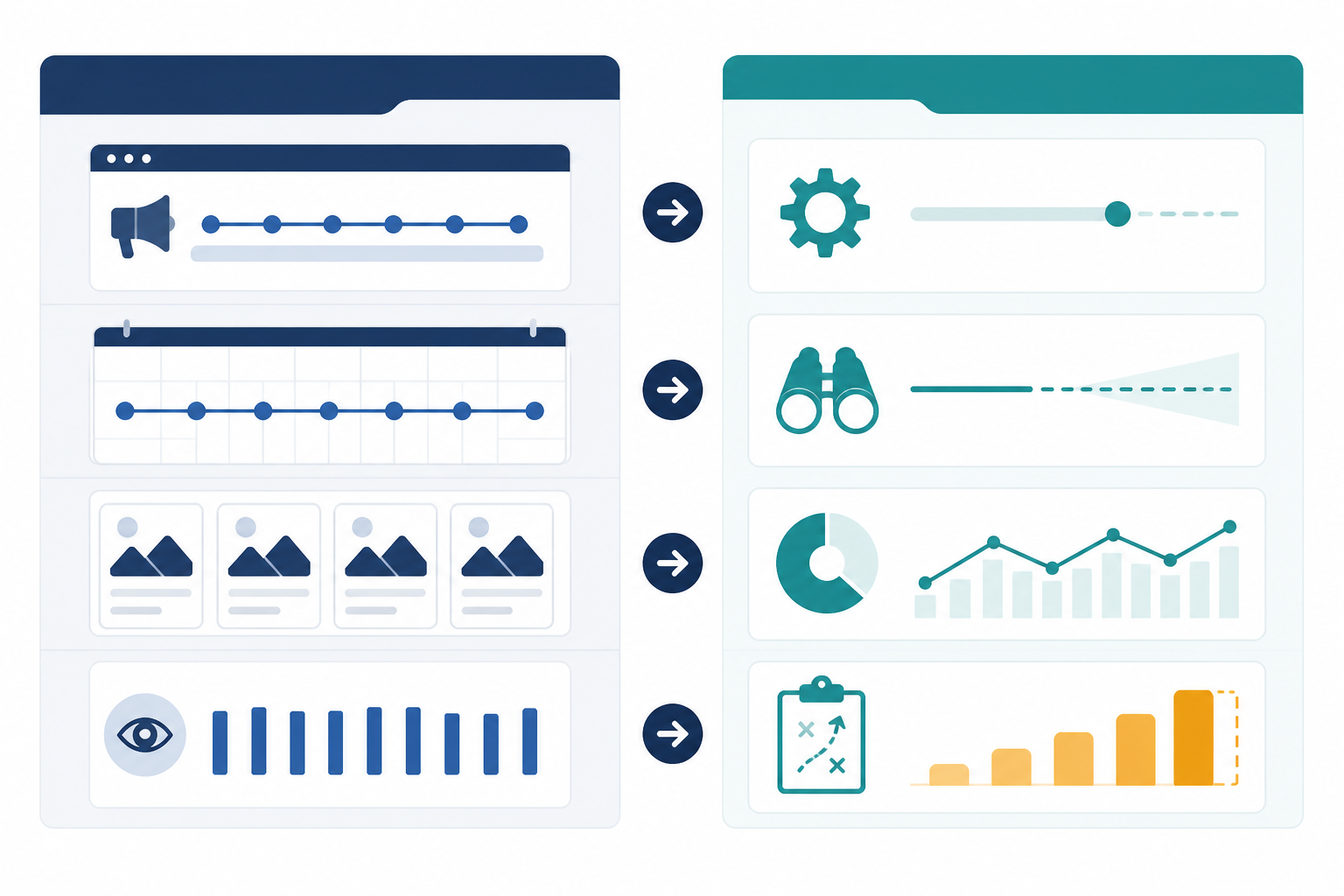
Once you've got a strategic read instead of a data dump, the next question is: what do you actually do with it? Here's a practical sequence, with a validation gate built in, because competitor ad-library data cannot see your bids, your auction pressure or your actual spend: it can only tell you what's publicly visible about their ads.
Here's what that looks like with actual numbers. Say a competitor's discount-led offer has now run unchanged for three weeks on Meta, targeting an audience that overlaps with yours. You check your account for that same audience and period: your impression share has slipped from 62% to 48%, and your CPC is up 18%. That's a genuine auction-pressure signal worth acting on: maybe a modest, time-boxed bid increase with a review date in two weeks. But if your impression share and CPC haven't moved at all, the competitor's activity likely isn't affecting your auction yet, and the right move is to keep watching, not to react.
| Signal (what you observe) | Validation metric (in your account) | Suggested action | Review window |
|---|---|---|---|
| Competitor creative unchanged 6+ weeks | Your impression share or CPC on overlapping audience | Hold bids if no movement; modest test increase if both move | 2 weeks |
| Competitor pauses entire channel | Your CPC/CPM on that platform | Test a controlled bid increase on the vacated placement | 1–2 weeks |
| Competitor scales new creative variants fast | Your conversion rate on shared audience | Watch only, volume alone isn't proof of performance | 3–4 weeks |
Bid tweaks are the small, tactical moves. Budget reallocation is the bigger decision, and it deserves a longer time horizon than a single week's digest.
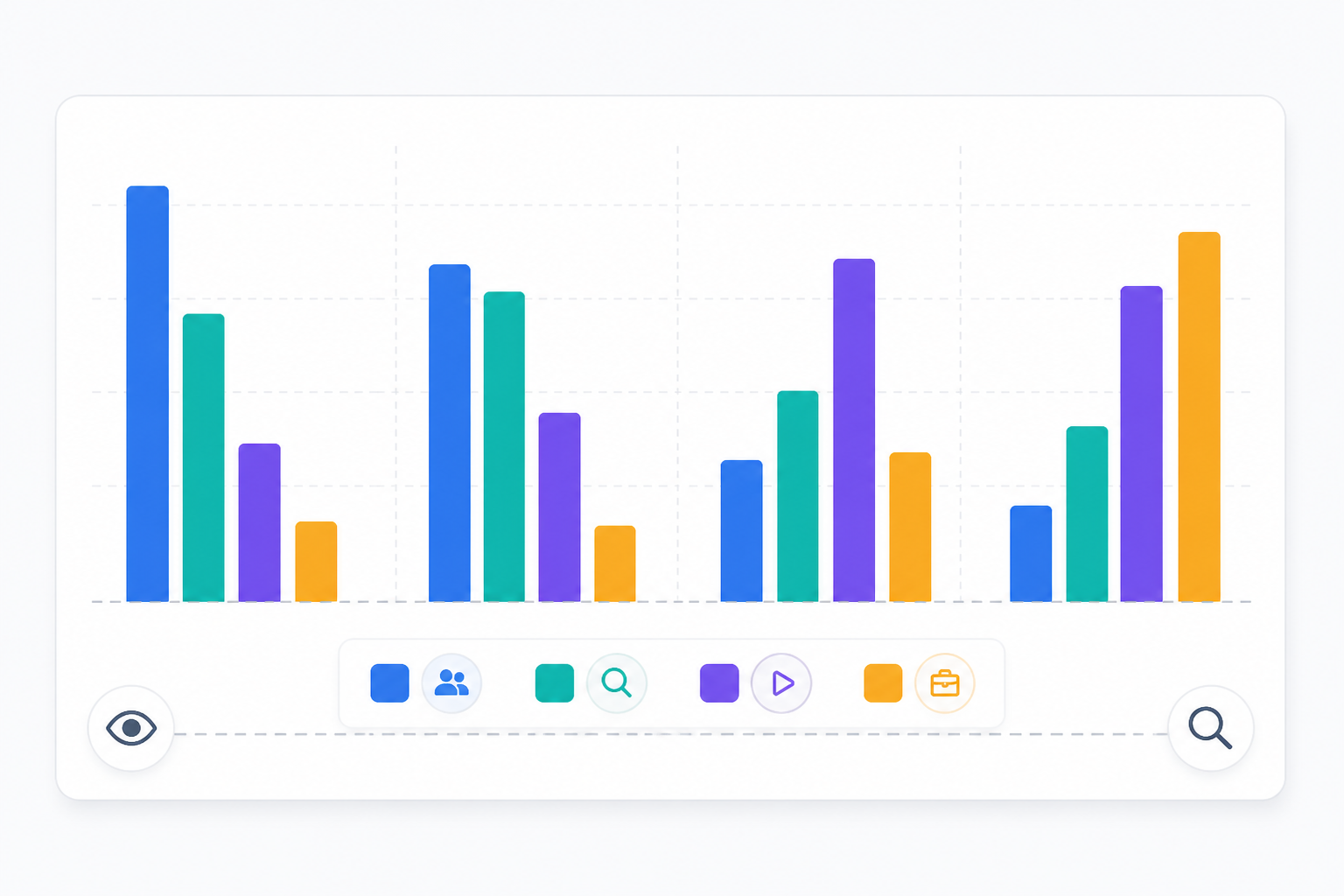
A few ways I'd suggest reading the signals, with the caveats attached:
What none of this proves, on its own, is actual spend, profitability or auction bid levels. Competitor ad-library data shows you what's publicly visible about creative and placement. It doesn't show you their budgets or margins. Use it to decide where to look, then confirm with your own numbers before moving real money.
This is probably the most important section in this whole guide, so I want to be direct: AI ad intelligence should supplement your own performance data, never replace it. AI-powered ad analysis can tell you exactly what's publicly visible about a competitor's ads. It has no visibility into your CPA, your conversion rate or what's actually happening inside your own auctions.
The cleanest way I've found to frame it: AI competitive analysis answers "what should I investigate?" Your account data answers "what should I change?" Neither on its own gives you the full picture. Together, they actually work.
Here's a fuller version of that working in practice. The AI flags that a competitor has scaled a new discount-led offer across Meta for the third week running, targeting a lookalike audience close to one you use. You pull your own account data for that audience over the same three weeks:
CPC up, conversion rate stable: that combination points to genuine auction pressure rather than a demand problem on your end, so a bid or budget response is justified. Now compare that with a different outcome: CPC up but conversion rate also dropping sharply, say to 2.8%. That's a different story entirely: it suggests something's gone wrong with your own targeting or creative fatigue, not just competitor pressure, and throwing more budget at the auction won't fix it. The AI flag got you looking in the right place either way; your account data told you what was actually happening once you got there.
All of this only works if it fits into a routine you'll actually stick to. Here's the workflow I'd suggest running every week, whether you're using Rival Ads' weekly email digest or checking a dashboard directly: the steps generalise beyond any one tool.
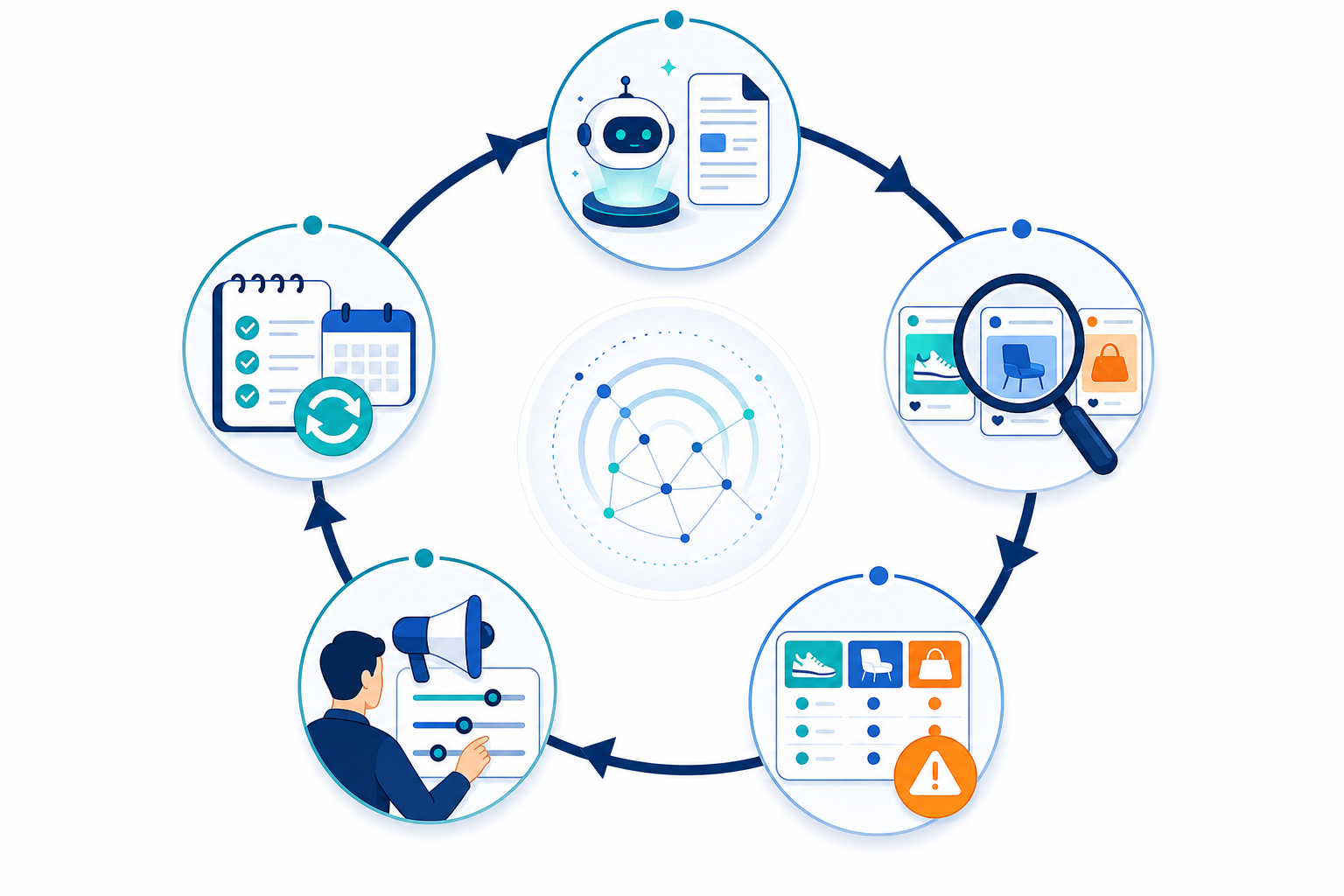
This loop is deliberately small and repeatable. The goal isn't to overhaul your account every Monday based on what a competitor did last week. It's to build a habit where competitive signals routinely inform, but never replace, decisions you're already making from your own data.
It's built from raw ad data collected each week: active creatives, exact ad copy, landing page links and the platform each ad runs on (Meta, Google Ads, TikTok or LinkedIn). The AI compares this week's data against previous weeks to identify what's new, what's stopped and what's continuing to run, then interprets those patterns into a strategic narrative rather than just a list of changes.
Look for trends across several weeks rather than reacting to a single change. If a competitor is consistently adding new creative variants on one platform while pulling back on another, that's a reasonably strong directional signal about where their attention is going. Treat it as one input alongside your own account performance, CPC, conversion rate and marginal return by channel, before shifting spend.
Supplement it. AI-powered ad analysis is excellent at telling you what's happening in the market and where to focus your attention, but it can't see your CPA, conversion rate or auction dynamics. The strongest workflow uses AI insights to flag what's worth investigating, then confirms the decision with your own account data.
Generally, no. Ad libraries and monitoring tools show you what's publicly visible, creative, copy, platform and timing, not budgets, bid levels or conversion results. Creative volume and ad longevity are useful directional signals, but they're proxies, not confirmed figures. Treat any spend or performance estimate from competitor data as a working hypothesis to test against your own account, never as a confirmed fact.