Black Friday Support Prep: A Checklist for E-commerce Teams

Black Friday E-commerce Support Checklist: Prepare Your Team for the Rush
The best way to prepare your e-commerce support for Black Friday is to work in four stages: forecast your likely spike using last year's data, write saved replies for the questions you know are coming, line up extra hands without paying per seat, and set up your live chat widget for peak hours. Do it a few weeks ahead, and the day itself feels like a busy shift rather than a crisis. 🛍️
I'll walk you through each stage like we're sitting down with a coffee and a notepad. There's a timeline table near the end you can steal, plus a few honest notes on what to do once the rush is actually happening.
Why Black Friday e-commerce support needs its own plan
Picture it. It's 7am on Black Friday, the discount code has just gone live, and you've barely finished your first cup of tea. The inbox already has twenty new messages. Someone's asking if the code stacks with the loyalty discount. Someone else swears it isn't working. A third person wants to know if their order will arrive before the weekend.
If you've got a plan, that's a busy morning. If you don't, it's the start of a very long day.
The UK calendar makes this trickier than a single sale day. In 2025, Black Friday lands on 28 November, with Cyber Monday straight after on 1 December. Then you roll into Christmas delivery cut-offs and the Boxing Day sales. For many small online retailers, that's close to a month of elevated demand, and the questions change as it goes. Pre-purchase questions peak first, delivery worries follow, and returns turn up in January.
So think of support prep as a countdown rather than a one-day job. Here's the rough shape we'll work to:
- 4 weeks out: forecast and audit
- 2 weeks out: saved replies, extra people, tags
- 1 week out: live chat widget, email forwarding, a dress rehearsal
- Black Friday and Cyber Monday: monitor and adjust
- The week after: follow up and review

It helps a lot to have everything in one place. At Sonny, we built our customer support software around a single shared inbox, so live chat, email tickets and internal notes sit together. Mid-rush, nothing slips through because it landed in a mailbox someone forgot to check. That's the setup I'll assume as we go.
Step 1: Forecast your Black Friday support volume spike
Let's start with the question everyone asks: how much does support volume spike on Black Friday?
Honest answer: it depends on your brand, your promotions and your audience. I'd be making numbers up if I told you to expect a neat doubling or tripling, and any tidy multiplier you find online deserves some suspicion. What I can tell you is that the shopping peak itself is real, and big. Adobe Analytics reported that US online sales hit $10.8 billion on Black Friday 2024 (up 10.2% year on year) and $13.3 billion on Cyber Monday. Across the five days from Thanksgiving to Cyber Monday, online spending reached $41.1 billion.
Those are US figures, so read them as a sense of how big the moment is, not a prediction for your shop. Sales don't translate one-for-one into support contacts, so your own history matters far more. Here's how I'd build your forecast.
- Pull last year's data. Look at total conversations per day, but also when they arrived. Hourly patterns matter because queues are short and sharp rather than evenly spread. Note your top five contact reasons too.
- Work out your contact rate. Divide your support conversations by your orders (or per 100 orders) for a normal period and for last year's peak. That gives you a ratio you can apply to expected order volume.
- If it's your first Black Friday, start from your average daily volume and build three scenarios: conservative, moderate and aggressive. Base the multipliers on the size of your email list, your planned ad spend and how deep your discounts go. Low, expected and high scenarios beat a single guess every time.
- Factor in the ripple effects. Delivery queries tend to peak somewhere between three and ten days after the sale, depending on your couriers and dispatch speed. Returns questions often arrive in January. Your forecast window should run well beyond the weekend itself.
- Translate the forecast into staffing. Decide how many conversations one person can comfortably handle per hour. Live chat, where someone may juggle two or three chats at once, is different from email, where you can batch work. Then work out how many hours of cover you need at the busiest times.
- Review your reporting. In Sonny, tagging and response-time reports show you your busiest windows from past periods, so you can see where the pressure really sat instead of relying on memory.
Mobile deserves a quick mention. Adobe reported that mobile devices accounted for 55.2% of US Black Friday online sales in 2024. That's sales, not support channel share, so don't assume your chats will split the same way. Still, it's a good nudge to check that your help content and live chat widget work nicely on a phone.

Step 2: Prepare saved replies for common holiday support questions
A reader asked me recently: what saved replies should I actually prepare in advance? My answer is to write the ones you could recite in your sleep, because by Saturday afternoon you'll practically be doing so.
Here's the list I'd start with:
- Order status and delivery times. Include realistic dates and UK specifics, like Royal Mail and courier cut-offs, and a gentle note about longer delivery times to Northern Ireland, the Highlands and islands if that applies to you.
- Discount code problems. Cover codes that won't apply, price adjustments after purchase, and whether promotions can be combined. This is usually the first flood on the day.
- Returns, exchanges and refunds. If you offer an extended holiday returns window, spell out the dates clearly.
- Stock queries. Back-in-stock, pre-orders and waitlists all deserve their own reply.
- Payment failures, order edits and cancellations before dispatch. Be clear about the point at which an order can no longer be changed.
- Damaged or missing items. Explain what you need from the customer (photos, order number) and how you'll escalate.
A small warning from experience: a saved reply that sounds like a saved reply is worse than no reply at all. Use the template as a starting point, then personalise the first and last lines. A quick Hi Priya, sorry that code gave you trouble at the top and a real sign-off at the bottom make the whole message feel human.
If you use Sonny's optional AI copilot, which is trained on your own company docs, it can help you draft answers faster, especially for questions that differ slightly from your templates. I'd still have a person read anything sensitive before it goes out, like complaints, refund disputes or anything with legal overtones.
Finally, give one person ownership of the template library. Without that, you end up with five versions of your returns policy floating around, each worded a little differently. One owner, one source of truth.
Step 3: Add temporary e-commerce support coverage without per-seat costs
Can you add temporary agents without extra cost? With flat-rate pricing, yes. Sonny costs $19.99 a month and includes unlimited agents and unlimited conversations, so bringing in more people for a few busy weeks doesn't change your bill.
That's quite different from how a lot of help desk software works. With per-seat pricing, every extra person costs more, which makes seasonal hires, borrowed teammates and freelancers expensive for what is really a short burst of activity. Small teams often end up rationing logins (and sharing passwords, which is a headache) or leaving the founder to answer everything alone. Neither is great.

Who can help with seasonal customer support?
You probably have more help available than you think. Founders and managers who normally stay out of the inbox can jump in. So can marketing, who know exactly what the promotion says, and warehouse and fulfilment staff, who can answer delivery questions with real authority. Part-time seasonal hires and freelancers or virtual assistants are the other obvious options.
A light onboarding approach for temporary support agents
You don't need a week of training. Aim for something like this:
- A 30-minute walkthrough of the inbox and how conversations are assigned
- A one-page cheat sheet covering tone of voice, the promotion details and key policies
- Access to the saved replies library
- A reminder to use internal notes to ask questions, so nobody has to bother the customer or interrupt a colleague mid-chat
Internal notes, tags and assignments do a lot of the work here. A newer agent can hand a tricky case to someone more experienced without the customer ever noticing the shuffle.
Set clear escalation rules before Black Friday
Before anyone starts, agree what temporary agents can resolve alone and what they should pass on. A simple version might be: they can handle order status, discount code questions and standard returns, but refunds over a certain value, complaints and anything legal go to a named person. Write it on the cheat sheet and everyone feels safer.
Setup takes under 5 minutes, and the 7-day free trial doesn't need a credit card. So you can test the whole workflow a couple of weeks before the rush, with your extra people logged in. And because Sonny has native iPhone, Mac and Android apps alongside browser access, people can cover a shift from the warehouse or the sofa without being chained to a desk.
Step 4: Set up your live chat widget for Black Friday peak hours
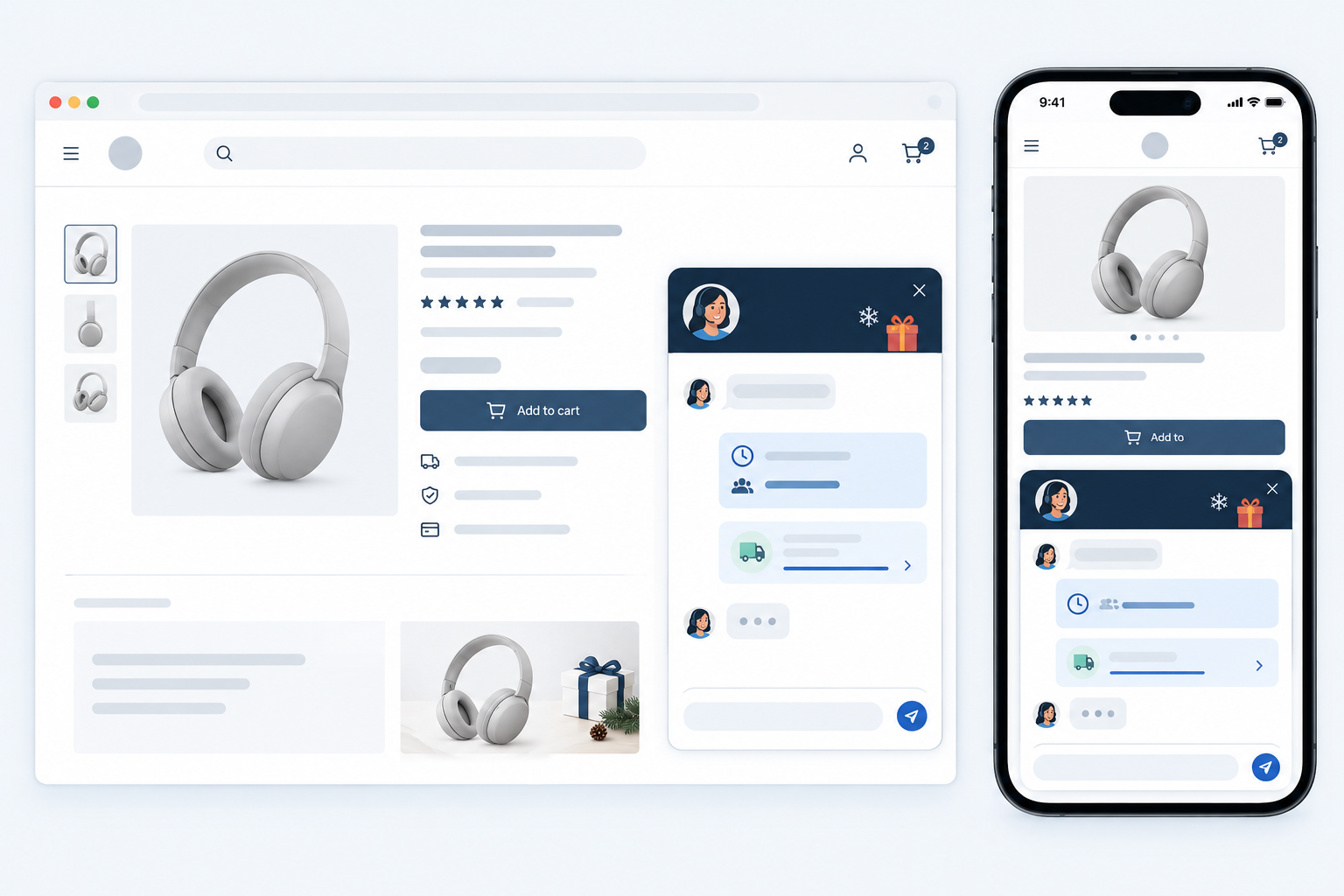
Email ticketing can carry you a long way, but a live chat widget earns its keep on a sale day because it answers the question right when someone's deciding whether to buy. The trick is setting it up so it helps and doesn't make promises you can't keep.
- Decide your chat hours honestly. It's better to be live for fewer hours than to leave customers staring at an unanswered chat. Use your forecast to pick the windows where you'll genuinely have people ready.
- Customise the greeting. Mention the sale, give an honest expected wait time, and point to delivery cut-off dates. Something like: Hi! We're busy with the sale, but we'll reply within a few minutes. Last order date for Christmas delivery is on our delivery page.
- Offer a smooth fallback after hours. When no one is online, chats should turn into email tickets that land in the same shared inbox, so customers still get an answer and you don't lose anything.
- Add FAQ or help links near the widget. The simplest questions (where's my order, what's your returns policy) can often be answered without a conversation at all.
- Place the widget where it matters. Product pages, basket and checkout come first, because that's where hesitation costs you sales.
- Set up email-to-ticket forwarding. Point your support address at Sonny so email and chat flow into one inbox rather than two.
- Use tags and filters to prioritise. Failed payments and delivery issues are urgent; general product curiosity can wait ten minutes. Set up filters so the urgent ones are easy to spot.
- Test on mobile and desktop a week before launch. Send yourself a chat, reply from the app, and check the email fallback. It takes ten minutes and saves a lot of panic.
- Lean on uptime. Our 99.9% uptime SLA means one fewer thing to worry about when traffic peaks.
Black Friday e-commerce support checklist at a glance
Here's everything above squeezed into one table. Copy it into a doc, add names in the last column, and you've got a plan.
| When | What to do | Who owns it |
|---|---|---|
| 4 weeks out | Pull last year's data, build low/expected/high forecast, audit current help docs | Support lead |
| 2 weeks out | Write and review saved replies, invite temporary agents, set up tags | Template owner and support lead |
| 1 week out | Configure chat widget, test email forwarding, run a mock busy hour | Whoever manages your site and inbox |
| Black Friday and Cyber Monday | Monitor the inbox, adjust coverage, log recurring issues | Whole support team |
| Week after | Follow up on delivery queries, start the performance review | Support lead |
That 'mock busy hour' in the one-week row is my favourite tip. Get your team together, flood a test inbox with sample questions, and see where the process creaks. It's far better to discover a missing saved reply on a Tuesday than on the big day.
During the Black Friday rush: keep calm and track support
You've done the prep. Now the day arrives, and the aim is simply to stay steady. A few habits help:
- Hold a short morning huddle. Five minutes to confirm who covers which hours, who's on escalations and what the main promotion details are.
- Watch the numbers through the day. Keep an eye on response time and how many conversations are open. If the open count keeps climbing, pull in another pair of hands.
- Share live updates in internal notes. A courier delay or a sold-out item is news the whole team needs straight away.
- Tag new recurring issues as they appear. If twelve people mention the same thing, that's a root cause worth fixing, not twelve separate replies to write.
- Update your greeting or site banner. If a discount code is broken or a product is out of stock, tell people before they have to ask. It can drop your volume noticeably.
- Build in breaks. Tired people write curt replies. Rotate shifts, eat lunch away from the screen, and don't let anyone play the hero for twelve hours straight.
Step 5: Review e-commerce support performance after the rush
The week after Cyber Monday is tempting to skip. Everyone's tired, December is looming and the inbox is still busy with delivery questions. But this is when you learn the most, while it's all still fresh.
- Compare actuals with your forecast. Look at first response time, resolution time and total conversations. Was your moderate scenario close? Which day surprised you?
- Review your tag data. Find the top contact reasons and ask what could have been prevented with a clearer product page, a better delivery message or a fixed checkout bug.
- Ask the team. What slowed them down? Which saved replies worked, and which needed rewriting on the fly?
- Update your saved replies and help content while the problems are still fresh in everyone's mind.
- Write a short template for next year. Include the forecast, staffing plan and what you'd change. Future you will be grateful.
- Plan for what's next. The January returns wave and the post-Christmas period are coming, so adjust coverage and replies to match.
- Share results with the wider business. Marketing, operations and support all learn from each other. If support sees that a confusing promotion caused a spike in tickets, marketing should hear about it.

Frequently asked questions about Black Friday e-commerce support
How much does support volume typically spike during Black Friday?
It depends on your brand, your promotions and your audience, but most e-commerce teams see a noticeable jump over Black Friday weekend and into Cyber Monday, followed by a second wave of delivery questions. The most reliable way to plan is to look at your own past peaks and add a safety margin. If you're new, start with a conservative estimate and be ready to adjust.
Can I add temporary agents without extra cost?
With flat-rate pricing, yes. Sonny costs $19.99/month with unlimited agents and unlimited conversations, so you can bring in seasonal staff or colleagues from other teams without paying for additional seats.
What saved replies should I prepare in advance?
Start with delivery times and order tracking, discount code issues, returns and refunds, stock availability, payment problems, order changes and damaged items. Write them in a warm, human tone and leave space to personalise each one.
When should I start preparing for Black Friday support?
Ideally about four weeks before. That gives you time to forecast, write replies, onboard extra people and test your live chat widget without feeling rushed.
Do I need live chat, or is email enough?
Email ticketing can carry you a long way, but live chat gets customers quick answers at the point of purchase, which can matter on a busy sale day. Many small teams run both from a single shared inbox so everything stays in one place.
Start your Black Friday support countdown today
Black Friday support doesn't have to feel like a storm you just hope to survive. Forecast the spike, write your replies, bring in extra hands and set up your chat for the hours you can actually cover. Then show up on 28 November with a team that knows what it's doing.
If you'd like to try this with Sonny, the 7-day free trial needs no credit card and setup takes under 5 minutes. Get your whole team in, run that mock busy hour, and see how it feels before the real thing. You've got this. ☕
Related Articles

How to Set Up a Unified Inbox Across Multiple Brands
Learn how to bring multiple brands into one shared inbox while keeping chat widgets, email routing, reporting, and team access clear for every team.

E-commerce Live Chat: How to Turn Browsers Into Buyers (With Real Scripts)
Learn how e-commerce live chat lifts conversions, where to place your live chat widget for maximum impact, and the exact scripts that turn hesitant sh

Create content like this automatically
Scribe uses AI to generate high-quality blog posts that engage your audience and drive traffic.