How to Set Up a Unified Inbox Across Multiple Brands
18 min read
Loading...
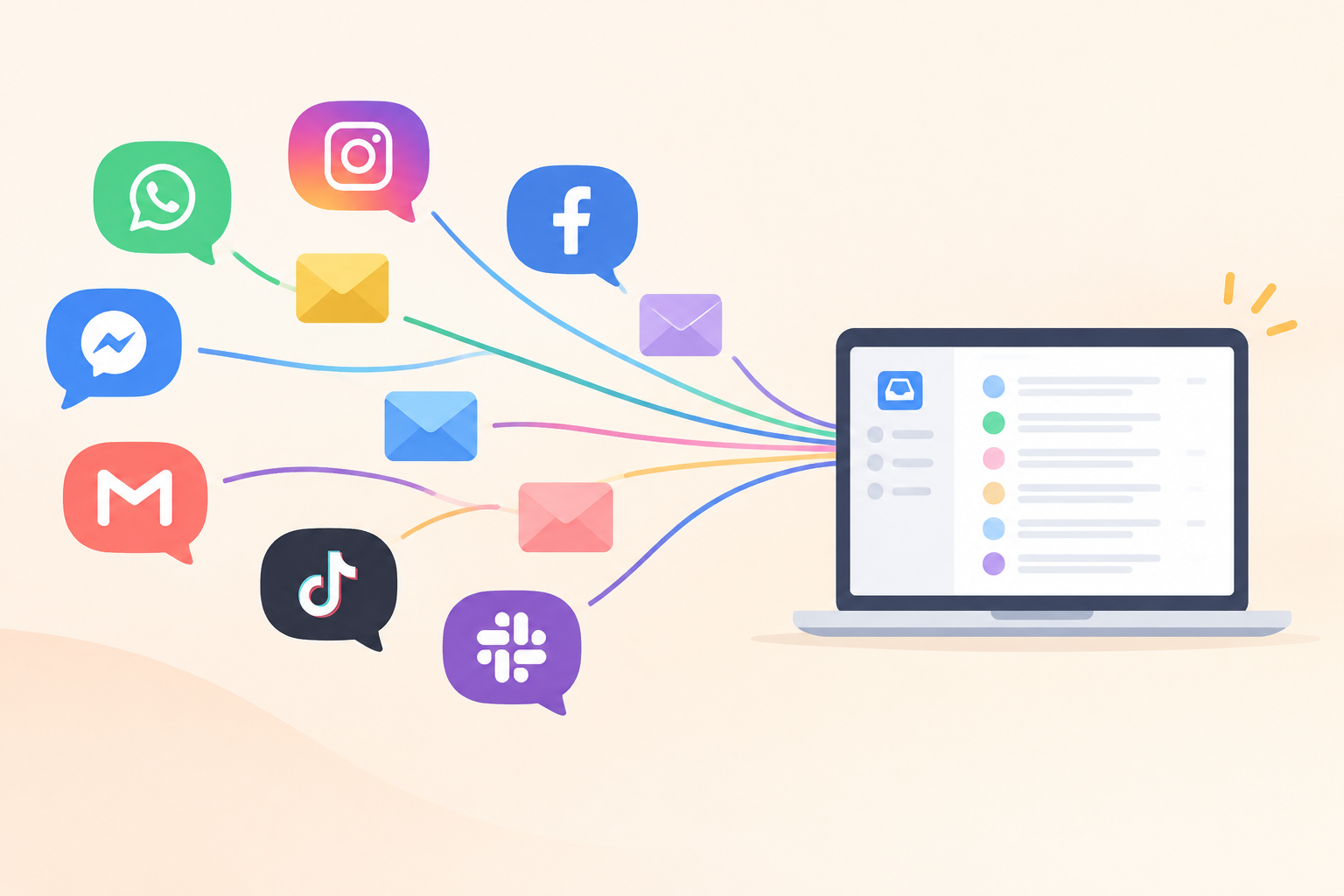
Yes, you can run several brands from a multi-brand shared inbox. The trick is making a few decisions upfront: whether to use one account or several, how to give each brand its own live chat widget and email address, and how to organise conversations so reporting and team access stay clear. Get those right and your team sees everything in one place, while customers only ever see the brand they know.
I'll walk you through each decision in the order you'll hit them, with a checklist at the end. Settings differ from platform to platform, so I've kept the advice general and used Sonny, the tool we build, as a clearly labelled example where it helps. Grab a cuppa. It's less complicated than it sounds. ☕
Picture Priya, a support agent at a small UK company with five product brands. She has five browser tabs open, one per brand, each with its own login. A customer emails brand three at 10:02. Priya is deep in brand one's chat window and doesn't glance at that tab until lunchtime. By then the customer has emailed again, slightly crosser.
Nobody did anything wrong there. The setup did.
Fragmented tools have costs that are easy to miss because they're spread out. Every extra login and tab is another place a message can hide. Response times get uneven, because the brand with the loudest queue gets the attention and the quieter ones slip. And if you pay per agent, per brand, adding a fifth brand can feel like hiring a tax collector.
Before we go further, let's be clear about what 'unified' means. It means one place for your agents. It does not mean customers see a blended brand. A shopper on your candle store should never see the name of your accounting software on a reply.
There are four decisions to make, and we'll take them in turn:
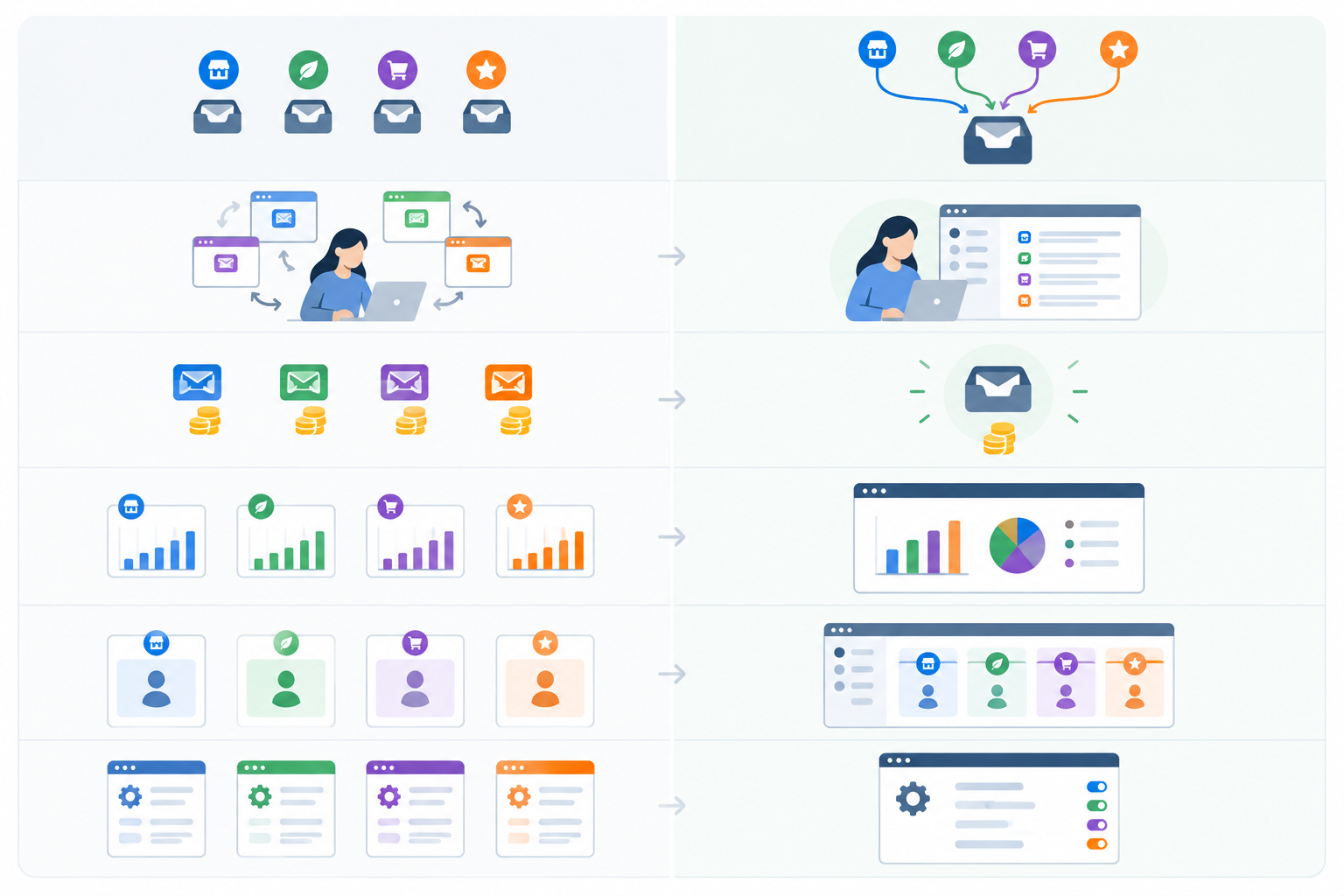
This is the big fork in the road, so it's worth a few minutes of honest thought. A unified inbox doesn't have to be one undifferentiated pile of messages. The common pattern is one customer support platform with brand-specific email addresses, chat widgets and tags, while your agents work from a single interface. Customers still see distinct brands, and your team stops switching tools.
Here's how the two approaches compare:
| Separate accounts | One unified inbox | |
|---|---|---|
| Agent experience | Logins and tabs per brand; easy to miss messages | One place to look; filters by brand |
| Cost | Often multiplies with every brand (and seat, on per-seat plans) | One subscription; with flat-rate pricing, no extra cost per brand |
| Reporting | Numbers split across tools; combining them is manual | Combined view with brand-level filtering |
| Data separation | Strong by default, because each account is its own space | Tags and filters organise work but don't necessarily restrict who can see what; you need role-based permissions to do that |
| Admin effort | Settings repeated per account | One set of settings to maintain |
A single inbox usually suits you if:
There's a customer angle too. Zendesk's CX Trends 2023 report found that around 70% of customers expect anyone they deal with at a company to have the full context of their situation. That's a survey of customer expectations, not proof that every company should consolidate. Still, it's a fair argument against scattering context across five systems. If you want the detail, search for the report by name on Zendesk's website and check the survey method yourself.
Sometimes keeping things apart is the right call:
Here's the bit people skip. Tags and filters help your team organise conversations, but they aren't security controls. If a colleague must not see another brand's customer data, you need permissions that actually enforce that, or a separate account or workspace. Check what your platform's role-based permissions can and can't restrict, and talk to whoever handles legal or security at your company about data residency and contractual obligations. If the isolation you need can't be enforced, don't force consolidation. Duplicated setup is a fair price for real separation.
With per-seat pricing, every new brand tends to bring new agents, and every new agent brings a new bill. That quietly discourages you from giving your developers, founders or part-timers access, even when they'd help.
Example: Sonny. At the time of writing, Sonny lists flat-rate pricing of $19.99 a month with unlimited agents and unlimited conversations, so adding a brand or teammate doesn't change the price. That's in US dollars, so if you're a UK business, check the current pricing page for how currency conversion and VAT apply at checkout. Pricing and plan limits can change, so confirm them there rather than relying on this article.
Run through these. If you answer yes to three or more of the first five, a unified inbox is probably a good fit.
Not sure? Test it. Many tools offer a free trial, and Sonny advertises a 7-day trial with no credit card required (check the current terms). You can try your structure with two brands before committing to anything.
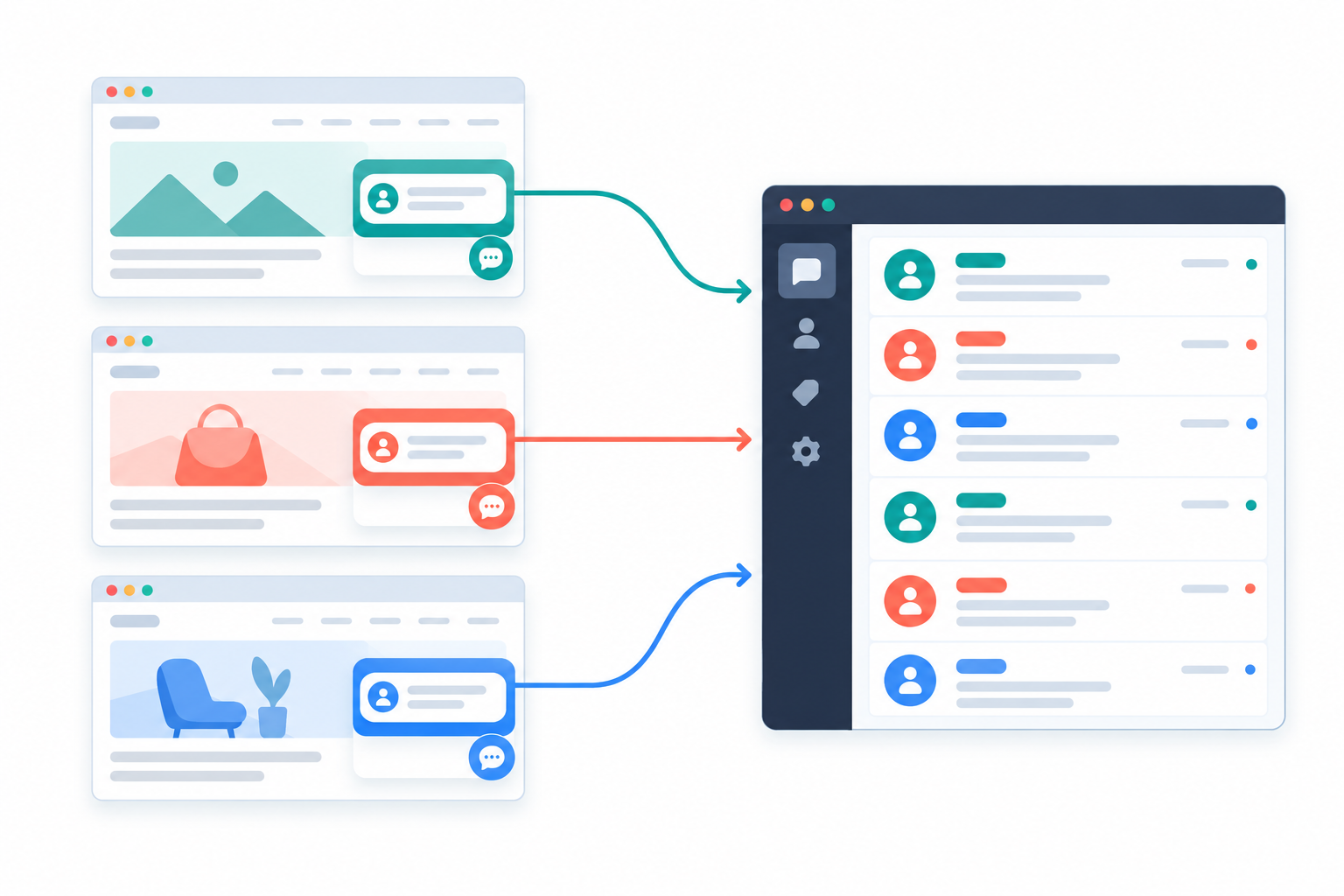
Let's answer the question straight away: can one account handle multiple chat widgets for different brands? In most modern platforms, yes. You create a live chat widget for each brand, style it to match that site, and every conversation lands in the same shared inbox with a tag or label showing which brand it came from. Some platforms limit the number of widgets by plan, so check before you commit.
Zendesk's brand documentation makes a good point here, and I'd echo it: give each brand its own widget configuration even though everything feeds one queue. Customers see the right identity, and agents get a common workspace.
A widget that looks right but sounds wrong still feels off. If one brand is playful and another is formal, let the greeting show it:
It's a small thing, but Salesforce's State of the Connected Customer research has repeatedly found that a large majority of customers say the experience a company provides matters as much as its products. Check the latest edition for the current figure. Your chat window is part of that experience.
Here's a real-world wrinkle. Brand one might promise replies until 5pm, while brand two offers evening cover. Set opening hours and an out-of-hours message per widget so each brand's promise is clear, and make sure whoever covers the evening knows which brands they're answering for.
If your platform offers an AI assistant trained on your documentation (Sonny has an optional AI copilot for this), keep each brand's documents clearly separate. You don't want an answer about brand one's refund policy borrowing from brand two's. Review a handful of suggested replies for each brand before relying on them, and treat the output as a draft for an agent to check.
It's tempting to install a single neutral widget across every brand. Don't. Customers get confused ('Who am I talking to?'), agents lose context, and your tags become guesswork. Separate widgets take a few extra minutes and save you a lot of apologising later.
Email ticketing is where multi-brand setups most often go wrong, usually because small details slip. The principle is simple: each brand's support address feeds into the shared inbox and becomes a ticket. From there, tags and filters do the sorting.
The address a message arrives at is your most reliable routing signal. It's more dependable than guessing from the content of the email. How you connect an address varies: some platforms ask you to forward email to a unique inbound address, others connect to your mailbox directly. Check your platform's documentation for the method it supports.
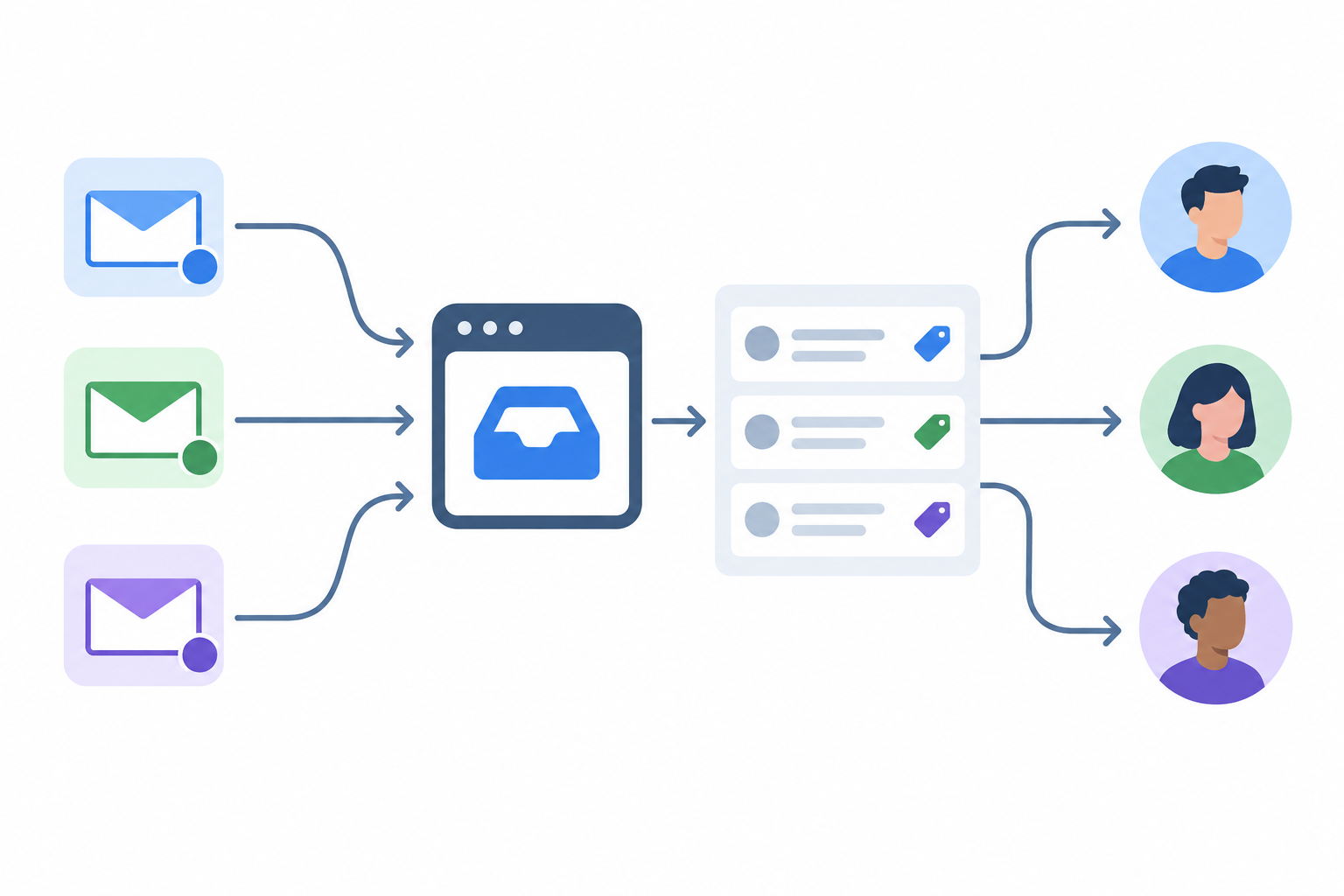
The most embarrassing multi-brand mistake is an agent replying to a brand-two customer from brand one's address. Fix this at the source, so agents never have to remember which address to use. Test a reply on every brand before launch, and again whenever you add an address.
If you're changing or adding sender addresses, keep deliverability in mind. Google's email sender guidelines expect all senders to Gmail addresses to set up authentication such as SPF and DKIM, and they add stricter requirements for senders of large volumes. A support team probably isn't a bulk sender, but the basics still matter. Make sure each brand's domain is properly authenticated, otherwise your carefully routed replies may land in spam. Read Google's current guidelines, or ask whoever manages your domains.
A few situations will turn up sooner or later.
Addresses get added and retired, and aliases appear without anyone telling support. Once a quarter, pick a few tickets from each address and check the tag, owner and reply identity. Look at your fallback pile too. If it's growing, a rule needs updating. It's a 20-minute job that prevents a slow drift into mess.
Should each brand have its own reporting dashboard? For most small and mid-sized teams, not necessarily. One combined view with the ability to filter by brand does the job better. Separate dashboards mostly make sense when brands are run by entirely separate teams.
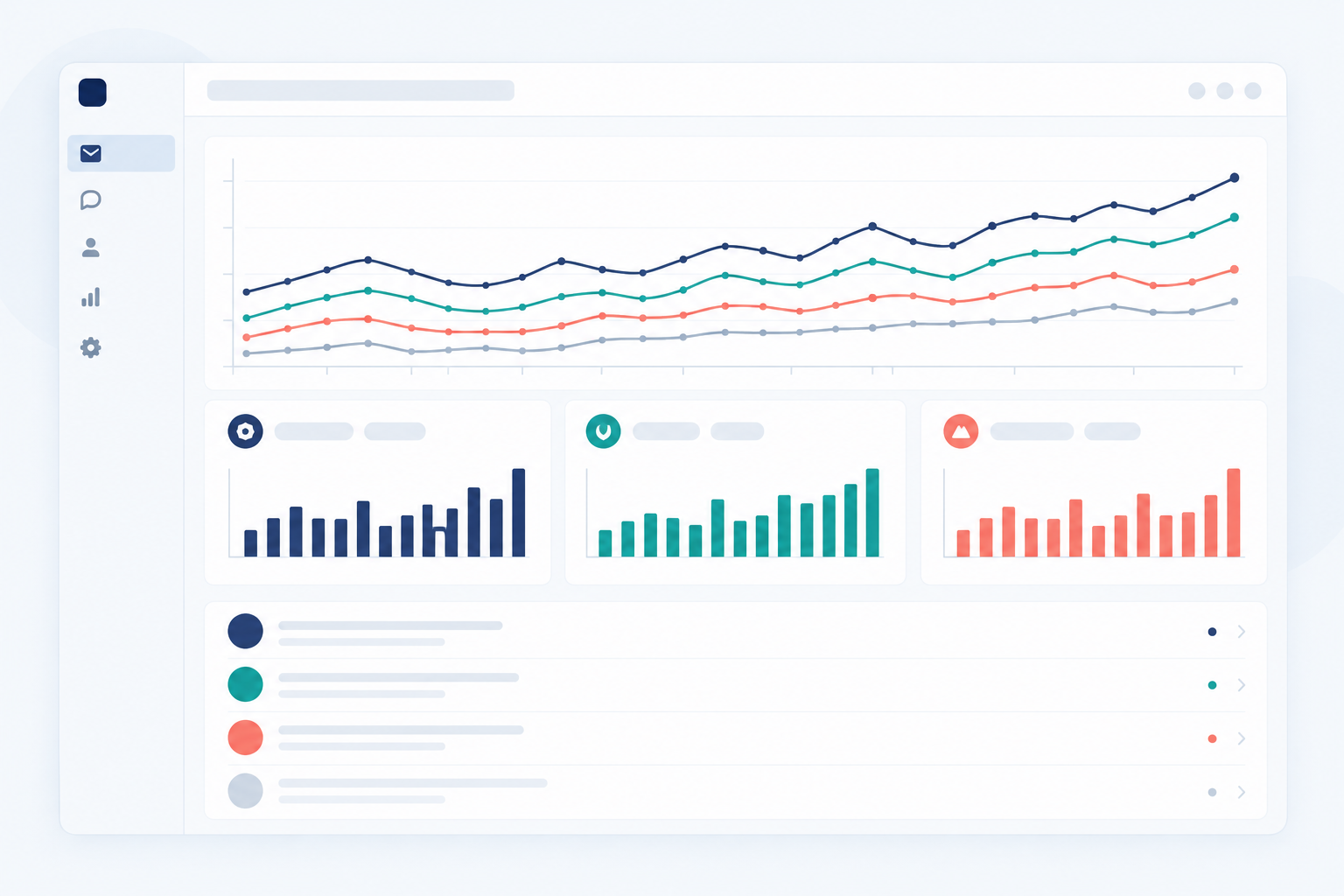
The combined view is for leadership. It shows overall response times, volume trends and team performance in one place, and answers 'How's support doing?' at a glance. Brand-level filtering is for the people doing the work. It lets you spot that one product has slower replies, or that questions surged after a release.
That second view is where multi-brand reporting earns its keep. A combined average can look healthy while one brand quietly struggles.
Here's the honest bit: your reporting is only as good as your tags. If agents forget to tag, or invent three different labels for the same brand, no dashboard will rescue you. Automate brand tags wherever your platform allows (by widget and by receiving address), and keep your tag list short and agreed.
Those four tell you most of what you need. Resist the urge to track everything.
Block out 30 minutes at the start of each month. Look at the combined view first, then filter by each brand. Note one thing to improve per brand, and revisit it next month.
If you make service promises to customers, such as 'we reply within one working day', response-time reporting helps you see whether you're keeping your own commitments. It doesn't, on its own, show compliance with any legal obligation, so treat it as a management tool rather than a certificate.
Once conversations are flowing, the next question is who sees what. Most teams settle into one of three setups:
There's no right answer. Start with whichever matches how your team already works, and adjust.
Internal notes help more than you'd expect. When a colleague from another brand picks up a conversation, a quick note ('Customer already tried resetting the password, waiting on logs') gives them full context. It's team collaboration without a separate chat thread. Combined with assignment and saved filters, agents can work in a brand-specific view without losing sight of the bigger picture.
A word of caution, though. A saved filter changes what someone sees by default. It doesn't stop them looking elsewhere. If certain people genuinely must not access a brand's conversations, check that your platform's role-based permissions can enforce it. Otherwise, use separate accounts. When people change roles, review their access, and give each person the visibility they need and not much more.
Example: Sonny. Sonny's plan includes unlimited agents, so you can bring in developers, founders or part-timers to help with a tricky ticket without another seat on the invoice. It also has native apps for iPhone, Mac and Android alongside browser access, which is handy for whoever's covering outside office hours. As ever, check current plan details before you rely on them.
Ready to put it together? Deciding takes a few minutes. Configuring and testing two brands properly is more realistically an afternoon, and longer if you have complicated routing or permissions. Here's the short version:
My advice? Start with two brands. Learn what works, fix the little things, and then add the rest. You don't have to do it all in one go. 🌱
In most modern platforms, yes. You can create a separate live chat widget for each brand, style it to match that site, and have every conversation land in the same shared inbox, with brand tags showing where each chat came from. Check your plan for any limit on widgets.
Use one dedicated support address per brand, tag automatically by receiving address, and test every address in both directions after setup. Then audit your routing every few months. The full steps are in the email section above.
Not necessarily. Most small and mid-sized teams do best with one combined view plus the ability to filter by brand tag. Separate dashboards usually only make sense if brands are run by completely separate teams.
Not if you set it up properly. Customers see the widget styling and reply-from address of the brand they contacted, as long as you've tested both. The shared inbox is an internal convenience.
No. They organise work, but they don't necessarily limit who can see what. If you have legal, contractual or privacy reasons for strict separation, use role-based permissions that enforce it, or separate accounts, and check with your legal or security team.
It depends on the pricing model. Per-seat plans usually cost more as you add agents. With a flat-rate plan such as Sonny's, which was $19.99 a month with unlimited agents at the time of writing, extra brands or teammates don't change the price. Check the current pricing page for up-to-date details, including VAT for UK customers.

Prepare for Black Friday with a practical e-commerce support checklist covering demand forecasts, saved replies, temporary cover, live chat and post-r

Learn how internal notes in a shared inbox keep context on tricky tickets, speed up handoffs and replace scattered Slack threads and spreadsheets for

Discover how UK e-commerce brand Shopstar used customer support software, a shared inbox and flat-rate pricing to scale support without hiring.