How Shopstar Streamlined Support Without Adding Agents
13 min read

Loading...
If you've ever watched your order volume climb while your support inbox spirals out of control alongside it, this story will feel familiar. Shopstar, a growing UK e-commerce brand, consolidated four scattered support channels (email, a separate live chat widget, Instagram DMs, and a spreadsheet used for manual tracking) into one shared inbox powered by customer support software with flat-rate pricing. The change gave their three-person team full visibility into every customer conversation, brought first-response times down noticeably, and let them handle a heavier ticket load without adding a permanent agent to headcount. They did bring in temporary seasonal help during a product launch later on, which we'll get to, but that's different from hiring a new full-time support person.
A quick note on the numbers in this piece: Shopstar asked us not to publish its exact internal figures, so where we reference response times or ticket volumes below, we've labelled them as illustrative and based on patterns we see across similarly sized e-commerce teams making the same switch. We'd rather be upfront about that than dress up rounded estimates as precise data.
No big support department. No six-figure software budget. Just one clear workflow change that solved a problem that was starting to feel unsolvable. Let's walk through what actually happened.

Shopstar's growth was the good kind of problem to have, on paper. Orders kept climbing month over month, which is exactly what every e-commerce brand hopes for. But here's the thing about growth that doesn't show up in the sales dashboard: support tickets scale right alongside orders, and usually faster than you'd expect, especially around UK peak periods such as Black Friday and the Boxing Day sales rush.
The team behind Shopstar wasn't a dedicated support department with shift schedules and escalation tiers. It was three people, each wearing several hats, trying to keep the lights on while also answering "where's my order?" messages between everything else on their plate. That's a common setup for growing e-commerce brands, and it works fine when volume is low. It stops working the moment volume isn't.
The real issue wasn't just the number of messages coming in. It was where they were coming in from. Email. A live chat widget on the website. Instagram DMs from customers who'd rather message there than send an email. A spreadsheet someone updated, sometimes, to track which tickets still needed a reply. Each channel lived in its own little world, checked separately, often by whoever happened to be free at the time.
On a representative busy week, roughly the kind Shopstar described to us, the team might see several hundred messages land across those four places. With no shared view, nobody had a full picture of what was open, what had already been answered, and what had quietly fallen through the cracks. That last part is the one that stings. You usually don't find out about a missed message until a customer mentions it, annoyed, in a follow-up, often asking why nobody has got back to them within what UK shoppers now expect as a same-day response.
Here's what was actually happening behind the scenes. If you're running customer support across more than one channel right now, some of this will probably sound familiar:
Individually, none of these issues felt like a crisis. Together, they meant the team was spending more energy managing tools than actually helping customers. That's the tipping point a lot of growing brands hit eventually: the setup that worked fine at a smaller scale starts actively working against you once volume picks up.
The fix wasn't more people. It was fewer tools, pulled together into one piece of customer support software everyone could see at once. Here's roughly how Shopstar made the switch, and how each of the original four channels was handled:
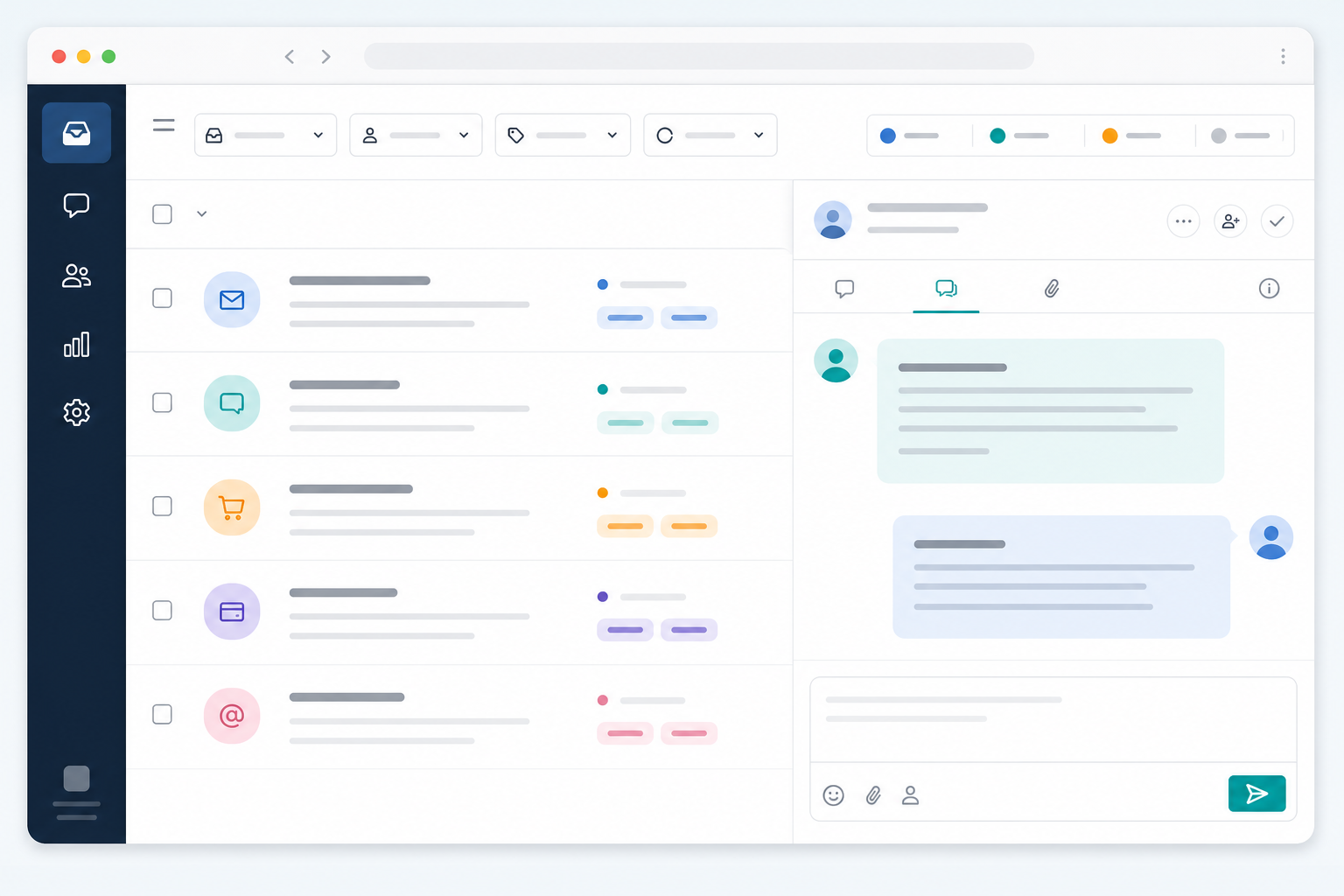
What's genuinely useful about this approach is how unglamorous it is. There's no clever hack or secret automation trick. It's customer support software doing the job it's meant to do: giving a small team a single place to work from instead of four. The hard part isn't understanding the idea; it's making the switch instead of limping along with the status quo.
Setup speed mattered here too. Shopstar wasn't in a position to spend a week on onboarding calls and configuration. They needed something that worked almost immediately, which is increasingly the norm for help desk software built for smaller teams rather than enterprise support departments with dedicated IT resources.
Once tickets stopped getting lost between tools, the team reported a noticeable drop in average first-response time within the first month or so of switching. Again, these are illustrative figures based on the pattern Shopstar described to us, not exact published metrics, but they give a realistic sense of scale:
| Metric | Before consolidation | After consolidation (illustrative) |
|---|---|---|
| Average first response time | Roughly 8–10 hours | Roughly 2–3 hours |
| Weekly ticket volume handled | ~250 | ~400+ |
| Channels checked separately | 4 | 1 |
| Permanent support headcount | 3 | 3 (plus temporary seasonal help during launches) |
That drop makes sense when you think about it: a large chunk of slow responses weren't happening because the team was overwhelmed with raw workload. They were happening because messages were scattered across four places and nobody had a clean way to see what still needed attention.
With everything in one shared inbox, the team could see at a glance which conversations were untouched, which were tagged for follow-up, and which were simply waiting on a customer reply. One team member described it to us as the difference between constantly mentally tracking "did I answer that DM?" and glancing at a screen where the answer was already sitting there.

Reporting turned out to be a bigger deal than the team expected. Once response times and ticket volume were being tracked instead of guessed at, they could spot slow periods before they turned into a full backlog. That's a meaningful shift from reactive firefighting towards something closer to actual planning, though it's worth saying plainly: a shared inbox didn't eliminate busy periods; it just made them visible early enough to plan around.
Because pricing didn't scale with headcount, bringing on temporary support during a product launch wasn't a budget conversation anymore. It's worth being precise here: Shopstar didn't need to hire a new permanent agent to handle the extra volume day to day, but they did bring in short-term seasonal help when a specific launch spiked demand beyond what three people could reasonably cover. Flat-rate pricing made that flexibility possible without recalculating software costs every time.
If there's a bigger takeaway here, it's this: volume growth often exposes tool fragmentation before it exposes an actual staffing problem. It's tempting to look at a growing backlog and think, "we need to hire," when what you may actually need is a workflow that doesn't scatter your team's attention across four different logins. That said, this isn't a universal fix, and it's worth treating it as a decision framework rather than a guarantee.
The pattern here isn't unique to Shopstar. We've seen similar dynamics play out at other growing brands: support feels chaotic not because the team is too small, but because the tools aren't talking to each other. Fixing the tools doesn't guarantee results on this scale for every team, but for teams in a similar position, it's often the first thing worth trying before assuming the answer is more hires.
Often it's less about adding people and more about giving the existing team one clear place to work from. Consolidating email, chat, and other channels into a shared inbox, a core part of modern customer support software, means fewer things fall through the cracks. Tagging and filtering also help small teams prioritise what needs attention first. This won't replace hiring if your team is genuinely understaffed for the volume you're handling, but it can provide real breathing room before that becomes necessary.
The biggest shift is visibility. Instead of checking three or four separate logins, the whole team can see every open conversation in one place, with internal notes replacing much of the back-and-forth that used to happen over Slack or in person. Reporting also becomes more realistic because response times and ticket volume live in one system instead of being scattered across a spreadsheet nobody kept up to date.
Results vary by team and starting point, but many teams see faster first-response times fairly quickly after consolidation because fewer messages get missed or duplicated. Over a few months, teams often gain a clearer view of their actual ticket volume and peak periods, which makes staffing and seasonal planning less of a guessing game. Track your own before-and-after numbers rather than assuming a specific percentage improvement, since the size of the gain depends heavily on how fragmented your starting setup was.
For teams that need to flex up during sales events or UK seasonal peaks such as Black Friday and Christmas, flat-rate pricing removes the cost penalty of adding temporary help. Per-seat models can discourage bringing in extra hands exactly when you need them most. That said, if your team size is genuinely stable year-round with no seasonal spikes, the difference between pricing models matters less, and it's worth comparing actual costs for your specific team size either way.

See how unlimited agents pricing removes per-seat barriers, lowers help desk software cost, and gives your whole team access to customer conversations

Confused about email ticketing vs. a regular inbox? Here's a plain-English guide to how email ticketing works, why it beats shared mailboxes, and how

Move from Zendesk to flat-rate help desk software in a week. Export tickets, train your team and cut over safely—without lost conversations or GDPR headaches for UK teams.