How to Choose Help Desk Software for a Multi-Brand Company: A Practical Scorecard
Multi-Brand Help Desk: A Scorecard for Choosing One Shared Inbox for Every Brand
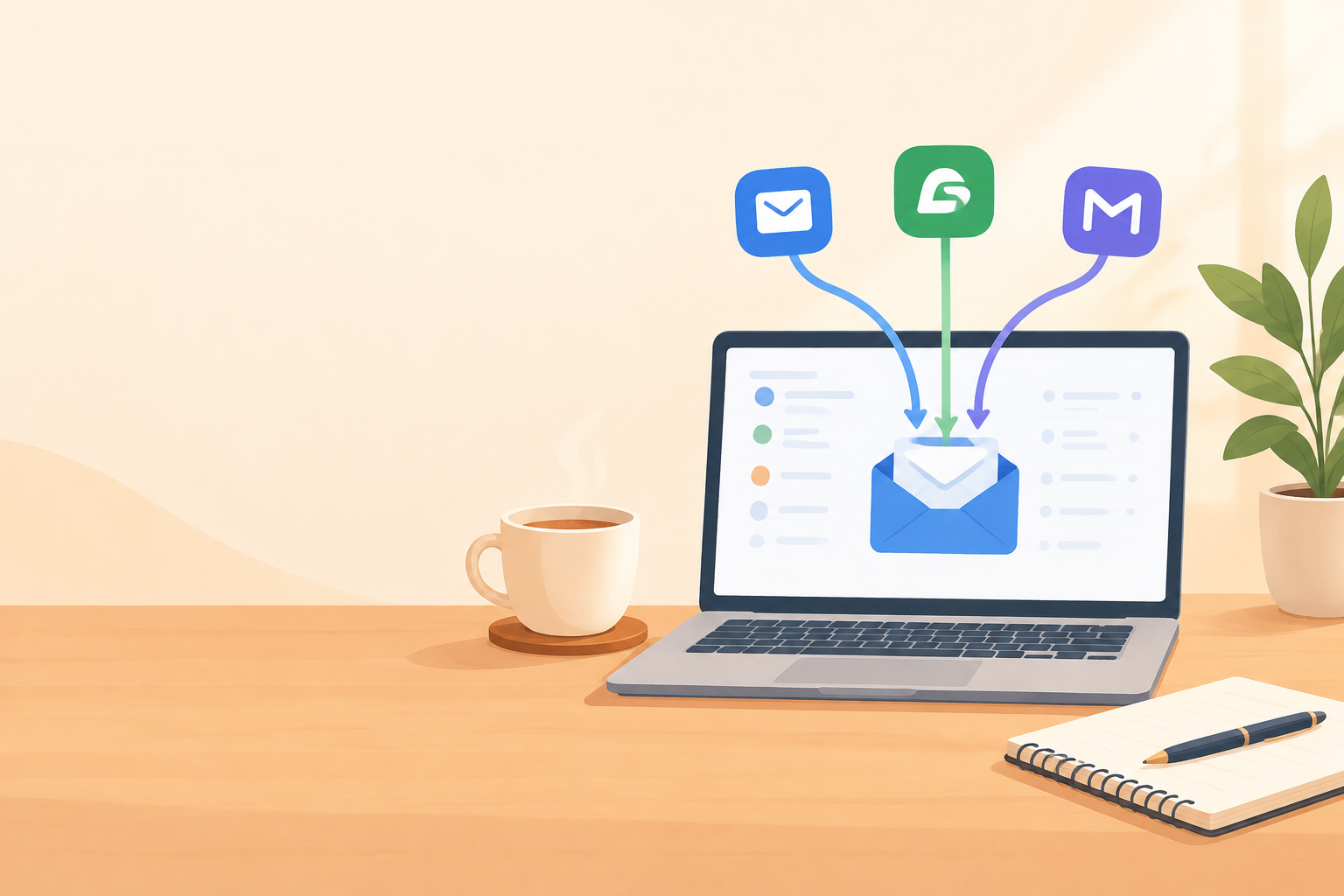
Yes, a multi-brand help desk can run several brands from one shared inbox, as long as the software keeps each brand clearly separated (so agents always know who a customer is writing to) while giving your team one place to see everything. I'd judge any tool on four things: brand separation, shared visibility, pricing that doesn't punish growth, and how quickly you can get set up. And by "well", I mean this: a tool should pass your pass/fail gates first (every brand replies under its own name, and any data-separation need is met), then earn the highest total on the scorecard below.
This guide gives you a weighted scorecard to copy into a spreadsheet, a way to read the results, the pricing traps to watch for, some UK-specific buying checks and a gentle rollout plan. ☕
One note on facts before we start. Vendor prices, plans and features change often. Treat anything I mention as a starting point, check the vendor's current pricing and documentation, and write down the date you checked.
Why multi-brand help desk support gets messy so quickly 😅
Picture a support lead on a Monday morning. Three browser tabs are open, one for each brand. She has three logins, and one of them lives in a password manager entry nobody has updated since 2022. Then there's the shared Gmail alias everyone used to trust, until two people replied to the same customer on the same afternoon.
If that sounds familiar, you're in good company. Brand sprawl rarely happens on purpose. It creeps in through an acquisition (you inherit another product's inbox and quirks), a new launch (the new brand needs a support email by Friday) or a side project that grows up (a weekend experiment suddenly has paying customers).
Each decision makes sense at the time. The trouble is what they add up to: replies sent under the wrong brand name, duplicate customer records, emails sitting in an inbox nobody checks, and no single view of response times. There's a hidden cost too. Every extra tool means context switching, one more system to teach each new hire, and reporting stitched together by hand on the last Friday of the month.
So let's set the right expectation. The goal isn't to merge your brands into one blurry identity. It's one team and one inbox, with each brand keeping its own identity. Customers should see their brand. Your team should see everything.
Can one shared inbox handle several brands?
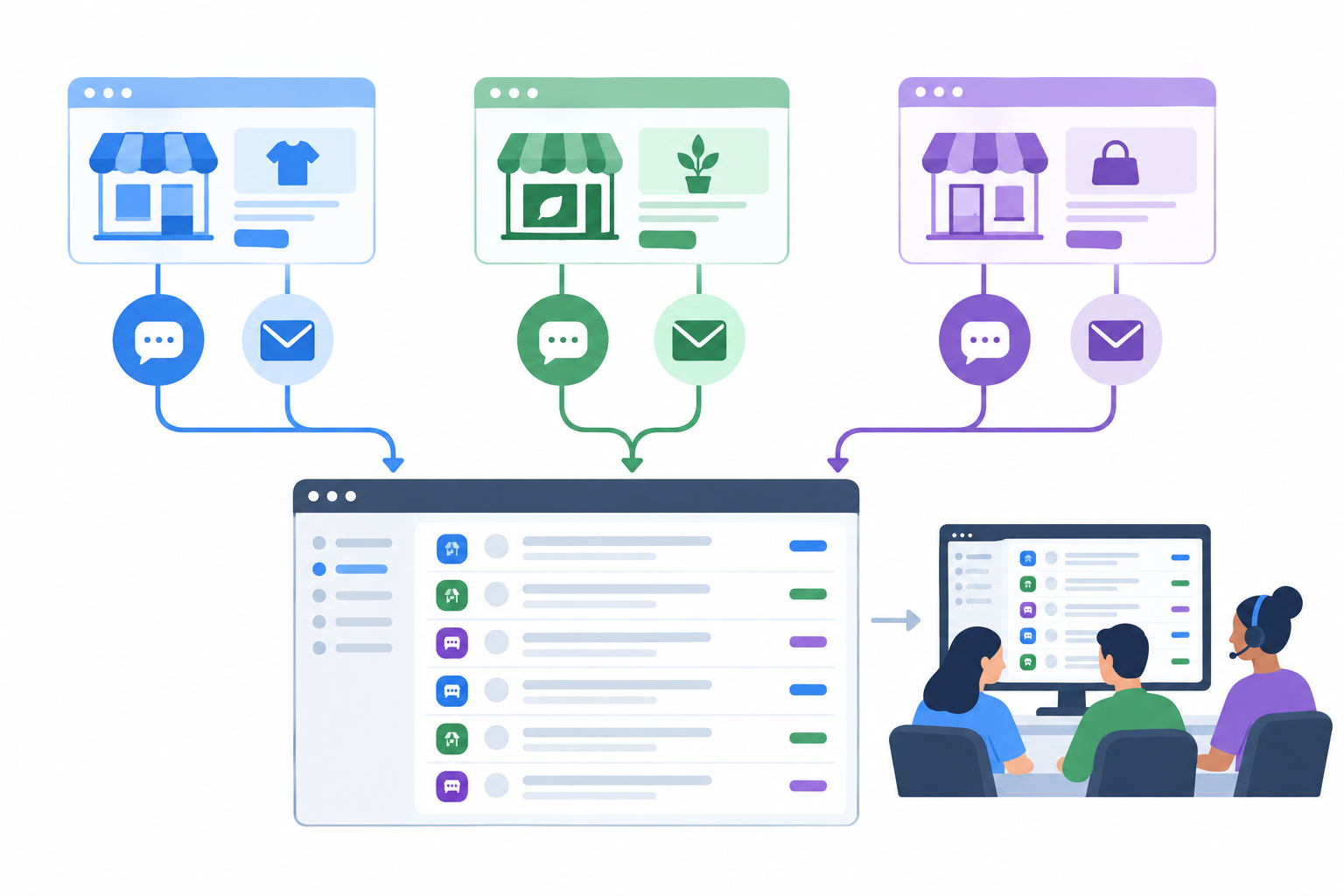
It can, with one big condition: the tool has to separate brands at the channel level, rather than pouring everything into one undifferentiated stream. There are two common models:
- One account with brand-aware channels. Each brand gets its own support address and live chat widget, but every conversation lands in the same place for your team.
- Separate accounts or inboxes per brand. Each brand lives in its own space, and agents log in to each one.
Both are legitimate. Zendesk, for example, documents multi-brand support within a single account, while Help Scout organises conversations into separate shared inboxes within an account. Check each vendor's current documentation for exactly how brands, inboxes and reporting are handled.
Does each brand need its own help desk account?
Not necessarily. For many small to mid-sized teams, a single account with brand-aware channels is simpler to run: one login, one set of agents, one place to look. Whether it's also cheaper depends on the plan, since some vendors charge extra for brands or inboxes.
A separate account is worth considering when:
- The brands are separate legal entities with their own contractual obligations
- Each brand has an entirely separate team that should never see the others' conversations
- You need strict data separation for client, regulatory or confidentiality reasons
If any of those apply, treat data separation as a pass/fail gate in your scorecard, not a nice-to-have.
How do agents know which brand a message is for?
This is the question that keeps support leads up at night, and the answer is refreshingly practical. Each brand has its own entry point, and that entry point does the labelling:
- Brand-specific live chat widgets on each brand's own website
- A dedicated forwarding address per brand, so support@brand-a and help@brand-b arrive as clearly different streams
- Tags, labels and filters that mark conversations by brand and let you narrow the view
- A visible brand indicator on every conversation, so nobody has to guess before replying
Don't just take a demo's word for it. During a trial, email each support address, start a chat, reassign a conversation and send a reply. Then check that the sender identity, signature and reporting all behave the way you expect.
Multi-brand help desk scorecard: what to look for
Here's the simple tool I'd use myself. Create a spreadsheet, list your shortlisted vendors across the top, and score each one from 1 (poor) to 5 (excellent) on four criteria. Each criterion also gets a weight showing how much it matters to your team, and the weights must add up to 100%. I've started you off with an even 25% each.
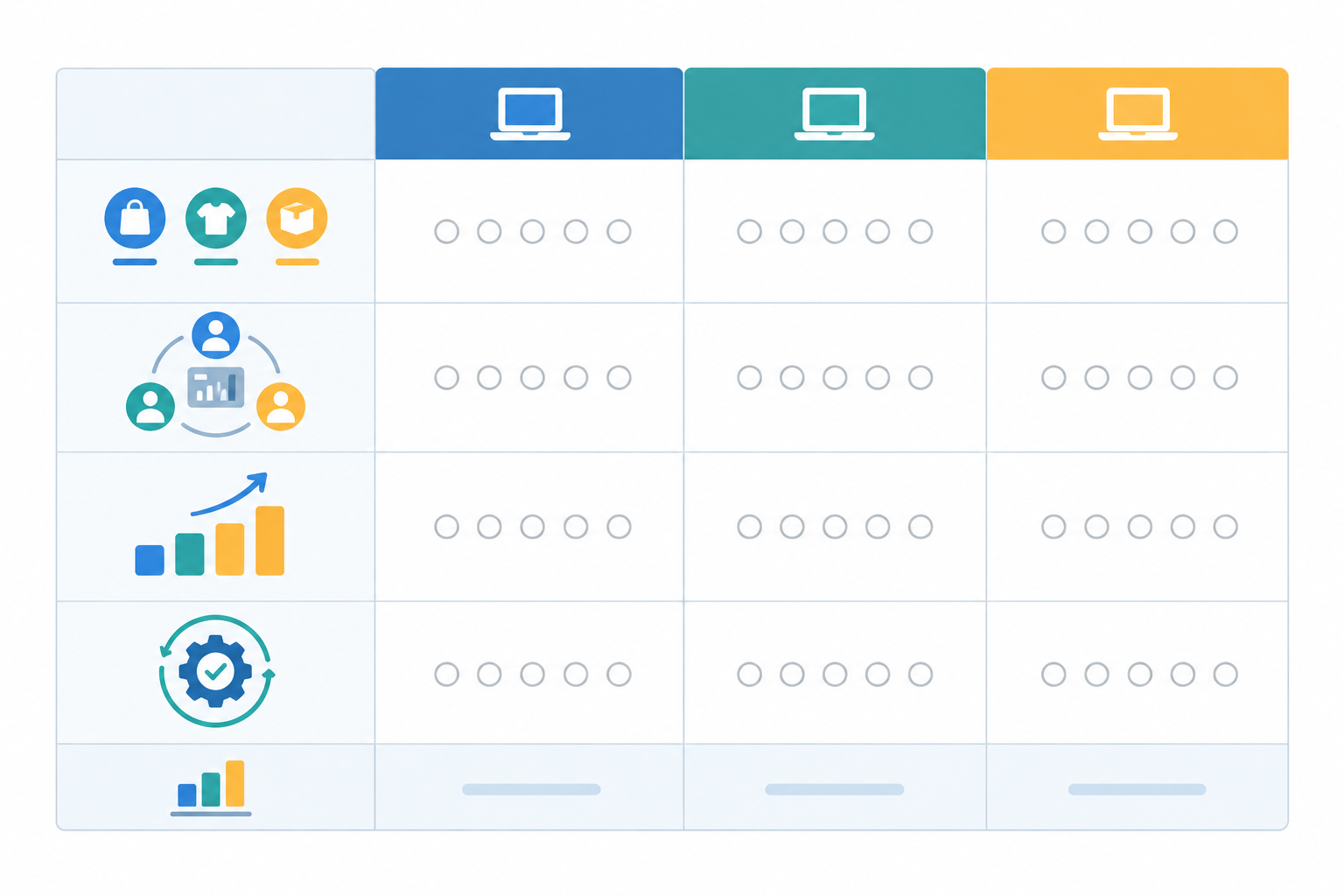
| Criterion | What to check | Weight | Score (1-5) | Weighted score |
|---|---|---|---|---|
| 1. Brand separation | Separate email addresses, a chat widget per brand, brand-specific sender names and signatures | 25% | score × weight | |
| 2. Shared visibility | One shared inbox view, filters by brand, tags, internal notes, collaboration inside the conversation | 25% | score × weight | |
| 3. Pricing that doesn't punish growth | Per-seat versus flat-rate, conversation limits, brand or inbox add-on fees, currency and VAT | 25% | score × weight | |
| 4. Quick setup | Time to connect email and install a chat widget; onboarding calls or consultants needed? | 25% | score × weight | |
| Total | 100% | out of 5.0 |
How the maths works: multiply each score by its weight (as a decimal) and add the results. A tool scoring 4, 5, 3 and 5 with equal weights gets (4 × 0.25) + (5 × 0.25) + (3 × 0.25) + (5 × 0.25) = 4.25 out of 5.
Adjusting the weights is where it gets personal. Give extra weight to whatever hurts most today. If agents keep mixing up brands, move brand separation up to 40% and take the difference from the others. If your finance director has just seen the seat-licence invoice, do the same for pricing.
How to interpret your multi-brand help desk scorecard results
A total on its own can mislead you, so I'd use a simple three-step rule:
- Set gates first. Pick a minimum score for the criteria you can't compromise on. For most multi-brand teams, I'd set brand separation at 4 or above. If you need strict data separation, make that a straight pass/fail.
- Drop anything that fails a gate, however good its total looks.
- Rank the survivors by weighted total, and treat totals within about 0.25 of each other as a tie.
Here's an example. Tool A scores 3, 5, 4 and 5, a total of 4.25. Tool B scores 4, 4, 4 and 4, a total of 4.0. Tool A wins on paper, but its brand separation score of 3 fails the gate, so it's out. If both had passed, I'd call it a near-tie and decide on a real-scenario trial with your agents, or on whichever criterion hurts you most today.
Bonus criteria for comparing help desk tools
These rarely decide things alone, but they're worth scoring if they matter to your team: reporting you can filter by brand, mobile apps for agents away from their desks, a published uptime commitment (SLA), and any optional AI or automation features.
Multi-brand help desk must-haves versus nice-to-haves
Before you open a single pricing page, write down your non-negotiables. Keep the list short enough to tick off in one sitting. For most multi-brand teams, these are the true deal-breakers:
- A single shared inbox where every brand's conversations land, with an obvious brand label on each one
- Brand-specific sender names and signatures, so replies go out under the right identity
- Email-to-ticket forwarding, so each brand's support address keeps working as it does today
- A live chat widget you can install and style separately per brand (if you offer chat)
- Internal notes, tagging and filtering, so agents can hand off and sort by brand
Then there are the needs that depend on your team:
- Reporting filterable by brand. Essential if different people own each brand's performance.
- Mobile apps. Important if agents work away from desks, irrelevant if they don't.
- A published uptime SLA (99.9% is a common benchmark). It matters more if support is business-critical around the clock.
- AI features. Useful for high volume, but make sure you can switch them off.
If a vendor misses a deal-breaker, move on without guilt. If it misses a conditional need, ask yourself whether you can live without it.
How to keep each brand's voice distinct in a shared inbox
A shared inbox solves the logistics. It doesn't automatically solve the voice problem, and that's the part customers notice.
Say we have an agent called Priya. She starts her shift answering questions for a cheerful consumer brand: exclamation marks, emojis, a joke about Monday. An hour later she's replying to a procurement manager at a serious B2B product who wants to know about data retention. If she carries the first brand's bounce into the second conversation, it lands badly. Carry the B2B formality back the other way, and the consumer brand sounds like a solicitor's letter.
A few small habits help:
- Saved replies written per brand, in that brand's own words
- A half-page tone-of-voice cheat sheet for each brand, pinned where agents can see it
- Filtering to a single brand for a focused hour, which helps your brain switch gears
- If you use a copilot, AI suggestions trained on each brand's own docs, with agents always having the final say
If a brand is aimed at British customers, write in British English (colour, organisation, cheque), quote prices in pounds and match the tone your customers expect. Little details make a reply feel local rather than outsourced.
Multi-brand help desk pricing: extra seats, brands and other costs
Let's talk money, because this is where good intentions often unravel. A help desk with a friendly starting price can look very different once you add the agents, brands and features you actually need.
A worked example (assumed figures, seat cost only)
To keep this honest, I've defined one scenario: three brands, monthly billing, GBP, with 20% UK VAT added. Both plans below are hypothetical pricing models, not real products. I've assumed a per-seat plan at £20 per agent per month and a flat-rate plan at £40 per month for the whole team.
| Team size | Per-seat plan (assumed £20/agent) | Flat-rate plan (assumed £40/team) |
|---|---|---|
| 12 agents | £240 (£288 with VAT) | £40 (£48 with VAT) |
| 24 agents | £480 (£576 with VAT) | £40 (£48 with VAT) |
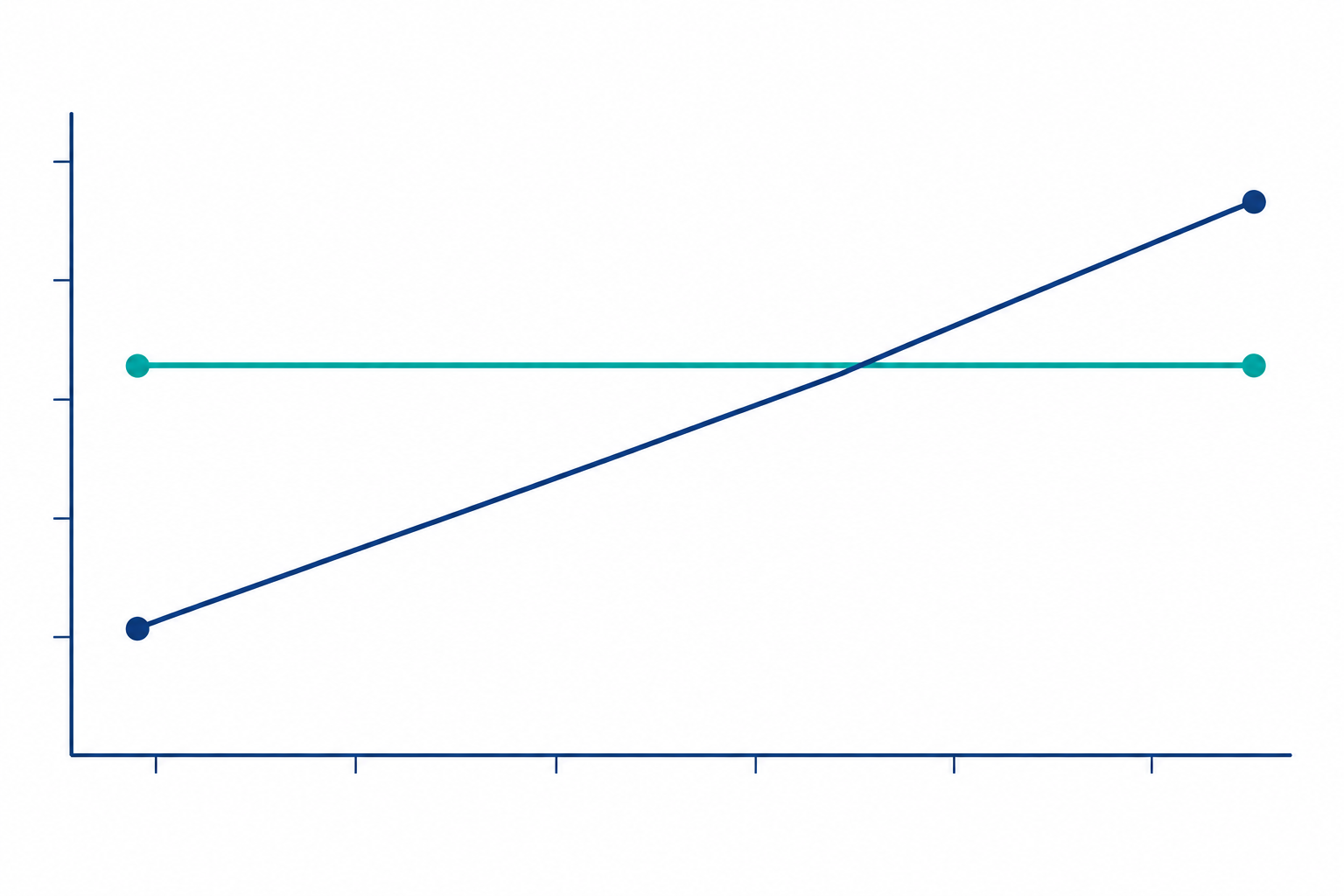
Chart note: this is a seat-cost illustration, not a comparison of product value. It assumes both plans cover your required brands and features, which you must verify.
What this doesn't show: whether either plan includes live chat, email ticketing, reporting or support, whether brand or inbox limits apply, or what service levels you get. A pricier per-seat plan may include features a cheaper flat-rate plan lacks. For a very small team, the per-seat plan can come out cheaper, so run your own numbers.
For a real-world flat-rate reference, Sonny states a price of $19.99 per month (USD, excluding VAT) with unlimited agents and conversations. To compare it for a UK team, convert at the exchange rate on the day you check, add VAT if it's charged, and note the date. I haven't assumed anything about brand limits there, so confirm that with any vendor before building a business case.
The seat maths is simple. At a constant per-seat price, going from 10 to 15 paid agents raises the seat portion of your bill by 50%. Depending on your plan, that can put you off adding seasonal hires or giving part-time and cross-brand colleagues access. How many times have you left a helpful colleague off the help desk because of the licence cost? That's the hidden price.
Other multi-brand help desk pricing traps to watch for
- Charges per inbox or brand. Don't assume adding a brand is the same as adding an inbox. Ask how brand-specific addresses, routing and reporting are set up, and whether any of it needs a higher tier.
- Conversation caps and usage-based charges, which can make a busy month an expensive one
- Paid add-ons for live chat, reporting or AI features
- Annual contracts with minimum seat counts or restrictive renewal terms. Compare monthly and annual billing on the same basis.
- Who counts as an agent? Find out whether managers and occasional reviewers need a full paid seat.
How to compare help desk costs before you decide
Calculate the cost of every shortlisted tool at today's headcount and at double the headcount. Then ask each vendor for a written quote for the same scenario, say three brands with 12 agents, and again for five brands with 18 agents, with the seat, brand, plan, usage and add-on charges explained. Pricing pages for per-seat tools such as Zendesk and Help Scout are a good place to start, but use written quotes for the final comparison.
Here's a handy trick: divide the total monthly cost by the number of brands served. A £1,000 monthly quote covering four brands works out at £250 per brand, which makes quotes much easier to compare.
UK buying checks for a shared inbox
- Currency and VAT. Many tools quote in US dollars and add VAT at checkout. Convert to pounds, compare VAT-inclusive totals, and check whether your card charges foreign exchange fees.
- Privacy and UK GDPR. Where a vendor stores data is only one part of the picture and doesn't, on its own, show compliance. Ask for the data processing agreement, how international transfers are handled, the subprocessor list, retention and deletion options, and the security controls in place.
- Billing terms. Check invoicing options, cancellation terms and whether you can add or remove seats mid-term.
Questions to ask multi-brand help desk vendors before you commit
Take this checklist into every demo or trial. The answers, and how confidently they're given, tell you a lot.
- How do you separate brands, and what does that mean for reporting?
- Do replies go out under the right brand identity automatically?
- What happens to my bill when I add agents, brands or conversation volume?
- How long does setup take, and is an onboarding call or paid implementation needed?
- Is there a free trial without a credit card, so I can test a real brand?
- What's your uptime commitment, and can you share your data processing agreement and subprocessor list?
- Which apps do you offer, and how does any AI feature learn about each brand (can I switch it off)?
How to roll out a shared inbox brand by brand
You don't have to move everything at once, and I'd gently advise against it. A staged rollout over roughly four to six weeks keeps customers safe and your agents confident.
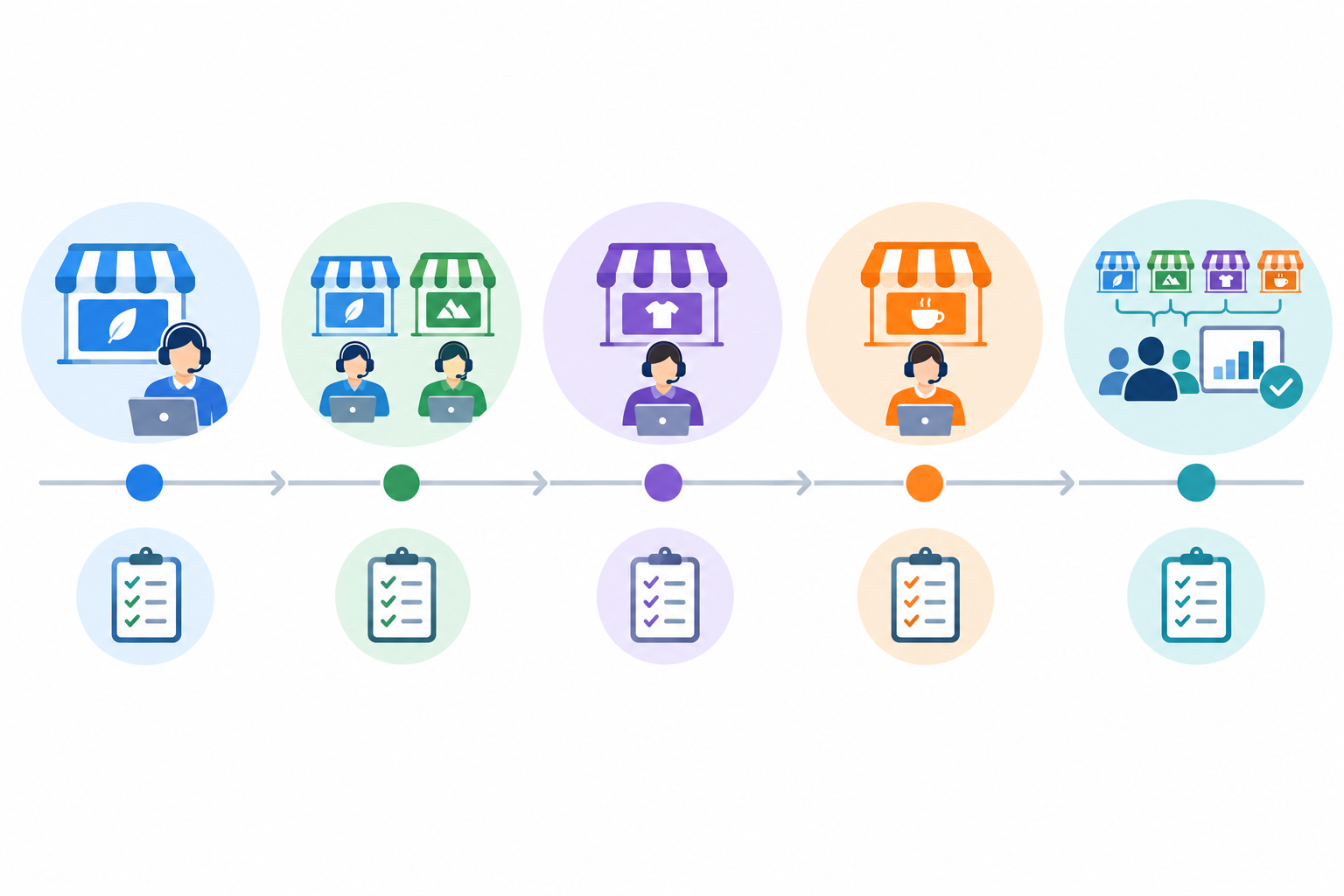
- Pick your pilot brand (week 1). Choose one with moderate volume and a forgiving team, not your busiest or most sensitive brand. Forward its support email, install its chat widget, then set up tags, filters and saved replies.
- Run in parallel (week 2). Keep the old setup ticking over while you check response times and gather agent feedback.
- Add the second brand (weeks 3 to 4). Reuse what worked and refine your tagging conventions.
- Add the third brand (weeks 4 to 5). By now the routine should feel familiar.
- Run a cross-brand review (weeks 5 to 6). Look at reports across brands and decide what's worth automating.
That's how a support migration should feel: calm, and reversible at every stage.
A disclosed example: Sonny on the multi-brand help desk scorecard
I work on Sonny, so let me be upfront about that. I haven't independently tested the claims below, which are what Sonny states at the time of writing. Treat them as a starting point and verify each one on the current pricing and product pages and in your own trial, exactly as you would for any other vendor.
| Criterion | What Sonny states (vendor-stated) | Verify in your trial |
|---|---|---|
| Brand separation | Forward each brand's support address and run a live chat widget per brand, using tags and filters to keep them apart | Do sender names and signatures behave the way each brand needs? |
| Shared visibility | Live chat, email ticketing and team collaboration in one shared inbox, with internal notes, tagging and filtering | Can you filter and report by brand? |
| Pricing | $19.99 per month (USD, excluding VAT), with unlimited agents and conversations | Do any limits apply to brands or inboxes? What's the total in pounds with VAT? |
| Quick setup | Up and running in under five minutes with no onboarding calls; 7-day free trial, no credit card required | How long does it really take you? |
On the bonus criteria, Sonny states a 99.9% uptime SLA, native apps for iPhone, Mac and Android alongside browser access, reporting on response times and team performance, and an optional AI copilot trained on your own company docs.
If you need strict data separation or entirely separate legal entities, separate accounts may be the better route whichever tool you choose. Score every option the same way and let the results decide.
Multi-brand help desk and shared inbox FAQ
Can one inbox handle several brands?
Yes, provided each brand has its own support address and chat widget, and conversations are clearly labelled in the shared inbox.
How do agents know which brand a message is for?
The entry point tells them, and a visible brand label and filters back that up. Test it with a real message to each address.
Does each brand need its own account?
Often not. Consider separate accounts for separate legal entities, entirely separate teams or strict data separation.
What is the cost impact of supporting multiple brands?
It depends on the pricing model, brand or inbox fees, and included features. Compare written quotes for the same scenario, in pounds and including VAT.
What score should a tool get before I shortlist it?
There's no magic number. Set minimum scores for your non-negotiables (I'd suggest 4 or above for brand separation), treat data separation as pass/fail, then rank what's left by weighted total.
How long does it take to move a brand to a new help desk?
Forwarding email and installing a chat widget can take minutes with a lightweight tool. Allow a week or two to run in parallel before moving the next brand.
Related Articles

How to Reduce Support Response Times Without Adding Headcount: A Practical Guide
Discover how customer support metrics reveal bottlenecks, so a shared inbox, clear ownership and better reporting can cut response times without hiring.

How to Consolidate Support Tools After a Merger or Acquisition: A Guide to One Shared Inbox
Learn how consolidating support tools after a merger can preserve conversation history, align teams and keep customer support running smoothly.
Create content like this automatically
Scribe uses AI to generate high-quality blog posts that engage your audience and drive traffic.