How to Consolidate Support Tools After a Merger or Acquisition: A Guide to One Shared Inbox
20 min read
Loading...


If you've just merged with or acquired another brand, consolidating support tools means auditing what each brand uses, deciding what history you actually need to keep, migrating in a planned order, training the combined team on one system, and telling customers early about what will change. Run both setups side by side for a short, clearly defined window, with one shared inbox as the destination and a named owner for every incoming conversation. Test your routing properly, and conversations are far less likely to fall through the cracks.
That's the whole plan in a paragraph. The rest of this guide is the detail that makes it work. 😊
Picture the first Monday after the deal closes. You now have two brands, two help desks, three support email addresses, and a live chat tool nobody remembers buying. A customer emails brand A, gets no reply within an hour, and writes to brand B's address as well, just in case. Now two agents in two tools are working the same problem without knowing about each other.
Support is often the first place a merger shows its seams. Finance, legal and engineering can integrate quietly behind the scenes for months. Customers feel every wobble straight away, because they only ever see the front door.
The symptoms are pretty familiar:
This matters more than it might seem. Salesforce's State of the Connected Customer research (2023 edition) reported that 56% of customers say they often have to repeat or re-explain information to different representatives, and 80% say the experience a company provides is as important as its products. Those are survey findings from a broad customer sample rather than merger-specific data, but they explain why a disjointed support experience is so easy for customers to spot.
There's a quieter cost too: per-seat pricing. When two teams combine, every extra agent can add to the bill, so you end up rationing logins or paying for a bigger plan just to let people help each other. Some tools use flat-rate pricing with unlimited agents instead, which can suit merged teams (more on that below). Whatever you choose, work out the combined-team cost before you commit.
This guide is for teams who want one shared inbox across several brands while keeping each brand's identity intact. You're not erasing anyone. You're giving your team one place to work.
Audits sound dull, I know. But I've seen teams skip this step and then discover, three weeks later, that a forgotten shared Gmail account was quietly receiving refund requests. Let's avoid that.
Work through these six steps before you touch anything.

A simple spreadsheet does the job. Use these columns and add a row for every tool, mailbox and integration:
| Tool | Owner | Monthly cost | Renewal date | Data held | Keep or retire |
|---|---|---|---|---|---|
| Brand A help desk | Sam | £— | — | Tickets, tags, canned replies | Retire after migration |
| Brand B chat widget | Priya | £— | — | Chat transcripts | Retire after overlap |
| support@brandb.com | Priya | — | — | Email history | Keep, forward to shared inbox |
It's not glamorous, but this one sheet will guide almost every decision in the rest of the project.
Before you pick where everything's going, it helps to know what good looks like. Here's what I'd look for in help desk software or a shared inbox when the goal is one inbox for several brands.
Here's one example of how that checklist plays out. Sonny is a shared inbox and live chat tool that, at the time of writing, lists a flat $19.99 a month with unlimited agents and conversations, a 7-day free trial with no credit card, setup in under five minutes and a 99.9% uptime SLA. Those are the vendor's own published claims, so check current terms on its pricing and SLA pages before relying on them, and compare it against any other shortlisted tool in the same way.
One practical tip: during your trial, test the brand-specific bits with real examples. Set up one brand's widget and forwarding address, send some test conversations, and check that tagging and filtering by brand work the way your team will need them to. And agree your tags, categories and priority rules before you import anything, otherwise you'll just centralise inconsistent processes in one bigger queue.
Expectations are high, which is why this matters. Zendesk's CX Trends research (2024 edition) reports that around 70% of consumers expect anyone they deal with to have the full context of their situation. A shared inbox can give your agents that context, but only if the history and tagging behind it are sound.
Here's a story I think about often. A customer has spent three weeks going back and forth with brand A about a billing problem. The company merges, support moves to a new system, and the history doesn't come across. The customer writes in again and a friendly new agent says, "Could you tell me what's happened so far?" Three weeks of patience, gone. They tell the story again, more tersely this time, and they don't forget it.
That's why context matters more than completeness. You don't need every ticket from 2016. You need the ones that let an agent pick up a conversation without making the customer start over.
Here's a migration order that works well.
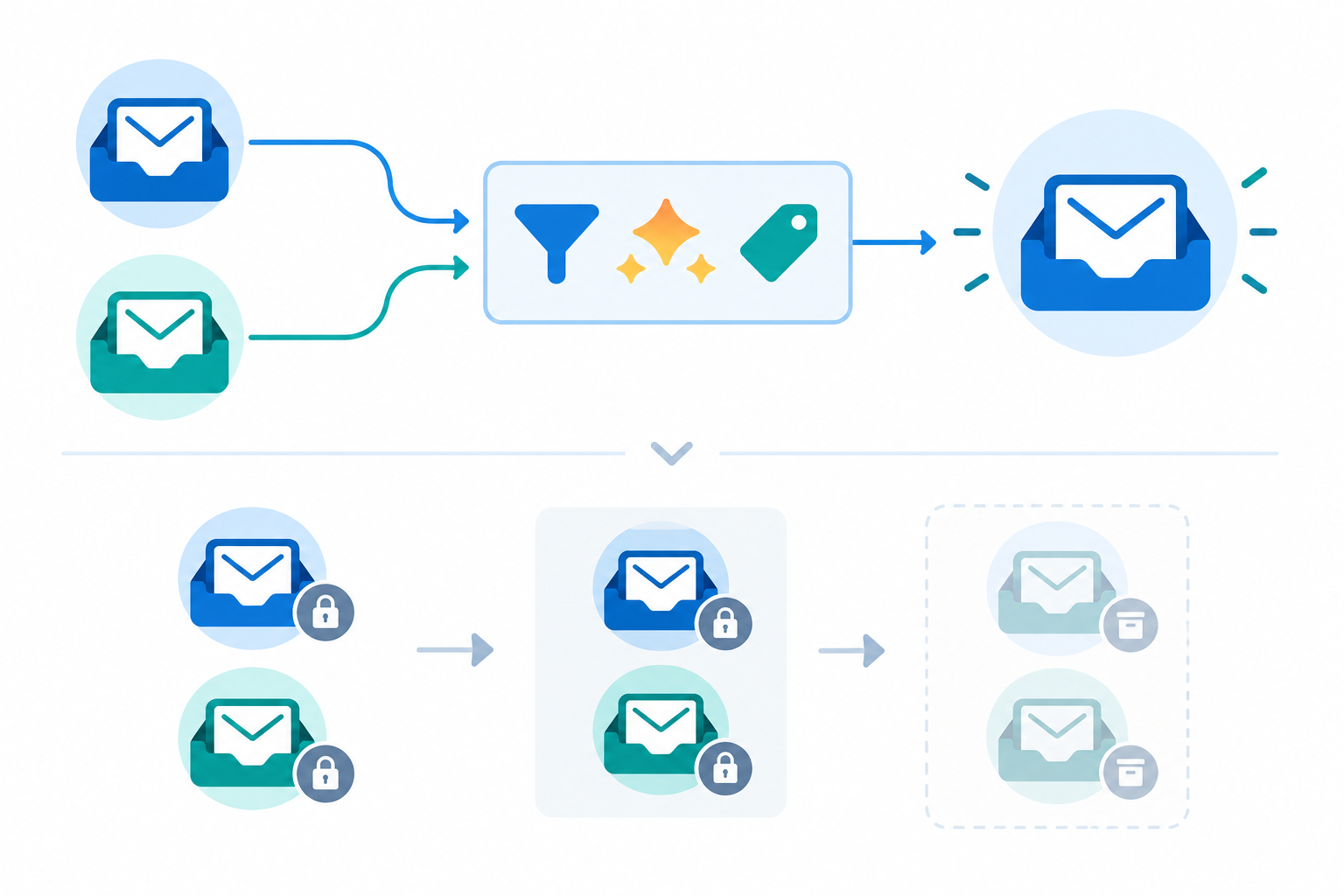
It helps to follow a single email from start to finish. A customer writes to support@brandb.com on the Tuesday after cutover. The address is now forwarded into the shared inbox, where a routing rule tags it "Brand B" and assigns it to the Brand B queue. The agent who picks it up sees the imported history from the last 18 months, replies from the Brand B address, and adds an internal note. Nothing is touched in the old help desk, which is read-only. That's the path you want to test, end to end, before any real customer relies on it.
A simple routing rule to start with: if the message arrives via support@brandb.com, tag it "Brand B", assign it to the Brand B queue, and notify the on-call lead if it isn't picked up within your agreed response window.
The overlap window is your safety net, but only if you run it deliberately. Before each brand goes live, I'd want these in place:
If something didn't import properly, your team can look it up in the old system rather than guessing. That's what the overlap is for. Don't cancel anything until you've checked the export and the numbers add up.
Let's talk about the human side, because it's easy to forget that a software migration is really a people migration. You have two teams with different habits, different tones of voice, and possibly some quiet worry about what the merger means for their jobs. Acknowledge that out loud. A short, honest conversation from a team lead does more than any slide deck.
A few things that help:
Prosci's work on organisational change and other change-management research make a consistent point: people adopt change more readily when they help shape it. So involve agents and team leads in designing the workflow, rather than handing it to them finished.
Here's something reassuring: customers rarely notice your software. What they notice is slow replies, being asked the same question twice, and emails arriving from an unfamiliar address. Get those three things right and most people won't care which tool is behind the curtain.
Still, a little communication goes a long way. Here's how I'd handle it.
Subject: A quick note about how we handle support
Hi there,
We're making a small change behind the scenes to help us reply to you faster. Over the next couple of weeks, our support team will be moving to a single shared inbox.
You can keep using the same support email address and chat window as always. Our team will have access to your relevant recent conversations, and if you ever need something older, just ask us and we'll look it up for you.
If anything looks different or you have any questions, just reply to this email and a real person will be happy to help.
Thanks for being with us,
The [Brand] Support Team
Warm, short, and no jargon. Adjust the voice to suit each brand, and make sure the wording about history matches what you've actually decided to migrate and archive.
People often ask how long all this takes. The honest answer is that it depends on your volume and complexity, and smaller teams can often move faster. As a rough guide, here's an eight-week plan. Customers hear about each change before it happens, and nothing is retired until its exit checkpoint is passed.
| Weeks | Focus | Key actions |
|---|---|---|
| 1 to 2 | Audit | Review tools, data, contracts, data protection roles and channels; capture baseline metrics |
| 3 | Choose and trial | Pick your destination, trial with one brand, agree tagging and routing rules |
| 4 | Prepare brand 1 | Notify brand 1 customers, train the team, run forwarding and routing tests |
| 5 | Cut over brand 1 | Go live, run the overlap with the old system read-only, monitor closely |
| 6 | Checkpoint and prepare brand 2 | Pass the exit test for brand 1, notify brand 2 customers, repeat tests |
| 7 | Cut over brand 2 | Go live, run the overlap, tighten processes, check reports |
| 8 | Retire and review | Pass the exit test for brand 2, retire old tools, archive data, compare results with your baseline |
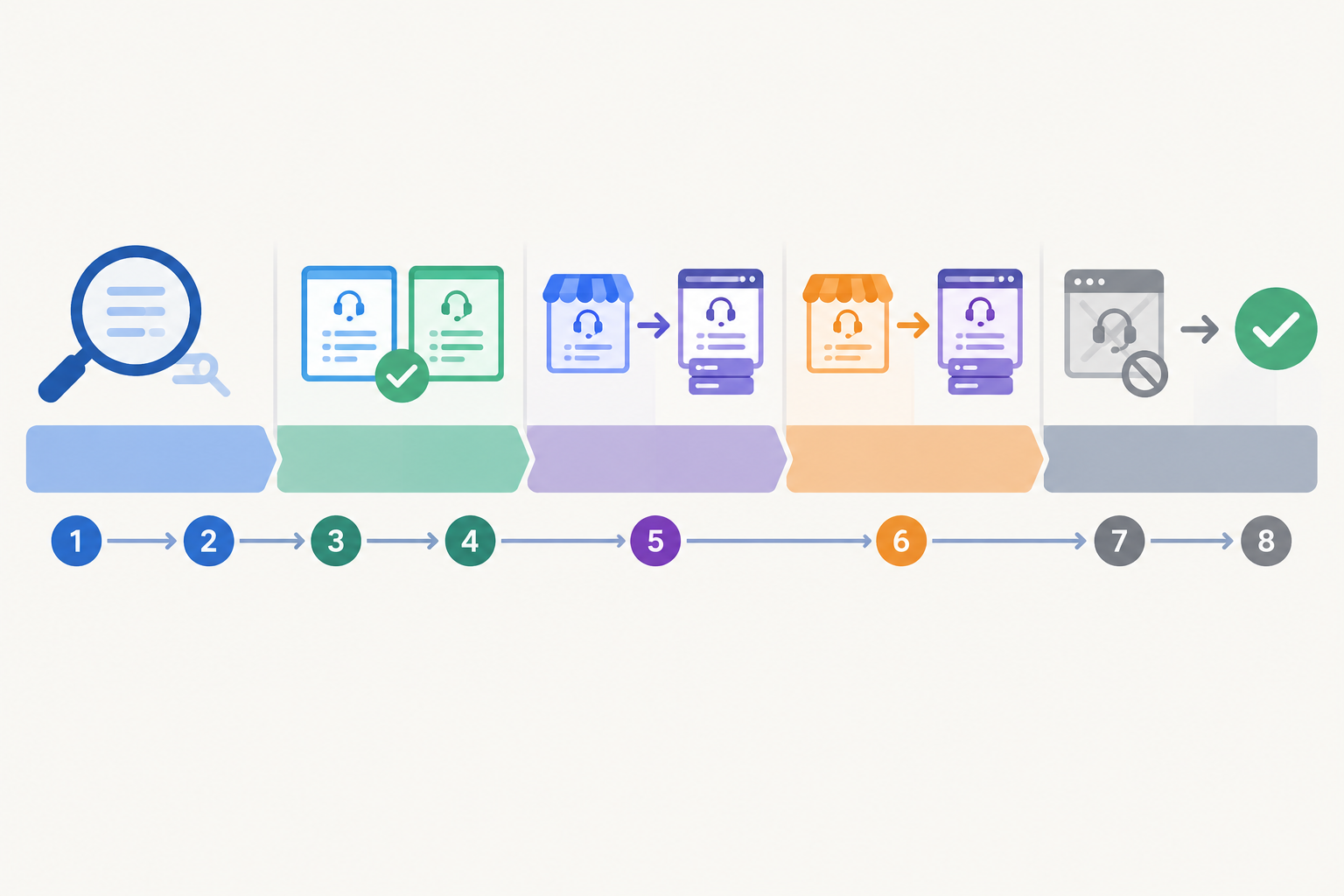
If an exit test isn't passed, extend the overlap rather than pushing on. A week's delay is cheaper than a lost inbox.
Notice how little of that is about software setup. Creating a new inbox can take minutes. The weeks go on planning, data clean-up, testing and communication.
Most of the problems I see are avoidable. Watch out for these:
Export your tickets and customer records from both tools, clean up duplicates, and standardise your tags before importing. Migrate one brand at a time, keep the old system in read-only mode for a defined overlap, and spot-check real customer records before you switch it off. Keep an archive of anything you don't import, so you can still find it if a customer or regulator asks.
Audit your channels, tools, integrations, contracts, stored data and current performance metrics. For UK teams, also establish who is responsible for which personal data after the deal, check supplier contracts and access permissions, document your retention decisions, and check whether any international transfers need extra safeguards.
Mostly through what they see rather than the software itself. If replies stay quick, email addresses keep working and nobody has to repeat their story, most customers barely notice. Trouble appears when addresses change without warning or history goes missing.
Yes. A good shared inbox lets each brand keep its own chat widget, support address and reply tone, while your team works from one place and tags or filters conversations by brand.
Many small and mid-sized teams can do it in four to eight weeks, including audit, migration and training, though larger or more complex setups take longer. The actual setup of a new inbox can take minutes, so most of the time goes on planning, data clean-up, testing and customer communication.
Consolidating support tools after a merger doesn't have to be a heroic project. Audit carefully, bring over the history that matters, test your routing before customers rely on it, train people together and keep customers in the loop. If you'd like to see what a single shared inbox feels like for your brands, Sonny offers a 7-day free trial (no credit card, per its published terms), so you can set up your first brand and test the whole flow before committing. Start small, check it works, then bring the next brand in. You've got this. 💙

Learn how a shared inbox helps one support team manage multiple products with clear ticket routing, team collaboration and specialist expertise.

Thinking about handing over customer support? Learn when to make your first support hire, what to look for, and how the right help desk software lets

Learn how to bring multiple brands into one shared inbox while keeping chat widgets, email routing, reporting, and team access clear for every team.