How to Choose an Uptime Monitoring Tool for Your Startup: A Practical Guide
18 min read
Loading...

The best uptime monitoring tool for a startup covers the basics from day one (website, API, SSL and cron job checks), rechecks failures from several regions so you get fewer false alarms, and costs a predictable amount as you grow. If you can set it up in minutes and test it free before paying, you're on the right track. Below is a scorecard so you can compare tools without guesswork.
A quick disclosure: I'm part of the team behind Moonitor, which appears in this guide. I've tried to keep the advice useful whichever tool you pick, and I've flagged where I'm talking about our own product. Prices and plan details were checked at the time of writing. Vendors change them often, so confirm on each pricing page before you buy.
Grab a cuppa, because we're going to work through this together. By the end, you'll know what to look for, roughly how many monitors you'll need, and how to test a tool before you hand over any money. ☕
Picture this. It's 11am, you're deep in sales call prep, and an email lands from a customer: 'Hi, is your checkout broken? I've been trying since breakfast.' Your stomach drops. The site has been misbehaving for hours, and you were the last to know.
That's the moment monitoring exists to prevent. Almost every startup faces the same three constraints when choosing a tool:
In plain English, a good tool helps you know first (before customers do), know it's probably real (not a blip), and know what to do next (a clear alert, some history, a way to tell customers what's happening).
It's easy to overbuy, because plenty of tools are pitched at enterprises with platform teams. For a startup, I'd split things like this:
Reliable monitoring doesn't need a DevOps hire. You need a sensible list of things to watch and a tool that stays out of your way.
A question I hear a lot: do I need more than HTTP checks? Usually yes, but only a few extras early on. A basic ping to your homepage tells you the front door is open. It doesn't tell you whether anyone can get in and buy something.
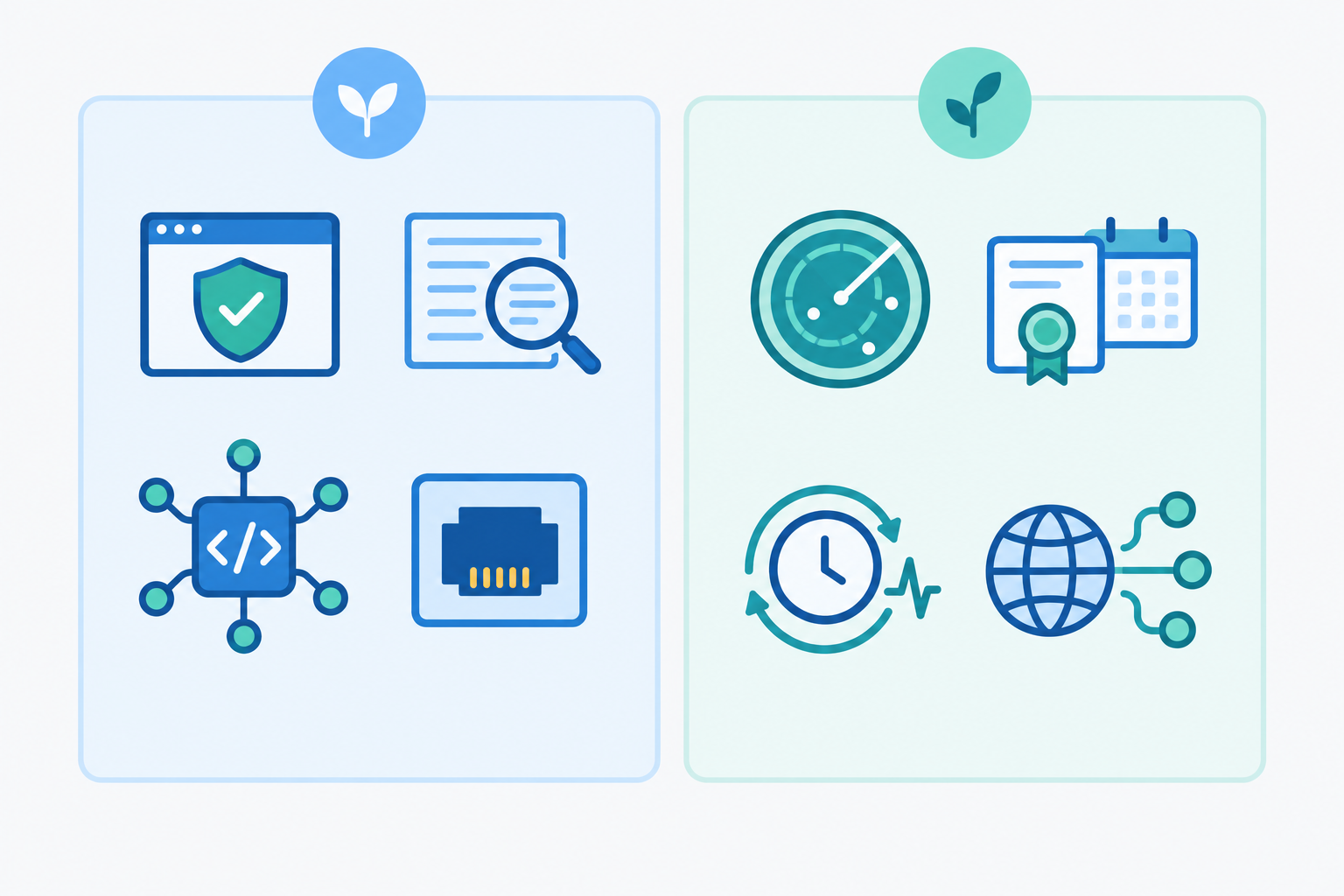
To keep the count unambiguous, here are the eight types I mean. SSL and domain expiry count as one type because they're both 'something quietly lapses' checks:
/api/orders falls over while the marketing site stays up, you want to hear about it.One practical tip: pick a tool that bundles these together, so you're not stitching one service for uptime, another for cron jobs and a third for certificate reminders. Moonitor, for example, lists these eight types in one dashboard. Whatever you choose, check the vendor's own feature list rather than assuming.
This question quietly decides your pricing tier, so it's worth ten minutes with a notepad. Here's the counting method I'd use:
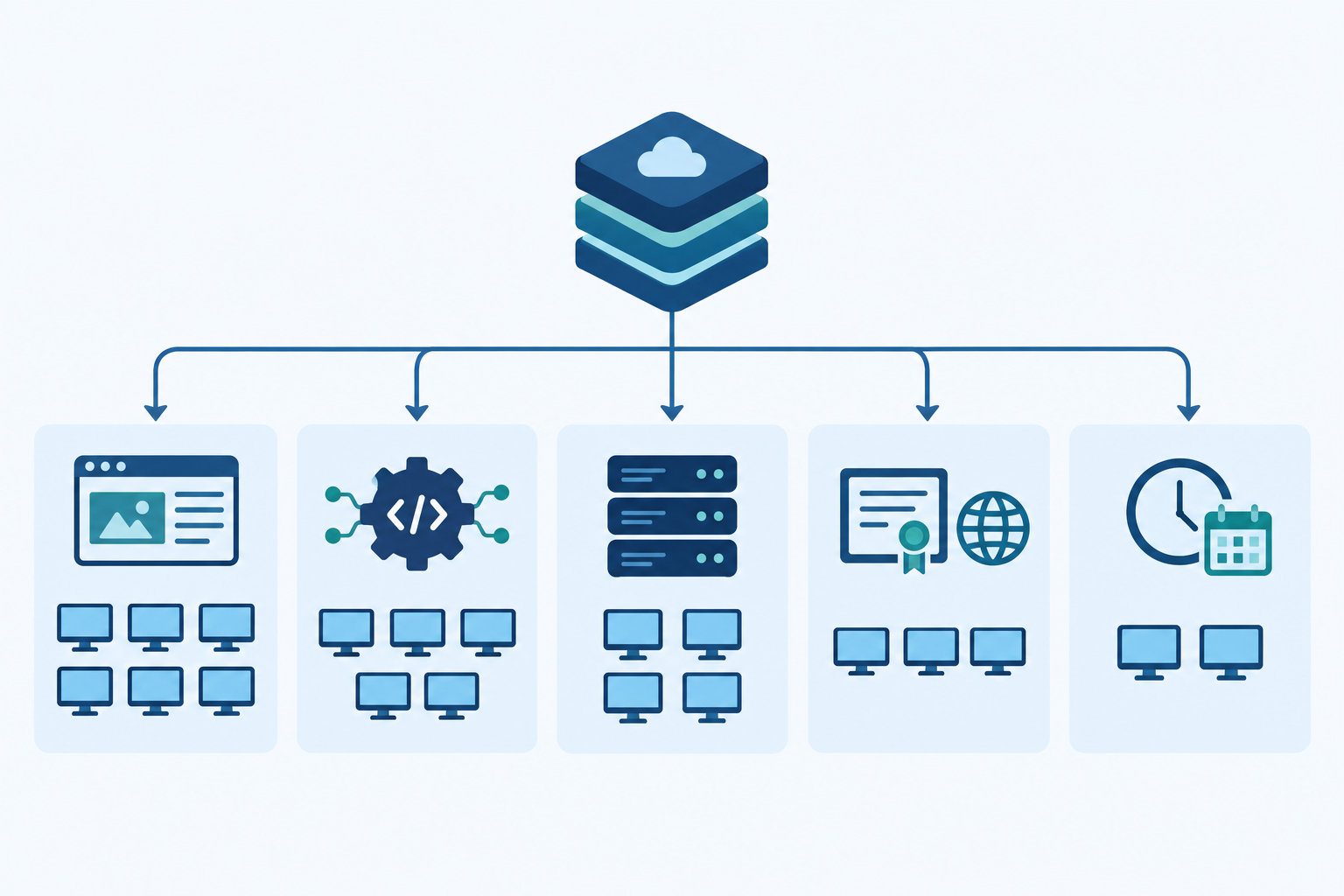
Imagine a small SaaS product:
That's 20 monitors. In my experience, early-stage products often land somewhere around 10 to 30, but that's a rough guide, not a rule. A simple product may need fewer, and a multi-service one far more. Counting this way shows you which pricing tier you'll realistically need, before a pricing page nudges you toward something bigger.
Here's a pattern I've seen in small teams. The monitoring tool pings someone at 3am. It's a blip. Back to bed. A week later, same thing. By the third false alarm, somebody mutes the channel 'just for tonight'.
And that's the night the real outage happens.
This is alert fatigue. Google's Site Reliability Engineering guidance recommends alerting on symptoms users can actually see, and only paging a human when action is genuinely needed. Noisy alerts teach people to ignore alerts, so a tool is only as useful as your trust in its notifications.
When a check fails from one location, a tool with multi-region verification doesn't shout straight away. It rechecks from other regions first. If they also fail, the problem is more likely to be real. If only one location saw it, it's probably a local network hiccup.
To be clear, this reduces false alarms. It doesn't guarantee accuracy. Some outages are genuinely regional, and some failures are intermittent. How well it works depends on how the vendor sets thresholds, retries and what counts as 'agreement'.
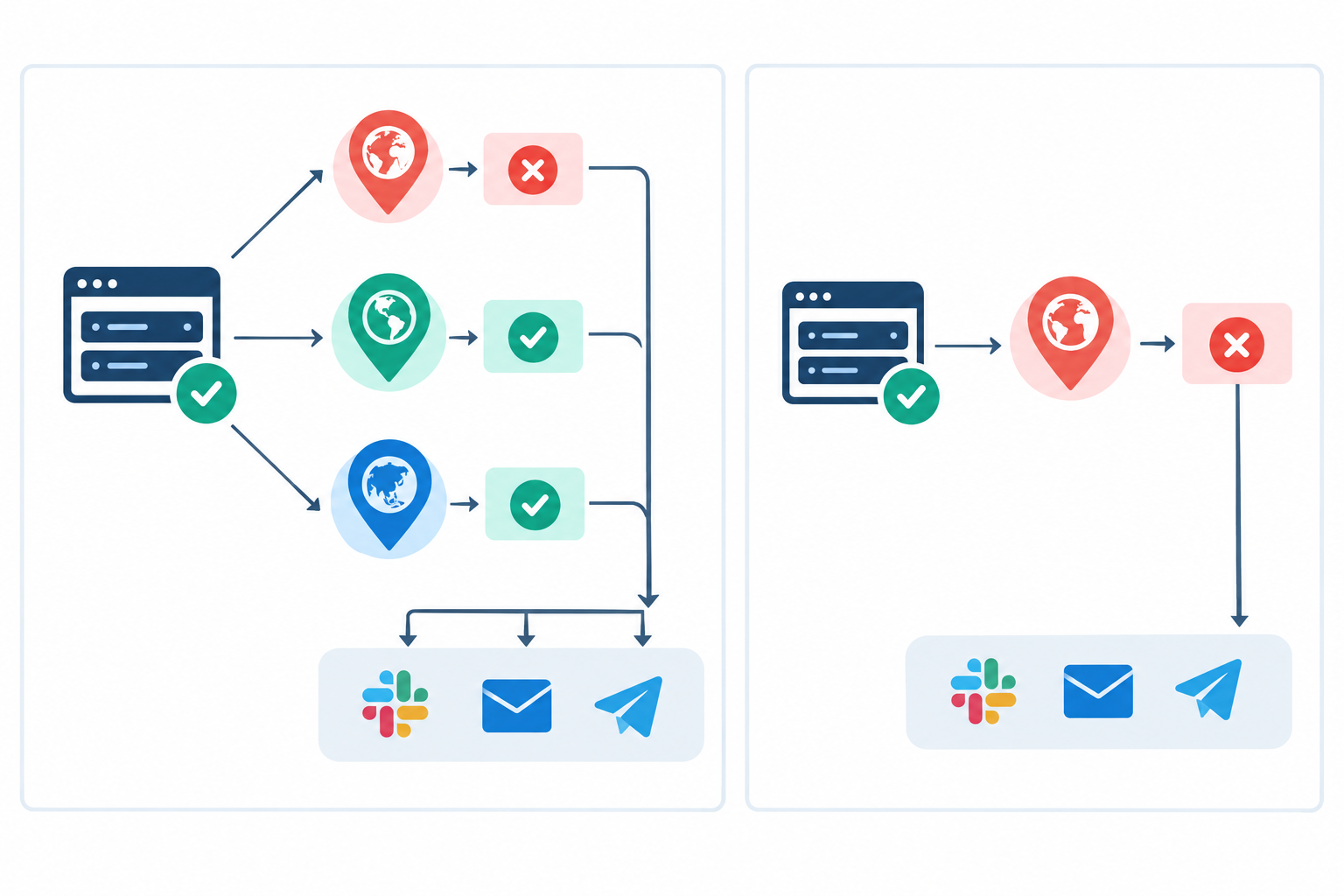
So here's a question worth asking every vendor: 'How do you confirm a failure before alerting me, and what happens if only one region is affected?' A vague answer tells you something.
The check interval is how often the tool tests your service. At five minutes, an outage could run for up to five minutes before it's even detected, and longer once confirmation is added. Match the interval to the monitor: your checkout deserves a tight one, while a domain expiry check can be relaxed.
Coverage matters just as much. If your checkout endpoint fails while the homepage loads happily, a homepage-only check stays green. A monitor on the critical endpoint, or a keyword check on the right page, would catch it.
Choose a tool that alerts you where you already are: email, Slack, Discord, Telegram or webhooks. Use the loud channel for sustained, user-impacting failures and a quieter one for informational notices.
A public status page earns its keep too. During an outage, customers can check for themselves instead of emailing you. Outages can be costly: Uptime Institute's Annual Outage Analysis 2024 reported that 54% of respondents said their most recent significant outage cost more than $100,000. That survey covers data centre operators rather than startups, so don't treat it as your number. Still, it's a reminder that trustworthy detection is worth taking seriously.
So, what should you pay for uptime monitoring? Prices vary widely, so I won't pretend there's one right figure. Many startups will be looking at a modest monthly fee for a bundle of around 20 monitors. Free tiers can be fine for a side project, but they often limit check intervals, monitor counts or alert channels. Once real customers depend on you, those limits may start to bite, so check them against your needs.
That last one deserves quick arithmetic. At a one-minute interval, one monitor runs 43,200 checks in a 30-day month. At five minutes, it's 8,640. Across 20 monitors, that's 864,000 versus 172,800. These are my own calculations, not vendor prices, and vendors define billable checks differently. If a plan bills per execution, frequency and monitor count compound quickly.
Watch for paid add-ons for SMS alerts, public status pages, extra team members, shorter check intervals, longer data retention and API access. Here's what I'd do: estimate the monitors you need now, model a realistic growth scenario, then check the next tier's limits and any overage rules.
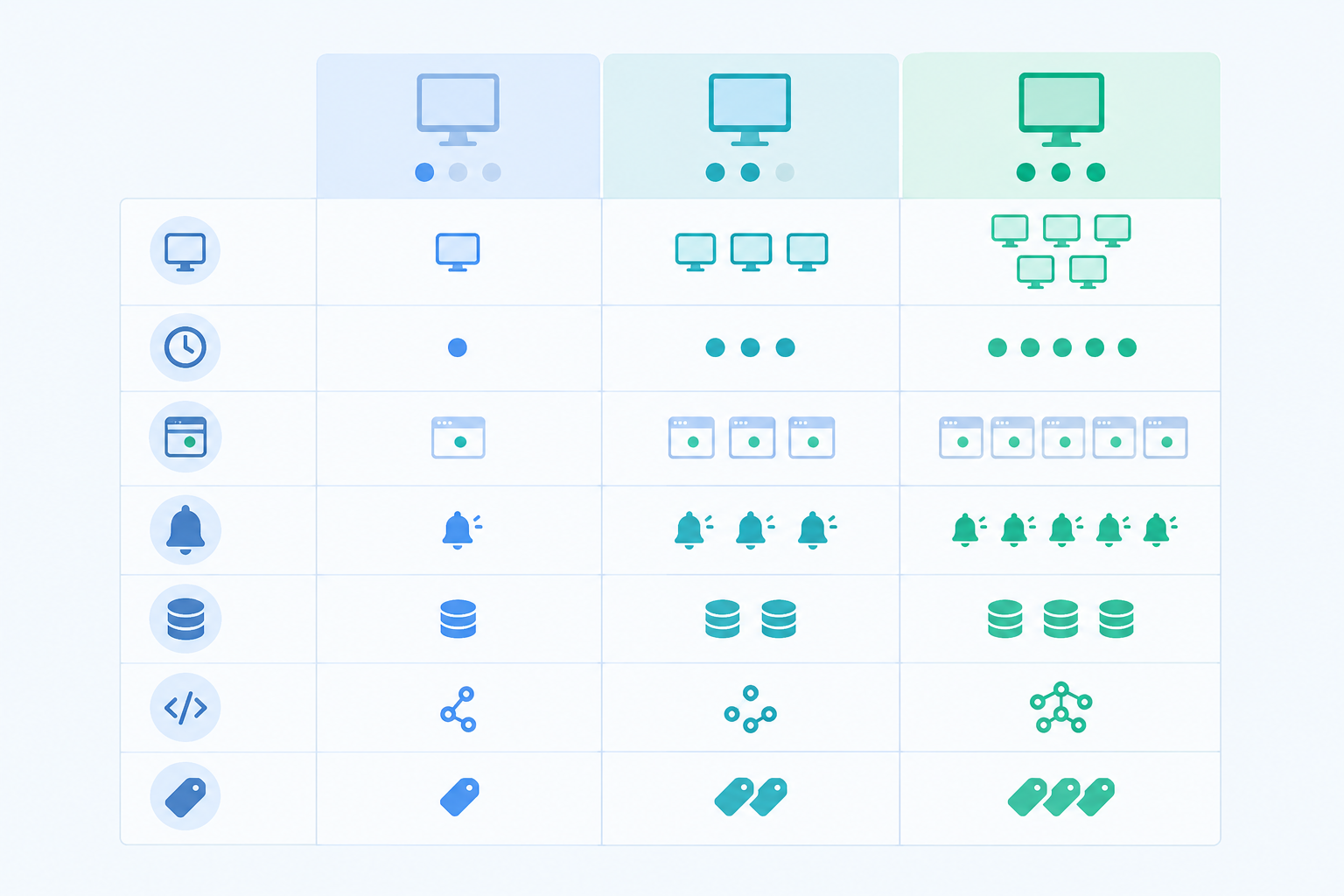
| Free tier | Mid-range bundle | Unlimited | |
|---|---|---|---|
| Monitor count | Small cap | Fixed allowance (e.g. 20) | No cap |
| Check interval | Often slower | Faster, varies by vendor | Typically the fastest on offer |
| Status pages | Often limited or absent | Frequently included, sometimes extra | Usually included |
| Alert channels | Sometimes restricted | Broader choice | Full set |
| Data export and API | Varies, check first | Varies, check first | Varies, check first |
| Typical use | Side projects | Early-stage products | Growing teams and agencies |
Treat that as a template for questions, not a promise about any vendor.
Many monitoring tools price in US dollars. As an example, Moonitor's Solo plan is $14/mo for 20 monitors, and its Max plan is $49/mo for unlimited monitors. At an assumed rate of $1 = £0.79, that's roughly £11 and £39 a month. Exchange rates move, and card fees may apply. Check whether the listed price includes UK VAT (20%). If you're VAT-registered you can often reclaim it, but check with your accountant, especially for overseas suppliers.
One more thing before you commit: can you get your data out? A tool with an API and data export means you can switch later without losing your history.
A free trial only helps if you use it deliberately. Here's the checklist I'd follow:
Trials without a credit card remove the risk of surprise charges, which matters when you're watching every pound. Moonitor's 7-day free trial doesn't require a card at the time of writing, and I'd expect most of this checklist to fit in one sitting. Before any trial ends, look at the response-time analytics and incident history, since those show what you'd live with day to day.
Now for the tool I promised. Copy this into a spreadsheet, score each tool from 1 to 5 on every row, and multiply by the weight.
| Criterion | What to look for | Weight |
|---|---|---|
| Monitor types covered | HTTP/S, keyword, API, port/ping, SSL/domain, cron, DNS | 1 |
| False-alarm protection | Multi-region confirmation, sensible retries and thresholds | 2 |
| Alert channels | Email, Slack, Discord, Telegram, webhooks | 1 |
| Check interval | Fast enough for your critical paths | 1 |
| Status page included | Branded, no hidden extra fee | 1 |
| Setup time | Minutes, not hours | 2 |
| Pricing clarity and scaling | Predictable as you add monitors | 1 |
| Data export and API | You can leave if you need to | 1 |
| Trial terms | Free, no card, long enough to test | 1 |
For a small team, I'd double-weight false-alarm protection and setup time. You don't have a spare person to babysit noisy alerts or wrestle with configuration.
Here are two made-up tools, purely to show the arithmetic.
| Criterion | Weight | PingPro | SimpleWatch |
|---|---|---|---|
| Monitor types | 1 | 4 | 3 |
| False-alarm protection | 2 | 2 | 5 |
| Alert channels | 1 | 4 | 3 |
| Check interval | 1 | 5 | 3 |
| Status page | 1 | 4 | 3 |
| Setup time | 2 | 3 | 5 |
| Pricing clarity | 1 | 4 | 4 |
| Data export and API | 1 | 4 | 3 |
| Trial terms | 1 | 4 | 4 |
| Unweighted total (max 45) | 34 | 33 | |
| Weighted total (max 55) | 39 | 43 |
Unweighted, PingPro edges ahead 34 to 33. Double-weight false alarms and setup time, and SimpleWatch wins 43 to 39. Same tools, different winner, because the scoring reflects what a small team cares about.
Here are some well-known options worth shortlisting. I haven't given them numeric scores. Scores depend on your plan, your priorities and hands-on testing, and I'd rather you run the trial than trust my number. The notes reflect each vendor's public positioning, so verify details on their sites.
| Tool | Generally known for | What to check against the scorecard |
|---|---|---|
| UptimeRobot | A long-running, widely used service with a free tier | Free-tier limits on intervals and alert channels, status page terms |
| Better Stack | Combining uptime monitoring with on-call alerting and status pages | How pricing scales with team members and add-ons |
| StatusCake | A UK-based provider covering uptime and related checks | Which monitor types and intervals sit in which plan |
| Pingdom | An established name now part of SolarWinds | Pricing scale and fit for a small team's budget |
| Moonitor (our product, so weigh accordingly) | Eight monitor types, multi-region verification, bundled plans, a 7-day no-card trial | Whether the Solo plan's 20 monitors fit your count, and how its pricing compares in pounds |
None of these is automatically right for you. If you want the cheapest possible side-project setup, a generous free tier may win. If you want monitoring, alerting and status pages under one roof, a broader platform might. If you want a simple bundle with multi-region verification, Moonitor is worth a look, but that's our pitch, so test it against the others.
Here's the whole framework in one breath. List what you need using the five-step count, shortlist two or three tools, run the trial checklist on each, then score them. That's about twenty minutes of focused effort, plus the trial time.
And a bit of reassurance: no choice is permanent. If a tool offers data export and an API, you can move later if your needs change. You're not signing a ten-year lease.
Your next step is a small one. Pick your shortlist, start a free trial, and add your first five monitors today (homepage, login, checkout, one API endpoint and one cron job). Future you will be glad you did. 🙂
Often somewhere between 10 and 30, but it varies. Count your key pages, API endpoints, SSL and domain checks, and scheduled jobs using the five-step method above, and start with whatever would hurt most if it broke silently.
Usually, yes. Keyword checks catch error messages hiding behind a 200 status, heartbeat monitoring catches cron jobs that quietly stop, and SSL and domain monitoring prevents avoidable expiry outages.
There's no single right figure. Compare what's included (status pages, alert channels, intervals, data export) rather than just the headline price, and convert any USD pricing to pounds including VAT.
They can be for a side project or early prototype. Once customers depend on you, check whether the free tier's limits on intervals, channels, status pages or false-alarm handling still work for you. If they do, there's no need to pay.
Use the trial checklist above: time your setup, add your key monitors, trigger a safe failure, and confirm alerts reach the right channel.
The tool rechecks a failure from other locations before alerting you. That filters out one-off network blips and cuts false alarms, though it can't guarantee every alert is accurate, so ask vendors how they handle retries and regional outages.

Uptime monitoring pricing in the UK: compare free and paid plans, typical £10–£40 monthly costs, and the features that drive your bill.

Picking an uptime monitoring tool shouldn't feel like a second job. Here's the founder-friendly checklist for evaluating any vendor—plus honest pricin

UK startup guide to choosing an uptime monitoring tool: compare website monitoring, monitor types, alerting speed and affordable monitoring that scales