Uptime Monitoring Pricing Compared: What Should You Pay in 2026?

Most small businesses and startups end up paying somewhere between £10 and £40 per month for uptime monitoring that covers websites, APIs and a handful of background jobs. That's the range this guide focuses on. You'll find plans as cheap as £8 and others creeping toward £50, but £10-£40 is where most small teams settle once they've actually sized their setup.
What pushes the price up isn't the monitoring itself. It's how many monitors you need, how often they check, and whether you're paying for regions and features you'll never touch. Free uptime monitoring is genuinely fine right up until you have something customer-facing or revenue-generating on the line. This guide is about figuring out where that line sits for you.
Pricing pages don't make this easy. Every vendor structures plans differently, throws around terms like "checks" and "locations" without explaining them, and tucks important features behind higher tiers. So let's break down uptime monitoring pricing the way I'd explain it to a friend who just asked me, "How much should I actually be paying for this?"
Quick disclosure before we go further: I work with Moonitor, one of the tools mentioned below. I've tried to keep these comparisons genuinely useful rather than turning this into a sales pitch, and I'll flag it clearly whenever I'm using Moonitor as an example instead of making a market-wide claim.
Common uptime monitoring pricing models explained
Before comparing prices, it helps to know that monitoring tools charge in a few different ways. Once you know which model you're looking at, the headline price actually starts to make sense.
- Per-monitor pricing charges you based on how many things you're tracking. Simple in theory, but your bill grows every time you add a website, API endpoint or cron job, sometimes without much warning. If you only have one or two things to watch, this can actually work out cheaper than a flat tier.
- Flat-tier pricing with monitor caps gives you a fixed number of monitors for a set monthly price. Your costs stay predictable whether you're using 5 monitors or 45, as long as you stay under the plan limit.
- Usage-based pricing ties the cost to check frequency, API calls or some other usage metric. This is the one that can bite you: a plan that looks cheap on the surface can get expensive fast once you increase check frequency or hit an API limit.
- Seat-based pricing charges per user with dashboard access. It's common in larger observability platforms and makes sense for enterprise teams, but it's often overkill for a two- or three-person startup.
In my experience, flat-tier pricing tends to suit small teams best once they've got more than a handful of things to monitor. It's predictable, and you won't get hit with surprise overage charges. If you're only tracking one or two endpoints, though, a per-monitor plan might still be your cheapest option. Do the sums for your specific setup rather than assuming one model wins for everyone.
What drives uptime monitoring costs?
The number on a pricing page rarely tells you the whole story. What you actually end up paying comes down to your monitor count, check frequency, monitoring locations and the types of checks you need.
Number of monitors
Each website, API endpoint, cron job or SSL certificate you track usually counts as a separate monitor, though vendors define this differently. Some bundle an SSL check into the website monitor it's attached to; others bill for it separately.
Always check a vendor's definition of a "monitor" before assuming your count will match what you'd expect elsewhere.
Check frequency
Checking every 30 seconds costs a vendor more to run than checking every 5 minutes, and that cost usually gets passed on through higher plan tiers. If your uptime commitments are tight, you'll likely need faster checks, and faster checks generally mean paying more.
Multi-region monitoring
Multi-region checks verify downtime from several locations before firing off an alert. This cuts down on false alarms caused by one flaky network connection on the monitoring side. It won't catch every genuine global outage, but it does mean you're not getting paged at 3am because of a hiccup in one data centre.
Some providers include this in their standard plans; others treat it as a premium add-on. Check specifically whether it's included at the tier you're looking at.
Monitor types
Basic HTTP checks are cheap across pretty much every provider. Keyword monitoring, port and ping checks, DNS monitoring, and heartbeat monitoring for cron jobs often get reserved for higher tiers, even though these are exactly the checks that catch problems a basic availability ping would miss.
Here's a planning example that trips people up: if you're monitoring 5 websites, 3 APIs and 2 nightly cron jobs, you're already at 10 monitors before you've added SSL expiry checks (assuming your provider counts those separately). Throw in two DNS records and you're closer to 13 or 14.
It's easy to underestimate this number when you're picking a plan, and then feel blindsided a few weeks later when you hit the monitor limit.
Uptime monitoring pricing comparison at a glance
The table below shows how several mainstream uptime monitoring tools were priced in early 2026, based on publicly listed monthly billing. Prices change, exchange rates move around, and most providers quote in US dollars, so treat these numbers as directional rather than gospel. Always check the current pricing page before you budget.
| Vendor | Entry Paid Plan | Monitors Included | Fastest Check Interval | Status Page | Notes |
|---|---|---|---|---|---|
| UptimeRobot | ~$7-8/mo | 50 | 1 minute on paid tiers | Included on paid plans | Generous free tier with 5-minute checks |
| StatusCake | ~$20/mo | 20-40 depending on tier | 1 minute | Included | SMS alerts often cost extra |
| Better Stack | ~$29/mo | Varies by tier | 30 seconds on higher tiers | Included | Combines monitoring with incident management |
| Pingdom | ~$15-25/mo | 10-50 depending on tier | 1 minute | Add-on on lower tiers | Owned by SolarWinds; suited to larger teams |
| Uptime.com | ~$20-30/mo | 10-50 depending on tier | 1 minute | Included on most tiers | Strong multi-region coverage as standard |
| Moonitor (disclosure: I work with this one) | $14/mo | 20 | 30 seconds | Included | Flat-tier structure across all plans, scaling to unlimited monitors on the $49/mo top plan |
A couple of caveats worth flagging. These prices don't include VAT, which UK buyers will typically pay on top depending on the vendor's billing entity. Most providers also knock off 15-20% if you pay annually instead of monthly, so what you actually pay may end up lower than the headline figure.
Because most of these vendors are US-based, you'll often be billed in USD too, which means your real cost in pounds shifts with the exchange rate.
The pattern that holds across the market: entry-level paid plans typically fall in the £8-£20 per month range. Mid-tier plans with more monitors and stronger alerting land around £15-£30 per month, and top-tier plans with unlimited or near-unlimited monitors and broader monitor-type coverage can reach £40-£50 per month.
That's why £10-£40 is the headline range I keep coming back to. It's where most small businesses actually end up once they've sized their real requirements, not the cheapest or most expensive extremes on the market.
How much does uptime monitoring cost for different setups?
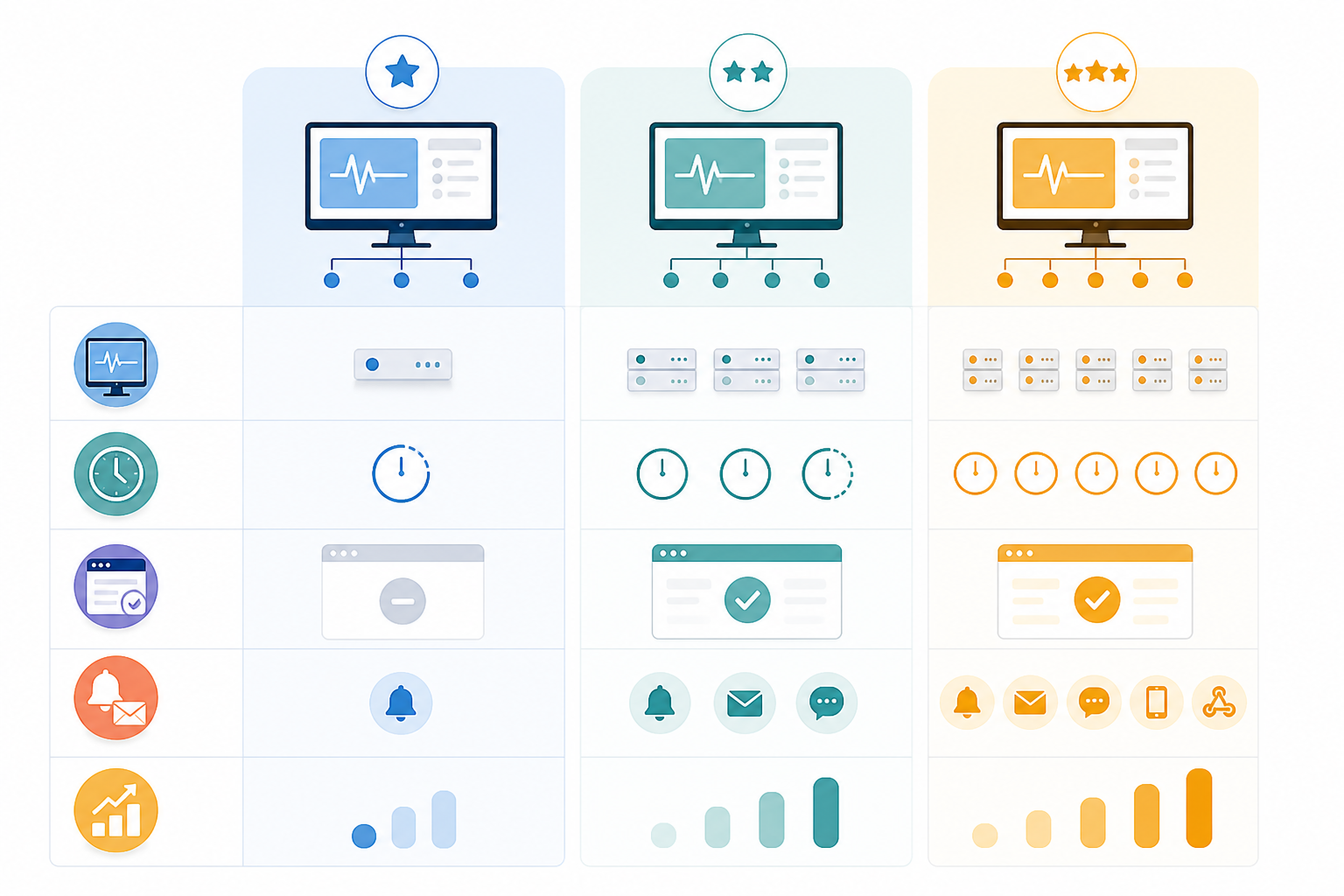
Numbers land better with context, so here are three setups I see a lot, and roughly what each one costs to monitor properly.
Side project: 5 monitors and no revenue yet
One website, one API, a couple of DNS records. A free plan with 5-minute checks is usually enough here. Nobody's waiting on an SLA, so a slower alert doesn't cost you anything real yet.
Small business: 15 monitors and a customer-facing service
Think several websites, APIs your clients actually depend on, cron jobs and SSL checks. This is mid-tier territory. You'll probably want 1-minute checks, a branded status page and Slack alerts, which typically puts you around £15-£25 per month depending on the provider.
Growing startup: 30-50 monitors and strict uptime commitments
Multiple products or client sites, background jobs that matter, and a support team who needs to know before customers do. This usually means 30-second checks, multi-region verification and broader monitor-type coverage.
This setup tends to land around £30-£50 per month, depending on your monitor count and whether you need SMS escalation on top.
If one of these sounds like you, you've already got a working budget before you even open a pricing page.
Hidden uptime monitoring costs to watch for
A cheap plan can turn expensive fast if it's missing something you need, or charges separately for a feature you assumed was included. Check these before you commit.
- Status pages locked behind higher tiers. Find out whether a public or branded status page is actually included. Customers expect updates during an incident, and not every entry-level plan gives you one.
- SMS or phone-call alert charges. Slack, Discord and Telegram alerts are usually free, but SMS is often metered separately or reserved for higher tiers. If your escalation plan relies on a text message waking someone up at night, check the actual cost of that.
- Data retention limits. Some plans wipe incident history after 30 or 90 days. That's fine until you need to show a client or investor your historical uptime record. Check the retention period before you assume it's there.
- Limited data export or API access. No API, no export option, no easy way to leave if prices change or the service stops working for you. Check the switching options if portability matters to you.
- Per-region surcharges. Multi-region monitoring might be bundled in or charged as an add-on. Don't assume; check the tier you're actually looking at.
- VAT and currency conversion. UK customers should check whether the listed price excludes VAT and whether billing happens in GBP, USD or something else.
- Annual billing requirements. Annual plans often lower the monthly equivalent, but make sure the saving is actually worth locking yourself in for a year.
When are free uptime monitoring plans enough?
Free plans work well for personal projects, early MVPs and side projects with no paying customers. If you only need a handful of monitors and don't mind slower checks (often 5-10 minutes instead of 30 seconds), a free plan will do the job just fine.
The gap shows up the moment something breaks and you find out from a customer email instead of an automated alert. That delay, more than any single missing feature, is the real cost of free monitoring.
A decent way to think about whether paying is worth it: weigh the cost of one missed outage against the cost of monitoring. Lost sales, refunds, support time, the dent to your reputation, versus £15-£20 a month for faster, more reliable alerts.
If your business makes meaningful revenue, paying for monitoring usually makes sense. If it's a project with no customers yet, free is probably fine.
Signs you should upgrade to a paid monitoring plan
You've probably outgrown free uptime monitoring if:
- You've hit the free monitor limit and are juggling several accounts to work around it.
- You need a branded public status page to keep customers in the loop during incidents.
- You're relying on cron job or heartbeat monitoring for background tasks that can fail silently.
- You need faster checks because a 5-10 minute delay is too slow for what you've promised customers.
- You want multi-region verification to stop getting false alarms from one shaky connection.
- You need SSL certificate or DNS monitoring because an expired cert or a bad DNS change would genuinely hurt.
If two or three of these sound familiar, it's probably time to move to a paid plan. £10-£20 a month is usually enough to fix most of these.
How to choose the right uptime monitoring plan size
Rather than guessing, here's the process I'd actually walk through.
- List everything that matters. Your main website, every API endpoint clients depend on, scheduled jobs, cron tasks, and any domain where an SSL certificate or DNS change could cause real damage.
- Count the monitors carefully. Check how your provider actually defines a monitor. Most small teams need 8-25 once they include SSL expiry and background jobs. As a rough guide: 8-10 fits an entry-level or low mid-tier plan, 15-25 usually needs a solid mid-tier plan, and 30-50 often pushes you into a top-tier plan.
- Decide how fast you need to know. Customer-facing services usually justify 30-60 second checks. Internal tools and admin dashboards can often get away with 5-minute checks.
- Work out which features you actually need. Status pages, Slack or Telegram alerts, API access. These are common asks for small businesses, so confirm they're actually in the plan you're comparing, not just the one above it.
- Compare flat-tier and per-monitor pricing. Flat-tier can protect you as your monitor count grows. If your count is small and unlikely to change, per-monitor might still be cheaper.
- Check the total cost, monthly and annual. Add in VAT, currency conversion, add-ons, and any SMS or phone alert charges before you compare.
Once you've run through this, £10-£40 stops feeling like a random range and starts feeling like a budget tied to your actual setup.
As one example: Moonitor's Solo plan runs $14 a month for 20 monitors and scales up to $49 a month for unlimited monitors on the Max plan, which lines up roughly with the mid- to top-tier bands in the table above. Whichever provider you land on, use a free trial where one's offered to test the plan against your real monitor count before you commit to annual billing.
Uptime monitoring pricing FAQs
How much should a small business expect to pay for uptime monitoring?
Most startups and small businesses should budget £10-£40 a month. That usually covers 10-50 monitors across websites, APIs and background jobs, with sensible check intervals and basic email or Slack alerts. Enterprise observability platforms can run into hundreds of pounds a month, but that's rarely necessary unless you're operating at real scale.
What factors make one monitoring plan more expensive than another?
The big ones are monitor count, check frequency, and whether multi-region verification is included or billed separately. Branded status pages, SMS alerts, longer data retention, and extra monitor types like SSL, DNS, cron or keyword monitoring also tend to separate the cheaper plans from the pricier ones.
Are free monitoring tools good enough to start?
For a side project or early MVP with no paying customers, free is usually fine. It matters more once your website or API starts generating revenue or serving real users, since free tiers tend to use slower checks and skip features like status pages or multi-region verification. At that point, weigh the cost of a missed outage against the price of a paid plan.
What should I check before comparing uptime monitoring prices?
How the provider defines a monitor, the fastest check interval at your price point, whether a status page is included, which alert channels are free, how long incident data is kept, whether the price includes VAT, and whether billing happens in GBP or USD. Also worth checking: annual billing discounts, API access, and any charges for extra regions or SMS alerts.
Does paying more always mean better uptime monitoring?
Not really. A higher price often just means more monitors or faster checks, not better reliability. What actually matters is whether the plan includes multi-region verification, supports the monitor types you need, offers the right alert channels, and gives you data export or API access in case you switch later.
Is uptime monitoring worth paying for?
If your website, API or service generates revenue or serves real customers, yes, paid monitoring is usually worth it. Even a low-cost plan gets you faster alerts, more monitors and a status page, which means you find out about problems before your customers tell you about them. Free monitoring still makes sense for personal projects or anything where downtime doesn't really cost you much.
Related Articles

Create content like this automatically
Scribe uses AI to generate high-quality blog posts that engage your audience and drive traffic.