How to Repurpose One Blog Post Into Ten Content Pieces (Without Losing a Weekend)
10 min read
Loading...

You don't need ten new ideas to publish ten times this week. You just need one solid blog post and a plan to slice it up. By pulling out stats, quotes, steps, and visuals from a single article, you can feed your social channels, email list, and even video content for days without starting from scratch each time. It's a simple way to improve content marketing efficiency without lowering your standards.
If you've ever stared at a content calendar wondering how you're going to fill every slot with something original, I get it. The pressure to constantly create net-new content is exhausting, and honestly, it's not even necessary. The bloggers and creators who publish consistently aren't necessarily writing more. They're repurposing smarter. Here's how to actually do that.
Here's the thing nobody tells you when you start a content calendar: creating from zero every single time is a losing game. You'll burn out, your quality will slip, and you'll end up publishing thin, rushed content just to hit a schedule. That's the real cost of treating every piece of content as a brand-new project.
Repurposing flips that equation. Instead of asking "what do I write next?" every day, you ask "what haven't I pulled out of last week's post yet?" That shift alone can make your whole content routine far more sustainable.
Think about the compounding effect too. One well-researched, SEO-optimised blog post doesn't just rank in search results and drive traffic on its own. It becomes raw material for a week's worth of social posts, an email series, and perhaps even a short video. Multiply that across a month of publishing, and you start to see real efficiency gains, not just busywork.
This is also why I'd rather see someone publish one genuinely good, well-structured post than ten rushed ones. A thin post gives you thin repurposing material. A meaty post with clear subheadings, useful stats, and a logical structure gives you ten different angles to work from. The quality of your source material directly determines how far you can stretch it.
The mindset shift here is worth repeating: stop thinking in terms of a content sprint and start thinking in terms of a content system. A sprint is exhausting and unsustainable. A system runs quietly in the background, turning one input into multiple outputs, week after week.
Once you've got a solid post to work with, here's exactly how to turn it into a week's worth (or more) of content across different formats.
Turn each subheading into a standalone social post. If your blog has five subheadings, that's potentially five separate posts, each focused on one idea instead of trying to cram the whole article into 280 characters.
Pull key statistics into a quote graphic or carousel. Numbers stop the scroll. A stat that's buried in paragraph three of your blog can become the hook of an entire Instagram carousel.
Summarise the post into a short video script or Reel. You don't need to read your blog aloud. Distil the main takeaway into 30 to 60 seconds of talking points.
Extract a numbered list into an infographic. If your post already has a list, like this one, you're halfway to a visual asset that's easy to share and link back to.
Convert the introduction into a LinkedIn article or personal post. Your opening paragraph often contains the strongest hook. Rework it slightly and it becomes a compelling standalone post with a link to the full article.
Turn FAQs into a Q&A thread on X or Threads. If your post has a FAQ section, each question-and-answer pair is basically pre-written thread content.
Build a Pinterest Pin from any visual or diagram. Pinterest runs on strong visuals, so any chart, infographic, or diagram from your post is fair game.
Record a short podcast segment covering the key points. This works especially well if you or your team already have a podcast, even a small one. Use the blog as your outline.
Create a slide deck for SlideShare or LinkedIn document posts. LinkedIn's document carousel format performs well, and your blog's structure (introduction, main points, and conclusion) maps almost perfectly onto slides.
Compile several related posts into a downloadable guide or lead magnet. Once you've published three or four posts on a similar theme, bundle them into a PDF guide that can capture email sign-ups.
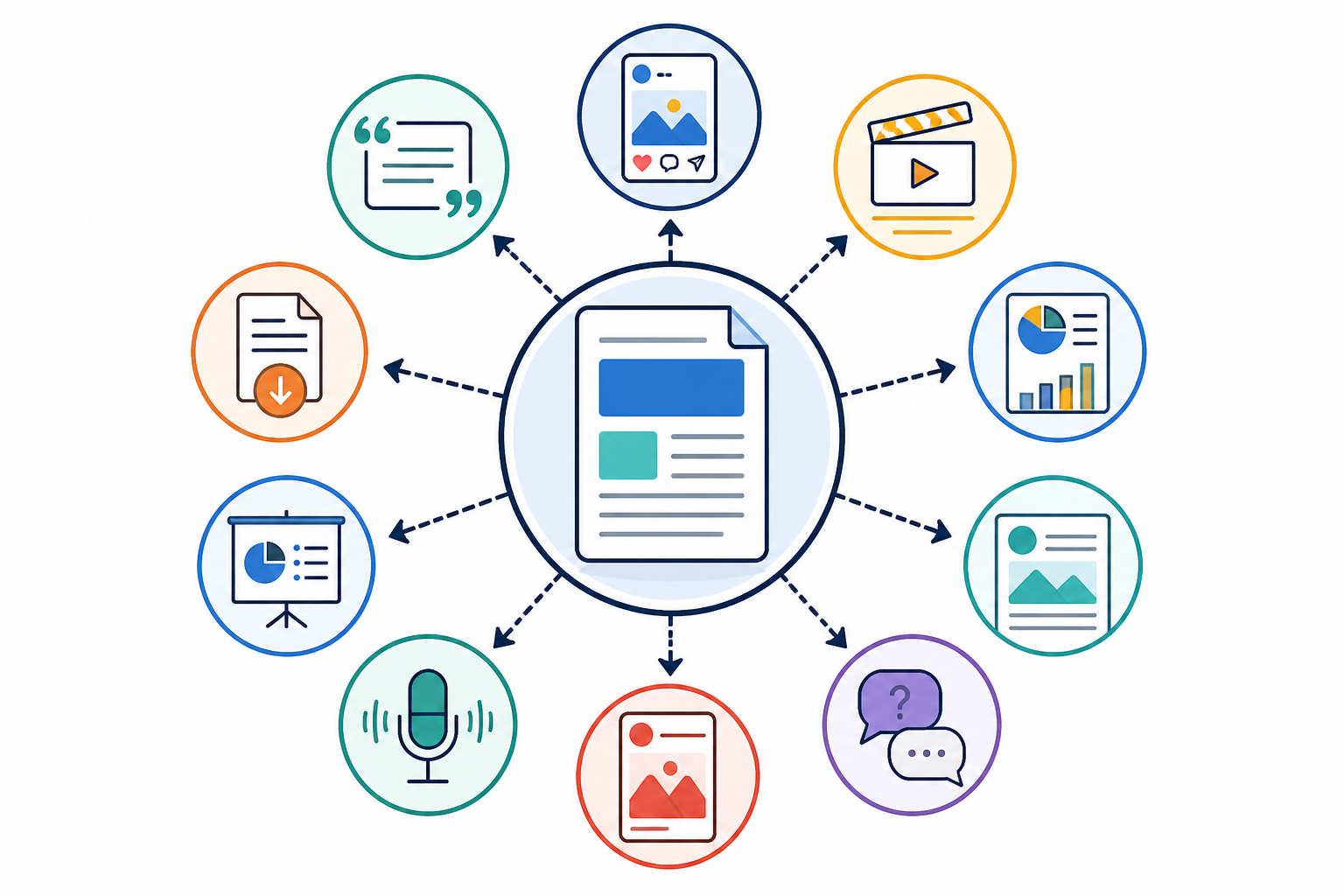
You won't necessarily do all ten from every post, and that's fine. Pick the three or four that suit your audience and platforms best, then rotate through the rest over time.
Social repurposing is where most people start, and for good reason. It's quick, it drives traffic back to your site, and it keeps your brand visible between big content pushes.
The trick is matching the right section of your blog to the right platform, rather than posting the same thing everywhere:
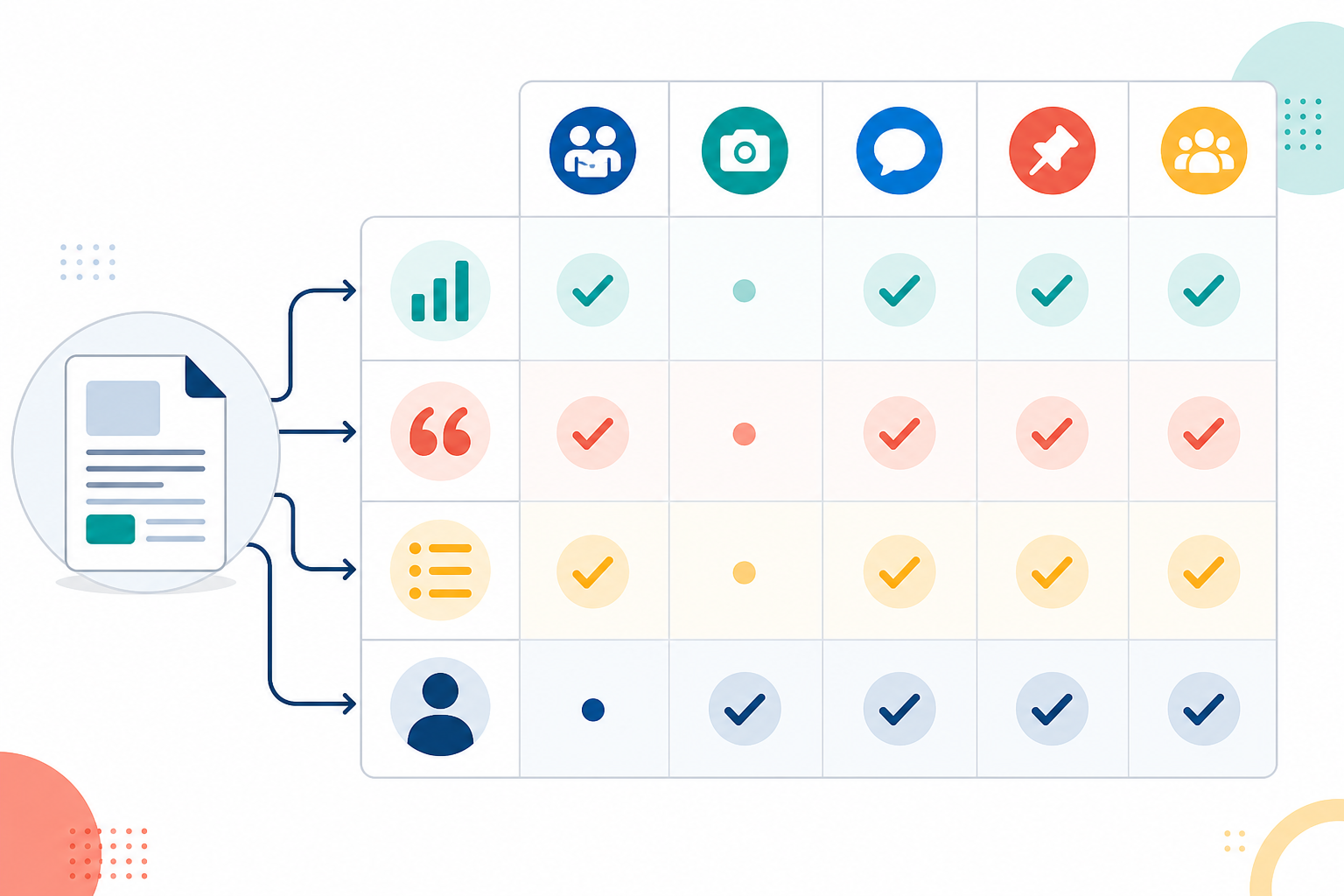
Once you know which section goes where, batch-scheduling becomes easy. I'd recommend sitting down once a week with your latest post and mapping out five to seven pieces of social content in one sitting, rather than trying to create something fresh every single day. Use a scheduling tool to queue them up, and you've turned one afternoon of work into a full week of consistent posting.
One thing to watch for: keeping your tone consistent. It's tempting to get more casual on Instagram and more formal on LinkedIn, but if your brand voice shifts too much between platforms, it starts to feel disjointed. Aim for the same personality, just adjusted in length and formality for each platform's norms.
Email is often the most underused repurposing channel, which is a shame because it's usually where your most engaged audience lives.
Here are a few ways to get more out of a single post in your newsletter:
Done right, this means you always have something useful to send, instead of scrambling for newsletter content every week.
Repurposing only works well if you're starting from strong source material. This is where having the right content generation setup can make a real difference.
A well-structured, thoroughly researched blog post gives you far more to work with than a thin 500-word article. This is one of the reasons I'm such a fan of using an AI writing assistant like Scribe as the starting point. It's built to produce SEO-optimised, structured posts averaging 2,000-plus words in about five minutes, complete with AI-generated images and diagrams. That's a lot of raw material for repurposing, generated in less time than it takes to draft a single social post from scratch.
Scribe also has a self-improving system: it analyses quality scores and performance metrics from every article it publishes, then replicates the patterns that perform well while dropping the ones that don't. Practically speaking, that means the blog posts you're repurposing from tend to get more effective at driving traffic and engagement the longer you use the platform.
A few features are worth mentioning if you're trying to build a real content system rather than just a content sprint:
One customer reported a 340% increase in organic traffic over six months using this approach, which gives you a sense of what's possible when strong source content meets a solid repurposing habit.
The important thing is pairing AI content generation with manual creativity where it counts. Let the AI handle the heavy lifting of research, structure, and first drafts. Then bring your own judgement to how you slice that content up for social media, email, video, and everywhere else your audience shows up.
Change the format, not just the wrapper. A stat that appears as a data point in your blog can become a bold quote graphic on Instagram or a talking point in a short video. Most of your audience won't see the same idea twice unless you're posting it identically across platforms, so vary the presentation and you'll be fine.
A single well-structured post can realistically become social posts, an infographic, a short video script, an email series, a slide deck, and a podcast segment. If the post covers several subtopics, each one can spin off its own piece of content, which is how one article turns into ten.
The bloggers who publish consistently without burning out treat every post as a content library, not a one-off. They plan repurposing at the outline stage, use tools like Scribe to speed up the initial writing and quality scoring, and batch their repurposed pieces so a week's worth of content comes from one afternoon's work.