How Transparent Status Pages Reduce Support Ticket Volume (And Save Your Team Hours Every Outage)
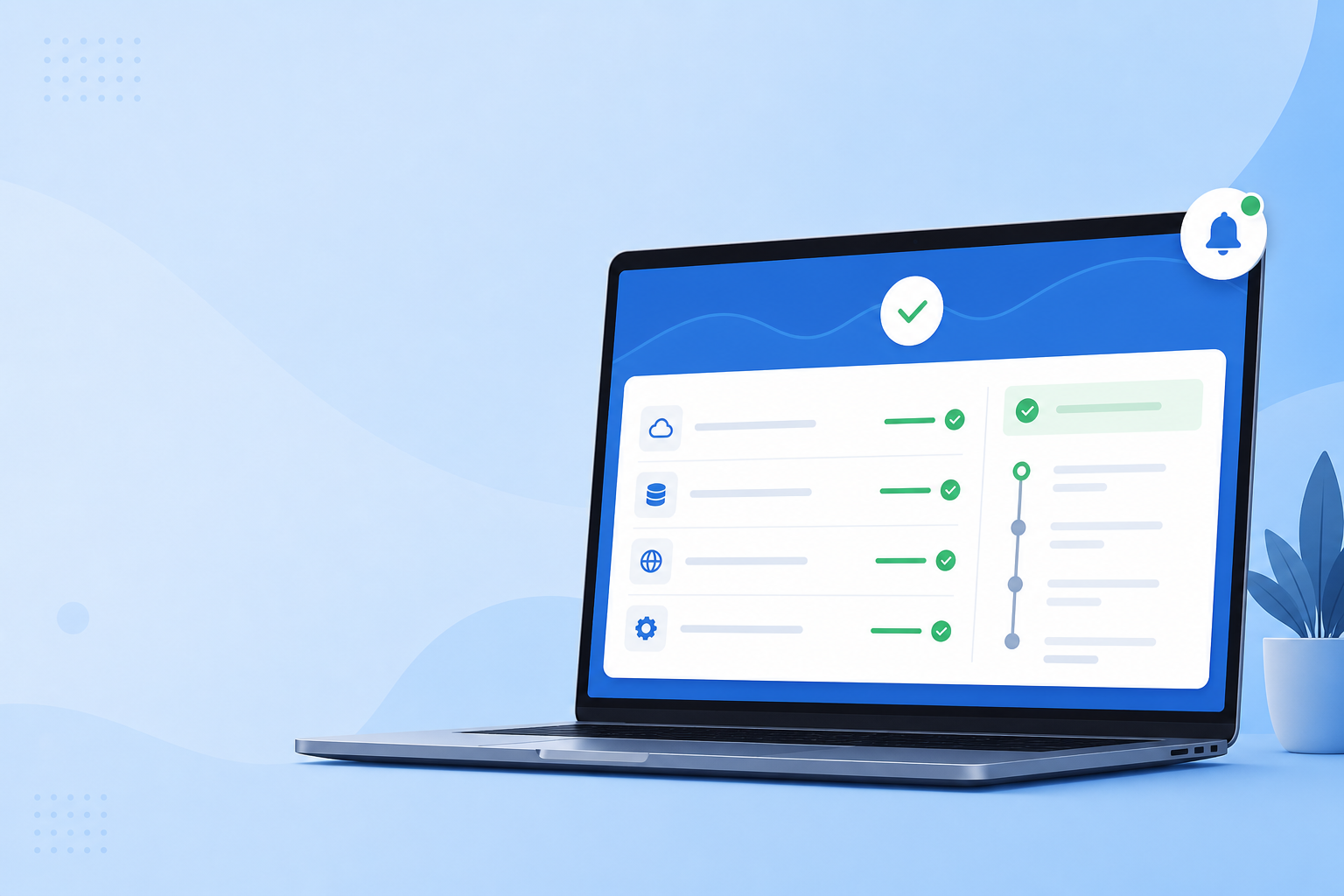
How Status Page Support Tickets Drop During Outages

When something breaks, customers all ask the same question at once: “is it just me?” A public status page answers that before anyone opens a support ticket. That’s the core logic behind why status page support tickets drop during outages: the page intercepts the question at the source, instead of letting it land in your inbox forty times over in slightly different wording.
I’ve seen this from both sides — buried in a support queue during an outage, and on the other side, running a status page that quietly absorbed the noise instead. If you’re a SaaS founder, DevOps lead, or support manager in the UK (or anywhere else) wondering whether a branded public status page is worth the setup time, let’s walk through the actual mechanics: why it works, what it plausibly saves, and how to set one up so it earns its keep rather than sitting there unused.
Why Support Tickets Spike During Outages
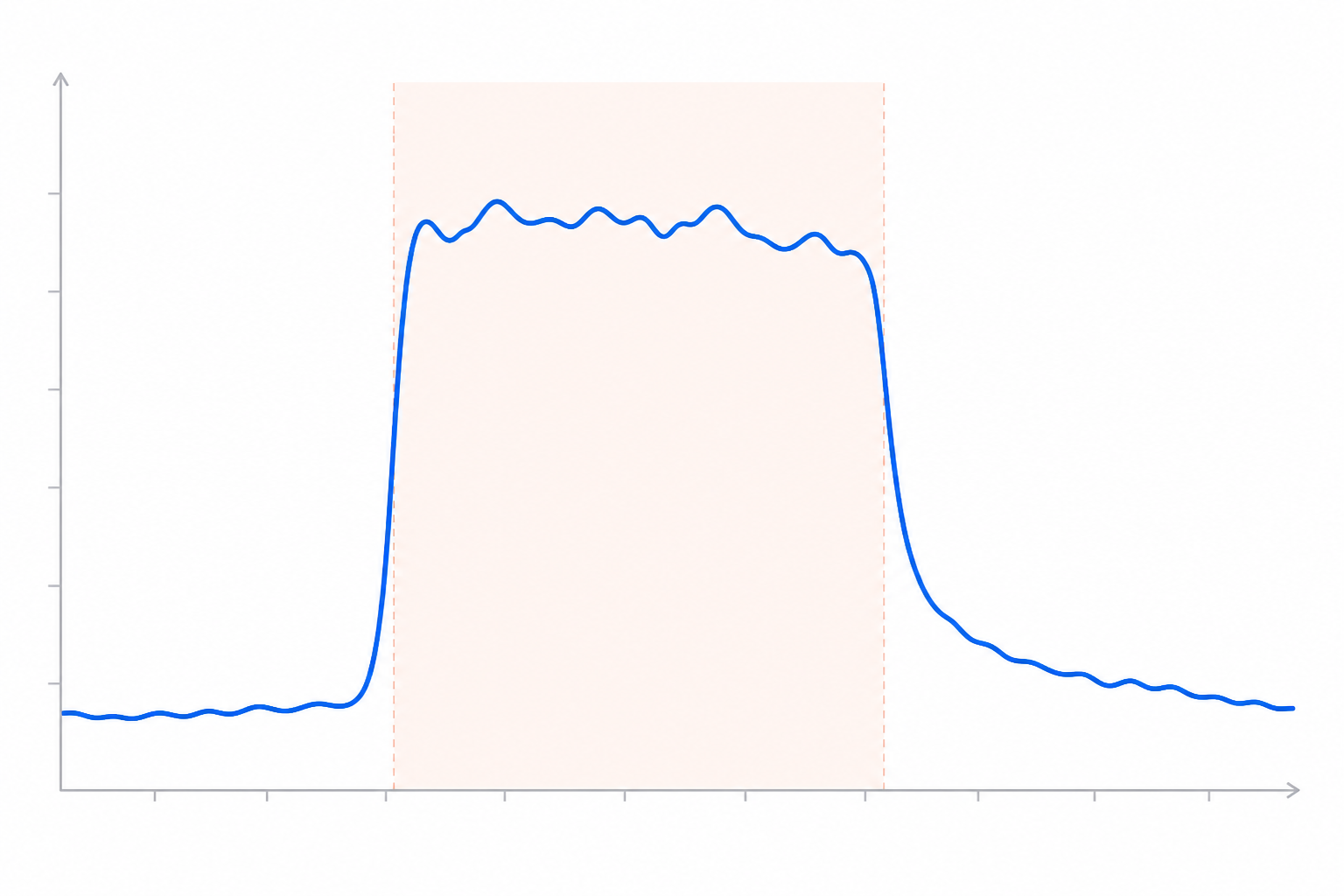
Here’s a scenario you’ve probably lived through. Your API goes down at 2pm on a Tuesday. Within ten minutes, your support inbox starts filling up. Not with ten different problems — with the same problem, asked ten, twenty, thirty different ways. “Is your service down?” “I can’t connect to the API, is this on your end?” “Getting 500 errors, anyone else?” “Hey, just checking if there’s an outage?”
It feels like a flood of support work, but it isn’t, really. It’s one issue wearing forty different costumes. That distinction matters, because it changes how you should think about solving it — this isn’t a staffing problem, it’s an information problem.
The hidden cost isn’t just the volume — it’s the context-switching. Every one of those tickets pulls an agent away from someone with a genuinely unique problem: a billing query, a confusing feature, an account locked for a legitimate reason. Instead of solving that person’s issue, the agent is typing some version of “yes, we’re aware, we’re investigating” for the fortieth time in twenty minutes. That’s not support work. That’s triage on autopilot, and it eats hours your team doesn’t have.
To make this concrete, here’s an illustrative scenario, composited from patterns I’ve seen across small SaaS teams rather than a single named source: a failed database migration takes the core API down for about 25 minutes. In that window, the team receives 40 support tickets. Of those, roughly 34 are variations of “is this a known issue?” — genuine duplicates, not distinct problems. Two agents are on shift. By the time they’ve replied to the first dozen with the same holding message, another dozen have arrived. The actual fix takes less time than the ticket cleanup that follows it. That’s the part nobody budgets for when they think about “downtime cost” — it’s not just the outage, it’s the paperwork storm that follows it.
How a Public Status Page Intercepts Repetitive Questions
This is where a public status page earns its keep. It doesn’t prevent outages — nothing does, not even the best uptime monitoring setup. What it does is intercept the question before it becomes a ticket, provided customers actually know to look. Visibility and adoption are two separate things, and both matter:
- Customers check first, if they know to look. When your status page is linked in-app, referenced in your auto-replies, and mentioned in your help centre, people develop the habit of checking there before they email. Tracking referral traffic to the page during an incident is a good way to see whether that habit is actually forming.
- One update replaces dozens of replies. A single incident note saying “we’re aware of elevated error rates on the API, investigating now” answers the exact question that would otherwise generate thirty separate emails. You write it once; it serves everyone who finds it.
- Incident history builds customer trust over time. When customers see a track record of past incidents being acknowledged and resolved, they start to believe that if something’s wrong, you’ll say so publicly. That belief is what changes behaviour — they stop feeling the need to email “just in case.”
- Branded pages carry more authority. A status page that matches your product and lives on your own domain reads as a credible source of truth. A generic third-party page that looks nothing like your app is easier to ignore or distrust.
The underlying idea is straightforward: visibility plus consistent updates equals customer transparency, and customer transparency is what actually reduces inbound noise. It’s not a trick — it’s giving people the information they’re already looking for, in the place they’re already looking, framed through clear incident communication rather than silence.
Subscriber Notifications vs. Reactive Support
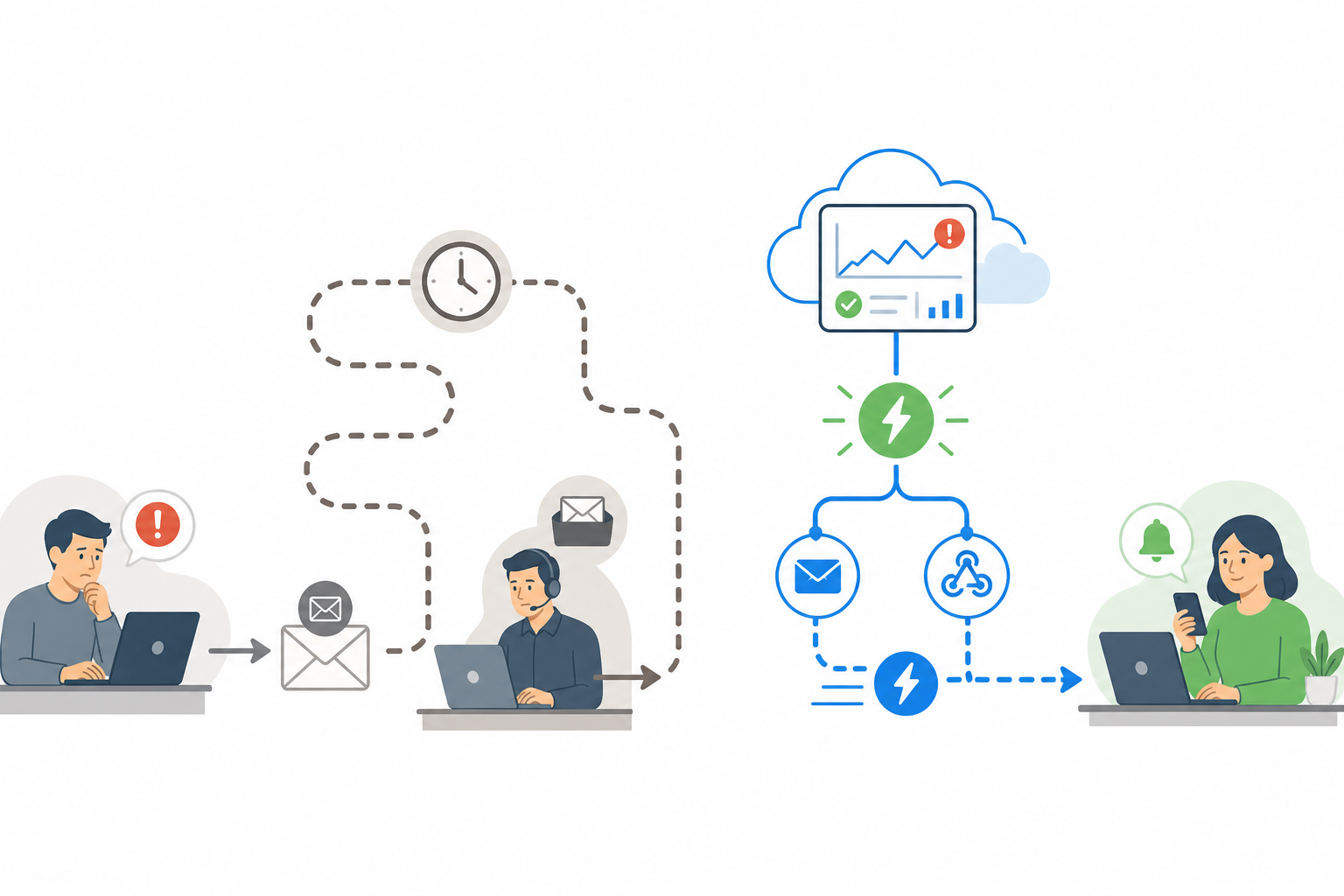
A status page customers have to remember to check is useful. A status page that pushes updates to them automatically is a meaningful step further. Laid side by side, the two models look quite different:
| Step | Reactive Support | Proactive Subscriber Notifications |
|---|---|---|
| 1 | Customer notices something’s wrong | Customer subscribes once, in advance, via email or webhook |
| 2 | Customer emails support and describes the issue | Status changes trigger an automatic notification |
| 3 | Customer waits — minutes or hours — for a human reply | Customer is informed within minutes, without lifting a finger |
| 4 | Agent sends a generic “we’re aware, investigating” reply | No agent involvement needed for the update itself |
| 5 | Repeated individually for every affected customer | Scales automatically to every subscriber at once |
The logic here isn’t complicated: removing a human bottleneck from the notification step should shorten time-to-awareness, since the update no longer depends on an agent being free to type it out. Exactly how much faster depends on your ticket volume, staffing, and how promptly you post updates in the first place — but the direction of the effect is consistent.
Subscriber notifications are a general capability worth building into any status page, regardless of vendor. If you’re evaluating tools, ours (Moonitor) happens to build this in — customers opt in once and get pushed updates automatically whenever an incident is posted or resolved, no ticket required. One UK-specific detail worth flagging: if you’re collecting email addresses for notifications, make sure the opt-in is genuine, unticked-by-default consent under UK GDPR, not something bundled into another form.
How to Measure the Reduction in Status Page Support Tickets
Don’t just take my word — or anyone’s word — for this. If you’re investing time in a status page, measure whether it’s actually working. Here’s a method that controls for the obvious confounders:
- Tag your tickets. Before launching a status page, start tagging tickets as “outage-related” whenever they arrive during an incident. This gives you a baseline to compare against later.
- Separate duplicates from genuinely unique tickets. Not every ticket during an outage is a duplicate — some customers report new, specific problems. Only the “is this a known issue?” tickets are the ones a status page can realistically remove.
- Calculate tickets-per-incident, using the median, not just the average. Raw totals vary hugely by outage length and severity, and a single long incident can skew an average. The median across several incidents gives a steadier comparison.
- Cross-reference with your monitoring data. Line up your incident history and response-time analytics against your support volume to confirm the ticket spike actually correlates with the outage window, rather than something else going on that week.
- Compare a reasonable sample, not just one incident. Aim to compare at least three to five incidents before and after launching the status page. Incident severity varies enough that a single before-and-after pair won’t tell you much.
- Turn the drop into hours saved, with a formula. Saved hours = duplicate tickets avoided × average handling minutes ÷ 60. For example: if a team used to get 34 duplicate tickets per incident at roughly 5 minutes each to answer, that’s about 2.8 hours of agent time per incident. Across a dozen incidents a year, that’s roughly 34 hours — time that goes back into solving problems that actually need a human. These numbers are illustrative; plug in your own ticket counts and handling times to get a figure that means something for your team.

How to Set Up a Public Status Page to Minimize Tickets
A status page that exists but nobody uses correctly won’t move the needle. The setup details matter as much as having the page at all:
- Make it impossible to miss. Link your status page in your app header or footer, in your help centre, and in your auto-reply emails. If it’s tucked away on some subdomain nobody’s heard of, it might as well not exist.
- Write like a human, not a system log. Skip internal jargon and error codes. Say what’s affected, in plain language, so customers understand the impact without sending a follow-up question just to decode your update. A workable template: “We’re seeing elevated error rates on [service] starting at [time]. We’re investigating and will post an update by [time].” Fill in the brackets, post it, done.
- Update often, even when there’s nothing new. Silence is what actually drives people to open tickets. A quick “still investigating, next update in 15 minutes” does more to prevent inbound emails than staying quiet until you have a full resolution.
- Turn on subscriber notifications. Let customers opt into email or webhook updates so information reaches them automatically instead of them having to pull it from support.
- Connect it to real monitoring, not guesswork. Your status should reflect what’s actually happening, pulled from your uptime, API, and server monitoring checks. Manually updating a status page based on a half-remembered Slack message is a recipe for delay and inconsistency.
- Keep your incident history visible. Returning visitors who see a track record of issues being acknowledged and resolved trust the page more. It shows you’re demonstrating reliability, incident by incident, rather than just claiming it.
This is the general principle worth following regardless of which tool you use. Moonitor’s status pages happen to pull monitor data in automatically from your existing checks, so the page reflects reality without someone manually flipping a status indicator mid-incident — but the underlying practice (automate the status, don’t hand-type it under pressure) applies whatever platform you’re on.
FAQ: Public Status Pages and Support Tickets
Can a status page actually reduce support tickets, or is that just marketing talk?
It’s grounded in fairly simple behaviour: most incident-related tickets ask the same underlying question, “is this a known issue?” A status page answers that for anyone who checks first, removing the need to ask at all. The size of the reduction depends on how visible the page is, how quickly you post updates, and how many customers have formed the habit of checking it — it’s not automatic just because the page exists.
How do I get customers to check the status page first instead of emailing support?
Visibility is everything. Link it in your app header or footer, reference it in auto-reply emails, and mention it in help centre articles. Over time, customers learn the habit — especially if past incident updates were clear and timely, which is what builds the trust that makes checking the page the default.
Should I let customers subscribe to incident updates?
Yes — it’s one of the higher-leverage features you can turn on, because it shifts the burden from customers having to check to you pushing the information out. Just make sure your opt-in process meets UK GDPR consent requirements if you’re collecting emails: clear, unticked, and specific to status updates.
How do I measure the ROI of setting up a status page?
Use the tickets-per-incident formula from the measurement section above: tag outage-related tickets, separate duplicates from unique issues, and calculate saved hours as duplicate tickets avoided × average handling time. Compare several incidents before and after launch rather than a single pair, since severity varies.
What if an incident involves something sensitive I don’t want to disclose publicly?
You don’t need to share root cause details, customer data, or internal specifics. A status update can say what’s affected and what you’re doing about it without explaining exactly why it happened. Save the fuller post-mortem, if you write one, for after resolution.
A public status page isn’t a marketing widget — it’s a practical tool for reducing status page support tickets and giving your team back hours during outages, though the exact savings depend on your visibility, update quality, and incident frequency. If you’re already running uptime or API monitoring, you’ve got the raw data sitting right there. The fastest way to find out if it works for you: publish the page, link it in your auto-replies and help centre, start tagging outage-related tickets, and review the numbers after your next three incidents.
Related Articles
Incident Communication Best Practices: What to Say During an Outage (With Templates)
Master incident communication with practical status page updates, timing guidance and reusable templates for UK teams managing outages with confidence.
White-Label Status Pages: How Agencies Use Branded Reporting to Impress Clients and Boost Retention
Learn how a white-label status page helps agencies build client trust, show monitoring value, support retention and create upsell opportunities.
Create content like this automatically
Scribe uses AI to generate high-quality blog posts that engage your audience and drive traffic.