Internal Notes 101: How to Collaborate on Support Tickets Without the Chaos

Internal Notes 101: How to Collaborate in a Shared Inbox Without the Chaos
Internal notes solve three common support-team problems at once: they stop two agents replying to the same customer with different answers, they let a teammate catch a mistake before it goes out, and they turn shift handovers from guesswork into something written down. That's really the whole benefit. Everything else in this guide is just the detail behind those three outcomes.
If you've just moved your team off a shared personal inbox (you know, the one where three people are CC'd and nobody's quite sure who replied last), internal notes are probably one of the biggest quality-of-life upgrades you'll get from proper help desk software. Let's look at exactly how internal notes work, where teams tend to trip up, and how to build them into your team's daily rhythm, plus a few things the software alone can't do for you.
What Are Internal Notes in a Shared Inbox?
Internal notes are exactly what they sound like: a note attached to a support ticket, meant to be visible only to logged-in members of your team. In most modern help desk software, internal notes sit directly in the conversation thread, not off in a separate document, and not buried in a Slack channel you'll never find again three weeks from now. That's the real advantage of a shared inbox over a personal one: the note, the customer's message, and the eventual reply all live in the same place.
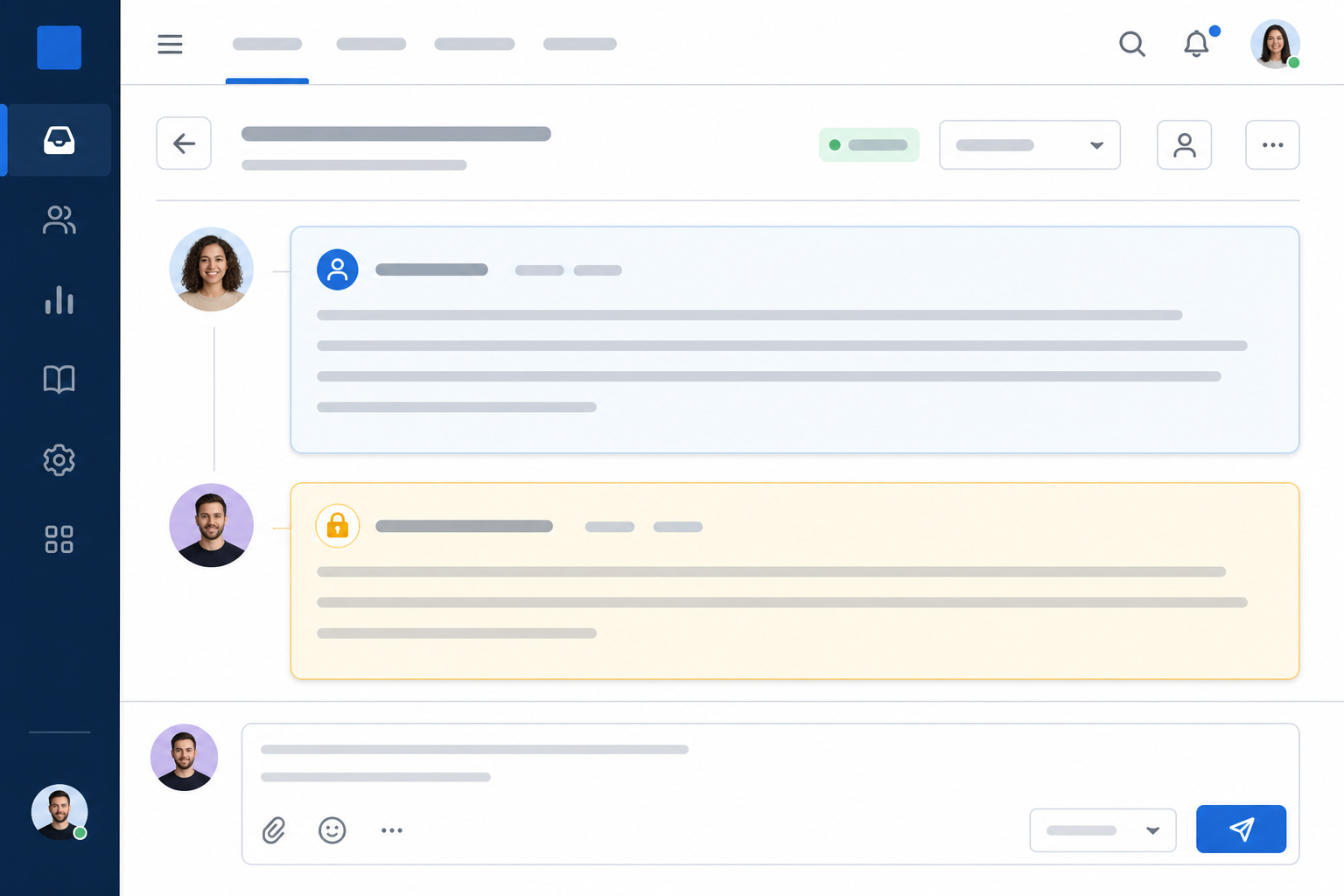
Exactly how this looks varies by platform. In Sonny, for instance, a note currently appears directly underneath the customer's message in the same ticket view, so anyone opening that ticket sees what the customer said, what the team discussed, and what happened next, in order. Other help desk tools handle the layout differently, some use a separate tab, some rely on colour-coding only, and some restrict notes to certain roles by default. It's worth checking your own software's documentation rather than assuming behaviour carries over between tools.
What Internal Notes Are (and Aren't)
It's worth being clear about what internal notes aren't, too. They're not the same as a canned response (that's pre-written text meant for the customer). They're not a tag or a label, though you might use both together. And they're definitely not a private CC on an email thread, which, let's be honest, is one slip away from becoming a very awkward reply-all.
Here's the important nuance on privacy: internal notes are designed not to be sent to customers, and in a well-configured help desk tool they won't be. But "designed not to" isn't the same as "impossible." Permissions get misconfigured, tickets get exported, integrations sync data in unexpected ways, and people occasionally hit the wrong button when they're rushing. Good software reduces that risk. Notes typically look visually different (a different background colour, a small icon, sometimes a lock symbol) and use a separate send button from public replies. But the real safeguard is a combination of the tool and your team's habits.
Before you roll internal notes out to the whole team, actually test them: send a note, send a reply, and confirm on a second account which one the "customer" sees. Then check who has access to the shared inbox itself. That five-minute test catches most of the risk before it becomes a real incident.
Internal Notes vs. Public Replies in Help Desk Software
Here's where the value of internal notes really shows up. A public reply is customer-facing: it goes out the moment you hit send, and tone, spelling, and accuracy all matter because the customer is reading it in real time. An internal note carries a different kind of pressure. It's not meant for the customer, so you can be direct and get straight to the point, but it's still worth writing it factually, since notes can occasionally be exported or reviewed.
Let me walk you through two scenarios that probably feel familiar if you've worked in a shared inbox before.
Scenario 1: Preventing Duplicate Replies to One Customer
It happens more than you'd think, especially during busy mornings: two agents open the same ticket at roughly the same time, and both start typing a reply. Without any visibility into what the other is doing, the customer can end up receiving two separate, slightly different answers to the same question.
Here's how to fix it, in order:
- Claim or assign the ticket to yourself the moment you start working on it. That's what actually stops the second reply from going out, not the internal note itself.
- Leave a quick internal note anyway: "I've got this one, assigning to myself."
- Check the assignee and existing notes before typing a reply on any ticket.
The note is backup communication; ticket assignment is the actual safety net.
Scenario 2: Catching a Mistake Before It Reaches the Customer
An agent is halfway through replying to a pricing question and about to hit send with outdated numbers. A teammate, who happens to notice the ticket, leaves an internal note first: "Careful, we changed the annual plan pricing last week; it's £15/month now, not £12." That note appears right there in the thread before the reply goes out. Correction made, no red-faced follow-up email required.
This is where internal notes genuinely shine: catching mistakes in context, in real time, before they reach a customer.
Here's a simple side-by-side to keep in your head:
| Public Reply | Internal Note | |
|---|---|---|
| Who sees it | The customer | Team members with access to the ticket |
| Tone required | Professional, polished | Concise and direct, but still factual |
| Purpose | Answer or update the customer | Coordinate, flag, or ask the team |
| Visual treatment | Standard message bubble | Distinct colour/icon (e.g. yellow background), not colour alone, ideally paired with a label or icon for accessibility |
| Ownership signal | N/A | Best paired with ticket assignment, not a substitute for it |
| Risk if used wrong | Sent instantly, hard to unsend | Not sent to customers when configured and used correctly; still sensitive internal data worth writing carefully |
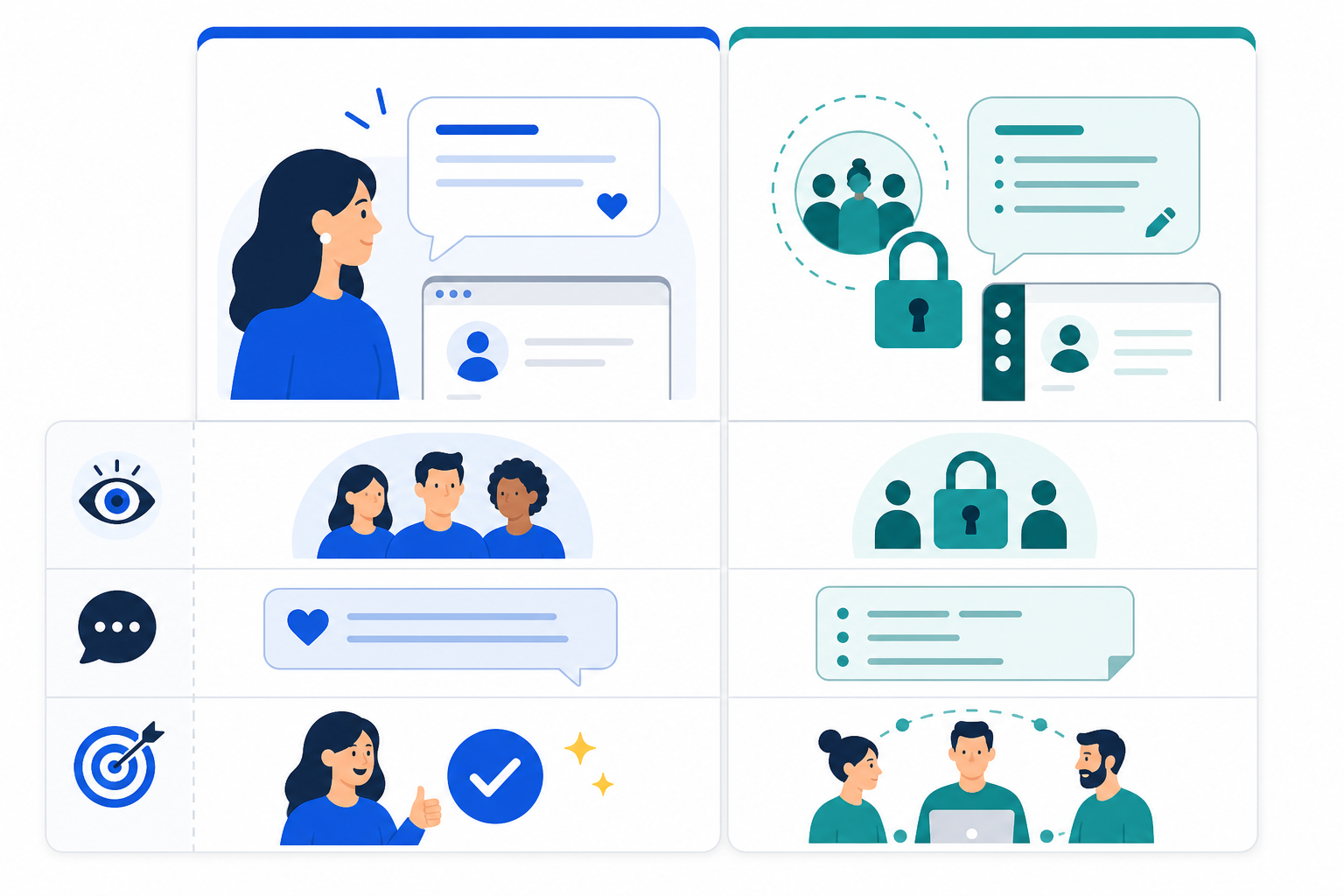
The visual cues matter more than people expect. When a note has a different background colour or a small lock icon next to it, your brain registers "this is different" before you've even read the content. Just don't rely on colour alone if your team includes anyone with colour vision differences. A label or icon alongside the colour makes the distinction clear for everyone.
Tagging Teammates in Internal Notes for Faster Answers
Internal notes get even more useful once you start tagging people directly. Many help desk tools let you @mention a teammate inside a note, which turns a static comment into an active nudge: they get a notification, and the question sits right there on the ticket waiting for them.
This is a common workflow, not a guaranteed one: whether the mention triggers a real-time notification, an email, or just a silent flag depends entirely on the platform, so it's worth checking how yours actually behaves. If your tool doesn't support @mentions at all, a clear naming convention in the note ("For Priya:") plus a quick separate ping still keeps most of the context in one place.
Here's how it typically plays out:
- A question comes in that you can't answer alone. Maybe it's a refund request that falls outside your normal policy, a technical bug that needs an engineer's eyes, or a message from a customer everyone recognises as a VIP account.
- You leave an internal note and tag the right person. Something like: "@Priya, customer's asking for a refund outside our 30-day window; they've been with us two years. Can we make an exception?"
- That person gets notified, where the tool supports it, and replies on the ticket. No opening Slack, no separate email chain, no "did you see my message?" three hours later.
- You reply to the customer once you've got the answer, and the whole exchange (question, internal answer, and final customer reply) lives in one place.
- Set a response-time expectation and a fallback for when it's missed. Something concrete works best: "Tagged notes get answered within one hour during work hours; if there's no reply after two hours, escalate to the team lead directly." Without a fallback, tagged tickets can sit quietly while everyone assumes someone else is on it.
A real example I've seen play out often: a support agent gets a billing question they're not authorised to resolve alone. Instead of pinging the founder on WhatsApp and hoping they check it, they tag them directly on the ticket inside the shared inbox. The founder sees it between other tasks, replies in a couple of minutes, and the customer gets an answer within the hour, instead of sitting in limbo for a day while messages bounce between five different apps.
This is really what good team collaboration in help desk software comes down to: everything relevant to a ticket stays attached to that ticket, which cuts down (though doesn't fully eliminate) the need to hunt through other platforms to reconstruct what happened.

Common Internal Note Mistakes to Avoid
Internal notes are simple in theory, but I've watched teams undercut their usefulness in a few predictable ways. A good habit that fixes most of these at once: structure your notes around context, action needed, owner, and deadline. It doesn't have to be formal. Even one line covering those four things beats a paragraph that covers none of them.
- Being too vague. A note that just says "handled" tells the next person nothing. Compare that to: "Refunded £45, customer confirmed via email, no further action needed." The second version actually does its job.
- Using notes as a dumping ground. If a ticket just accumulates a pile of half-thoughts and nobody ever resolves or properly tags it, notes become clutter instead of clarity.
- Not reading notes before replying. This one's ironic, because it recreates the exact duplicate-reply problem notes are meant to help prevent. Get in the habit of scanning existing notes, and checking who's assigned, before you type anything.
- Venting about a customer. It's tempting when someone's being difficult, but there's a real difference between "Customer is being impossible" and "Customer has contacted us three times today and is requesting an exception outside policy, recommend escalating to billing." The second is factual, useful, and fine if it's ever seen outside your team.
- Skipping notes entirely and relying on verbal handovers. This works fine right up until someone's on holiday, off sick, or simply forgets. Then the context disappears with them.
None of these are complicated fixes. Mostly it just takes a bit of team awareness and a shared understanding that notes are there to help future-you, not just present-you, and that concise doesn't have to mean careless.
How to Build an Internal Note-Taking Habit Across Your Team
Getting a team to use internal notes consistently isn't about fancy training. It's about small, repeatable habits.
- Set one simple rule: if you touch a ticket, leave a note before you step away. It doesn't need to be long. Even "Waiting on customer to confirm order number" saves the next person from starting from scratch.
- Use notes for shift handovers, especially if your team spans time zones. A note like "Customer's frustrated, third email today, please prioritise" does more good than any status meeting could.
- Use a lightweight, consistent format for recurring note types (escalation, refund flagged, waiting on customer, needs engineering), following the context/action/owner/deadline structure above.
- Review notes together occasionally. If you notice the same question popping up in notes repeatedly, that's often a sign you need a new canned response or an update to your help documentation.
- Check that pricing or seat limits aren't quietly excluding people. Some help desk software charges per seat, which can lead smaller teams to leave part-timers or occasional helpers out of the shared inbox to save money. That quietly limits how useful internal notes can be, since anyone left out can't read or leave them. Whatever pricing model your tool uses, it's worth checking whether everyone who needs ticket access actually has it.
The honest truth is that internal notes only work if the habit sticks. Model it yourself first, keep expectations realistic, and the payoff shows up fast, usually the first time a note catches a mistake before it reaches a customer.
Internal Notes Implementation Checklist
If you're rolling out internal notes for the first time, here's a short list to work through:
- Test note visibility directly: send a note and a reply, then confirm on a second account which one is customer-visible
- Confirm who has access to the shared inbox and check note permissions
- Agree on a simple note format for handovers and escalations (context / action needed / owner / deadline)
- Decide how tickets get assigned or claimed, separately from leaving a note
- Set a response-time expectation for tagged notes, with a named fallback if it's missed
- Do a trial week, then review together what worked and what felt clunky. Pick one metric, such as the number of duplicate replies, to check before and after
Internal Notes FAQ
What are internal notes in a help desk tool?
Internal notes are comments you add directly inside a support ticket that are meant to be seen only by your team, not the customer. In a shared inbox, they sit in the same thread as the customer conversation but are visually distinct, so you can leave context, ask questions, or flag issues without them going out as a public reply.
Can customers accidentally see internal notes?
No, not by design. Internal notes are built to stay separate from customer-facing replies, and well-designed help desk software uses a different colour, icon, and send button to make that separation obvious. What can go wrong isn't the note itself, but the surrounding system: misconfigured permissions, a ticket pulled into an export, an integration that syncs more data than expected, or someone hitting the wrong button in a rush.
That's why it's worth testing your specific setup (send a note, send a reply, and confirm which one a customer account actually sees) before you roll it out to the whole team.
How do internal notes speed up ticket resolution?
They cut down on the back-and-forth of Slack messages, separate emails, or shouting across the office. Instead, most of the context, what's been tried, what's still needed, and who's looking into what, lives on the ticket. Combined with clear ticket assignment, this means anyone who opens it, even someone covering for a sick colleague, can get up to speed quickly.
How do I get my team to use internal notes consistently?
Start small: make it a rule that no one hands over a ticket without leaving a note. Model it yourself first, keep notes short and specific but factual, and periodically review them together so the habit feels useful rather than like extra admin. Teams usually stick with it once they see an internal note catch a real mistake, such as an outdated price or a miscommunication, before it reaches a customer.
Related Articles

A SaaS Founder's Guide to Making Your First Support Hire
Thinking about handing over customer support? Learn when to make your first support hire, what to look for, and how the right help desk software lets

How to Set Up a Unified Inbox Across Multiple Brands
Learn how to bring multiple brands into one shared inbox while keeping chat widgets, email routing, reporting, and team access clear for every team.

Create content like this automatically
Scribe uses AI to generate high-quality blog posts that engage your audience and drive traffic.