How to Onboard New Support Agents in Minutes, Not Days: A Guide for Growing Startups

How to Onboard a Support Agent in an Hour: Team Collaboration Habits for Fast-Moving Startups
A new support agent can be ready to send a first, reviewed reply in about an hour, as long as you prepare a few things beforehand. You need the right access, current saved replies, a low-risk first conversation and a named buddy who can answer questions. With those in place, the hour covers a short tour, some shadowing, a few drafts and one supervised reply. You can skip the feature-by-feature training. A new agent needs the daily basics first, and the rest can wait until they've found their feet.
One hour won't make anyone fully independent, and I'll say so more than once. Expect around a week before they feel confident, with trickier cases still reviewed by a teammate. I'll walk you through the steps and give you a sample one-hour support agent onboarding plan you can copy. It's written for founders, heads of support and ops leads at growing startups who don't have time for a week of slides and screen-shares. ☕
Why Long Onboarding Slows Down Growing Support Teams
Picture a small e-commerce brand heading into a busy sales period. The founder hires a part-time agent to cover the extra emails and chats. Then comes three days of training: a tour of every menu, a long call about tools nobody will touch for months, and a pile of documents to read. By the time the new hire sends a first reply, the rush is over.
I've seen versions of this story many times. What hurts usually isn't the training itself but everything it knocks over around it.
The hidden cost of multi-day onboarding
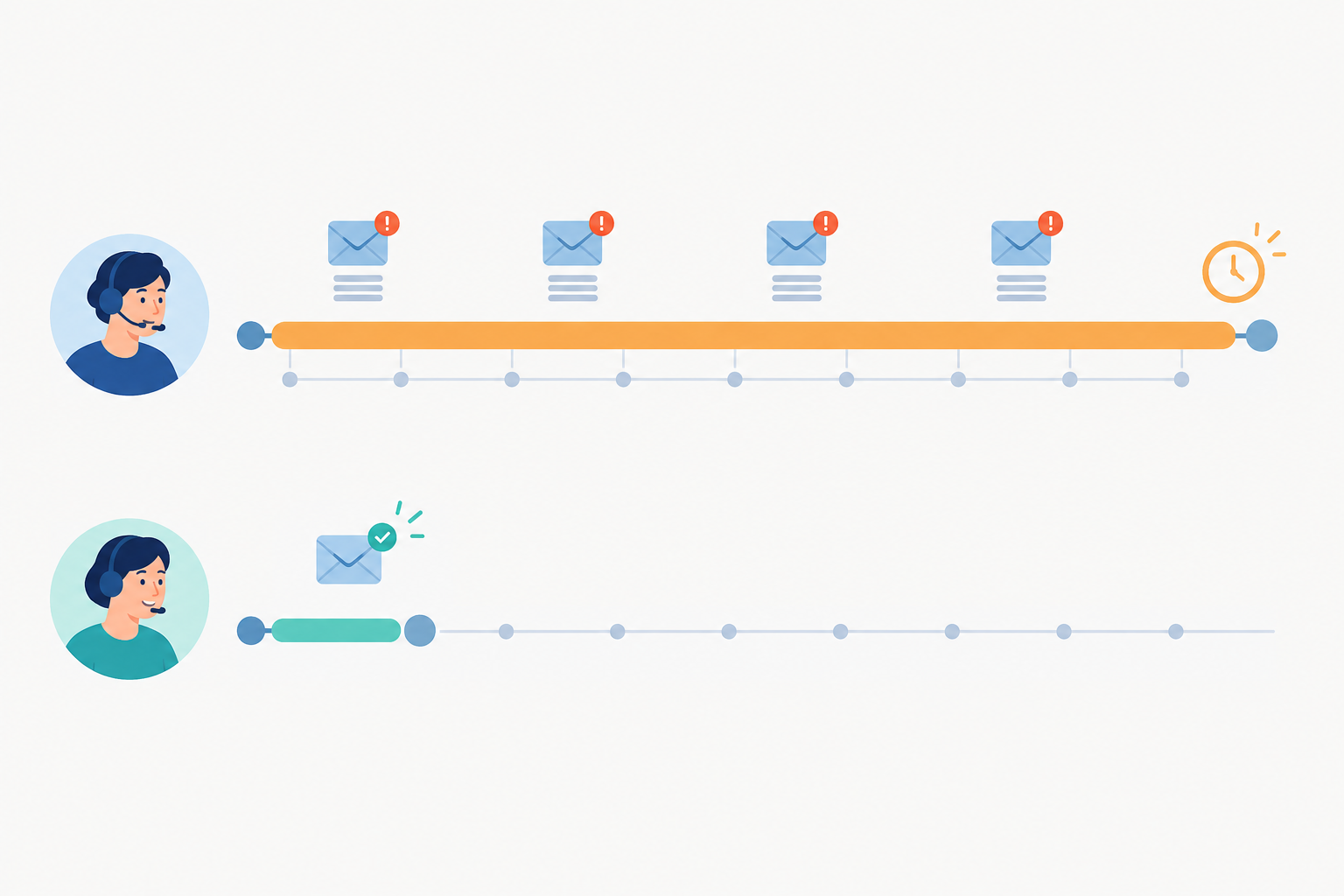
While someone is being trained, someone else is being pulled away from the inbox. That's usually the founder or your most experienced agent, the people customers most want to hear from when things get tricky. Response times creep up and customers wait. The team feels the strain just when you were trying to relieve it.
Loosely structured onboarding also leaves new agents leaning on colleagues for routine answers. Every 'where do I find...?' interrupts someone else's work, and that slows down team collaboration as you hire more people. A better approach is to put guidance, escalation rules and example replies inside the customer support software your agents already use. Then they can find answers without tapping a teammate on the shoulder.
Complexity is often the culprit
It's tempting to blame the new hire or the hiring timing, but complexity is often what drags things out. Two things tend to cause it:
- Per-seat pricing can make teams hesitate to add people. You think twice about a part-timer or seasonal helper when every login costs more.
- Feature-heavy help desk software can make training feel endless. If there are forty screens to learn, you'll be tempted to teach all forty.
Simpler customer support software usually means shorter training. That isn't a law of nature, but I see the pattern often.
Speed as a retention tool
Fast onboarding matters for more than efficiency. People who feel useful early tend to feel more settled, and customers get consistent answers sooner. I should be careful about what the evidence shows, though.
Research suggests onboarding quality matters in general. Gallup found that only 12% of employees strongly agree their organisation does a great job of onboarding new people (see the references at the end). Brandon Hall Group research, widely cited, links strong onboarding with better new-hire retention and productivity. Neither source tests a one-hour plan. Our argument is a practical hypothesis: a clear, well-prepared first hour is a good start, and you can judge it by whether your new agents feel confident and your team stays out of firefighting mode.
How long should it take to onboard a new support agent?
Roughly an hour to send a first supervised reply, and about a week to feel confident on everyday conversations. Reporting, automations and the tricky edge cases come later, and that's fine.
After one hour, an agent can safely handle simple, low-risk questions where a saved reply fits, such as order status, opening hours or a password reset, ideally reviewed by a buddy. Some things stay supervised: refunds beyond your standard policy, complaints, anything involving account security, legal or safety concerns, and anything they aren't sure about.
What Does a New Agent Actually Need to Know?
Do new agents need training on every feature? No, and trying to cover everything usually backfires. 🙂
A new agent who understands five things can help customers safely. Think of this as a rule of thumb rather than a precise formula: learn what you'll use every day first.
Day one essentials:
- Where conversations arrive. That's your live chat widget and email ticketing, ideally landing in one place.
- How to reply, including picking a saved reply and personalising it.
- How to add internal notes. This is how they'll ask questions and share context.
- How to tag, so conversations are easy to find later.
- How to assign or hand off anything they're not sure about.
Can wait until week two:
- Reporting on response times and team performance
- Advanced filters
- Automations
- Integrations
A single shared inbox is a big part of why this works. When live chat, email and team discussion all live in one view, there's one place to look rather than three tabs and a chat app. The learning curve shrinks because there's less to learn, and team collaboration happens right next to the customer conversations.
Tip: Write two lists and pin them somewhere visible, a 'day one only' list and a 'learn later' list. It stops everyone from feeling overwhelmed, including you.
Setting Up Roles and Permissions Quickly
Access shouldn't be the slow bit, but it should be deliberate. With straightforward customer support software, it takes a few minutes. Here's the order I'd follow.
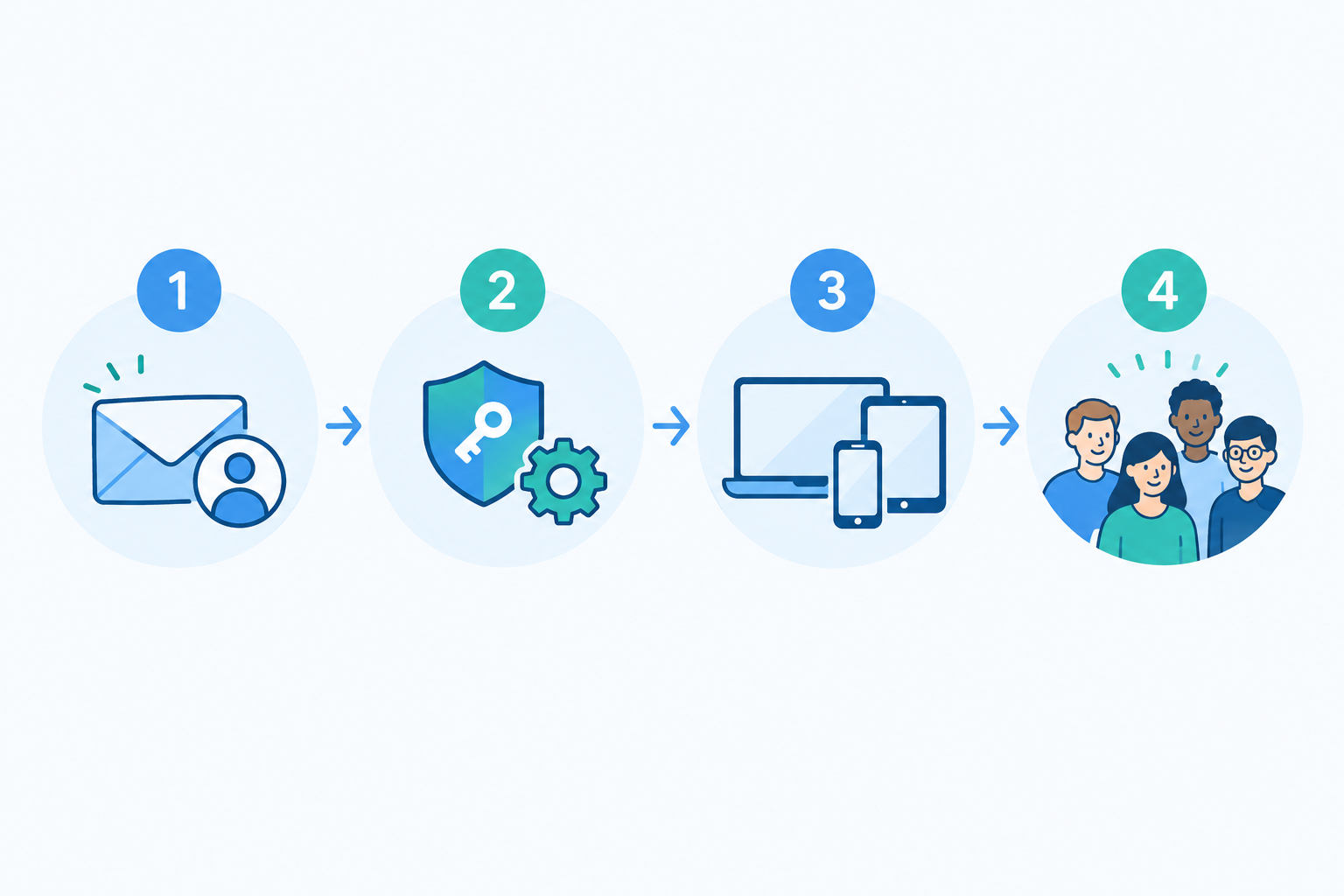
- Invite the new agent by email. They should be able to log in within a couple of minutes. If you're sending a request to IT and waiting a day, build that wait into your plan before the start date.
- Give them the minimum access they need on day one. For most new agents that means reading conversations, replying, adding notes, tagging and assigning. Keep administrative settings, billing, data exports and deletion rights with experienced team members. Review their access after a couple of weeks, once they've shown they're comfortable.
- Show them the browser view and any native apps. If your platform offers mobile apps, they can reply from wherever they are, which is handy for part-timers and anyone covering evenings or weekends.
- Introduce them to the team. Post a quick hello in your team channel, or leave an internal note. A welcome from real people makes a new starter feel part of things straight away.
If you pay per seat, it's worth asking whether that cost makes you hesitate to bring in a part-timer or seasonal helper. Flat-rate, unlimited-agent plans remove that question, though you should check the terms of whichever plan you choose.
Common permissions mistakes to avoid
- Giving everyone everything by default. Customer conversations contain personal data. Under UK GDPR, people should only see what they need for their role, so keep admin and export rights limited and remind new starters about confidentiality.
- Locking them out of the learning. The opposite problem is just as real. If a new agent can't read past conversations, they can't learn from them. Read access to conversations plus limited admin rights is a good balance.
- Forgetting notification preferences. Without them, new agents either miss messages or get flooded. Spend two minutes choosing what they should be alerted about.
Using Saved Replies to Shorten the Learning Curve
I think of saved replies as training wheels. A new agent who uses them is learning your tone, your policies and your phrasing at once, without anyone needing to explain it in a meeting.
Which saved replies should you create first?
You don't need a hundred. Start with the handful that cover most conversations:
- Greetings and sign-offs
- Shipping and delivery information
- Refund and returns policy
- Password resets
- Bug reports ('thanks, here's what we need from you')
- A 'we're looking into it' holding message
If your team has answered the same question three times, it deserves a saved reply.
Make saved replies sound human
The danger with templates is that they turn agents into robots. Write replies with a warm opening line and a place to add something specific. Then tell new agents plainly to treat them as a starting point and personalise: mention the customer's name, the product they bought, the thing they're actually worried about. Customers notice when a reply is generic.
Keep one source of truth
Saved replies go stale quickly. Policies change and links break. Decide who owns them (often one person, whether that's you or a senior agent) and review them regularly. A monthly check is plenty for most small teams. If everyone edits their own version, you lose consistency, which is exactly what you were trying to protect. Make sure the replies are current before onboarding day, because a new agent will trust them completely.
Optional: let AI help while confidence builds
Some tools offer an AI assistant trained on your own company docs, so agents can find answers faster mid-conversation. There's some interesting research here. A study of 5,179 support agents at a large software company found that an AI assistant lifted issues resolved per hour by 14% on average, and by 34% for novice and lower-skilled agents (Brynjolfsson, Li and Raymond, NBER Working Paper 31161, 2023). That study measured one specific AI assistant, not onboarding programmes or any particular vendor's copilot. It suggests that in-workflow guidance can help newer people most, but it doesn't prove any one product works. Treat AI as a colleague whispering a suggestion, not a replacement for judgement, and have agents check its answers against your policies.
Team Collaboration Habits That Make New Agents Productive Faster
Tools only get you so far. The team collaboration habits around them are what make a new agent feel supported. These are the ones I'd put in place.
- Ask questions in internal notes. New agents can ask right inside the conversation, so the person helping sees the full context. There's no interrupting someone in another app and no re-explaining the problem.
- Agree a simple tagging system. Five or six tags is plenty to begin with. It makes conversations easy to find and learn from, and it makes reporting more meaningful later.
- Practise handing off. Show them how to assign a tricky conversation to a teammate without losing context. Knowing there's a safe way to escalate makes people braver about trying.
- Name a buddy. Someone specific should be reachable during the new agent's first shifts, so nobody has to guess who to ask.
- Set a 'no silly questions' norm. Say it out loud. Then follow up with a friendly check-in at the end of day one: what felt clear, what felt confusing?
Here's a small example. A founder I know spotted a new hire's draft sitting in an internal note, a reply to a customer asking about a delayed order. She added a quick tip ('mention the tracking link, they love that') and the reply was out within minutes. The new agent learned something real, the customer got a better answer, and nobody had to book a meeting.
That's what good team collaboration looks like to me. Small, timely nudges beat long training sessions.
Shadowing Conversations Before Going Live
Shadowing beats slide decks because new agents see real customer questions and your team's tone in action. A deck can tell them you're friendly and fast. A conversation shows them.
The 15-minute shadowing session
You don't need anything elaborate. Ask your new agent to read through recent resolved conversations and the internal notes attached to them. They'll pick up common questions, how your team phrases things and where the judgement calls are. Point them at a mix: a couple of easy ones, a tricky one, and a frustrated customer who ended up happy. Remove or redact anything sensitive first if you can.
Optional: live shadowing
If you have time, have them watch incoming chats alongside a teammate before replying. Even ten minutes is useful. They'll see the rhythm of a live conversation, which is hard to explain any other way.
Watch, draft, then send
I like a gentle three-stage approach:
- Watch. Read and observe.
- Draft. Write replies in an internal note for a teammate to review.
- Send. Reply for real to a simple, low-risk conversation, with a buddy checking and nearby.
Give feedback kindly and quickly, right in the internal note. 'Lovely tone, maybe add the returns link' lands far better than a debrief a week later.
So what's the fastest way to get a new hire productive? Real conversations, saved replies and a buddy who's easy to reach. Everything else is a bonus.
A Sample One-Hour Support Agent Onboarding Checklist
Here's the whole thing in one place. Copy it into your own doc and tweak it.
Before you start (prerequisites):
- Access is ready, or can be set up in minutes
- Saved replies and policies are current
- A buddy is named and available for the whole hour and the first shifts
- You've picked a low-risk first conversation, such as an order-status question
If any of these aren't true, allow extra time. A rushed hour with stale policies does more harm than a relaxed two.
One-hour new agent checklist:
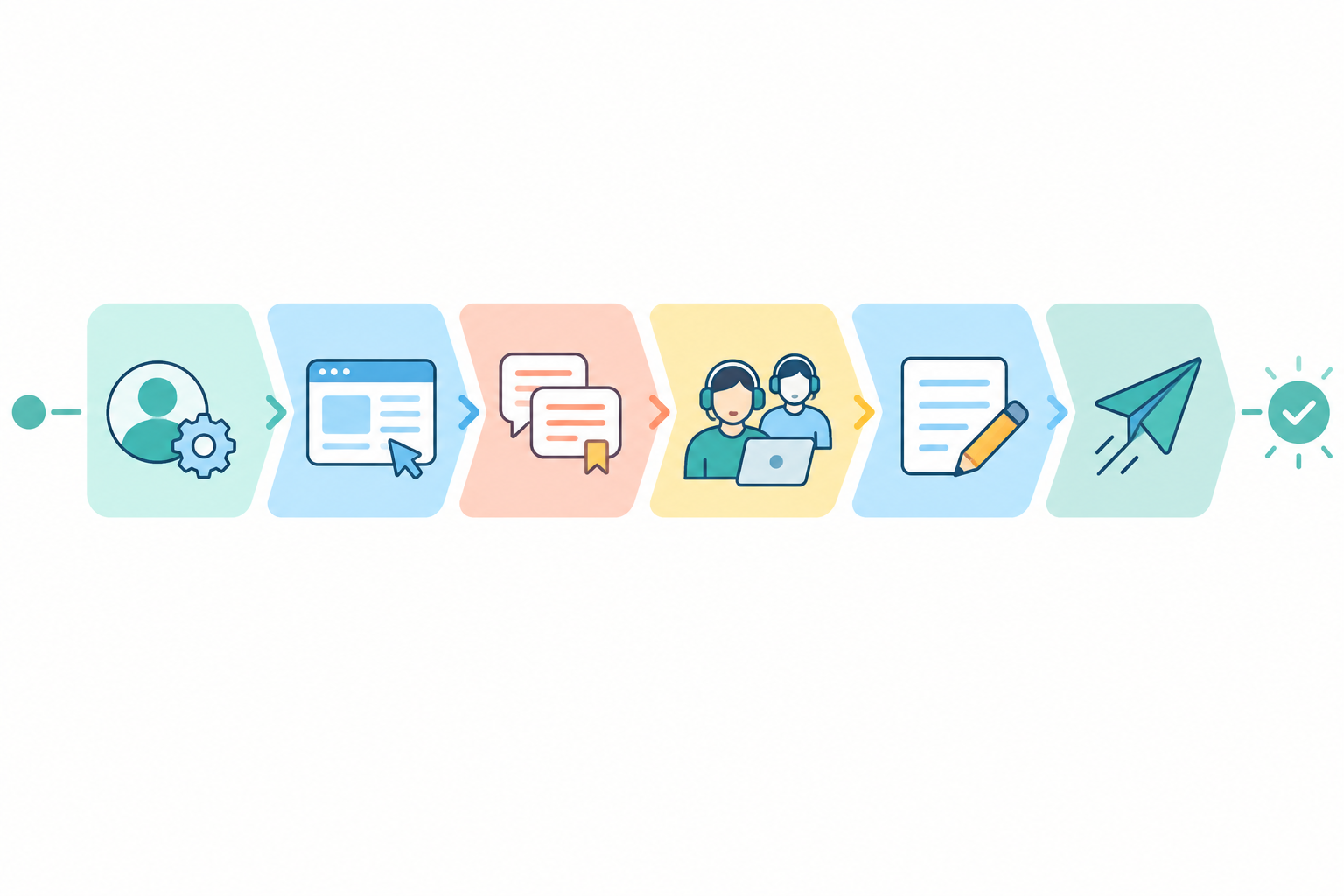
- 0-5 minutes, set up. Invite the agent, log in, and install any apps they'll use.
- 5-15 minutes, quick tour. Walk through the shared inbox, the live chat widget view and email ticketing. Essentials only.
- 15-25 minutes, saved replies and tone. Review your saved replies and your short company tone guide.
- 25-40 minutes, shadow. Read recent conversations and internal notes.
- 40-50 minutes, draft. Write three replies in internal notes for a teammate to review.
- 50-60 minutes, first supervised reply. Send one approved reply to a simple, low-risk conversation, then agree a day-one check-in.
You'll know it worked when the agent has sent one reviewed reply, knows where to ask for help, and can explain when they'd hand a conversation off.
Copyable version:
- Prerequisites ready (access, current replies, buddy, low-risk first case)
- Invited, logged in, app installed
- Notification preferences set
- Inbox tour done
- Saved replies and tone guide read
- Shadowed recent conversations
- Three drafts reviewed
- First supervised reply sent
- Day-one check-in booked
Week-one follow-up
At the end of the first week, take a quick look at basic reports. Check response times and team performance, and chat through what's going well. Decide which conversation types they can now handle alone and which still need a second pair of eyes. This is also a good moment to introduce one 'learn later' feature, like a filter or an automation, and to review their access.
Choosing Customer Support Software That Keeps Onboarding Simple
All of this gets easier if your tools are on your side. When you're picking customer support software, think less about feature lists and more about what a new agent will face on day one.
What to look for in customer support software
- A shared inbox with live chat and email in one place
- Internal notes and clear conversation ownership, so asking for help is easy
- Tagging that keeps things findable
- Mobile apps for replying on the go, if your team needs them
- Published uptime commitments, so new agents aren't going live on a shaky system
- Sensible permissions you can adjust as the team grows
One unified workspace also helps customers. Zendesk's CX Trends 2024 report found that 70% of consumers expect anyone they speak to to have the full context of their previous interactions, and a shared inbox makes that far more achievable.
My best tip is to test with a realistic exercise before you commit. Invite a new agent, assign a conversation, add an internal note, find an approved answer and hand the case off. If that takes more than a few minutes, you'll feel the friction every time you hire.
Comparing customer support software pricing models: questions to ask any vendor
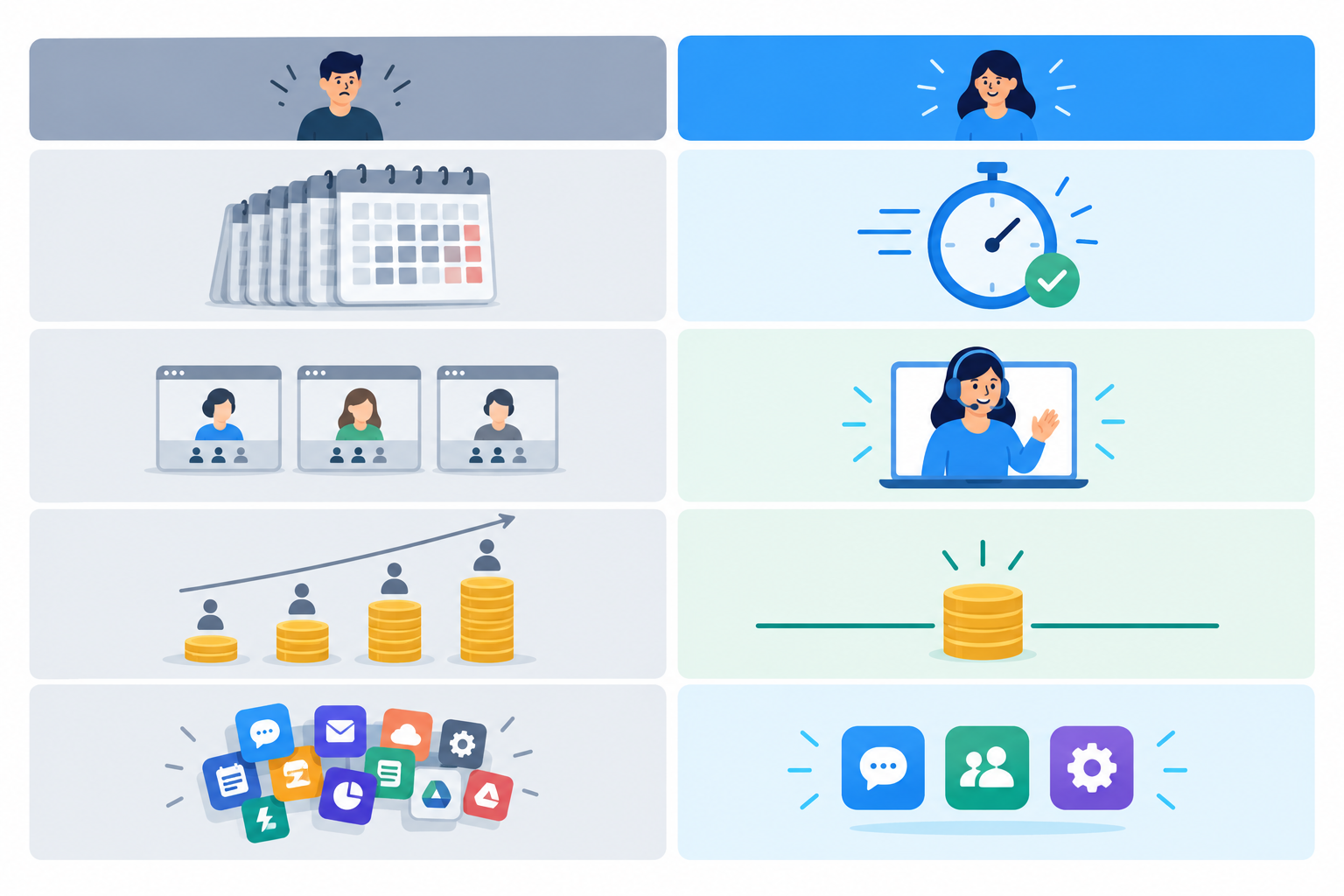
Plans vary a lot between providers, so rather than assuming what a category does, check each vendor's current terms:
| What to check | Per-seat pricing | Flat-rate, unlimited-agent pricing |
|---|---|---|
| Cost of adding an agent | Normally adds a charge per seat | Normally no extra per-agent charge |
| Setup time | Varies by vendor, so test it yourself | Varies by vendor, so test it yourself |
| Onboarding calls | Ask whether they're required or optional | Ask whether they're required or optional |
| Tools to learn | Ask how many modules or add-ons you'll need | Ask how many modules or add-ons you'll need |
For UK teams, also check whether quoted prices include VAT, which currency you're billed in, and what the current exchange rate means for your monthly cost. Many support tools price in US dollars.
One example: Sonny
In the interests of transparency, I work on Sonny, so treat this as one example rather than a recommendation for every team. Sonny brings live chat, email ticketing and team collaboration into a single shared inbox. At the time of writing it offers a flat monthly price with unlimited agents and conversations, a free trial with no credit card required, and a published 99.9% uptime SLA. Pricing, trial and SLA terms can change, so please check the current details on our pricing page before deciding. The onboarding advice in this guide works with any tool that gives you a shared inbox, internal notes and sensible permissions.
Your Next Step: Try the One-Hour Onboarding Plan Yourself
The best way to see whether this works is to try it. Pick whichever tool you already use, or start a free trial of one you're considering. Then run the checklist with a real new hire, or even an imaginary one (a friend, or a teammate who's never touched the inbox). See how far you get in sixty minutes, and note where you needed extra time.
Fast onboarding doesn't mean cutting corners. What you're really doing is helping someone feel capable, welcome and useful early, while keeping customers safe with a buddy and a clear escalation route. That's good for them, good for your customers, and honestly, good for you too. 💛
Frequently Asked Questions About Support Agent Onboarding
How long should it take to onboard a new support agent?
With simple customer support software and some preparation, an agent can be ready to send a first reviewed reply to a simple, low-risk conversation in about an hour. Expect around a week before they feel confident on everyday conversations, with trickier cases still supervised. Reporting and automations may take a few weeks.
What's the fastest way to get a new hire productive?
Combine three things: a bank of current saved replies, time reading or shadowing real conversations, and a named buddy reachable through internal notes. That gives them context, wording and support without long training sessions.
Do new agents need training on every feature?
No. Focus on the daily essentials: replying, internal notes, tagging and assigning conversations. Features like reporting, filters and automation can wait until they've handled a few dozen conversations.
Can part-time or seasonal agents be onboarded the same way?
Yes. A short checklist and saved replies work especially well for temporary help. If your plan charges per seat, check whether adding seasonal team members changes your costs. Flat-rate, unlimited-agent plans avoid that question.
Do new agents need a different level of access from the rest of the team?
Usually, yes, a slightly narrower one. Give them the minimum they need to read, reply, add notes, tag and hand off, and keep admin, billing and export rights with experienced team members. Review their access once they've shown they're comfortable.
Is there anything UK teams should check before onboarding?
Think about data protection first. Customer conversations contain personal data, so apply UK GDPR principles by limiting access to what each person needs. On the buying side, check whether prices include VAT and which currency you're billed in.
References
- Gallup, 'Why the Onboarding Experience Is Key for Retention': https://www.gallup.com/workplace/235121/why-onboarding-experience-key-retention.aspx. This is the source of the 12% figure. It shows onboarding quality matters generally, not that one hour is enough.
- Brynjolfsson, E., Li, D. and Raymond, L., 'Generative AI at Work', NBER Working Paper 31161 (2023): https://www.nber.org/papers/w31161. This measured an AI assistant in a large software company's support team, not onboarding programmes or any specific vendor's copilot.
- Brandon Hall Group onboarding research (2015), widely cited in HR sources. I haven't linked the original report, so treat the figures as indicative.
- Zendesk, CX Trends 2024 report. Search for the report title on Zendesk's website for the current version and the full context of the 70% figure.
Related Articles

Response Time Reporting: What to Track and Why It Matters
Not every response time number tells you something useful. Learn which metrics actually predict customer satisfaction, which are vanity numbers, and h

A SaaS Founder's Guide to Making Your First Support Hire
Thinking about handing over customer support? Learn when to make your first support hire, what to look for, and how the right help desk software lets

Create content like this automatically
Scribe uses AI to generate high-quality blog posts that engage your audience and drive traffic.