How to Sell Event Tickets Online Without High Platform Fees
Event Ticketing for Small Hosts in South Africa: How to Sell Tickets Online Without Steep Fees
You can often cut the cost of event ticketing by skipping the big marketplace and using an online store builder that handles tickets alongside everything else you sell. Set up one event page, cap your capacity, collect only the attendee details you need, and let automatic confirmations do the admin. You'll still pay payment processing (nobody escapes that), and a store builder has its own costs, whether that's a monthly plan or a per-sale fee. But it may remove the extra per-ticket marketplace layer. Whether that saves you money depends on your plan, your processing rates and how many events you run.
That's the short version. Here's the longer one, written for workshop hosts and small event organisers in South Africa who want to sell seats online without wrestling with software. 🎟️
Why Big Ticketing Platforms Hurt Small Hosts 💸
Picture this. You're running a pottery workshop in Stellenbosch with 40 seats at a modest R450 each. Bookings roll in, you feel great, and then you look at your payout. A noticeable slice has quietly vanished into fees. Nobody did anything sneaky. It's just how large ticketing platforms make their money.
How do event ticketing fees usually work?
Most big platforms stack up to three charges:
- A percentage of the ticket price as a service fee
- A fixed charge per ticket
- Payment processing, often another percentage (sometimes bundled in, sometimes listed separately)
The fixed per-ticket charge bites hardest on cheaper tickets. If you run low-priced community workshops, intro classes or evening meetups, you'll feel it most. A flat R7 on a R100 ticket is 7% before anything else is added. On a R700 ticket it's 1%.
I'm deliberately not quoting one platform's exact rates here. They change often and vary by event type, ticket price and who pays the fee. Look at each provider's current pricing page and plug the real numbers into the worked example below.
Should you pass ticketing fees on to attendees?
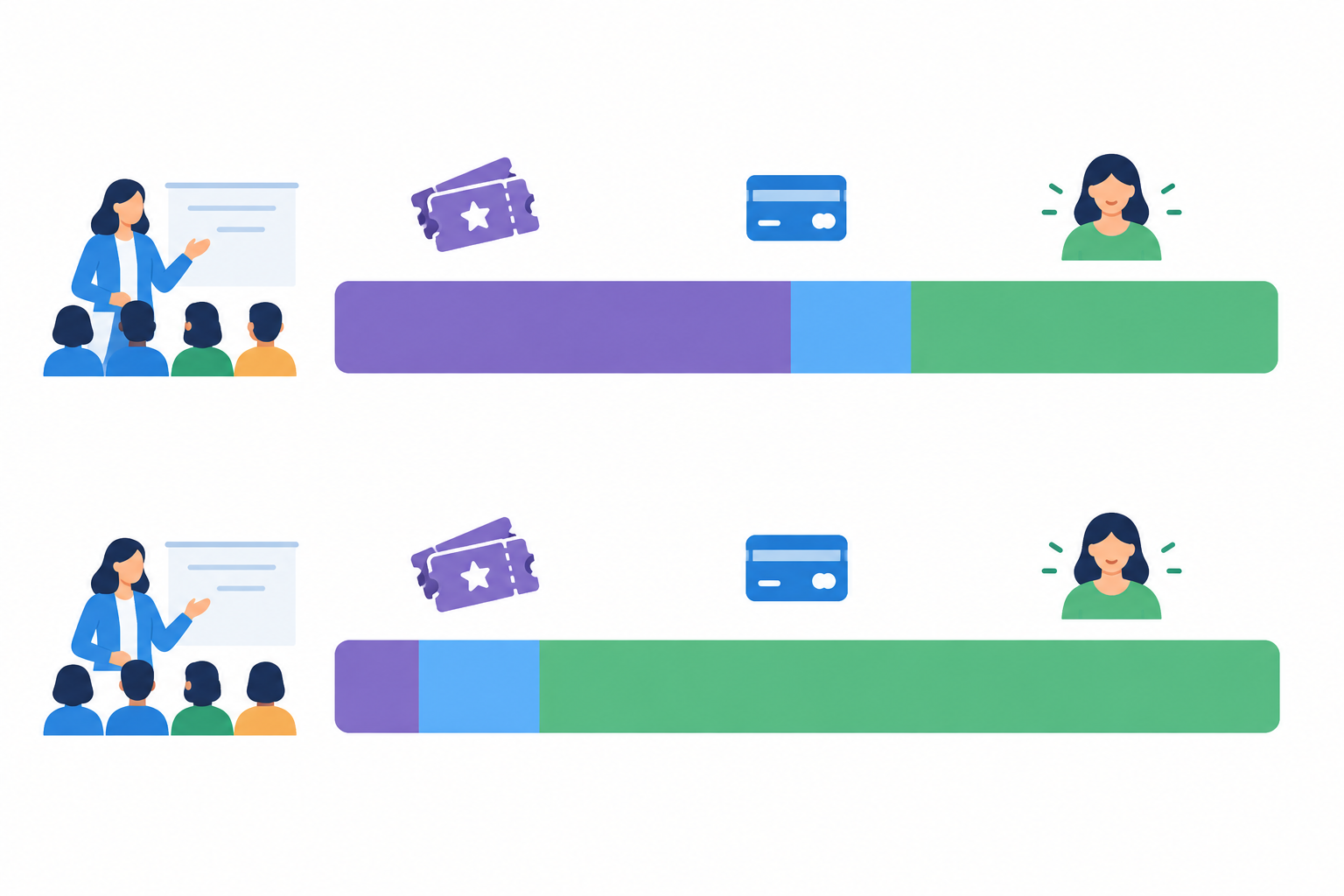
Many hosts pass fees on to buyers. It sounds fair, but a higher visible price can hurt conversions, and attendees often feel nickel-and-dimed at the final step. Baymard Institute's checkout research found that 40% of US online shoppers who abandoned an order (leaving aside those who were just browsing) cited extra costs like fees, tax or shipping. That's US ecommerce data, not South African or ticketing-specific, but the lesson carries over. Surprises at checkout cost you sales.
What other ticketing platform issues should small hosts check?
Fees aren't the only snag. Depending on the platform, small hosts can also run into:
- Delayed payouts, which hurt when you need to pay a venue deposit or buy materials up front
- Branding that promotes the marketplace more than it promotes you
- Limited attendee data access or export options, which make inviting people to your next event harder than it should be
Not every platform behaves this way, so check payout schedules and data export rights before you commit.
What Do Event Ticketing Platforms Usually Charge? A Quick Reality Check
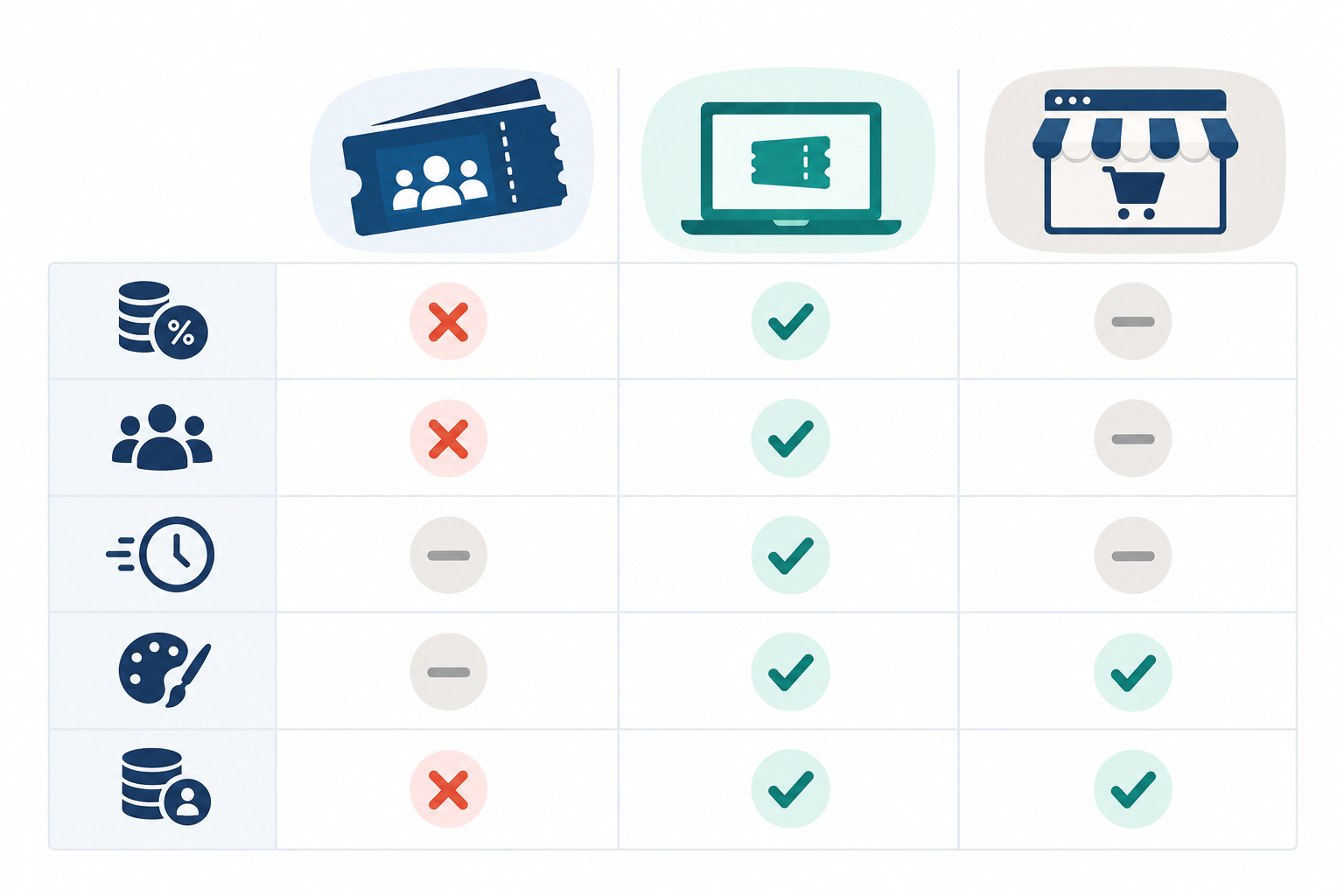
There are broadly three ways to sell tickets online. The table shows typical tendencies, not guarantees, and every column has exceptions.
| Model | Typical fee structure | Who usually pays | Payout timing (typical) | Branding (typical) | Attendee data (typical) |
|---|---|---|---|---|---|
| Marketplace-style ticketing | Percentage + per-ticket fee + processing | Organiser or buyer (often your choice) | Varies; some pay after the event | Platform-forward | Often limited, or export rules apply |
| Standalone ticketing tool | Often a per-ticket fee + processing from the payment provider | Organiser or buyer | Varies by provider | Mostly yours | Usually accessible, subject to the tool's terms |
| All-in-one store builder | Plan cost or per-sale fee + payment processing, usually no separate ticketing fee | Organiser (or built into the price) | Depends on the platform and your account status | Mostly yours | Usually accessible, but you're responsible for how you use it |
Before you compare: what South African hosts should check
I work with Shopstar, a South African ecommerce platform, so it's the example I know best. Whichever platform you're looking at, confirm three things first:
- Attendees can pay the way they're used to: by card, and with phone-based options like Apple Pay or a QR code scan
- Your money lands in your South African bank account, and you know how quickly
- You understand how VAT applies to your tickets. VAT is 15%. From 1 April 2026, registering with SARS is compulsory once your taxable supplies pass R2.3 million in 12 months, and you can register voluntarily from R120,000. If you're registered, build VAT into your ticket price
On Shopstar, payments are built in with Shopstar Go, so there's no separate payment gateway account to open. Attendees pay by card, Apple Pay (on compatible devices) or Scan to Pay, and payouts go to your South African bank account automatically every day.
How much could you save? A worked example for a 50-ticket workshop
Let's make this concrete. The marketplace and standalone figures below are hypothetical, in rand, and meant to show the shape of the maths, not to quote any provider's real rates. The store builder lines use Shopstar's standard published rates. Swap in current rates for anything else before you decide. The comparison excludes VAT and assumes every order is a single ticket, since some providers charge per order and others per ticket.
Imagine 50 tickets at R350, so R17,500 in gross sales.
- Marketplace-style (illustrative): 6% combined service and processing fees (R21 per ticket) plus a R7 per-ticket charge. That's R28 per ticket, or R1,400 in total. You take home R16,100.
- Standalone ticketing tool (illustrative): a R6 per-ticket fee plus 3% processing (R10.50 per ticket). That's R16.50 per ticket, or R825 in total. You take home R16,675.
- Store builder on Shopstar's Start Free plan: 6% all-in per sale (a 2.9% payment gateway fee plus a 3.1% Shopstar fee) and no monthly fee. That's R21 per ticket, or R1,050 in total. You take home R16,450.
- Store builder on Shopstar's Lower Fees plan: 2.9% per sale (R10.15 per ticket), or R507.50 in total, plus the plan's monthly fee. You take home R16,992.50 before that monthly fee.
So what does this show? In this made-up scenario, Start Free beats the marketplace by R350 on one workshop, because there's no per-ticket charge. The illustrative standalone tool is still R225 cheaper than Start Free for a single event. Lower Fees cuts per-sale costs to R507.50, R892.50 less than the marketplace, and pays off once your monthly sales are big enough for that saving to cover the monthly fee. If you run several events a month, or sell merchandise and digital products through the same store, the store builder looks better. If you run one small event a year, a standalone tool or a free ticketing tier may well win.
Also think about what you'd give up by leaving a big platform: event discovery, built-in refund handling and so on. Door check-in doesn't have to be on that list, because some store builders, Shopstar included, let you scan tickets at the door. Compare total costs, including plan fees, payment fees and VAT, for your own typical event.
Setting Up Your Event Page in Minutes ⏱️
This is the part people expect to be hard, and it usually isn't. The steps below apply to most store builders. I've used Shopstar as the example where I can speak from experience, but check current documentation for the exact features on your plan.
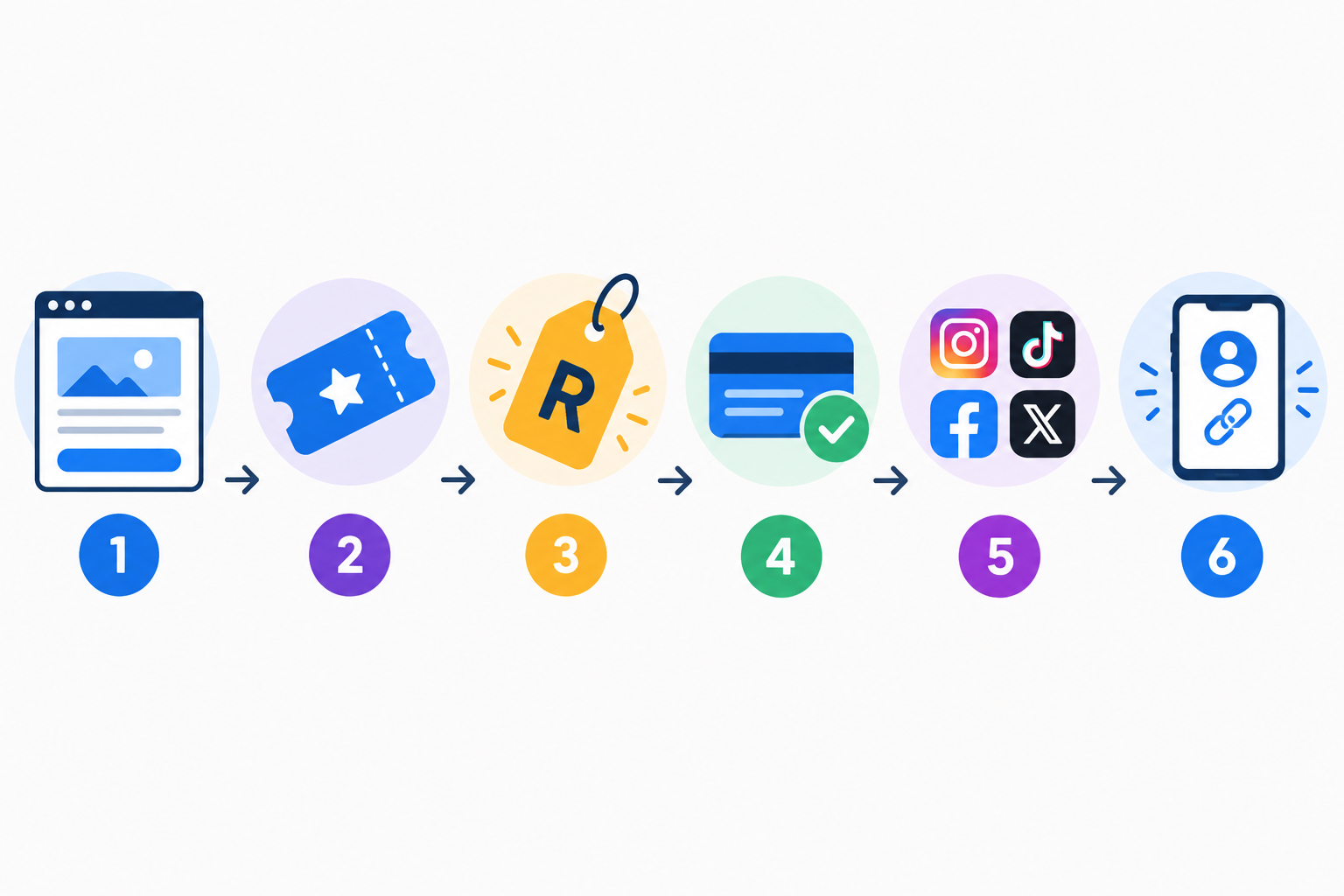
- Create your page. Use an online store builder to claim one. You don't need a full website or a developer. Shopstar gives you a shopstar.page address, and you can connect your own domain.
- Add your event as a ticketed product. Include the date, time, venue (or online link) and a short description that sells the experience, not just the logistics.
- Set your ticket types and prices. Early bird, standard and VIP are the classic set. Even two options can give people a reason to decide now.
- Upload a strong image and write a clear 'what you'll get' summary. Bullet points work well: materials included, take-home items, refreshments, parking, skill level.
- Switch on payments. Check the payout schedule, verification steps and payment methods. With Shopstar Go, payments are built in, so there's no gateway account to set up, and once you're verified, payouts arrive in your bank account automatically every day.
- Share your link in bio. Drop it on Instagram, TikTok and your WhatsApp Status so followers can buy in a couple of taps.
Why does a single event page help?
An all-in-one approach pays off when you sell more than seats. One page with one checkout means you can sell tickets next to your merch, digital downloads or a membership. Running a curry cooking class in Durban? Sell the seats, a recipe ebook and an apron together, and let people pay once.
In my experience, non-technical hosts can go from idea to live page in a single sitting. Often it's one afternoon, one coffee and a phone full of photos. If you get stuck, ask whichever provider you choose what onboarding support they offer. It matters more than people think when you're launching something with a date attached.
Managing Capacity and Sold-Out Events 🎟️
Capping tickets isn't a mere technicality. It protects your venue limits, your workshop quality and, frankly, your attendees' safety. Nobody learns watercolours well in a room built for 15 with 25 people in it.
Can you limit the number of tickets sold?
Yes, and here's how I'd handle capacity:
- Set a quantity for each ticket type. If you have 30 seats, you might allocate 10 early bird, 15 standard and 5 VIP, so one category can't swallow places meant for another. Check the exact capacity options in your dashboard before publishing.
- Keep one source of truth. If you sell through more than one channel (say, your page and a friend's website), make sure quantities stay in sync, or both can sell the last seat.
- Use scarcity honestly. 'Only 5 spots left' works brilliantly when it's true. Never invent urgency. Attendees notice, and trust is hard to win back.
- Make 'sold out' obvious. Don't let people pay for something that's gone.
- Release tickets in batches. Say your first 20 seats sell out in a weekend. Open a second batch of 10 for the following week, or announce a second date to your waiting audience.
- Capture demand you can't serve. A simple waitlist (even an email address or a 'WhatsApp me' link) lets you tell people when you add seats or tickets are returned. Be clear that joining isn't a guaranteed ticket, and say why you're collecting their details.
Collecting Attendee Information at Checkout 📝
Here's my golden rule: ask for what you genuinely need, then stop. Name and email are almost always essential. A cellphone number helps for last-minute changes. Everything else should earn its place.
Baymard Institute reports an average cart abandonment rate of about 70% across online shopping. Again, that's a broad ecommerce figure, not a ticketing one, but it shows that every extra field is friction.
What attendee details should you collect?
Ask targeted questions that match your event:
- Cooking class: allergies and dietary requirements
- Photography workshop: camera type or experience level
- Movement or fitness session: any injuries or accessibility needs
- School-holiday kids' workshop: the child's age and an emergency contact
Make optional questions visibly optional, and use dropdowns or checkboxes where you can.
Data protection basics for South African event hosts
If you're collecting personal information from attendees, the Protection of Personal Information Act (POPIA) applies, and the Information Regulator enforces it. POPIA also has specific rules for direct marketing by email, SMS and phone. A few habits keep you on the right side of it:
- Tell people why you're collecting each piece of information and how you'll use it
- Link to a simple privacy notice
- Keep ticket purchase separate from marketing opt-in, so nobody has to agree to promotional emails just to buy a seat
- Avoid forcing account creation if you can. 18% of the US shoppers in Baymard's survey who abandoned an order cited it as a reason
Be extra careful with health information. Allergies, injuries, disabilities and similar details can count as 'special personal information' under POPIA, which comes with stricter conditions. Only ask if you genuinely need the answer to run the event safely. Restrict the responses to the people who need them, don't hold on to them longer than necessary, and delete them after the event. The Information Regulator's POPIA guidance explains the rules, and it's worth getting proper advice if you're unsure how they apply to you.
Why does attendee data access matter?
This is the real benefit of selling through your own page: you typically have direct access to your attendee list. You can invite last month's guests to next month's session, offer a loyalty price, or launch a membership for your regulars, as long as they've agreed to hear from you. On some marketplaces, that relationship is shared with the platform or harder to export. Whichever tool you use, check its data export options and terms.
Sending Tickets and Reminders Automatically 📩
After someone pays, they expect an email confirmation with their order and event details, ideally within seconds. That one message heads off a flood of 'did my payment go through?' emails. Test the whole journey yourself before launch. Buy a ticket on your phone and see what lands in your inbox.
How do attendees receive their tickets?
A good confirmation includes the event name, date and time, venue or access link, an order reference and a clear way to contact you. Depending on the provider, it may also include a QR code or a downloadable ticket (on Shopstar, each ticket's QR code arrives in the confirmation email). If you plan to scan tickets at the door, test that check-in process before the event.
What is a useful event reminder schedule?
I like a simple three-step pattern:
- One week before: a friendly 'looking forward to seeing you' with the essentials
- One day before: final logistics, including start time and any last-minute changes
- Day of: parking, directions (a dropped location pin helps), what to bring and who to call if someone's running late
What should event hosts handle manually?
Some things are worth doing by hand. A personal welcome email goes a long way, and so does a WhatsApp group invite so attendees can chat before the day. If the venue changes or the schedule shifts, message ticket holders promptly and keep your event page up to date.
Keep essential event messages separate from promotional newsletters. Confirmations and updates are one thing, but promotions need appropriate consent under POPIA. Automated reminders and attendee-list tools vary by platform and plan, so confirm what yours offers before you publish.
Selling Tickets for Recurring Workshops and Series 🔁
Not every event is a one-off. If you run something monthly or weekly, you have a few good options:
- Option 1: List each session as its own ticket. Attendees pick the date that suits them, which works well for drop-in classes.
- Option 2: Sell a bundle or multi-session pass. This suits course-style workshops where people commit to the full series, such as a six-week beginners' course.
- Option 3: Pair tickets with a membership or subscription. Regulars get a better deal, and you get more predictable income. A membership can also hold extras like recordings or resources.
For one-to-one or very small group sessions, a booking system where clients choose appointment slots often suits better than traditional event ticketing. Some store builders, Shopstar included, support both.
A few pricing tips for series:
- Offer a modest loyalty discount for people who book the whole series
- Use early bird pricing to fill your first session, and time the deadline for just after payday around the 25th
- Keep your pass simple enough to explain in one sentence
How to Compare Event Ticketing Options: A Neutral Checklist ✅
Whichever route you take, ask every provider these questions:
- What are the total fees for my typical event, including plan cost, per-ticket charges and processing?
- Does it pay out in rand to a South African bank account? How quickly?
- Who pays the fee, and can I pass it on or absorb it?
- Can I export my attendee list, and what are the terms around using it?
- How are refunds handled, and who bears the fee on a refund?
- What confirmation and reminder features are included on my plan?
- Is there ticket scanning or check-in, if I need it?
On refunds, publish a clear policy and show it before people pay. The 7-day cooling-off right in the Electronic Communications and Transactions Act (ECTA) generally excludes leisure and events services booked for a specific date, but the Consumer Protection Act (CPA) still applies, so check the rules for your situation.
Your Next Step: Keep More of What You Earn
Selling tickets doesn't have to mean handing over a chunk of every sale. A simple page, sensible capacity limits, a short checkout form and automatic confirmations cover most of what a small host needs. Run your own numbers first, though. The cheapest option is the one that works out cheapest for your events.
Before you go live, run through this quick checklist:
- ✅ Event page is live, with a clear image and description
- ✅ Ticket types, prices and limits are set
- ✅ Checkout questions are chosen (only what you need)
- ✅ Payments are switched on and you've made a test purchase
- ✅ Your link is shared in your bio and on WhatsApp
If you'd like to try the store-builder route, Shopstar puts event ticketing, bookings, digital downloads and memberships on one page, with payments built in and automatic daily payouts to your South African bank account. You can start on Start Free with no monthly fee and switch to Lower Fees once your ticket sales grow.
FAQ: Event Ticketing for Small Hosts
How much do ticketing platforms usually charge?
Most dedicated ticketing platforms charge a percentage of each ticket price plus a fixed fee per ticket, and payment processing is sometimes added on top. Exact rates vary by provider, event size and ticket price, so check each platform's current pricing page and run the numbers for a typical event.
Can I limit the number of tickets sold?
Yes. Capping capacity is a standard part of selling tickets online, and you should be able to set a quantity for each ticket type so you never oversell your venue or workshop. Check your platform's setup options to confirm exactly how it works.
How do attendees receive their tickets?
After checkout, attendees normally get an email confirmation with their order and event details. It's a good idea to follow up with a reminder that includes location, timing and anything they need to bring.
Can I sell tickets for a recurring workshop?
Yes. You can list each session as a separate ticket, sell a multi-session pass, or combine tickets with a membership for regular attendees. The best option depends on whether people book date by date or commit to a full series.
Do I need a full website to sell event tickets?
No. With an online store builder that works as a link in bio page, you can publish a single page, add your event, and start taking payments without building or maintaining a full website.
Related Articles

How to Price Your Digital Downloads for Maximum Sales
Learn how to price digital downloads in rand, with practical South African examples, competitor research, pricing psychology, bundles and simple tests to find a price that works.

Link in Bio vs Full Website: Which Fits Your Business?
Not sure whether a link-in-bio store or a full website suits your South African business? Compare setup time, rand costs, credibility and room to grow to find the right fit for where you are now.

Create content like this automatically
Scribe uses AI to generate high-quality blog posts that engage your audience and drive traffic.