White-Label Status Pages: A Guide to Branding Uptime for Your Clients

Yes, you can give each client a white-label status page that carries their logo, colours and domain instead of yours, while you manage every monitor from one dashboard. A branded public status page reassures clients during incidents, cuts the "is the site down?" emails, and gives you a service you can package and charge for. In this guide, I'll walk through why clients expect one, how to set it up, and how to price it.
One honest note before we start: branding options, custom-domain support and the number of status pages can vary by plan. I'll flag where you should check the current Moonitor pricing page and docs, so you don't promise a client something the plan doesn't cover.
Why clients expect a white-label status page (and what happens without one)
Picture 9:15 on a Monday morning. You're halfway through your tea when three emails land: "Is the site down?", "Checkout seems slow, can you look?", and a missed call from a client who has a promotion going out at 10. The site is slow, you already know, and you're already on it. But now you're spending precious minutes replying to people instead of fixing the problem.
That's what happens when clients have no single place to look. A public status page is that place: a simple page showing whether a service is up, what's affected, and what's being done about it. A white-label status page goes one step further. Instead of a generic page with someone else's branding, the client's logo, colours and (ideally) web address are front and centre. To the client's customers, it looks like part of the client's own service. To the client, it looks like you've thought about their reputation.
Why transparency on a public status page builds trust
People don't mind that things occasionally break. What they mind is silence. Atlassian's Statuspage documentation describes a public status page as a self-service way for customers to check current incidents, availability and past updates. Without one, they end up contacting support or hunting through social media to find out whether a problem is widespread.
Big names do this routinely. Slack, GitHub and Cloudflare all run public status pages at recognisable addresses (status.slack.com, githubstatus.com, cloudflarestatus.com). Those are the companies' own pages rather than white-label examples, but they show what customers have come to expect: a calm, dedicated place to check. Your clients' customers are used to it too.
Who feels downtime most sharply?
Not every client reacts to an outage the same way. A brochure site that's down for ten minutes is an irritation. A client with an API, a booking system or an e-commerce checkout feels it in lost revenue and lost goodwill. Uptime Institute's 2024 outage analysis found that 54% of respondents said their most recent significant outage cost more than $100,000, and 16% said more than $1 million. Those are mostly large operators, so your clients' numbers will be smaller. The instinct is the same, though: when something breaks, they want to know quickly.
There's a wider customer-experience angle too. Salesforce's State of the Connected Customer report found that 80% of surveyed customers said the experience a company provides is as important as its products and services. That isn't a statistic about status pages specifically, but it helps explain why clear communication during an incident matters nearly as much as the fix.
The practical upside for you is that a status page cuts the inbound "is it down?" emails and calls. Clients check the page first, and you get back to fixing things.
What should a client-facing public status page show?
A status page isn't just a green tick. Branding alone won't do it; Google's SRE guidance on incident communication stresses clear, timely updates that say what's affected and what the impact is. Here's what I'd put on a client's page.
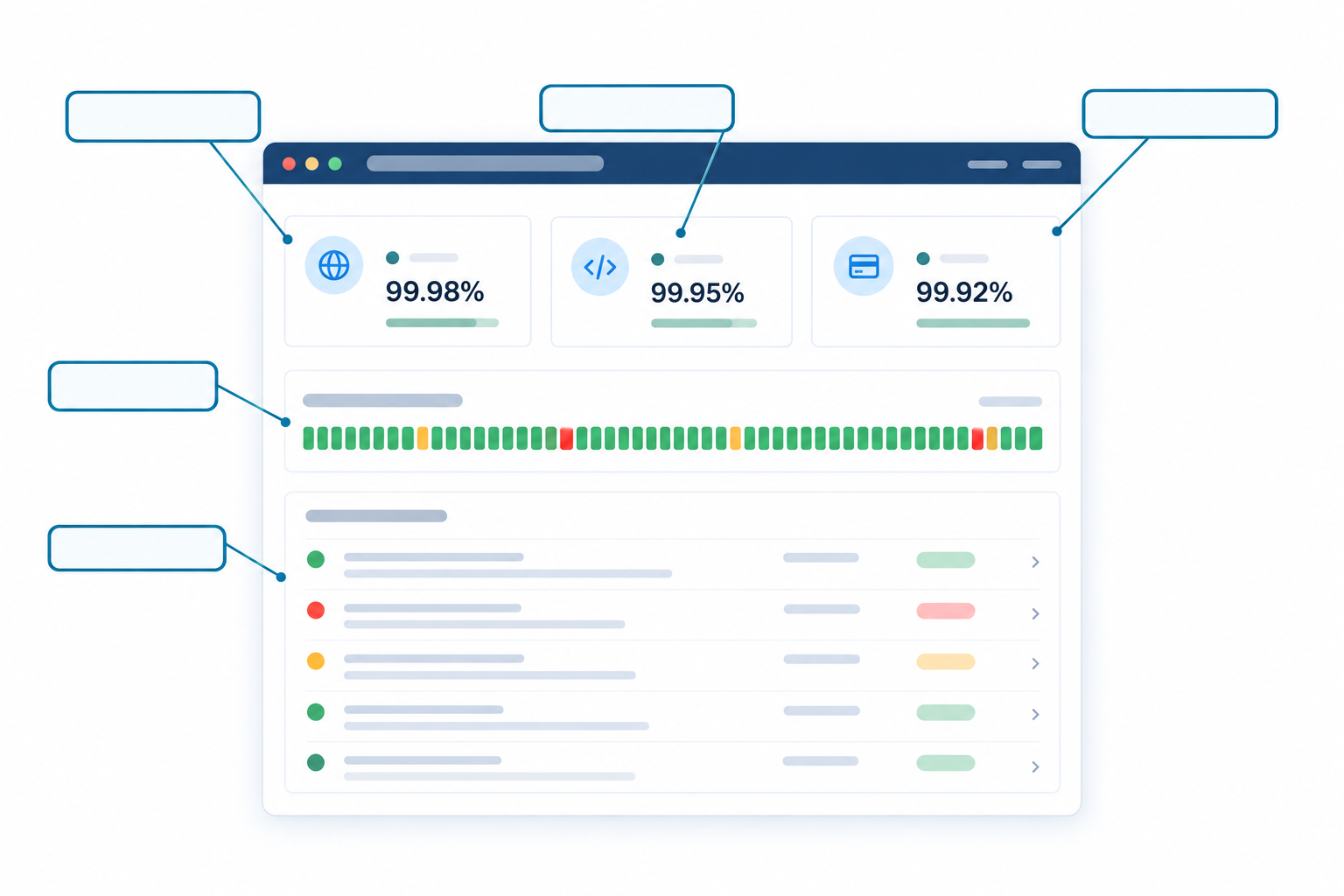
- Current status at a glance: one clear indicator each for the website, API, checkout or whichever components the client actually cares about.
- Incident history: clients can see that problems are handled openly and quickly. A page with a few well-handled incidents is more reassuring than one that looks suspiciously perfect.
- Response-time analytics and uptime percentages: these give SLA conversations real numbers instead of gut feeling.
- Monitors grouped by what the client cares about: "Online shop", "Customer portal" and "Booking API" mean something to a business owner. "Port 443 check" does not.
What to show publicly and what to keep internal
Moonitor has eight monitor types, and not all of them belong on a public page. My rule of thumb:
- Worth showing publicly: HTTP/S website monitoring, API monitoring, and ping or port checks for services customers actually depend on.
- Better kept internal: cron job and heartbeat monitoring, DNS change detection, and SSL and domain expiry checks. These still send incident alerts to your team, but they're housekeeping. Nobody's customer needs to see that a nightly backup job ran late or a certificate has 20 days left.
That last point matters. If your team gets alerted to an expiring certificate and fixes it quietly, the client never needed to worry. That's monitoring working the way it should.
Why false alarms hurt more on a public status page
An internal false alarm is annoying. A false alarm on a page with the client's logo on it is embarrassing. That's why multi-region failure verification matters here. Moonitor confirms a failure from more than one location before it counts as an outage, so a blip on one network route doesn't turn your client's page red. Trust is easy to lose and slow to rebuild.
How to set up a white-label status page for a client
The whole process is quicker than most people expect. Moonitor monitors take under a minute to set up, and a typical client can be fully wired up in an afternoon. Interface labels may change over time, so treat the names below as a guide and check the current docs as you go.
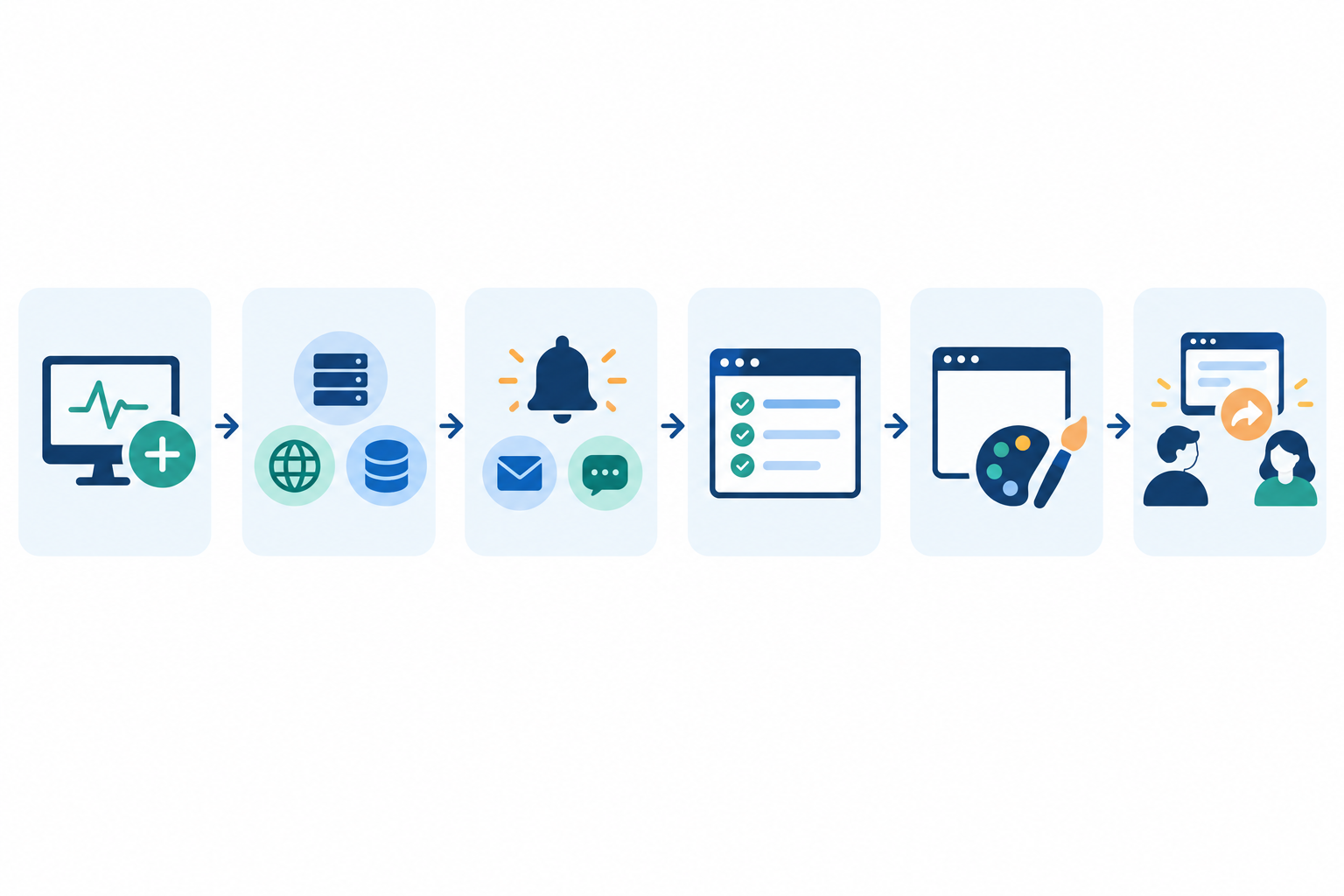
- Add the client's monitors. Start with the website, then add the API, any servers and scheduled jobs. One dashboard holds all of it, across every client.
- Choose the right monitor types. Use HTTP/S and keyword checks for sites (keyword checks catch the "page loads but shows an error" problem), API monitoring for endpoints, port and ping checks for servers, and heartbeat monitoring for cron jobs. Add SSL certificate monitoring and domain expiry while you're there.
- Set up incident alerting. Route alerts to email, Slack, Discord, Telegram or webhooks so your team hears about problems before the client does. Nothing else makes you look as proactive.
- Create the public status page. Pick which monitors appear on it, and name and group them in the client's language, not yours.
- Apply the client's branding. Add the logo, colours, page title and descriptive text. More on this in the next section.
- Review it with the client, then share the link. Walk them through it, ask what they'd like changed, then add the link to their support pages, onboarding emails and footer.
Before you share anything, test the whole flow. Check the page on desktop and mobile, and make sure the component names make sense to someone who's never seen your dashboard.
A quick tip on naming monitors across multiple clients
This is the bit people skip, then regret around client number fifteen. Pick a naming convention on day one, such as ClientName | Site | Production or ClientName | API | Orders. Searching, filtering and reading Slack alerts gets far easier, and a new team member can see at a glance what's what. Do it from the start, because renaming 200 monitors later is nobody's idea of fun.
Custom domains and branding options for a white-label status page
There's a big difference between a page at some-third-party-tool.com/your-client and one at status.clientdomain.co.uk. The second looks credible, is easy to remember, and tells customers they're in the right place. Companies like Slack, OpenAI and Stripe use their own domains for their status pages (status.slack.com and status.stripe.com, for example), and your clients can do the same.
How do you set a custom domain for a status page?
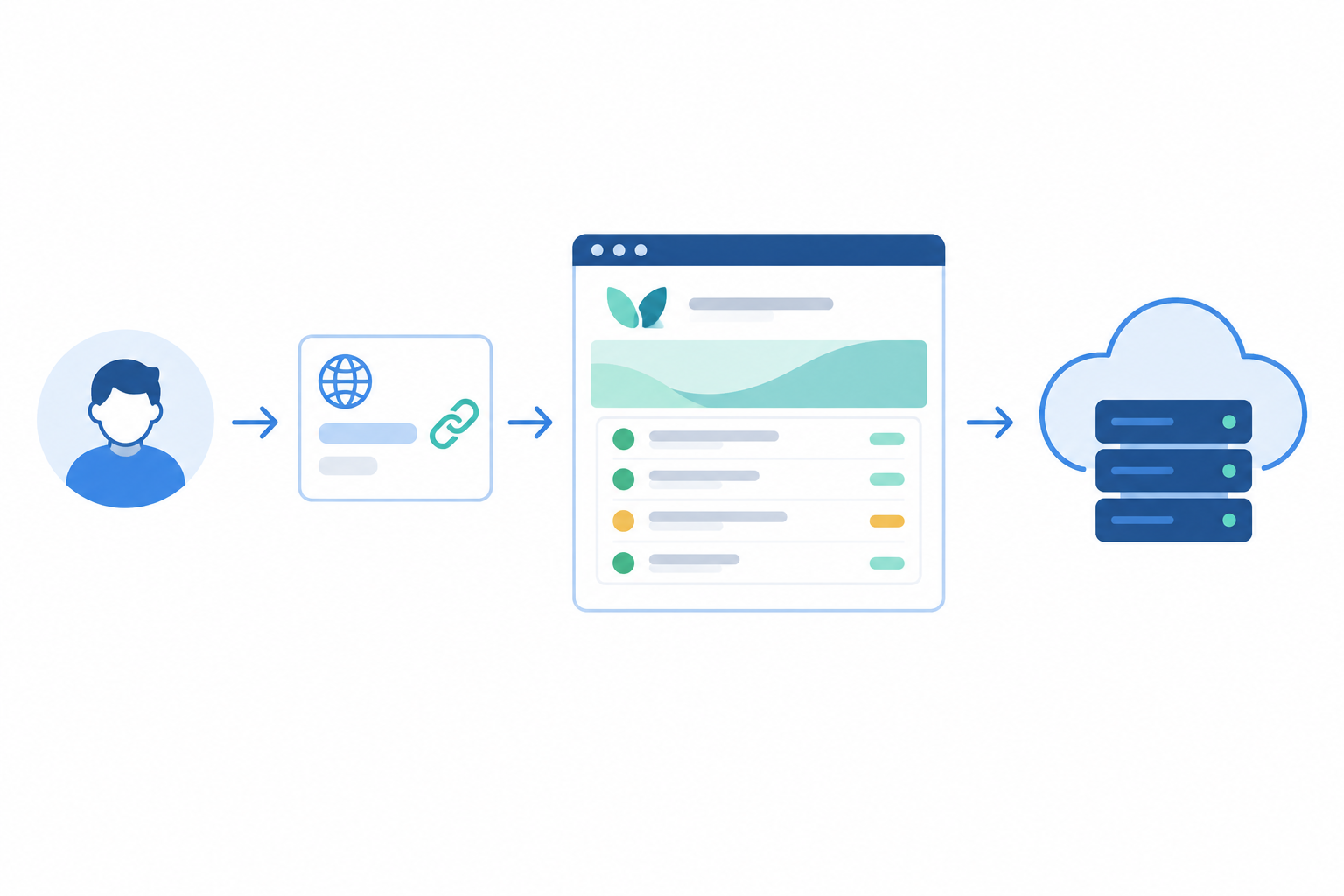
The idea is simple. Your client owns clientdomain.co.uk. You want a subdomain, status, to show your hosted page. To make that happen, somebody adds a CNAME record at the client's domain provider. A CNAME is just a signpost that says, "when someone asks for status.clientdomain.co.uk, send them to this address instead".
In practice:
- Choose the subdomain, usually
status. - Get the target address from your status page settings in Moonitor.
- Ask the client, or whoever manages their DNS, to add a CNAME record with that value.
- Wait for it to take effect (DNS changes can take a little while to propagate), then verify.
- Test the page over HTTPS before you announce it.
A subdomain is generally much simpler than using the bare domain, which is one reason status. is the standard choice. Moonitor's documentation will have the precise record details, so use those rather than my general description.
Let your monitoring watch the status page itself
Here's a neat bit of self-care. Once the custom domain is live, you can use the same platform to look after it.
DNS monitoring catches unexpected record changes on the custom domain. If someone edits the CNAME by accident during a website migration, you'll hear about it, rather than discovering a dead status page in the middle of an incident. SSL certificate monitoring helps make sure the page never greets visitors with a browser warning, and a status page that throws a security error is worse than no status page at all.
White-label branding elements to cover
A custom domain is only one part of white-labelling. Walk through this checklist with each client:
- Logo (and favicon, if supported)
- Brand colours, checked for legibility on mobile
- Page title and a short, friendly description of what the page covers
- Support contact details, so people know where to go if the page doesn't answer their question
Moonitor's branded public status pages are a core feature, but I'd confirm which branding and custom-domain options come with which plan before promising a client a fully bespoke design. It's a two-minute check that saves an awkward conversation later.
Does a white-label status page cost extra?
It depends on the provider. Across the industry there's no single white-label surcharge. Custom domains, vendor-branding removal and deeper customisation are often tied to particular plans, and some tools charge per page, component or subscriber. That gets expensive fast when you're running pages for lots of clients.
Moonitor's pricing is simpler to reason about because it scales by monitor count: Solo is $14/mo for 20 monitors, and Max is $49/mo for unlimited monitors. Please confirm on the pricing page whether each plan includes branded status pages and how many, since that's the detail that matters for agencies. There's also a 7-day free trial with no credit card, so you can test it properly with a real client.
How many monitors does a typical client need?
Let's work through a realistic small-business client:
- 1 website (HTTP/S) monitor
- 1 keyword check on the checkout or contact page
- 1 API endpoint monitor
- 1 SSL certificate monitor
- 1 domain expiry monitor
- 1 cron job heartbeat (say, a nightly backup)
That's roughly six monitors. A leaner client might need four, and a more complex one ten or more. For the maths below I'll use five as a middle-of-the-road average.
White-label status page cost per client: Solo versus Max
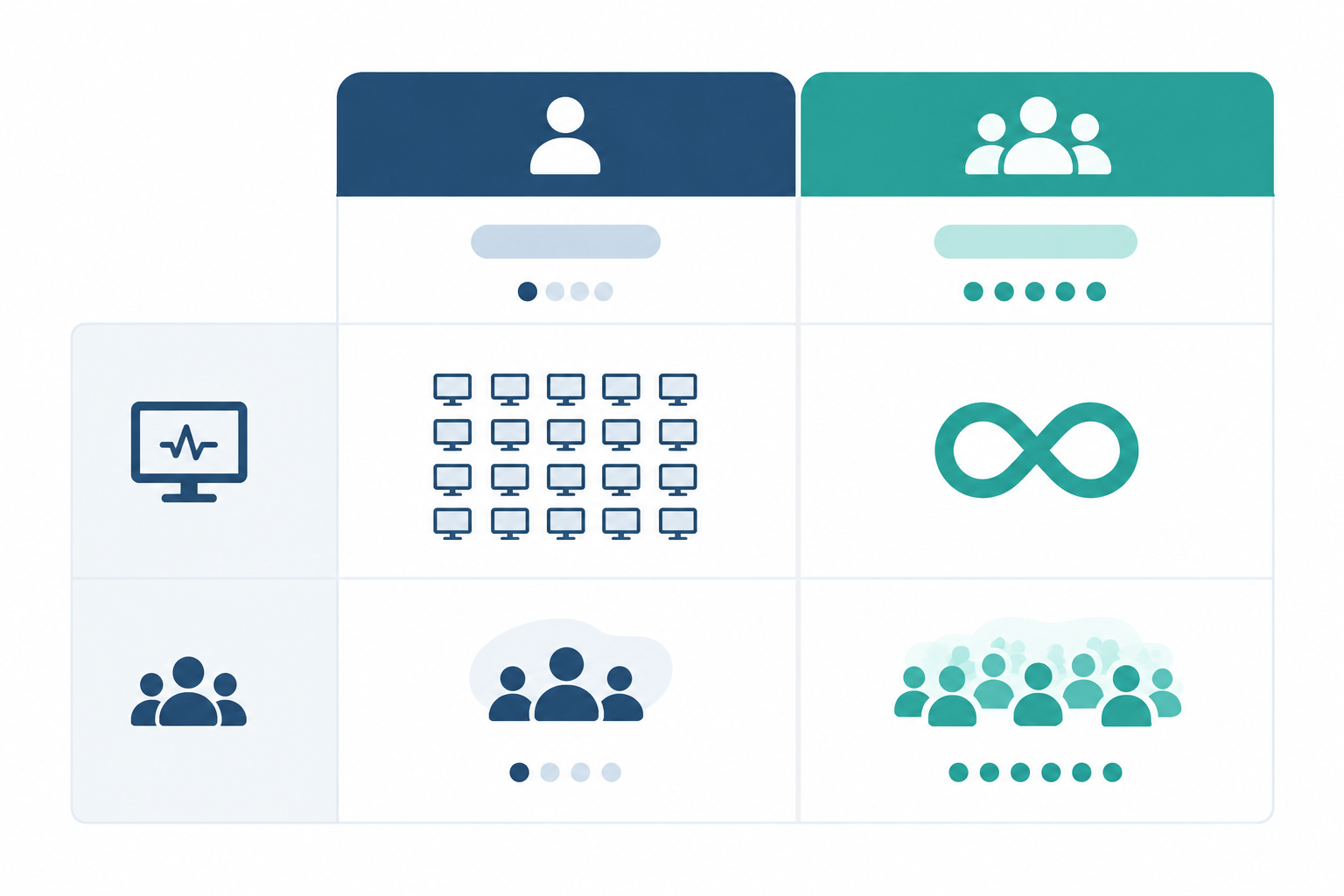
These figures are illustrative, assume five monitors per client, and are in USD:
| Plan | Monthly price | Monitors | Clients supported (at ~5 monitors each) | Cost per client at 5 clients | At 10 clients | At 20 clients |
|---|---|---|---|---|---|---|
| Solo | $14 | 20 | About 4 | n/a (needs more monitors) | n/a | n/a |
| Max | $49 | Unlimited | Unlimited | about $9.80 | $4.90 | $2.45 |
Solo suits a freelancer with a handful of clients, working out at roughly $3.50 per client at four clients. Once you pass that, Max becomes the sensible choice, and the cost per client drops quickly as you grow. Moonitor's plans scale between those two as well, so look at the pricing page for the full range.
Two practical notes for UK agencies. Prices are in US dollars, so your actual cost will move with the exchange rate. And remember to account for VAT when you budget or invoice.
The low-risk way to test all this is to start the free trial and set up a single client. No card, no commitment.
How agencies can position white-label status pages as a premium service
Here's where it gets interesting commercially. The monitoring costs you a few dollars per client, but the value to the client is much larger, because they can see it. Most of what agencies do for maintenance is invisible when it goes well, and a status page makes it tangible.
Ways to package branded status pages
- Include it in a care or maintenance plan. The branded page becomes a concrete deliverable clients can point to. "Hosting, updates, backups and a live status page" sounds much more substantial than "hosting and updates".
- Offer tiers. For example: Basic (monitoring and alerts), Plus (monitoring plus a branded status page), and Premium (all of that plus monthly uptime reports).
- Use the data in reports. Incident history and response-time analytics make a good monthly or quarterly summary, and Moonitor's API and data export let you build custom reports without being locked in.
Sales talking points for a client status page
Keep it about the client's world, not your tooling:
- Reassurance: "You and your customers can see at a glance whether everything's running."
- Professionalism: "It carries your brand, on your own domain."
- Proactive communication: "We'll often know about an issue before you do, and we'll tell you where to look for updates."
Talking about SLAs honestly
This one deserves care. For context, 99.9% availability allows roughly 43 minutes of downtime in a 30-day month (about 8 hours 45 minutes over a year), while 99.99% allows only about 4 minutes a month. Don't promise a figure unless your hosting, your dependencies and your own processes can genuinely support it. A status page shows measured uptime; it doesn't guarantee it. Be clear about the measurement window, and whether planned maintenance counts. Honest numbers build trust, and over-promising does the opposite.
Introducing a white-label status page to existing clients
I'd frame it as a service improvement first and a paid option second. Something like: "We've set up a page where you can see your site's status any time. Want to see how it looks with your branding?" Show them a draft with their logo on it, because people respond far better to seeing their own brand than to hearing about a feature. Then discuss whether it fits within their current plan or becomes part of an upgrade.
Client case study examples: how clients react to a status page
A quick note on transparency: the scenarios below are illustrative, based on incident-communication best practice rather than measured case studies. If you're a Moonitor user with a real result or client quote you're happy to share, I'd love to hear it.
Scenario 1: the small e-commerce client
A small online shop has a slow checkout one afternoon. In the past, the owner would have emailed twice and phoned once. Now they check the status page, see the incident acknowledged, read what's affected, and see when the next update is due. The emails stop, and you get to focus on the fix.
Scenario 2: the SaaS client with an API
A SaaS client's API goes down. Their own customers, who rely on it for integrations, visit status.clientdomain.co.uk and find a clear update under the client's brand. They don't have to wonder whether the problem is on their side or the provider's. Component-level clarity like this, as on Cloudflare's page, helps people work out whether an outage affects them.
Scenario 3: the retainer renewal
A retainer client is weighing up whether the monthly fee is worth it. You send a quarterly summary with uptime percentages, response-time trends and an incident history showing three issues, each caught and resolved quickly. Suddenly the invisible work is visible, and the renewal conversation is far easier.
The common worry: "Won't a public status page make us look bad?"
It's the question I hear most. My honest answer is that incidents happen to everyone, including the biggest names in tech. What damages trust is silence and confusion, not a clearly handled issue. A public page with calm, factual updates tends to make a business look more competent, not less. And you can always choose which components to show.
One caveat. A status page is a communication channel, not a replacement for direct support. For high-impact incidents, still pick up the phone.
Best practices for managing status pages across multiple clients
Once you've got more than a handful of pages, a bit of discipline saves a lot of headaches.
- Use a consistent naming and grouping scheme across all clients, as covered earlier.
- Route alerts to the right Slack or Discord channels. A channel per client (or per team) stops important alerts getting buried.
- Write updates in a calm, factual tone. Say what's affected, what you're doing, and when the next update is due. Set an internal standard for how quickly you'll post the first one.
- Decide who owns communication. Will your team post updates, or does the client? Agree this up front, and keep contact routes visible on the page.
- Mind UK data expectations. Keep incident messages free of personal data, such as customer names or order details, and be careful about what internal detail you reveal publicly.
- Review quarterly. Retire monitors for services that no longer exist so old components don't linger on a public page.
Getting started: try a white-label status page with one client
My suggestion is to start small. Pick your most communicative client, the one who emails first when something wobbles, and use them as a pilot. You'll learn what to name things, how they react, and what to adjust before rolling it out to everyone.
The appeal is simple: one dashboard for you, one branded page for them. You can set up a single status page in an afternoon, and Moonitor's 7-day free trial needs no credit card, so there's nothing to lose by trying. If it saves you even a few "is it down?" emails, you're already ahead. ☕
FAQ: white-label and public status pages
Can I offer branded status pages to my clients?
Yes. You can create a separate public status page for each client, show only the monitors relevant to them, and apply their branding. You manage everything from one Moonitor dashboard. Check the current plan details for how many status pages are included.
How do I set a custom domain for a status page?
In general, you choose a subdomain such as status.clientdomain.co.uk and add a DNS record at the client's domain provider pointing to the status page. Ask the client, or whoever manages their DNS, to add the record, then verify it. Check Moonitor's documentation for the exact record details.
Does a white-label status page cost extra?
Moonitor's plans run from Solo at $14/mo for 20 monitors to Max at $49/mo for unlimited monitors, and you can try it free for 7 days with no credit card. Confirm on the pricing page which plans include branded status pages. Many agencies cover the cost by bundling the page into a care plan.
How do clients react to having their own status page?
Most see it as a sign of professionalism and transparency. It gives them a single place to check during an incident, which usually means fewer anxious emails. Some worry a public page will highlight problems, so explain that incidents happen to everyone and that visible, honest handling builds trust.
Should every monitor appear on the client's public status page?
No. Show what clients and their customers care about, such as the website, API and checkout. Internal checks like cron job monitoring, DNS change detection or certificate expiry can stay private and still trigger alerts to your team.
Related Articles
White-Label Status Pages: Why Agencies Need Them (And How to Set Them Up)
See how agencies use white-label status pages to build client trust, reduce support tickets, and sell branded uptime monitoring as a premium service.
White-Label Status Pages: How Agencies Use Branded Reporting to Impress Clients and Boost Retention
Learn how a white-label status page helps agencies build client trust, show monitoring value, support retention and create upsell opportunities.
Create content like this automatically
Scribe uses AI to generate high-quality blog posts that engage your audience and drive traffic.