Customer Support for Solo Founders: A Practical Setup Guide

Founder customer support can stay simple: if you're handling it yourself, you only need three things: one shared inbox that brings email and live chat together, a small set of tags and saved replies, and a short weekly routine to spot patterns. That's it. Everything else can wait until you have the conversations to justify it.
This guide walks you through a simple setup, step by step, so you can get the essentials working today and grow into the rest. I'll also cover what to look for in an affordable help desk, so adding your first helper later doesn't mean repricing or re-tooling. Grab a cuppa ☕ and let's get into it.
Why founder-led customer support is an advantage (not a chore) 💛
Picture it: it's 9pm, you've just closed the laptop on a feature you've been wrestling with all day, and then a customer email pings in. You sigh, open it, and wonder whether answering support tickets is really the best use of your evening.
I get it. But here's what I'd gently push back on: those conversations are some of the best hours you'll spend. A customer writing to you is telling you, in their own words, where your onboarding is confusing, what your pricing page doesn't explain and what they wish your product did. No survey gets you that kind of honesty, and none gets it that fast.
Here's a quick, hypothetical example. Imagine the founder of a small invoicing tool who gets a chat from someone asking, "Can I export this to CSV?" Not a big deal on its own. But because she's the one reading it, she remembers she's heard the same thing twice this month. She tags it, ships a basic export the following week, and mentions it in her next reply to those customers. One chat became a feature, a retention win and a nice story to tell.
Now the honest downside: support can swallow your whole day if there's no system. Every message feels urgent, every channel pings your phone, and suddenly it's 4pm and you haven't touched the roadmap. People generally expect quick replies, but that doesn't mean you have to be online 24/7. You just need to set realistic expectations and then meet them. A minimal setup makes that possible, and we'll get to exactly how.
The minimal customer support toolkit for solo founders
When you're starting out, it's tempting to build the perfect support operation with ten tools and a flowchart. Please don't. Here's the short list of what earns its place:
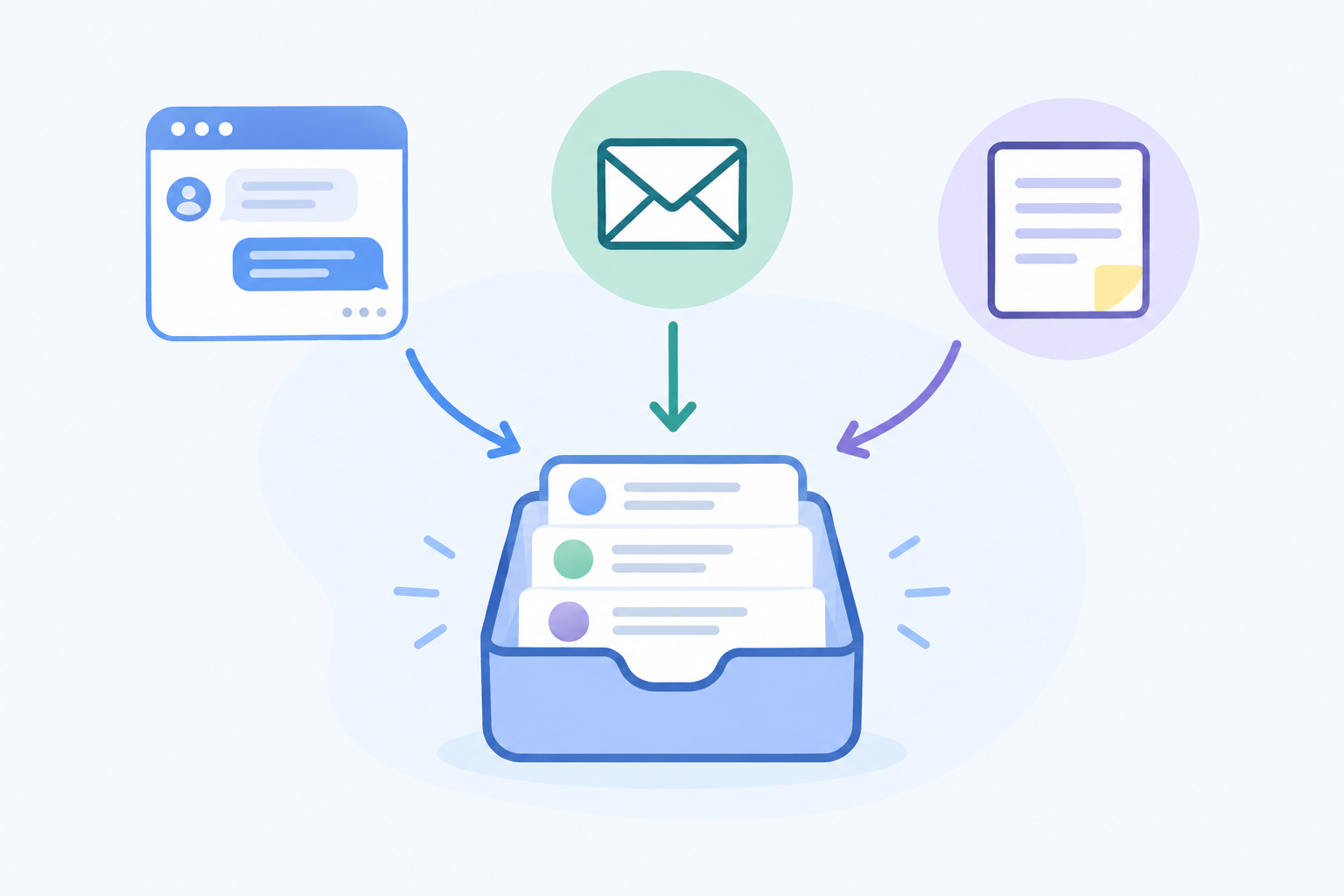
- A shared inbox that unifies email and chat. Nothing should live in your personal mailbox, because that's where things get lost and where you can't hand anything off later.
- A live chat widget on your site or in your app, for quick questions and warm leads. (More on whether you need this in a moment.)
- Email ticketing via simple forwarding. Forward your support@ address and each email becomes a ticket you can track, tag and close.
- Internal notes, tags and filters. These keep context in the conversation, so you don't need a separate notes app or spreadsheet.
- Basic reporting on response times. You don't need dashboards for dashboards' sake, just a way to see how quickly you're replying.
What can solo founders skip for now?
Complex automations, multi-tier routing rules and heavy knowledge-base builds can all wait. You don't have enough data yet to know what to automate, and you'll waste hours building workflows for problems you don't have.
Why set up a shared inbox now?
Even if you're the only person on the team, a shared inbox means that when someone joins, there's far less to move around. Your tags, saved replies and conversation history already live in one place. Switching help desk software later, with a backlog of customers and a half-trained helper, is a headache worth avoiding.
A quick bit of transparency: I'm part of the team behind Sonny, a help desk that combines live chat, email ticketing and a shared inbox, so I'll use it as one example in this guide. The principles apply to whichever tool you choose, and I'd encourage you to compare a few against the checklist in the pricing section below.
Do you need a live chat widget? A friendly reality check
Short answer: it depends on your product, your traffic and your time zone. A live chat widget is a channel choice, not a baseline requirement, and I'd rather you skip it than add it and then ignore it.
Here's a simple rule: add chat only if you can realistically reply within a few minutes during set hours, on most working days. If you can't, start with email.
Chat tends to help when:
- Visitors have questions on your pricing page that they'd otherwise bounce over
- New users hit friction during onboarding and need a nudge
- High-intent visitors are close to signing up and just need one answer
Email alone is often enough when:
- Your site traffic is low, so chat would sit quiet most of the day
- You're B2B and customers ask long, detailed questions that suit an email thread
- Your availability is very limited, so you couldn't staff chat even if you wanted to
Some well-known product businesses lean on email and a support page rather than making live chat the only route. That doesn't prove it suits everyone, but it does show a product business can do perfectly well with a prominent non-live contact option.
How to avoid being "always on" with live chat
If you do add chat, be honest about it. A chat box that looks live but isn't being watched creates a worse impression than a clearly asynchronous channel. So:
- Show your staffed hours
- Write a friendly away message that explains what happens outside those hours
- Make your support email visible as a fallback
Mobile apps can help too, since you can answer a quick question from the sofa or the train. Just set your own boundaries as well. Turn notifications off at night and let your away message do the work.
How to set up live chat and email in one shared inbox
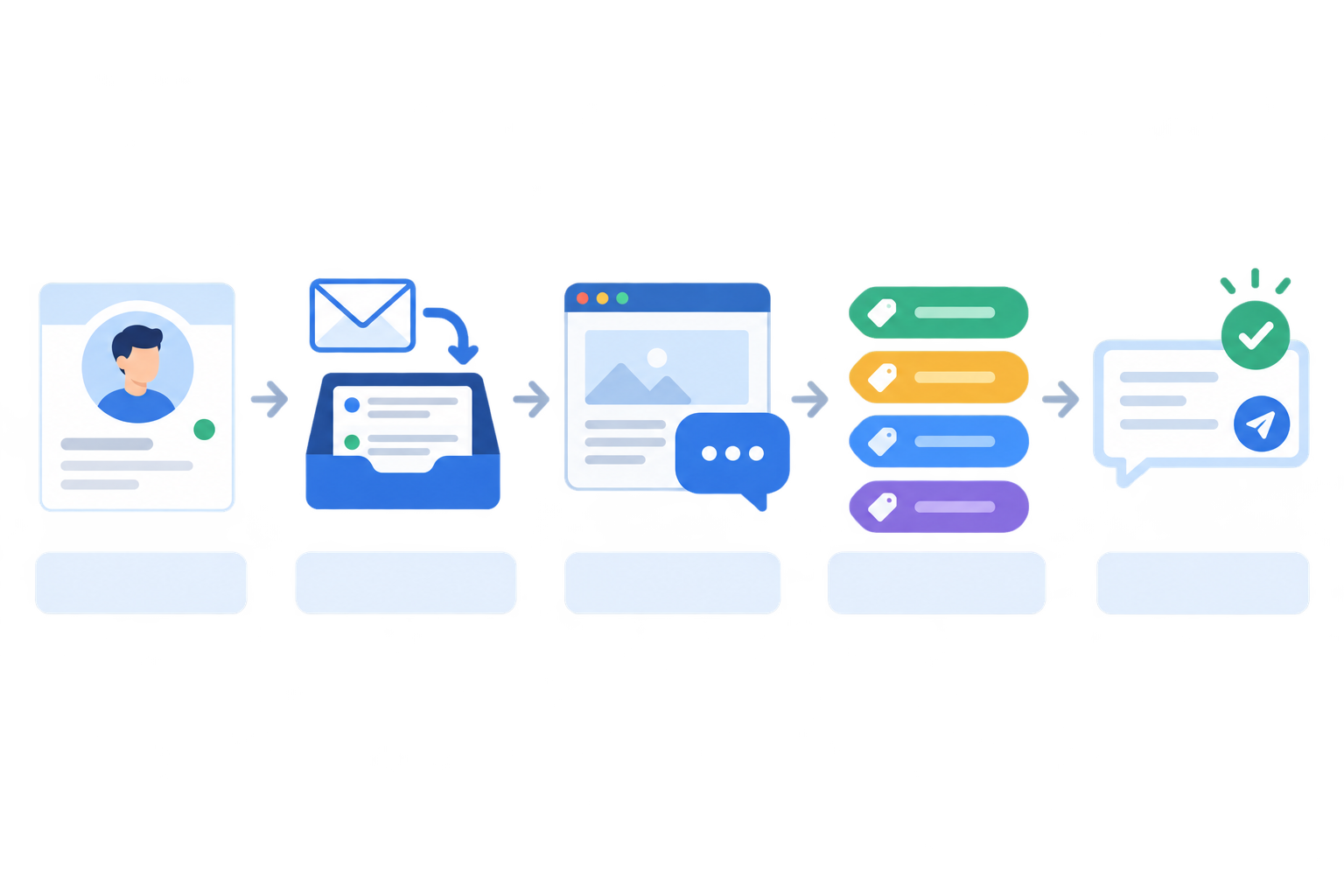
I'll be upfront: how long this takes depends on how comfortable you are in your website and email settings. Forwarding email and sending a test can be quick, and some tools, Sonny included, say their own setup is designed to take just a few minutes. Writing good replies and checking your privacy wording will take longer, so I've split the steps into a core setup and some polish. Do the core today, and the polish when you have a spare hour.
Core setup: five steps for email and live chat
- Create your account and start a free trial if one is offered. Check the trial terms on the vendor's site, including whether a card is required, so there's no surprise later.
- Forward support@yourdomain.com to your inbox. From then on, customer emails arrive as tickets in your shared inbox instead of being buried in your personal email.
- Add the live chat widget. It's usually a short snippet you paste into your site or app. If you're not sure where it goes, your site builder's "custom code" or "header" section is typically the spot.
- Create a handful of tags. Start with four: bug, billing, how-to and feature request. You can always add more.
- Send yourself a test email and a test chat. Confirm both land in the one inbox, your replies reach you the way a customer would see them, and notifications work. This tiny test catches most setup gaps before a real customer finds them.
Polish your customer support setup when you have an hour
- Customise the greeting, brand colours and away message. Write it the way you'd actually talk. "Hi, I'm Emma, ask me anything. If I'm offline I'll reply by email within a few hours" beats "Our team will respond shortly."
- Write 5-8 saved replies for your most common questions. Personalise the opening line each time and check the answer matches the customer's situation, but let the saved reply do the heavy lifting.
- Do your UK housekeeping. Set your business hours in UK time so your chat availability matches reality. Support conversations contain personal data, so make sure your privacy policy mentions them, avoid asking customers to send passwords or card details, and decide how long you'll keep old conversations. The ICO's guidance for organisations is the best place to check your obligations. If your helpdesk vendor processes data on your behalf, look at where it stores that data and what its data processing terms say.
That's the whole thing. Nothing fancy, and nothing you'll regret later.
Create a weekly customer support routine that protects your time
A tool alone won't save your time. A routine will. So let's tackle the question I hear most: how much time should I actually spend on support?
How much time should a solo founder spend on support?
For most early-stage founders, 30-60 minutes a day in two or three focused blocks works well. Once at the start of the day, once after lunch and once to wrap up, for example. Adjust it up or down depending on your customer volume. This is a sensible rule of thumb rather than a research-backed one, so treat it as a starting point and tweak it.
Publish those windows. Telling customers when to expect a reply ("we usually respond within a few hours on weekdays") works far better than trying to be instantly available.
A simple weekly support routine, step by step
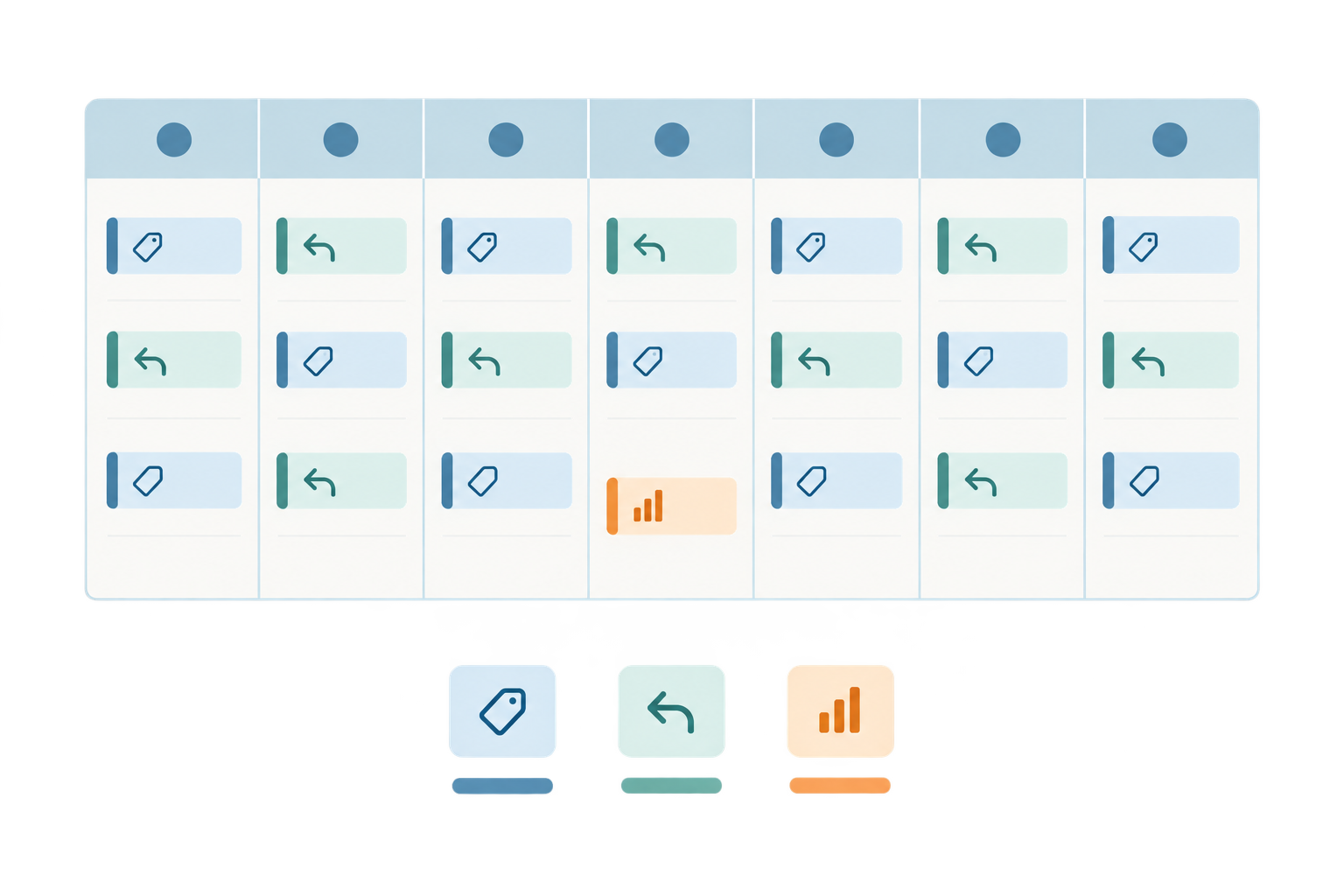
- Daily triage. Open your inbox and sort new conversations into three buckets: urgent (something is blocking a customer, or affects several people), standard (can wait for your next support window) and feedback (feature ideas and non-urgent comments to review later).
- Reply to the urgent ones first, then work through the standard questions.
- Tag everything. It takes seconds, and it's what makes your weekly review worth doing.
- Do a weekly review (30 minutes). Pick a regular slot, perhaps Friday afternoon. Look at your tags, your response-time report and any recurring questions.
- Turn repeats into saved replies or help articles. If you've answered the same question three times, make it a saved reply, or better, a short help article you can link to.
- Write down the three most useful things you learned that week and share them with your co-founder or team, or just with future-you.
What a weekly customer support review looks like
Here's a made-up but realistic Friday review. You filter by tag and see 14 how-to conversations, 6 of them about connecting a calendar. Your median first reply was about three hours, with two slow ones on Tuesday when you were travelling. Your notes might read: "Write a calendar help article. Add a tooltip in onboarding. Check why Tuesday slipped." That's three clear actions from half an hour, and each one reduces next week's workload.
Where support automation fits
Light automation can be a lovely time-saver once you have some history. Many help desks now offer an AI assistant that drafts answers from your company docs, and Sonny has an optional one. My advice for any of them: read its answers closely at first, the way you'd read a new hire's first replies. Once you trust it on the basics, you'll save real time. Until then, keep a human eye on it.
Bring in your first support helper without a pricing shock
One day, probably sooner than you expect, you'll want help. Maybe a part-time VA to handle the how-to questions, a developer who can answer bug reports directly, or a co-founder who wants to see what customers are saying. So how do you add teammates later without it getting expensive?
This is where pricing models matter. With per-seat pricing, every new helper, contractor or co-founder bumps your bill. That creates an awkward habit: you start deciding who "really needs" access, and people end up sharing logins or working from forwarded emails. That's the opposite of good team collaboration.
With flat-rate pricing and unlimited agents, there's nothing to decide. You invite whoever needs to be there, whether that's a VA, a developer who dips in for bugs, or your co-founder, all in the same shared inbox.
A simple help desk handover
Because you set things up properly from day one, handing over is easy:
- Share your tags and saved replies so your helper answers in your voice
- Use internal notes to pass on context ("this customer is on a legacy plan, be generous")
- Assign conversations so it's always clear who owns what
- Keep everyone in one thread, so nobody replies twice or contradicts each other
What customer support should you delegate first?
Start with the predictable stuff: billing questions and how-to queries. They're repetitive, well covered by your saved replies and low risk. Keep the juicy stuff for yourself for a while, meaning feature feedback and your most important accounts. That's where your founder insight is hardest to replace.
What does an affordable help desk really cost?
Let's talk money, because for early-stage founders it matters. The headline price is only part of the picture. A fair comparison looks at the total monthly cost: subscription, plus extra seats, plus any usage charges, plus required add-ons. It's also worth thinking about what it would cost you, in time, to switch tools later.
Here's what I'd check on any vendor's pricing page:
- How many paid seats you'll need, and whether billing is monthly or annual
- Whether live chat is included or a separate add-on
- Whether automation, reporting or a knowledge base sit on a higher tier
- Any usage-based charges, particularly for AI features
- Any onboarding fees or minimum-seat rules
- Whether the price shown includes VAT
I'm not going to quote competitor prices, because they change often and you should always confirm them on the vendor's own page. Instead, here's a hypothetical illustration only. I've picked $25 per agent per month because it's a round number that makes the arithmetic easy to follow. It is not an average of the market and it isn't a real vendor's price, so swap in the actual figure from any tool you're considering.
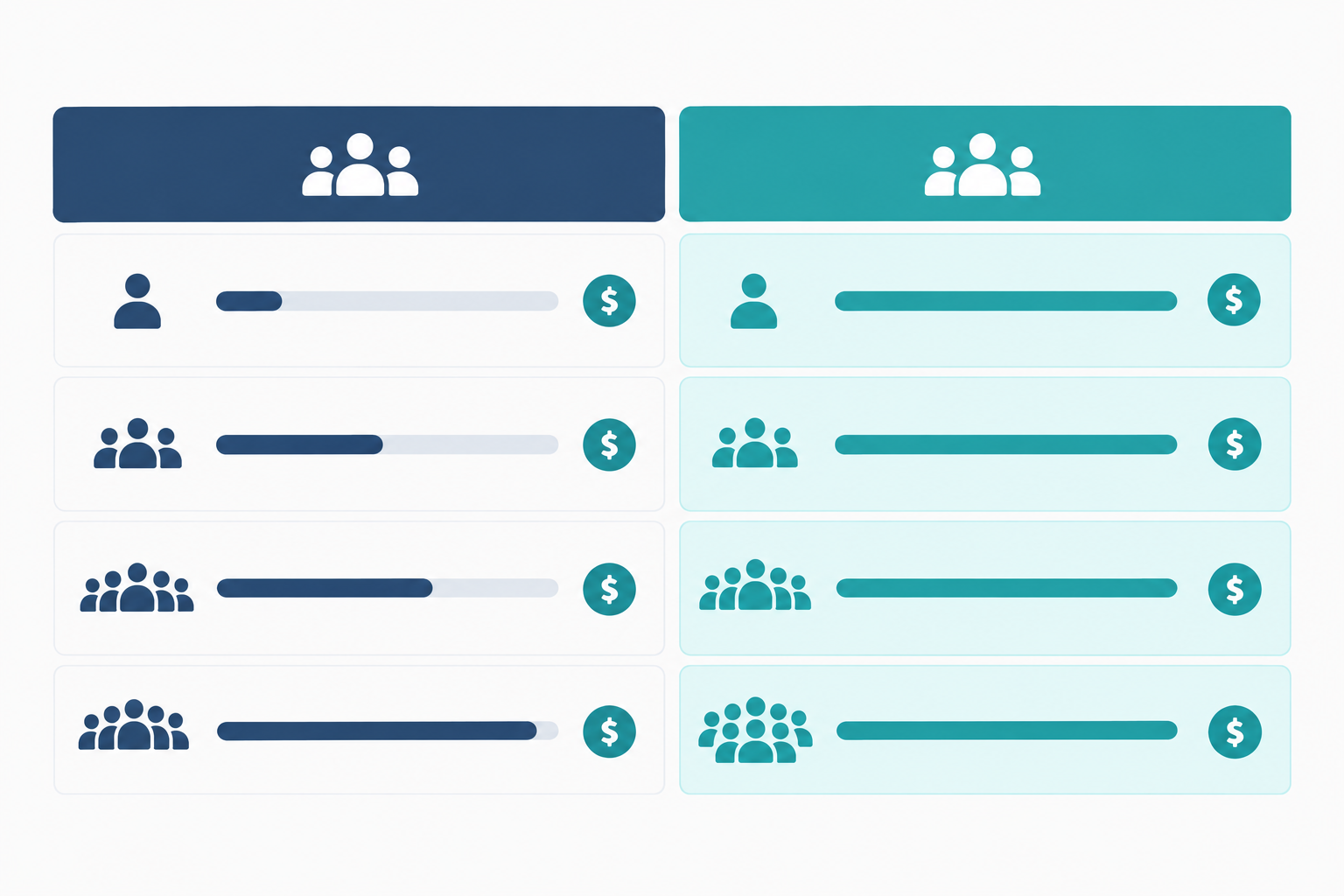
| Team size | Hypothetical per-seat plan ($25/agent) | Flat-rate plan at $19.99 (Sonny's listed price) |
|---|---|---|
| 1 agent | $25 | $19.99 |
| 3 agents | $75 | $19.99 |
| 5 agents | $125 | $19.99 |
| 10 agents | $250 | $19.99 |
The point of the table is the shape, not the numbers. Per-seat costs climb with every person you add, while a flat rate stays put. Some real per-seat plans will cost less than my example and some more, and some bundle features that others sell separately, so do your own like-for-like check. Sonny's $19.99/month is the price listed on its pricing page at the time of writing, and it covers unlimited agents. Please confirm current terms there, since plans can change.
Free and lean help desk options
To be fair, there are cheaper routes at the very start. Tawk.to, for instance, advertises free live chat software, and a dedicated support address on an email service you already pay for costs nothing extra. Those can work for very low volume. The trade-offs often include lighter ticket tracking and reporting, plus the time you spend juggling separate tools, though it varies by product. A staged approach is perfectly reasonable: start lean, then move to a proper help desk when volume or collaboration needs justify it.
Help desk pricing for UK readers
Sonny's pricing is listed in US dollars, so what lands on your card statement will depend on the exchange rate that day, plus any card fees. VAT may also apply depending on how the vendor bills you, so check the final amount at checkout rather than relying on the headline figure. The same goes for any US-priced tool you consider.
Know when to systemise your customer support
You don't need to build everything on day one, and you'll know when it's time to add more structure. Watch for these signs:
- Response times creeping up, even though you're working just as hard
- The same questions landing in your inbox over and over
- Support eating into product work more than you're comfortable with
When that happens, here's the order I'd tackle things:
- Add a lightweight help centre or knowledge base for repeat questions. Your saved replies are the perfect first drafts.
- Introduce more detailed tagging and filters, and put a regular review of your reports in your calendar.
- Consider AI-assisted replies trained on your docs to handle the simple stuff, keeping a human eye on quality.
- Set simple service targets, such as a first-response time, and review them monthly.
Here's the reassuring part: systemising later is far easier when the basics are already in place. Your tags show you what's common, your saved replies become help articles, and your reports tell you where to focus.
Your first-day founder customer support checklist
Here's the whole thing on one page. Tick these off today:
- Pick one shared inbox and set up your account
- Forward your support@ address so email becomes tickets
- Add the live chat widget (only if you can staff it), with honest hours and an away message
- Create four tags: bug, billing, how-to, feature request
- Send a test email and a test chat
- Block out a 30-minute weekly review, and write your saved replies when you have time
Start small. Your setup doesn't need to be perfect, it just needs to exist. You'll learn what to improve from the conversations themselves.
If you'd like to try a flat-rate option, Sonny has a free trial you can use to test this setup. Check the current trial terms on its site, and compare it against any other tools on your shortlist.
FAQ
How much time should a solo founder spend on customer support?
A good starting point is 30-60 minutes a day in two or three focused blocks, plus a 30-minute weekly review. If volume outgrows that, add a help centre or your first helper.
Do I need a live chat widget as an early-stage SaaS founder?
Not always. It's worth it if you have steady traffic or onboarding questions and can reply within minutes during set hours. If not, start with email and add chat later.
How do I add teammates to my help desk later?
Check whether your plan charges per seat. With a flat-rate, unlimited-agent plan you simply invite them. With per-seat pricing, factor each new person into your monthly cost first.
What does an affordable help desk cost?
It varies widely, so compare total monthly cost, including seats, add-ons and usage charges. Free tools exist for very low volume, and flat-rate options such as Sonny list $19.99/month. UK readers should confirm the final price, including exchange rate and VAT, at checkout.
Can I use a shared inbox if I'm the only person on my team?
Yes. It keeps email and chat in one place, so when someone joins you'll have far less to migrate and your workflow can stay the same.
Related Articles

Help Desk Pricing Compared: Per-Agent vs. Flat-Rate Plans (With a Cost Worksheet)
Compare help desk pricing with a practical worksheet. See when flat-rate plans with unlimited agents beat per-agent costs as your team grows.

Black Friday Support Prep: A Checklist for E-commerce Teams
Prepare for Black Friday with a practical e-commerce support checklist covering demand forecasts, saved replies, temporary cover, live chat and post-r

Create content like this automatically
Scribe uses AI to generate high-quality blog posts that engage your audience and drive traffic.