Free vs Paid Uptime Monitoring: What Small Businesses Actually Get
18 min read
Loading...

Free uptime monitoring is a perfectly sensible place to start, especially if you run one simple website. But free plans tend to show their limits when it matters most. Checks are slower, there are fewer alert channels, and sometimes there's no status page or you get more false alarms. If your site earns you money or brings in customers, paid uptime monitoring can be worth it. It only is if it spots a problem sooner, the alert reaches someone, and that person can act. The easiest way to find out is a trial that doesn't ask for a card, and I'll walk you through how to run one below.
Picture a founder on a Friday afternoon. She has just launched her site, so she signs up for a free monitor, pastes in her homepage URL, sees a reassuring green tick and gets on with her weekend. Nothing goes wrong for weeks. She forgets the monitor exists. Then one night an expired certificate or a stalled server takes the site down, and the only alert is an email she doesn't see until Monday morning.
That isn't a story about a bad tool. It's about the gap between having monitoring and having monitoring that fits what's at stake.
So let me be plain: free is fine for a hobby site, a side project or the first week of testing a tool. Plenty of people never need more. The real question isn't what the tool costs. It's what an outage would cost you.
In this post I'll look at three places where free plans tend to struggle: false alarms that teach you to ignore alerts, alert channels that don't reach you where you actually are, and what happens with customer communication when something does go wrong.
I want this to be a fair look. I'll point out where free genuinely wins, because it does, and where paid uptime monitoring can earn its keep. One thing up front: I work on the Moonitor team, so I use Moonitor as a worked example later on. Treat it as one example of a paid tier, not a neutral verdict. 🙂
Free plans vary a lot between providers, and they change often, so treat this as a general pattern and check each provider's current plan page before you commit. As examples, UptimeRobot's free plan (see uptimerobot.com/pricing) and StatusCake's free tier (see statuscake.com/pricing) have both been listed with roughly the allowances below. I haven't treated those listings as permanent, and you shouldn't either.
Why does the interval matter? With a five-minute check, an outage that starts just after a check can go unnoticed for nearly five minutes, and that's before the alert has been delivered. A short blip between checks might not be seen at all.
I don't want to undersell free tiers. They're a good fit for:
There are also free self-hosted tools you can run yourself. They can be powerful, but they come with upkeep: updates, storage, and the awkward risk that the monitor lives on the same server as the thing it's watching. If that server goes down, so does your alarm.
One more honest caveat. A basic check on your homepage tells you the homepage responds. It won't tell you that checkout, login or your API is working. Uptime checks are one layer of monitoring, not a full diagnosis of why something broke.
Feature lists are easy to skim past. So let's walk through a 2am outage and see where each limit can add delay or noise.
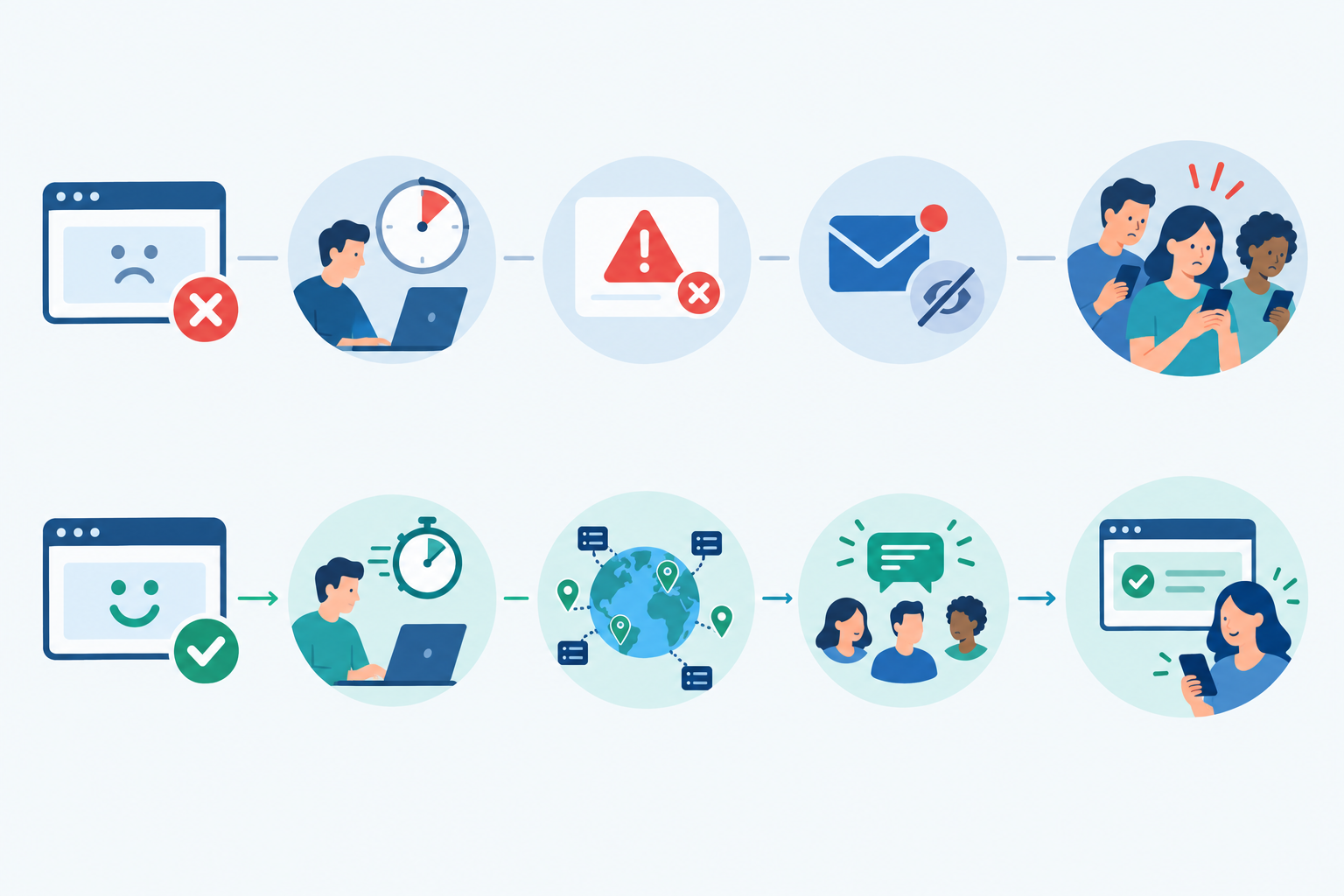
False alarms train you to stop caring. A single-location check can mistake a hiccup on the monitor's own network for your site being down. You get an alert, check, find everything fine, and shrug. After a few of those, the real alert gets the same shrug. Multi-region failure verification helps by asking several locations to confirm a problem before anyone gets woken up. It reduces noise, though it doesn't eliminate it, because a problem that only affects one region, or one that your site handles badly for some visitors, can still be real. Even so, this is the feature I'd weigh most heavily. Noisy alerts quietly destroy trust in the whole system.
Slow checks mean customers may notice first. With a five-minute gap, your first sign of trouble might be a customer message rather than a notification. For a brochure site, no problem. For a shop in the middle of a promotion, that's a long few minutes.
Email-only alerts are easy to miss. At 2am, nobody is refreshing their inbox. Alerts that land in Slack, Discord or Telegram, or fire a webhook into your existing tools, are more likely to reach you where you already are. An alert nobody sees has no value at all.
No public status page can leave customers guessing. When your site is down, people want somewhere to check. Without a status page they may email you, message you and add to your support queue just when you're trying to fix the problem. A status page can ease that, though it won't stop every enquiry.
Missing monitor types let quiet failures slip through. With no SSL certificate monitoring, an expiring certificate can surprise you. With no DNS monitoring, a changed record may go unnoticed. With no cron job monitoring, a failed backup or invoice run can stay silent. None of these show up as your homepage being down, until suddenly they do.
Thin incident history makes the aftermath harder. When a customer asks what happened last Tuesday, or you want to see whether outages cluster around deployments, you need a record. Short retention leaves you guessing.
Outages are a normal operational risk, not a freak event. Industry bodies such as the Uptime Institute publish annual outage analyses worth reading, though their data skews towards larger data-centre and enterprise operators, so I wouldn't treat any headline figure as a small-business average. The practical point is simpler. If you run something customers rely on, assume it will go down at some point and plan for how quickly you'd find out.
Paid plans vary too, and some providers include things like status pages or extra alert channels on free tiers, so always check live plan details. The table below is a generic pattern, not a guarantee about any specific provider. I've used Moonitor as one example of a paid tier because I know it best, and because I can't speak with the same confidence about every competitor's current plans.
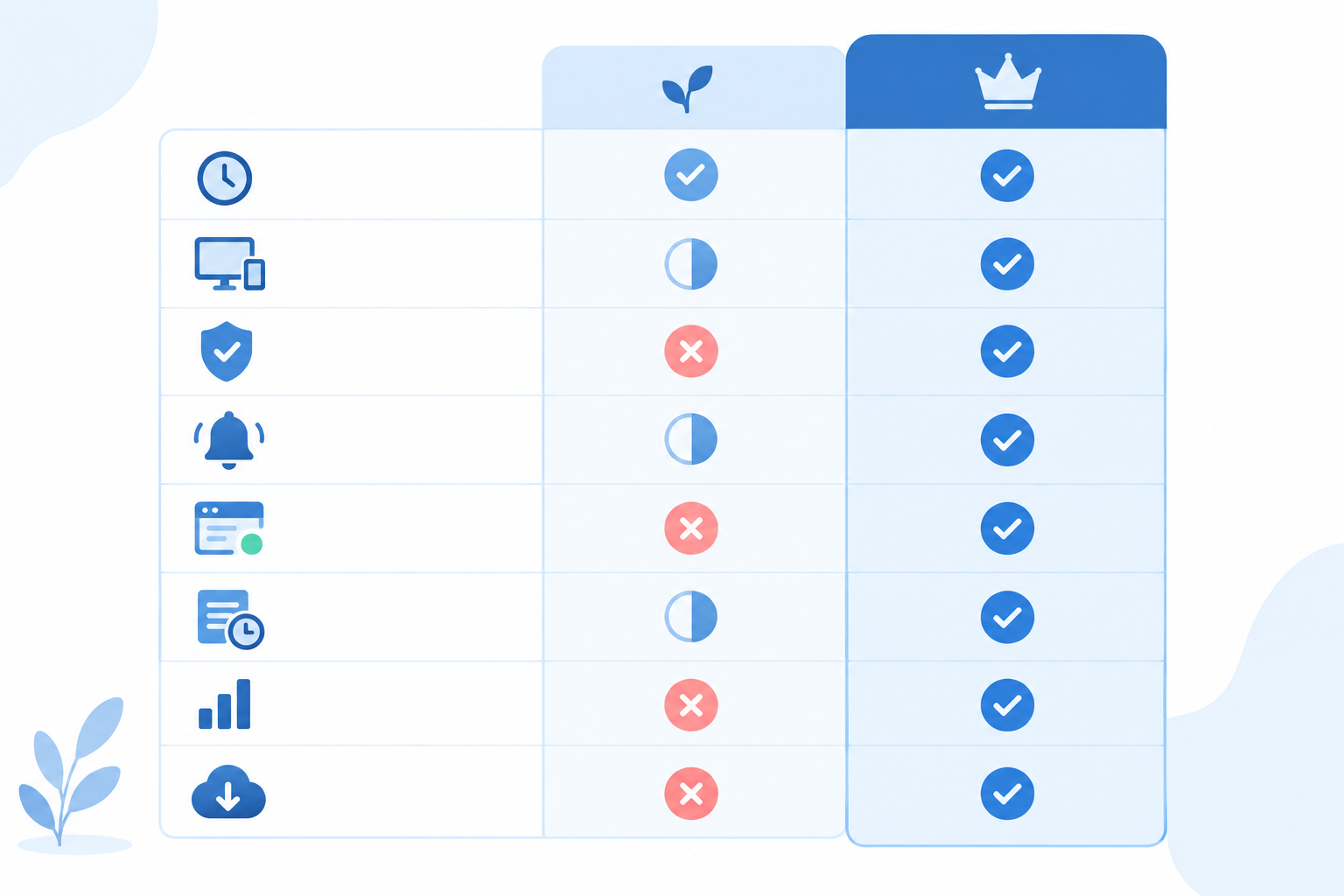
| Feature | Typical free plan (varies by provider) | Typical paid plan (e.g. Moonitor) |
|---|---|---|
| Check frequency | Often 5 minutes or slower | Faster intervals |
| Monitor count | Small allowance | Higher limits, up to unlimited on top tiers |
| Monitor types | Mostly basic HTTP/S, sometimes more | Wider range (see below) |
| False-alarm protection | Often single-location checks | Multi-region failure verification |
| Alert channels | Mainly email, sometimes a few extras | Email, Slack, Discord, Telegram, webhooks |
| Status page | Varies: limited, basic or absent | Branded public status page |
| Incident history | Often short | Full incident history |
| Response-time analytics | Often basic | Detailed analytics |
| Data export / API | Varies widely | API and export (check this on any provider) |
If you're shortlisting tools, put each one through the same checklist, and write down the date you checked:
That way you're comparing like with like rather than trusting anyone's marketing, including mine.
The biggest shift isn't speed, it's coverage. Moonitor, for instance, offers a range of monitor types in one dashboard (check the current list on its site):
This one is easy to overlook, so it's worth a moment. Normal monitoring works by asking, 'Are you there?' A heartbeat works the other way round. Your scheduled job, like a nightly backup, pings the monitor when it finishes. If the ping doesn't arrive on time, you get an alert. A website check can't catch that, because nothing is down. The job simply never ran. For many small teams, this is the failure that causes the most quiet damage.
A branded status page plus proper incident alerting does two things. It cuts the 'is it down?' emails, because people can see for themselves. And it builds trust, because customers can see you're on top of things. API access and data export matter more than they sound, too. They mean your history is yours, so you're not trapped if you change tools later.
Most uptime monitoring pricing is tiered by how many monitors you get, how often they check, and which features come along. Entry-level paid plans from various providers tend to sit somewhere between single-digit and low double-digit pounds or dollars per month, though that varies and changes, so check current pricing pages.
As a concrete example, Moonitor's Solo plan has been listed at $14/mo for 20 monitors, and the Max plan at $49/mo for unlimited monitors. Please confirm both on the provider's pricing page, along with the trial terms, before you rely on them.
If you're in the UK, those prices are in US dollars, so you'll pay in whatever currency the checkout offers. At recent exchange rates, $14 comes to roughly £11 and $49 to roughly £38 a month, but rates move, so treat those as ballpark figures only. Also check whether the price shown includes VAT. Many software prices are quoted ex-VAT, and if you're VAT-registered you can usually reclaim it. That depends on your circumstances, though, so confirm at checkout or with your accountant.
It's easy to underestimate. Count up:
For a small business, that can add up to a dozen or more surprisingly fast, which is why free monitor allowances can run out sooner than you'd think.
A low headline price isn't always the final price. Some cheaper plans charge extra for SMS alerts, status pages or faster checks, or limit team members. Compare monitor limits, check interval, alert channels, history and status page features side by side, not just the monthly number.
Here's a simple way to sense-check whether paid is worth considering. Start by estimating what one hour of downtime costs you:
Hourly revenue + staff time + support load + reputation risk
Reputation is the fuzzy one, so be conservative. Then comes the part people often skip. The cost of an hour of downtime isn't the same as the benefit of monitoring, because a monitor doesn't stop outages. What it can do is shorten the time before you find out. So the more useful estimate is:
Incidents per year × minutes saved per incident × cost per minute
All the figures below are illustrative and in pounds, so swap in your own. I've used the approximate £11 and £38 monthly conversions from above.
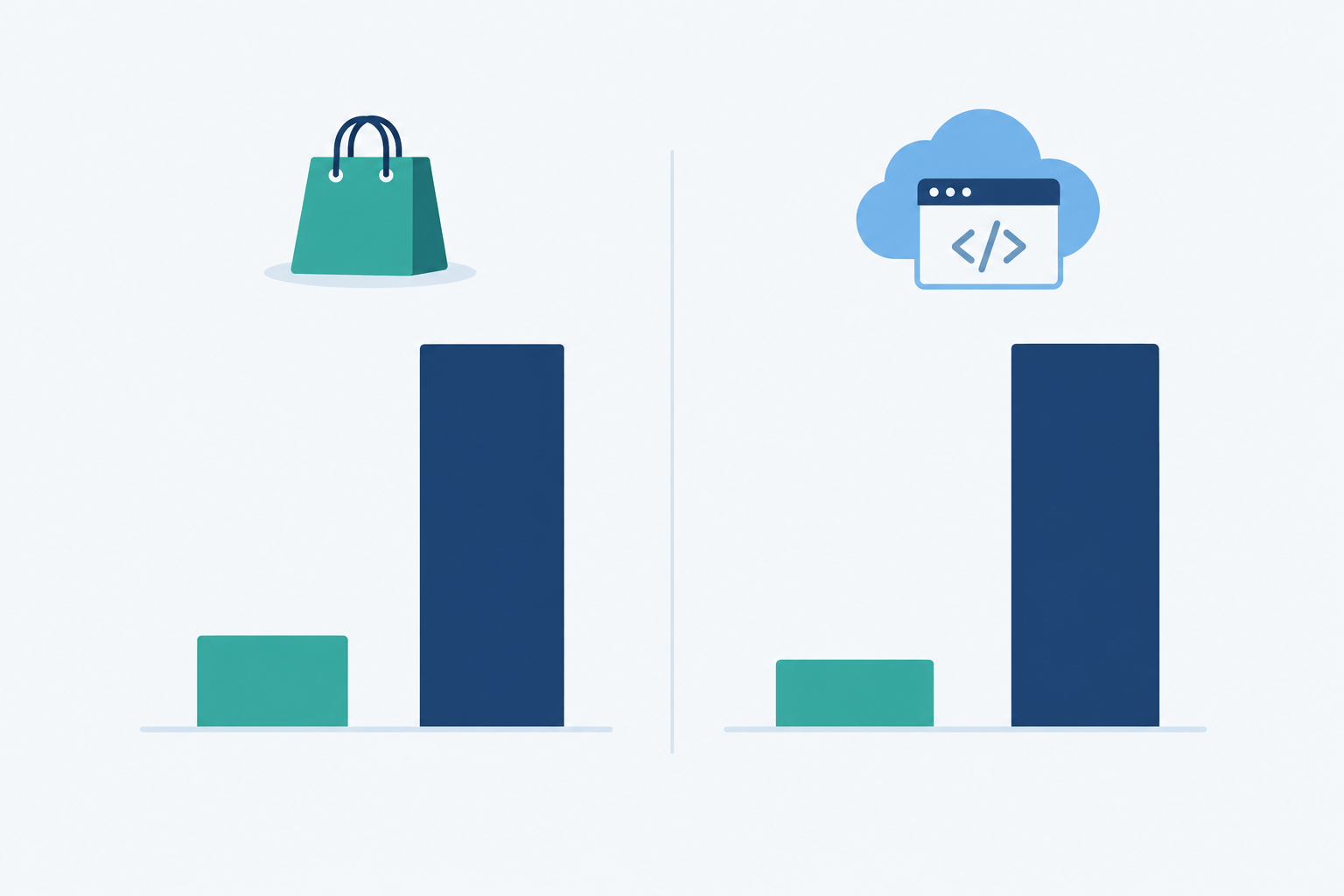
Example 1: a small UK online shop (illustrative). Say an hour offline costs about £400 in lost margin and staff time, which is roughly £6.67 a minute. A plan at about £11/mo is around £132 a year, which equals about 20 minutes of downtime at that rate. Now the realistic question: how many minutes might faster, better-targeted alerts save you? If you typically have three incidents a year and earlier detection saves about 10 minutes each, that's 30 minutes, or around £200 of avoided cost against £132 of spend. If you only have one incident and your customers would have reported it within minutes anyway, the sums look much weaker.
Example 2: a B2B SaaS startup (illustrative). Say an hour of downtime costs about £1,200 once you count missed usage, support tickets, a nervous customer or two and the engineer pulled off other work. That's £20 a minute. The same £132 a year equals about 6.6 minutes of downtime. A top-tier plan at about £38/mo is roughly £456 a year, or around 23 minutes. The higher your hourly cost, the less time a monitor needs to save to cover its price, but you still need to be honest about how much time that is.
Three caveats. First, these break-even figures compare costs only. They don't prove a plan will prevent or shorten an outage by that amount. Second, a monitor detects and reports problems, and it only helps if the alert is accurate, reaches someone who can act, and that person has what they need to fix things. Third, if your site is a portfolio with no revenue attached, free is probably enough. Don't pay for peace of mind you don't need.
The best way to judge any tool is to use it for real. Here's how I'd run a trial. I'd lean towards trials with no card required, simply because predictable terms make it easier to evaluate calmly. Moonitor, as one example, has listed a 7-day free trial with no credit card needed, but check the current terms on whichever provider you're testing.
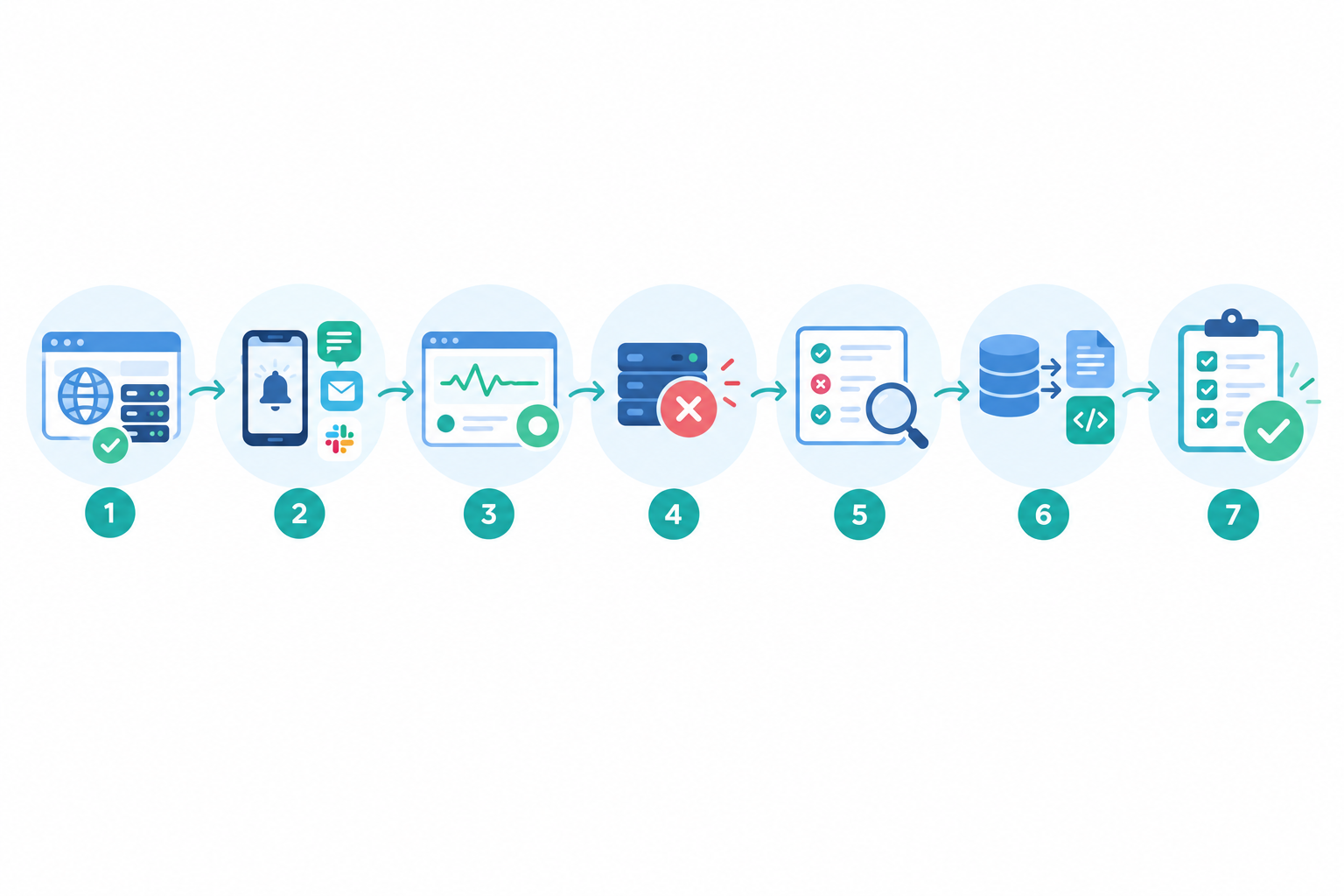
If you can tick all three, you have your answer. If not, you've lost nothing, and you know exactly what to look for next.
Stick with free if:
Consider paid if:
A sensible path is to start free, trial a paid plan before your next launch or busy period, then decide with real data rather than guesswork.
And remember, you don't need an enterprise setup. You just need a monitor you trust and an alert you'll actually see. Whichever provider you try, use the same checklist, and if you'd like to include Moonitor in your comparison, its trial is a no-card way to do it. ☕
It can be, if you run one simple site and a short delay in alerts wouldn't cost you much. Once customers, revenue or an API depend on your service, the limits start to matter.
Commonly missing items include fast check intervals, multi-region verification, chat and webhook alerts, public status pages, SSL and DNS monitoring, heartbeat monitoring and longer history. Some free plans do include a few of these, so check each provider's current plan.
It depends on monitor count, check frequency and features. As one example, Moonitor's Solo plan has been listed at $14/mo (roughly £11 at recent rates) and Max at $49/mo (roughly £38). Confirm current prices and whether VAT is added at checkout.
Some providers allow it. Moonitor has listed a 7-day trial with no card required, but terms change, so confirm on the provider's site before signing up.
If customers regularly ask whether something is down, a status page is worth having. It gives them one place to check, which can reduce support enquiries during an incident.

Not sure which uptime monitoring tool fits your startup? Use this simple decision framework and reusable scorecard to compare features, alerts, setup

Uptime monitoring pricing in the UK: compare free and paid plans, typical £10–£40 monthly costs, and the features that drive your bill.
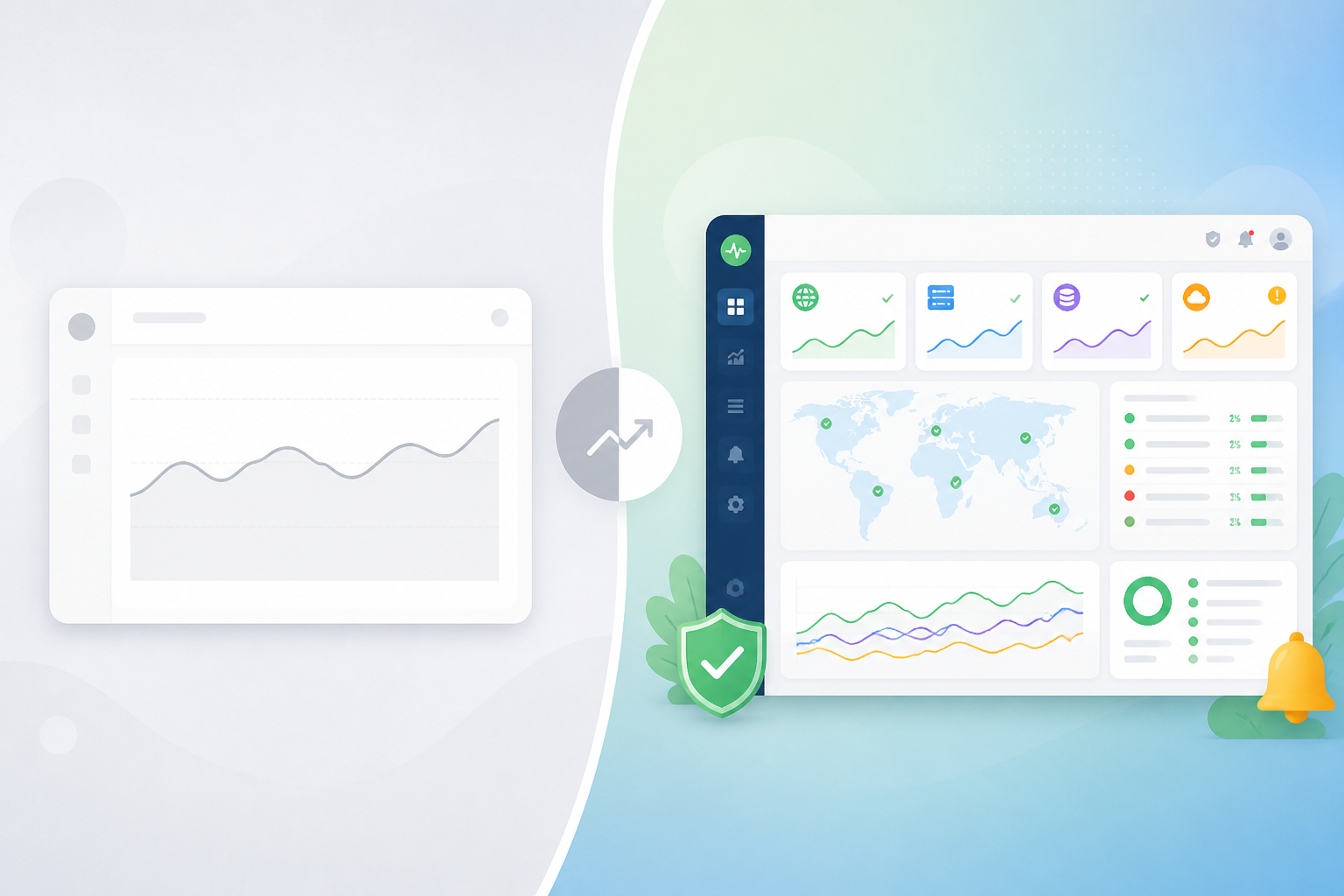
Free uptime monitoring can launch a startup, but paid uptime monitoring matters when downtime, alerts and growth affect customers and revenue.