From Idea to Published: A Faster Content Workflow for Busy Solopreneurs

Content Workflow Timeline: Traditional vs Automated, Minute by Minute
Most solopreneurs spend 4 to 6 hours on a single blog post. With an automated content workflow, the AI drafting stage can shrink to minutes, but a responsible publishing process still needs human review time on top of that. Here's an honest, minute-by-minute breakdown of both.
A traditional blog post can easily eat 4 to 6 hours between research, drafting, editing, and publishing. With an automated content workflow, the drafting bottleneck all but disappears: an AI tool can generate a structured, SEO-optimised draft in about 5 minutes. That's not the same as saying a finished, trustworthy post is live in 5 minutes, though. Fact-checking, tone adjustments, source verification, and platform-specific formatting still take real time, even when a machine handles the first draft.
I want to be upfront about that distinction, because a lot of content about AI writing tools blurs it. Below, I'll walk through where the hours actually go in a traditional content workflow, then show a realistic timeline for an automated one, including the human review steps that shouldn't be skipped. These are illustrative estimates based on a typical 1,500 to 2,000-word post, not a guarantee for every article or every niche.
If you're a solopreneur or freelancer, you already know this pain intimately. You want to publish consistently because it helps with visibility and trust, but every time you sit down to write, you're really committing half a working day to a single blog post. That maths doesn't work when client deliverables are stacking up. I'm not trying to sell you on content magically writing itself here; I want to show you which parts of the workflow can genuinely be compressed, and which parts still need your judgement.
The Traditional Content Workflow: Where the Time Goes
Let's get specific about where the hours actually go, because "writing a blog post" is really a chain of smaller tasks, each with its own time cost. These are active working minutes, not including interruptions, so treat them as a typical-case estimate rather than a fixed rule.
Here's a realistic breakdown for a solopreneur writing a 1,500 to 2,000-word post entirely solo:
- Idea generation and topic validation: 20-30 minutes, often longer if you're staring at a content calendar wondering what's left to say
- Keyword and competitor research: 30-45 minutes, digging through search results and tools to figure out what's actually worth targeting
- Outlining: 20-30 minutes, structuring headings and deciding what order things should go in
- Drafting: 1.5-2.5 hours, the biggest chunk by far, especially if you hit a wall halfway through
- Editing and proofreading: 45-60 minutes, reading back through for clarity, typos, and flow
- Sourcing or creating images: 20-30 minutes, hunting for stock photos or building simple graphics
- Formatting for your CMS: 15-20 minutes, adding headers, alt text, and internal links
- Publishing and social scheduling: 15-20 minutes, if you're doing it manually across platforms
Add that up and you're looking at 4 to 6 hours for one post. That's what happens when every step requires your full attention and there's no system tying it together.
The three biggest time sinks I keep seeing are blank-page paralysis, constant tool-switching between research, writing, images, and your CMS, and manual SEO research that never quite feels thorough enough no matter how long you spend on it. This is especially brutal for solopreneurs and freelancers because content marketing is rarely the thing you're actually paid for. It's the thing squeezed in around client work, and it's usually the first task pushed to "next week" when things get busy. That's exactly why so many solo content calendars quietly die after a few months.
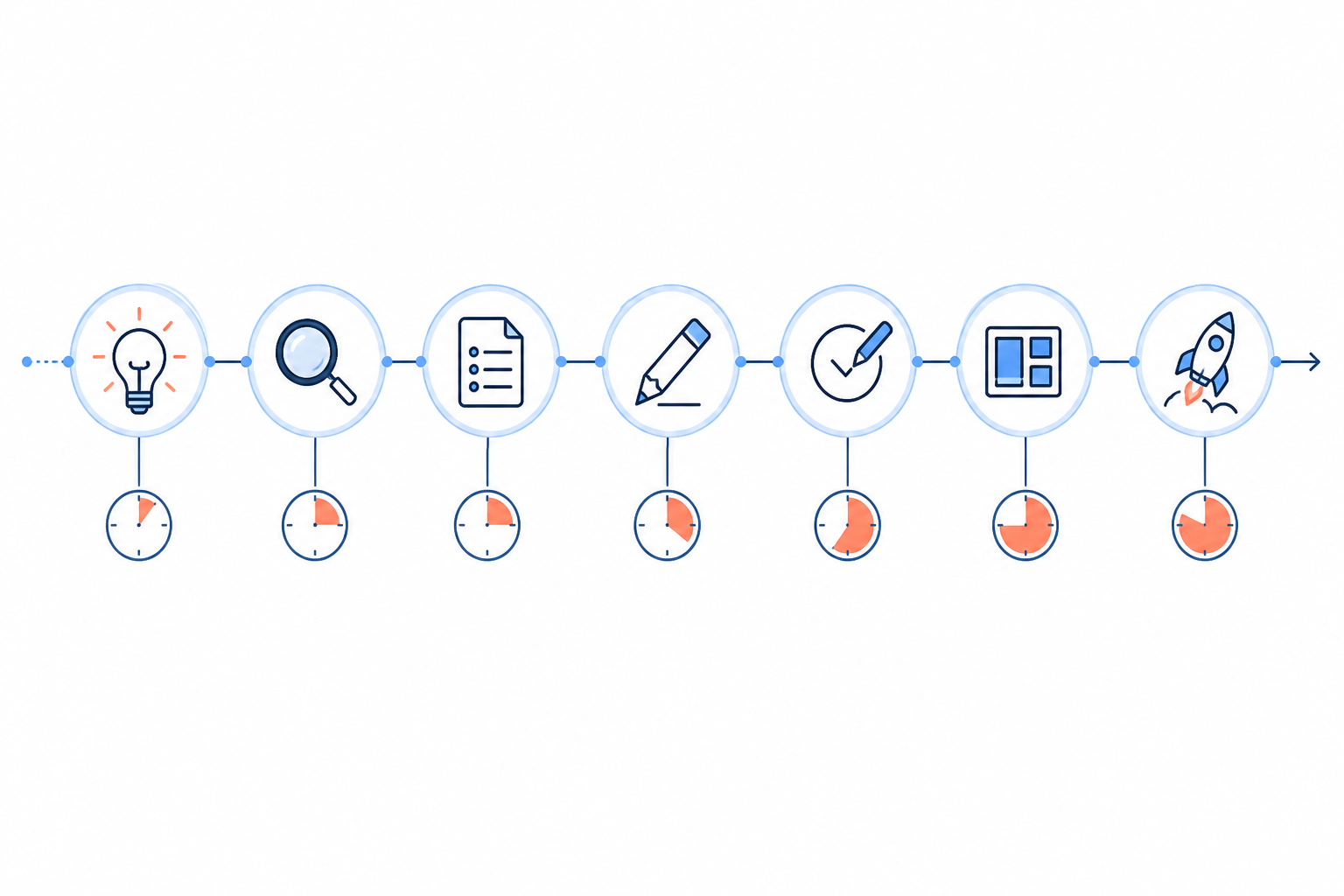
Step 1: Turning an Idea Into a Content Brief
In a traditional content workflow, going from a vague idea like "I should write about pricing strategies" to something you can actually draft from takes 30 to 45 minutes. You're researching what's already ranking, figuring out search intent, deciding on a structure, and jotting down subpoints. It's necessary work, but it's also easy to do badly when you're rushing.
This is where AI content generation tools change the shape of the process. With a tool like Scribe, you give it a topic or a target keyword and it produces a structured brief in seconds, built around search intent rather than just a title and a few bullet points. Here's a small worked example: feed in "pricing strategies for freelancers" and the tool might surface a proposed angle around value-based pricing versus hourly rates, a set of H2 headings covering common pricing models, objection handling, and a pricing calculator idea, plus a handful of related keywords ranked by estimated search volume and competition.
That's genuinely useful as a starting point. What it doesn't do is verify that the competitor examples are current, confirm the search volume data matches your specific market, or guarantee the angle is the right one for your audience. You still need to check the brief against what you know about your niche and your clients before treating it as final. Skip that step and you end up with generic content that technically matches search intent but doesn't say anything distinctive.
For a freelancer bouncing between three client accounts in a day, a solid AI-generated brief, checked over in a few minutes, is still the difference between publishing this week and pushing it to the "someday" pile again.

Step 2: Drafting Without the Blank-Page Problem
Drafting is where most of the traditional content workflow's time disappears. A full 1,500 to 2,000-word post typically takes 1.5 to 2.5 hours to write from scratch, and that assumes you don't get stuck. If you do hit a wall, that number climbs fast.
With a tool like Scribe, the generation step looks completely different: a full draft of 2,000+ words, including AI-generated images and diagrams, in around 5 minutes. What that 5 minutes buys you is a structured skeleton with headings, reasonable flow, and placeholder visuals already in place, not a publication-ready article.
Scribe describes its system as self-improving, meaning it uses quality scores and performance data from previously published articles to refine future output at the model or account level. I'd treat that as a directional claim rather than a guarantee: it means the tool is designed to get better over time, not that every draft will outperform the last one. Worth checking a provider's documentation on exactly what "learning" means for your account before assuming automatic improvement.
The bigger risk to be honest about is that AI drafts can include confident-sounding inaccuracies, outdated statistics, or generic phrasing that reads fine but says very little. None of that shows up as an obvious error on first read, which is exactly why the next step matters so much. Think of the generated draft as a strong, fast first pass, not a finished product, and budget real review time before it goes anywhere near "publish".

Step 3: Editing and Content Quality Checks
Editing in a traditional content workflow usually takes 45 to 60 minutes of manual proofreading, fact-checking, and formatting cleanup. It's the step people are most likely to rush when short on time, which is how typos and awkward phrasing end up published.
When you're starting from an AI-generated draft, editing looks different but it doesn't disappear. For AI content specifically, a few checks matter more than they do with human-written first drafts:
- Verify facts and statistics against primary sources. AI tools can generate plausible-sounding numbers that aren't accurate. Any stat, date, or claim needs a real source before it goes live.
- Check for originality. Run the draft through a plagiarism or originality checker, since AI models can echo phrasing from their training data more closely than you'd expect.
- Check the quality score, if your tool provides one. This flags structure, readability, and SEO alignment issues, but treat it as a starting signal, not proof the content is accurate.
- Scan for tone fit and add personal touches. Drop in a specific client story, a stat from your own experience, or phrasing that sounds like you rather than a generic template.
- Confirm accessibility basics. Check alt text on images, sensible heading order, and readable contrast if you're adding your own visuals.
- Tighten the call to action and do a final formatting skim. Make sure headers, bullet points, and images are placed where they make sense, and the ending points somewhere concrete.
Realistically, this takes 10 to 15 minutes for a straightforward, low-risk post where you already know the subject well. For anything involving specific claims, client-sensitive topics, or unfamiliar subject matter, budget more time for source-checking. That's not a flaw in the process; it's just what responsible publishing requires, AI-assisted or not.
Step 4: Publishing and Scheduling Content
Publishing is one of those steps that feels quick in theory but adds up in practice. Manually formatting a post for your CMS, resizing and uploading images, adding meta descriptions, and scheduling social promotion easily takes 15 to 20 minutes per post, sometimes more if your platform is fussy about formatting.
Automated publishing removes a lot of this friction. Scribe integrates with Shopify, WordPress, Wix, Webflow, and custom APIs, so a finished post can go live in a click rather than a round trip through copy-pasting and reformatting. Before you hit that button, though, it's worth previewing the responsive layout, checking for broken links, confirming image licensing and alt text, and setting canonical tags if the content overlaps with anything else on your site. One-click publishing handles the mechanics; it doesn't replace that final check.
Auto-pilot scheduling lets you set a consistent publishing cadence and let it run in the background, which matters for solopreneurs because consistency is exactly what falls apart during busy client seasons. Once posts are live, analytics let you track how each one performs, so you can see what's driving traffic and feed that into your next round of topics rather than publishing into a void.

Traditional vs Automated Content Workflow: The Full Timeline Comparison
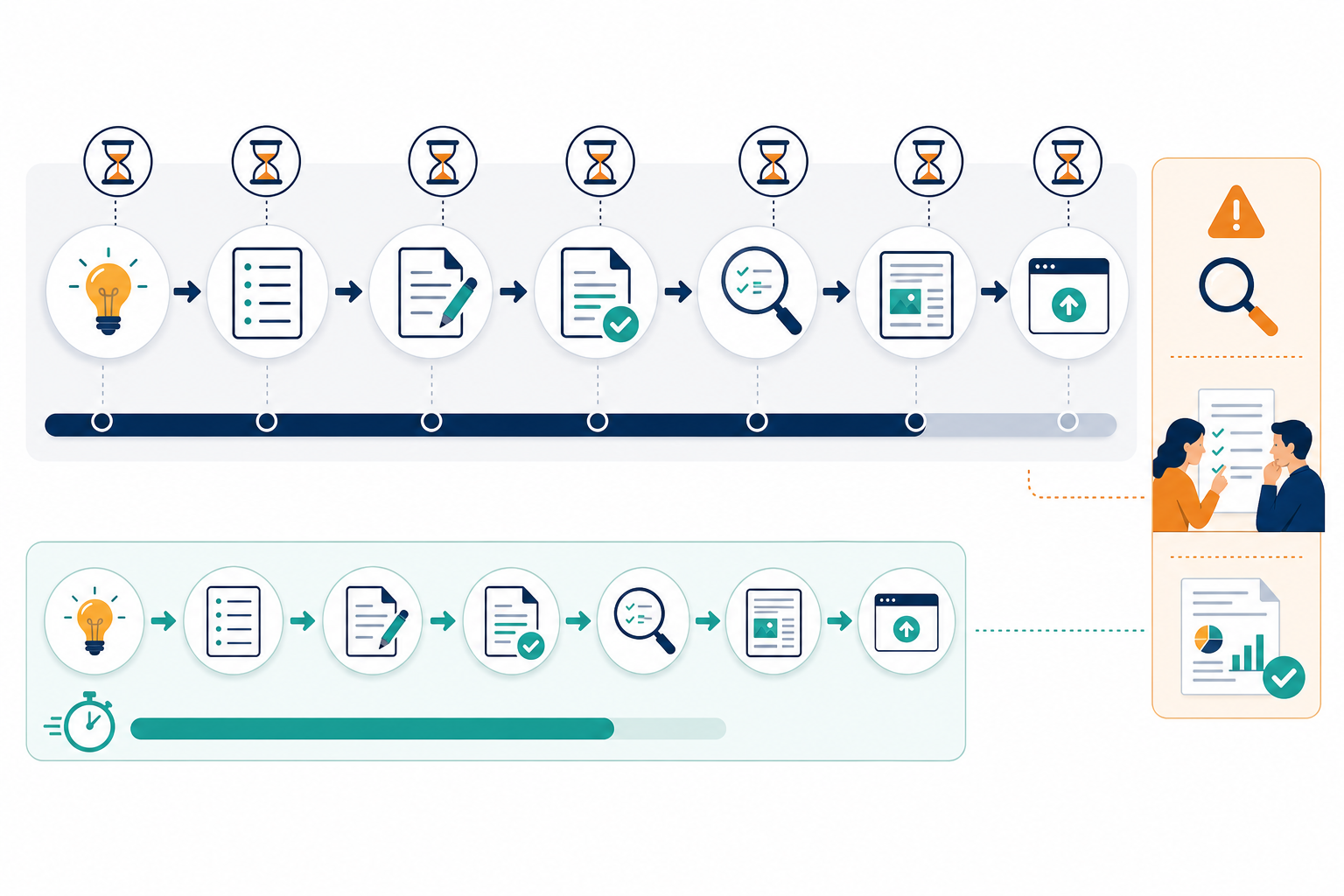
Here's what each content workflow actually looks like minute by minute, for a typical 1,500 to 2,000-word post. The traditional timeline assumes focused, uninterrupted work. The automated timeline separates AI generation time from the human review time that still needs to happen.
Traditional content workflow
| Time | Stage |
|---|---|
| 0–25 min | Idea generation and topic validation |
| 25–65 min | Keyword and competitor research |
| 65–90 min | Outlining |
| 90–220 min | Drafting |
| 220–270 min | Editing and proofreading |
| 270–295 min | Sourcing or creating images |
| 295–315 min | Formatting for CMS |
| 315–335 min | Publishing and social scheduling |
| Total | Roughly 5.5 hours |
Automated content workflow: illustrative low-risk post
| Time | Stage |
|---|---|
| 0–2 min | Enter topic or keyword, review generated brief |
| 2–7 min | AI generates full draft with images and structure |
| 7–13 min | Fact-check claims, verify statistics, check originality |
| 13–17 min | Tone edit, add personal detail, tighten CTA |
| 17–19 min | Preview formatting, alt text, links |
| 19–20 min | Publish or schedule |
| Total | Roughly 20 minutes |
That 20-minute figure holds up for a straightforward post on a topic you already know well, where fact-checking is light. For anything more claim-heavy, technical, or client-sensitive, add time for source verification; this is a floor, not a universal number. Even accounting for that, the gap is substantial: you're moving from blocking off half a day to a task that fits inside a longer coffee break.
One Scribe customer reported a 340% increase in organic traffic over six months after switching to a consistent, automated publishing cadence. Worth noting that this is a single case: traffic growth depends heavily on starting point, niche competitiveness, and existing domain authority. Consistency plus decent content is only ever one input into search performance, not a guaranteed formula. I'd treat it as a promising data point rather than proof of what any given automated workflow will do for your site.
A Neutral Checklist for Evaluating Any AI Content Workflow
Before adopting any tool, whether it's Scribe or something else, it's worth checking it against a basic standard:
- Source verification: Can you trace statistics and claims back to a real source, or does the tool present numbers without attribution?
- Originality: Does the platform offer or integrate with plagiarism checking, and how does it handle overlapping phrasing across similar briefs?
- Tone control: Can you adjust brand voice settings, or are you stuck editing every draft manually to sound less generic?
- Accessibility: Does the tool generate alt text, sensible heading structure, and readable formatting by default?
- SEO review: Are keyword and competitor suggestions based on current data, and can you see the reasoning rather than just a final recommendation?
- Editorial approval step: Does the workflow force a human review stage before publishing, or does it make one-click publishing the default with no prompt to check the draft first?
Running through this list takes a few minutes and tells you far more about whether a tool fits your standards than any single time-savings claim.
How to Start Scaling Your Content Workflow Without Adding Hours
If you're convinced the traditional approach isn't sustainable for your schedule, here's a practical way to test the shift rather than committing all at once:
- Start with a pilot, not a full rollout. Automate one post from brief to draft, go through the full editing checklist above, and time yourself honestly. Compare that to your usual process before deciding whether to scale up.
- Pick a subscription tier that matches your real capacity. Scribe's plans range from 10 to 30 articles per month; think about how much content you can realistically fact-check and promote, not just how much you could technically publish.
- Review three outputs before trusting the pattern. One good draft could be luck. Three in a row tells you more about whether the tool's brief quality and drafting hold up for your niche.
- Use auto-pilot scheduling as consistency insurance, once you trust the pipeline. Set it up during a calm week so it's already running when a busy client project eats your schedule.
- Check quality scores periodically, not obsessively, to spot which topics or formats are genuinely resonating with your audience, and treat that as a prompt to investigate, not a final verdict.
None of this requires becoming a content marketing expert overnight. It's about shifting from doing every step manually to overseeing a system that handles repetitive drafting work, while you keep responsibility for accuracy, tone, and final approval.
Frequently Asked Questions About Content Workflows
How long should it take to write a blog post?
With a traditional process, most solopreneurs spend 4 to 6 hours on a single 1,500 to 2,000-word post once you factor in research, drafting, editing, and formatting. With an AI-assisted content workflow, the draft itself can be generated in around 5 minutes, but a responsible total, including fact-checking, tone editing, and publishing, typically lands closer to 20 to 30 minutes for a straightforward post, more if the topic involves specific claims you need to verify.
What's slowing down my content process?
For most solopreneurs it's not the writing itself; it's everything around it: staring at a blank page trying to find an angle, researching keywords across multiple tools, sourcing images, and manually publishing. Each small task adds friction and delay between having an idea and getting it live. Automating the drafting stage removes a lot of that friction, but research validation and editorial judgement still need to happen somewhere.
How do automated tools speed up the writing workflow?
Tools like Scribe remove the blank-page problem by generating a structured, SEO-considered draft in minutes rather than hours, complete with a suggested brief, headings, and images. What they don't remove is the need to verify facts, check originality, and adjust tone, so the realistic time saving is concentrated in the drafting and initial structuring stages, not the entire process end to end.
What still needs human review, even with AI drafting?
Fact-checking any statistic or claim against a primary source, confirming originality, adjusting tone so the post doesn't read as generic, checking accessibility basics such as alt text and heading structure, and a final look at formatting and internal links. Treat the AI draft as a fast first pass, not a finished, verified article.
Can publishing more often guarantee more traffic?
No. Consistency is one factor search engines tend to reward over time, but it works alongside content quality, topical relevance, backlinks, and site authority, not instead of them. A faster content workflow makes it easier to sustain a consistent publishing schedule without burning out, which removes one common reason content calendars stall, but it doesn't override the other variables that determine search performance.
Is a faster content workflow going to hurt my SEO performance?
Not inherently, but it can if speed comes at the cost of skipping fact-checking, originality review, or genuine editorial judgement. A tool that builds in keyword research and structure based on search intent gives you a reasonable starting point; whether the finished post actually performs well still depends on the accuracy, usefulness, and distinctiveness of what you publish.
Related Articles

Streamline Your Content Workflow: 7 Proven Steps for Solopreneurs to Boost Productivity and SEO
Unlock efficient content creation for solopreneurs: 7 expert strategies to supercharge your workflow, save time, and dominate SEO rankings

How to streamline your content workflow in 7 steps for solopreneurs
Master your content strategy: 7 game-changing workflow tips for solopreneurs to transform chaotic content creation into a seamless, productive process.
Create content like this automatically
Scribe uses AI to generate high-quality blog posts that engage your audience and drive traffic.