Shared Inbox vs. Multiple Support Tools: Why Consolidation Wins for Early-Stage SaaS Teams
15 min read
Loading...

Here's the short version: a shared inbox often beats running multiple support tools because it reduces the hidden costs of context-switching, duplicate replies and per-seat pricing that add up quickly for small teams. When live chat, email and internal collaboration all live in one place, your team can respond faster, fewer messages fall through the cracks, and you avoid stitching together several subscriptions to do what one well-chosen help desk software platform could handle.
If you're an early-stage SaaS founder currently bouncing between a chat widget, a shared inbox account and a Slack channel that's slowly becoming your unofficial ticketing system, I get it. It felt manageable when it was just you. It doesn't anymore. Let's look at why — and where a shared inbox genuinely helps, as well as where it may not be enough.
Most founders don't set out to build a Frankenstein support stack. It happens gradually. You add a free live chat widget to your site because customers were emailing basic questions. Then someone sets up a support inbox. Then someone else suggests tracking bugs in a spreadsheet. Before long, you've got four or five places where customer conversations can start, and no single place where they all end up.
This isn't just an early-stage problem, either. Salesforce's State of Service research has repeatedly found that service organisations juggle a surprising number of tools to manage customer service — figures around eight to ten different systems appear across different editions of the report. The exact number changes depending on the year and sample, but the trend is consistent: tool sprawl creeps in everywhere, even in well-resourced enterprise teams. If that's true for companies with dedicated operations staff, it's worth asking how quickly a five-person SaaS startup can drift into the same mess without anyone noticing.
Here's what that support tool sprawl actually costs you.
Time lost to context-switching. A well-known set of studies from UC Irvine, led by Dr Gloria Mark, found that after an interruption it can take well over 20 minutes on average to fully return to the original task. It's worth being precise about what that measures: it's the time to resume deep, focused work after being pulled away — not a strict per-app-switch tax. But the underlying point still holds. Picture a support agent checking the live chat widget, then Slack, then the support inbox, then a spreadsheet, dozens of times a day. Even a fraction of that recovery cost, repeated constantly, adds up to real hours of lost focus every week — time you don't have when you're an early-stage team wearing six hats.
Money lost to per-seat pricing. Popular help desk software often charges per agent, which sounds fine until you add a part-time VA, a customer success hire and a founder who jumps in during busy weeks. Suddenly you're paying full price for people who touch support only occasionally.
Customers lost to dropped context. When conversations are split across email, chat and internal messages, customer history gets trapped in someone's personal inbox or a private DM. Zendesk's Customer Experience Trends research has found that a large majority of consumers say they'll spend more with companies that offer a seamless experience across channels, and a comparable share say they'll switch to a competitor after repeated bad experiences. These are self-reported survey figures, so treat the exact percentages as directional rather than precise — but the underlying pattern appears consistently year after year. Missed hand-offs aren't just annoying internally. They're commercially expensive.

A shared inbox isn't just “email but nicer”. It's a different way of organising how your team handles customer conversations. Here's what changes when you consolidate, and what to watch for as you do.
This aligns with guidance you'll find from established providers such as Help Scout and Intercom: let your help desk act as the system of record for customer conversations, and keep other tools, such as Slack, for internal team collaboration rather than allowing customer context to disappear in private messages.
It's worth being honest here: a shared inbox isn't the right fix for every team. If you need complex ticket routing across dozens of departments, deep automation and workflow branching, telephony integration or enterprise-grade compliance reporting, a lightweight shared inbox may feel limiting rather than liberating. Larger support organisations often need the heavier feature set of a full-scale help desk platform. For most small SaaS teams under, say, 15–20 people, though, the simplicity is the point — you're trading advanced configurability for speed and clarity.
For most small teams, a unified shared inbox is more efficient than separate chat and email tools because it keeps customer history, ownership and internal collaboration in one place. Separate tools can still work for a solo founder with very low support volume, but they tend to create friction as soon as more than one person handles customer conversations.
The right choice depends on your support complexity. A shared inbox is usually a good fit for a small SaaS team managing email, live chat and straightforward customer questions. A full help desk platform may be more suitable if you need advanced automation, complex routing, telephony or detailed compliance reporting.
Let's walk through a scenario that probably sounds familiar.
A customer visits your site, has a quick question and contacts you through the live chat widget. Your agent answers in real time — great, quick resolution. But then the customer thinks of a follow-up question the next day and, instead of coming back to chat, sends an email instead.
In a fragmented setup, that email lands in a completely different tool. The person answering it has no idea a chat conversation happened yesterday. They ask the customer to explain everything again. The customer, understandably, gets a little annoyed. Nobody did anything wrong exactly — the tools simply weren't built to talk to each other.
With a genuinely unified shared inbox — Sonny is one example that's built around this idea — that same interaction can stay as one continuous thread, matched by the customer's contact details, with the full history visible to whoever picks it up. If the agent needs a second opinion, such as confirmation of a refund policy, they can add an internal note tagging a teammate, resolve the issue and reply to the customer without exposing that behind-the-scenes conversation.
Whichever tool you're evaluating, check exactly how it matches a chat message to a later email. Some platforms do this automatically through a contact record; others rely on the customer replying to the same thread. It's a fair question to ask any vendor during a trial.
This is the kind of workflow that matters most for lean teams — the sort of five-person startup where there's no dedicated support operations person whose whole job is untangling which tool has the latest message. The shared inbox has to do that work for you, because nobody has time to do it manually.

Not everyone needs to switch tools today. But if a few of these signs sound familiar, it's probably time to take consolidation seriously:
If you nodded along to two or three of these, your current setup is quietly taxing your team's time and your company's growth.
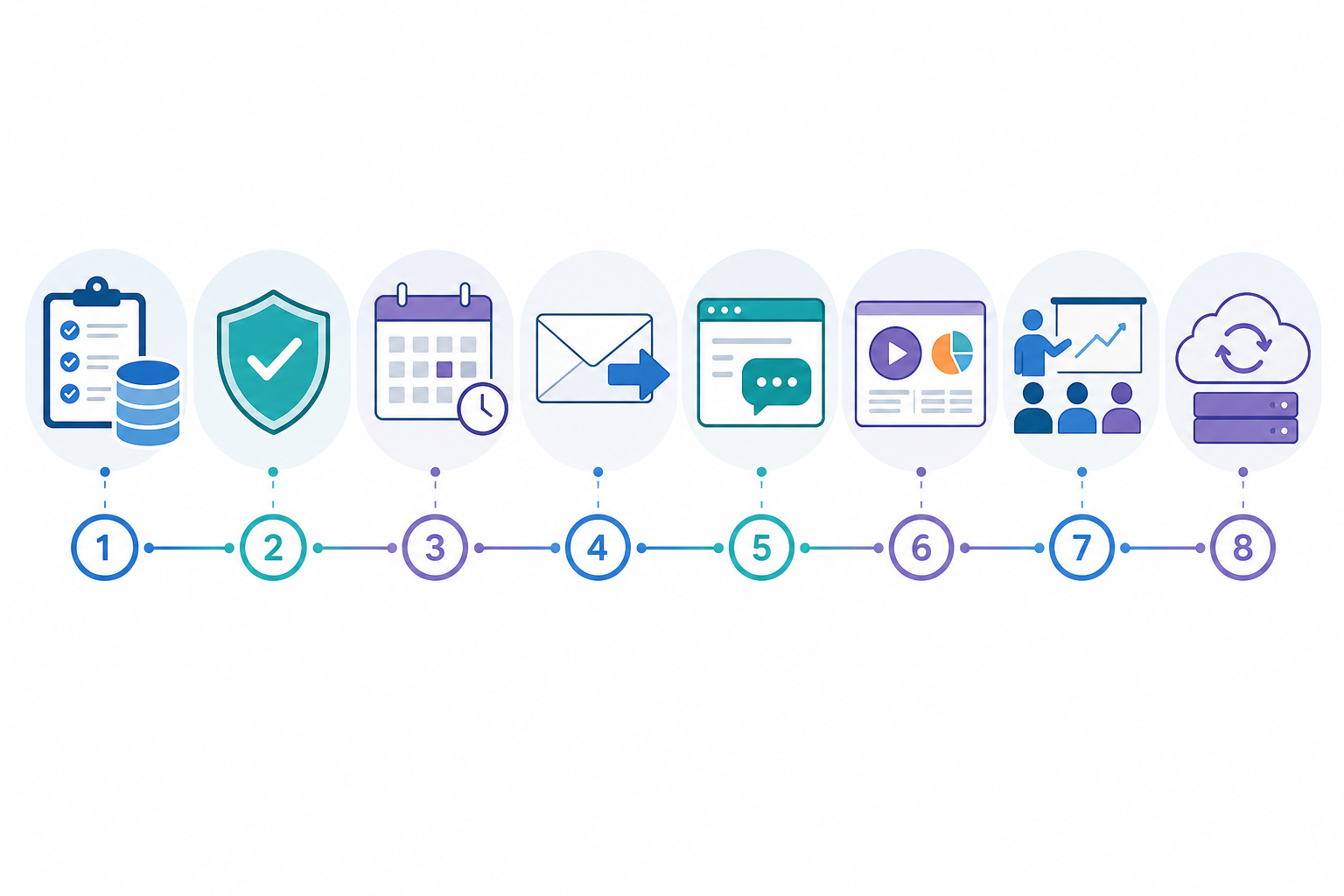
Switching tools takes a little more care than a five-minute setup, but it doesn't have to become a multi-week project if you plan properly. Here's a more complete migration path than simply “export and go”:
Here's where the numbers really start to matter, and where it's worth being precise rather than persuasive.
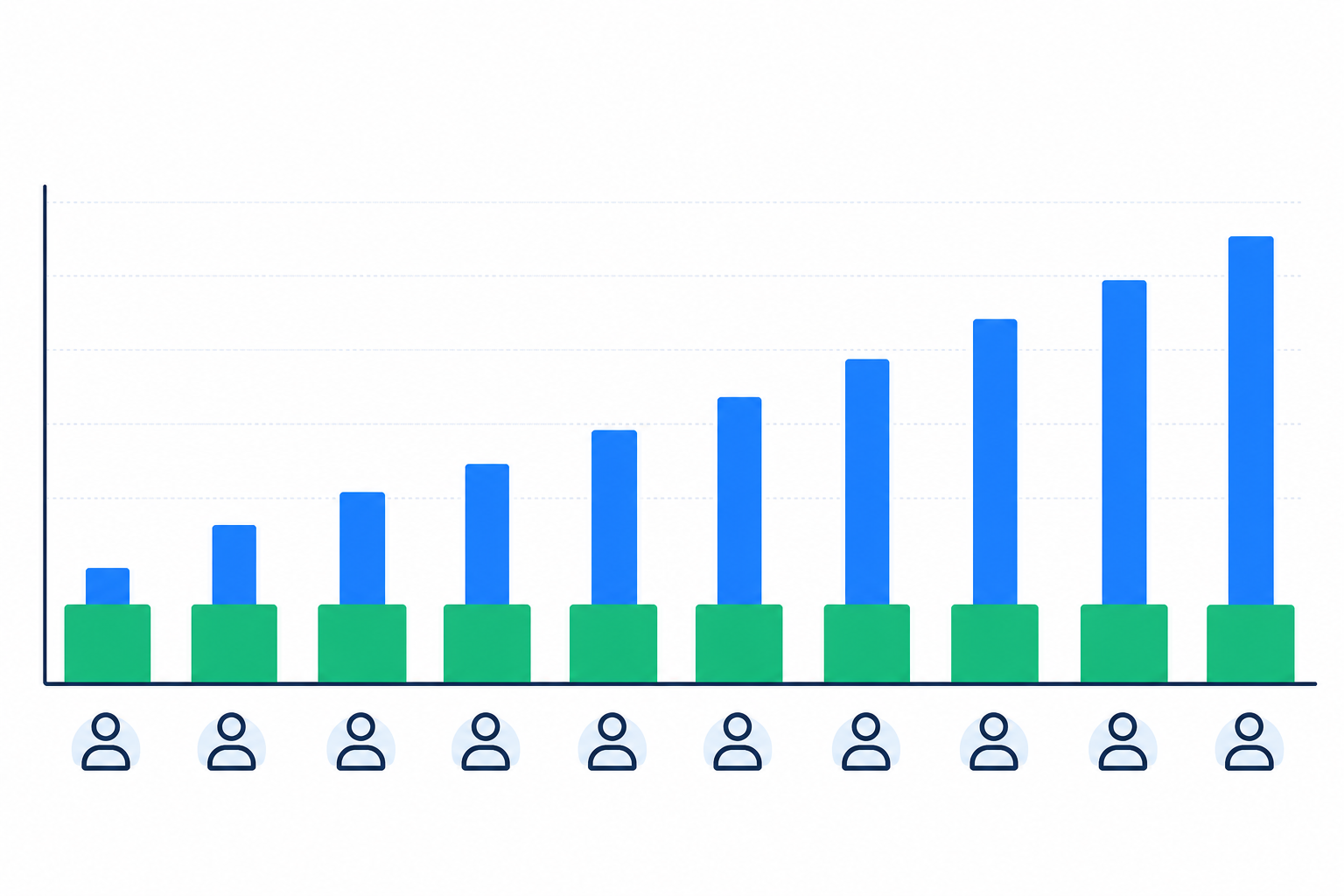
Per-seat pricing scales directly with headcount — every person who needs to view, assign or reply to a conversation adds to your bill, regardless of how much support they actually handle. Let's run an illustrative comparison. Figures below are for illustration only — always check current pricing and VAT treatment directly with any provider before deciding:
| Team size | Per-seat plan (~£20/agent/month + VAT) | Flat-rate plan (example: ~£16/month + VAT, unlimited agents) |
|---|---|---|
| 2 people | £40/month | £16/month |
| 4 people | £80/month | £16/month |
| 8 people | £160/month | £16/month |
| 10 people | £200/month | £16/month |
To be fair, flat-rate pricing isn't automatically the cheaper option in every scenario. If you're a two-person team, per-seat pricing might genuinely cost less than a flat-rate plan, especially once you factor in any feature limits on the flat-rate tier. But the moment you cross four or five people touching support, which happens faster than most founders expect, flat-rate pricing tends to start winning. It keeps winning as you grow because your support software bill stops scaling with your headcount.
Before you commit to any provider, UK-based or otherwise, check whether quoted prices include VAT, whether “unlimited agents” comes with any fair-use caps, whether annual billing changes the effective monthly rate, and whether onboarding or migration support costs extra. These details vary by vendor and change over time, so treat any specific number you see, including the ones above, as a starting point for your own comparison rather than a final figure.
This matters most for early-stage SaaS teams because your support load rarely comes from one dedicated person. It's the founder answering a chat at 9pm, a part-time VA handling routine emails during the day and a customer success hire stepping in as things grow. Per-seat pricing tends to penalise exactly that kind of flexible, all-hands support model — the one most early-stage teams actually run on.
For most small teams, yes, with a caveat. A shared inbox keeps every customer conversation, whether it started as a live chat message or an email, in one place, so nothing gets lost and your team isn't duplicating work. Separate tools can work well for a very early solo founder, but they start creating friction the moment more than one person handles support. If your support needs are genuinely complex, involving multiple departments, heavy automation or telephony, a full help desk platform might serve you better than a lightweight shared inbox.
It's hard to put an exact number on this, and you should be sceptical of anyone who gives you one with false precision. The most commonly cited research from UC Irvine measures how long it takes to fully resume focused work after an interruption, which regularly comes out well above 20 minutes. That's not the same as a fixed cost per app switch, but it's a reasonable proxy for the attention tax that occurs when a support agent has to check four different tools throughout the day. For a team fielding dozens of conversations daily, even a conservative estimate adds up to meaningful lost focus every week.
At minimum, look for a live chat widget, email-to-ticket forwarding, internal notes for team collaboration, tagging and filtering to organise conversations, and basic reporting on response times. Flat-rate pricing with unlimited agents is a real plus for early-stage teams that expect to grow without their support software bill increasing in lockstep. If you anticipate needing advanced automation or compliance features later, ask each vendor whether its roadmap covers them or whether you'll need to migrate again.
Most shared inbox platforms support email forwarding, so new messages flow into your unified inbox going forward. For historical conversations, export or archive them from your old tool before switching, since not all platforms import full email history automatically. Confirm the process directly with your chosen provider rather than assuming.
Shared inboxes typically trade some depth for simplicity. You'll usually get lighter automation, more basic reporting and fewer integrations than with a dedicated enterprise help desk. For teams under roughly 15–20 people handling relatively straightforward support volume, that trade-off tends to be worthwhile. Larger or more complex support operations may outgrow a shared inbox and need to move to a more configurable platform.
If your team is spending more time managing tools than managing customers, that's usually the clearest sign it's time to consolidate. A shared inbox won't solve every support challenge overnight, and it isn't the right fit for every team's complexity, but for most early-stage SaaS teams it removes the friction that's quietly costing you time, money and the occasional dropped ball.
Whatever tool you choose, run a proper trial with your real conversations, check the pricing details — including VAT — that actually apply to you, and give your team a fair chance to build good habits before judging the switch. That's a more honest test than any five-minute setup promise.

Learn how consolidating support tools after a merger can preserve conversation history, align teams and keep customer support running smoothly.

See how small teams can use customer support software on the go, handle live chat, choose a mobile app, and keep notifications manageable.

Learn how a shared inbox helps one support team manage multiple products with clear ticket routing, team collaboration and specialist expertise.