The Freelancer's Guide to AI-Powered Content Creation: How to Take On More Clients Without Burning Out

Freelancer AI Content Creation: How to Take On More Clients Without Burning Out
Meta description: Learn how freelancers use AI content creation to increase capacity, manage more clients, protect quality, and grow income without working longer hours.
If you're a freelancer staring down five client deadlines with only one set of hands, here's the honest answer: many freelancers can realistically increase their content output by 50-100%, sometimes close to double, by using an AI writing assistant to handle first drafts, research synthesis, and structure. This keeps your own time focused on strategy, editing, and the client relationships that actually pay the bills.
That's a claim about output, not automatically about client count. Taking on twice as many articles doesn't always mean twice as many clients, because calls, onboarding, and account management don't compress in the same way drafting does. The real number depends on how complex your content is, how much revision each piece needs, and how disciplined your workflow is.
This isn't about replacing your voice with a robot. It's about killing the blank-page problem so your billable hours go towards the work that genuinely needs a human.
I've watched freelancers hit an invisible ceiling long before they hit an income ceiling. Not because they're bad at their jobs, but because there are only so many hours in a week you can spend staring at a cursor. That ceiling isn't fixed anymore. Let's talk about how to raise it without working weekends, and how to do it in a way that protects your rates, your client relationships, and your reputation.
The Freelancer's Time Problem: Why Content Marketing Does Not Scale Easily
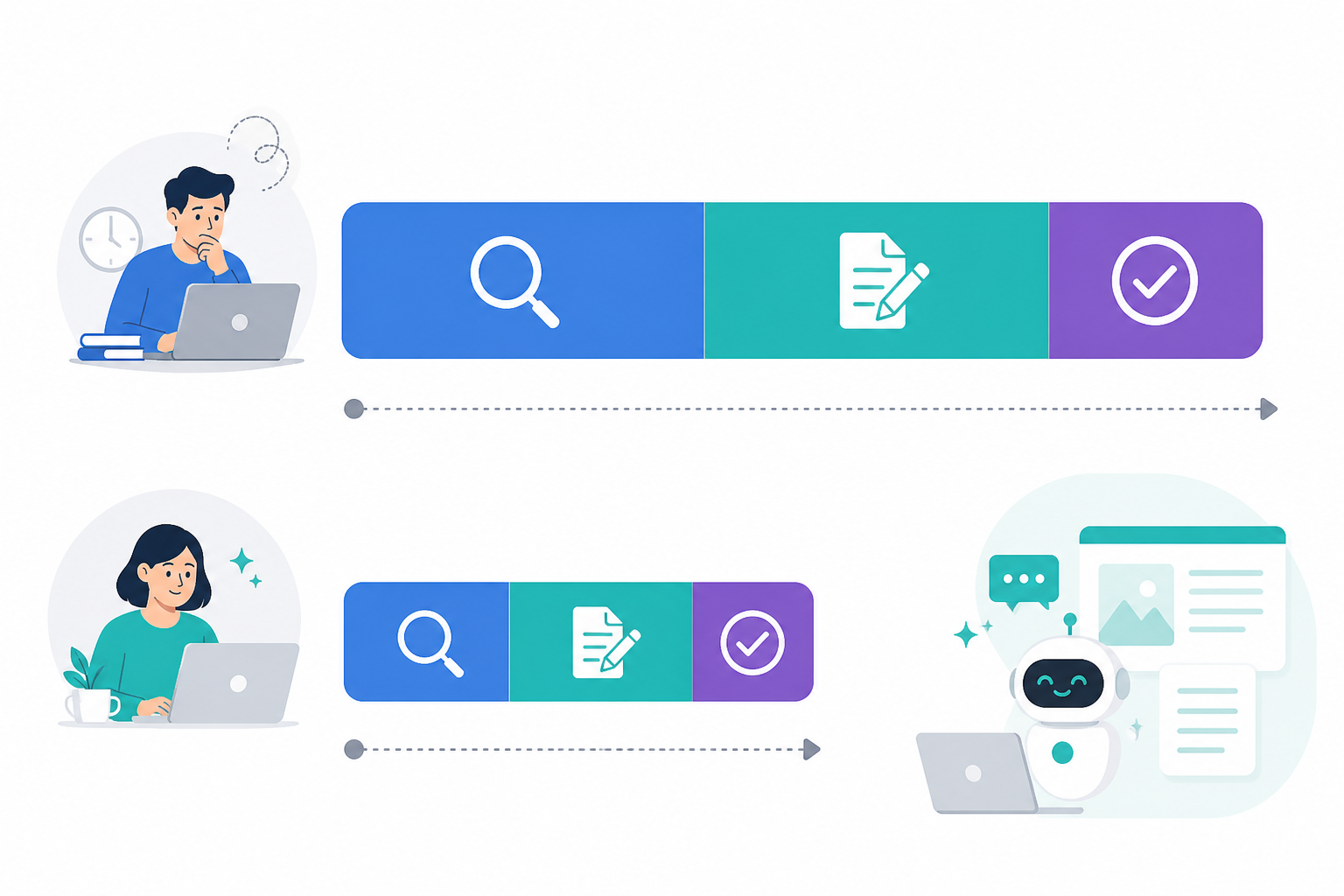
Most freelance content marketing businesses don't fail because of a lack of clients. They fail because of a lack of hours. Content creation isn't just typing words onto a page — it's research, interviewing, outlining, fact-checking, SEO work, formatting, client revisions, and publishing. Every one of those steps eats time that doesn't scale as you add clients.
Here's a number worth sitting with: Orbit Media's 2024 blogging survey of more than 1,000 bloggers found the average blog post now takes 3 hours and 51 minutes to write, up from 2 hours and 24 minutes in 2014 — roughly a 60% increase in a decade. That figure covers writing time alone. Add client calls, revision rounds, and publishing, and a single 2,000-word post can easily consume 5 to 6 hours of your week.
UK-specific data on freelance content work is thinner than the US equivalent, but IPSE, the UK's association for independent professionals, has repeatedly flagged administrative and non-billable work as one of the biggest drags on freelancer income, alongside inconsistent demand. Content and copywriting remain among the most commonly offered freelance services in the UK, and the manual, hourly nature of that work is exactly why it doesn't scale well without a change in process.
Now multiply your time per post by four or five clients. You start to see why turning down work isn't some badge of honour freelancers wear proudly — it's often just the maths catching up with you. When the maths is costing you rent money, it's worth asking whether the bottleneck is your skill or just your process.
The freelance market is enormous and getting more competitive. Upwork's Freelance Forward research put the number of US freelancers at around 64 million in 2023, generating an estimated $1.27 trillion in earnings. McKinsey's generative AI research estimates that generative AI could eventually automate work activities that currently absorb 60-70% of employees' time across occupations. That's a long-term projection about task exposure, not a claim that freelance writers are about to be replaced wholesale.
Content work sits inside that exposure zone because so much of it is language-based. That's exactly why freelancers who learn to direct AI tools, rather than compete with them, are the ones positioned to benefit.
Where an AI Writing Assistant Fits Into a Freelance Workflow
An AI writing assistant is not a replacement for your judgment. It's a first-draft engine — genuinely useful when you use it right, genuinely risky when you don't.
What AI Content Tools Can Help Freelancers Do
Here's where AI content tools generally earn their keep in a freelance workflow:
- Research synthesis: Pulling scattered information into a workable outline instead of you starting from a blank tab.
- First-draft generation: Producing a structured draft with headers and a logical flow in minutes rather than hours, giving you something to shape rather than something to build from scratch.
- Repurposing: Turning one approved article into social posts, email copy, or video scripts without starting over each time.
What Still Requires Human Expertise
And here's what still needs you:
- Client-specific insight that only comes from actually knowing the business.
- Brand nuance and tone that a generic prompt can't replicate.
- Final polish, fact-checking, and the accountability that comes with putting your name on the work.
Full disclosure: I use Scribe day to day, which is why some examples below reference it directly, but the principles apply to whichever AI writing tool you choose. Platforms in this category, Scribe included, typically aim to produce SEO-structured drafts in the range of 2,000 words within minutes rather than hours, complete with suggested images and headings — worth verifying against your own trial before you build a workflow around it.
A word of caution, because this is where freelancers get burned: AI tools can fabricate sources, cite outdated statistics, or state things confidently that simply aren't true. Never treat an AI-generated fact as verified until you've checked it against a primary source.
Never paste confidential client information, unreleased product details, or anything covered by an NDA into a tool your client hasn't approved. That single habit protects both your reputation and your contracts. If you're working with EU or UK clients, also check what your contract and their privacy policy say about processing client data through third-party AI tools, since this can raise UK GDPR considerations depending on what information you're inputting.

There's an important distinction between “AI-generated” and “AI-assisted” content, and it's the difference that determines whether your freelance business thrives or gets commoditised. AI-generated content is unreviewed output pushed straight to a client. AI-assisted content is a draft that's been shaped, fact-checked, and edited by someone who understands the client's audience. Only the second one is worth paying a freelancer for.
How to Take On More Freelance Content Clients Without More Hours
Scaling a freelance content marketing business isn't about working faster in a panic. It's about redesigning your workflow so speed comes built in.
1. Audit Your Current Time per Client
Track exactly how long each stage takes: research, drafting, editing, revisions, and publishing. Most freelancers are surprised where the time actually goes — it's rarely the drafting itself; it's research and formatting.
Worked example: a typical 1,500-word post currently takes 5 hours: 1.5 hours for research, 2.5 hours for drafting, and 1 hour for editing and formatting. With an AI-assisted workflow, that might become 30 minutes of research verification, 45 minutes reviewing and reshaping the draft, and 30 minutes of buffer for revisions — roughly 1.75 to 2 hours total, most of it spent on the judgement work that actually needs you.
2. Build a Repeatable Brief-to-Publish Workflow
A simple structure works well: brief in, draft generated, edit pass, client approval, publish. A reusable brief template should cover the client's audience, tone rules, target keyword, required sources, competitor examples, and any claims that must never appear.
Content Marketing Institute research consistently points to standardisation — reusable briefs, templates, and checklists — as one of the biggest efficiency levers for content teams and freelancers alike.
3. Reduce Manual Handoffs
If you're copy-pasting drafts into WordPress or Shopify every time, that's friction worth removing, whether through a direct publishing integration or simply a tighter export-and-format routine.
4. Set Your Capacity Cap Based on Editing Hours
This is the mindset shift that matters most. Once AI handles the first draft, your bottleneck becomes how many pieces you can properly edit, fact-check, and revise in a week — not how many you can write from scratch.
A simple formula is:
(Weekly hours available for content work − hours reserved for calls and administration) ÷ verified hours per piece, including a revision buffer.
Using the example above: if you previously produced 8 posts a week at 5 hours each — 40 hours — and each post now takes roughly 2 hours including revisions, with 5 hours reserved for client calls and administration, you have 35 usable hours. That's enough for around 15 posts a week before editing capacity, not drafting speed, becomes the constraint.
That's close to double, not triple, and it assumes disciplined editing rather than rubber-stamping drafts. A technical B2B piece requiring subject-matter interviews will never compress that dramatically.
5. Reinvest Saved Hours in Higher-Value Work
Use the time you save on drafting for strategy calls, content audits, consulting, or other work that earns more per hour than drafting ever did.

Instead of every project starting with a blank page, you start with a structured draft and spend your energy on the parts that actually require your expertise. Your own results will vary based on niche complexity, client revision culture, and how much original reporting or interviewing a piece requires.
How to Keep Each Client's Brand Voice Distinct
Here's the biggest risk in a multi-client AI-assisted freelance business: everything starts to sound the same. If your clients' content reads like it came from the same generic template, you're risking the entire reason someone hired a freelancer instead of a subscription tool.
Build a short voice profile for each client before you generate anything. A useful template includes:
- Audience: Who they're writing for and what those readers already know.
- Tone: Formal, conversational, or technical — plus 2-3 words the client uses to describe their own voice.
- Sentence and structure preferences: Short and punchy, or longer and explanatory.
- Vocabulary quirks: Words or phrases they always use, and ones they never use.
- Forbidden claims: Anything legal, compliance-related, or brand-sensitive that must never appear.
- Approved examples: Two or three pieces of previously approved content to reference.
A few other habits are worth building in:
- Run a tone-focused editing pass separately from your grammar and fact-checking pass. These are different skills and deserve separate attention.
- Use quality checks to catch generic-sounding drafts before they reach a client. Look for vague claims without specifics, repeated stock phrases, and a lack of concrete examples or numbers. These are the real tells of unedited AI content, not the fact that AI was involved.
- Feed approved examples back into future briefs. This reduces how much correcting you need to do each time, though it doesn't remove the need for human review.
The freelancers who scale successfully with AI content tools treat voice consistency as a non-negotiable checkpoint, not an afterthought.
How to Price Freelance Content Services When AI Saves Time
This is where a lot of freelancers get nervous, understandably. If AI cuts your drafting time, does that mean you should charge less? No.
Hourly pricing breaks down once AI speeds up your drafting time, because you end up punishing yourself financially for becoming more efficient. The fix is shifting towards value-based pricing — charging for strategy, quality, and results, not the number of hours it took to type something out.
| Pricing Model | How It Works | Pros | Best For |
|---|---|---|---|
| Hourly | Billed per hour worked | Simple to explain | Rarely sustainable once AI cuts drafting time |
| Per article | Flat fee per piece, covering strategy, drafting, and editing | Predictable for both sides | Clients who want consistent, scalable output |
| Retainer | Fixed monthly fee for a defined volume and scope | Stable income, easier planning | Long-term clients wanting ongoing content support |
| Hybrid | Base retainer plus performance or volume bonuses | Rewards results, not just hours | Clients focused on measurable traffic or lead growth |
A worked example, offered as an illustration rather than a formula to copy: if you previously charged £150 per article reflecting roughly 5 hours of work, don't simply cut that fee because drafting now takes 20 minutes. Instead, price the full value delivered — strategic angle, research verification, SEO optimisation, editing, and outcome — which might land closer to £120-£180 per article depending on complexity, while allowing you to produce roughly 1.5 to 2 times the volume in the same working week.
Your actual numbers will depend on your niche, your market, and how much original research each piece needs.
A useful way to structure a proposal is to separate the engagement into four visible line items: strategic discovery, AI-assisted production, human editorial quality assurance, and performance or optimisation support. That makes your ongoing value obvious even as your production speed increases.
Performance data helps too, though it needs careful framing. Vendor case studies — including ones from Scribe — sometimes report large traffic gains from clients using AI-assisted workflows, but results depend heavily on the client's starting point, niche, and existing SEO foundation. Treat any single figure as illustrative rather than a guaranteed outcome.
When you can show actual traffic or engagement growth for your own clients, pricing conversations get a lot easier, because clients are paying for outcomes, not your typing speed.
Can Clients Tell When a Freelancer Uses AI?
Most clients won't notice if the final output is specific, well-researched, and consistent with their brand voice — because quality, not the tool, is what gives away unedited AI content. Here's what actually exposes it:
- Vague claims without specifics: “This strategy can boost engagement significantly” versus “This approach lifted email open rates by 12% for a similar SaaS client.” The second version required a human to know or find a real number.
- Generic phrasing that could apply to any brand: “In today's fast-paced digital landscape...” is a red flag on its own. A specific opening tied to the client's actual audience or product rarely survives a lazy edit.
- Inconsistent tone within the same piece: Sections that suddenly become more formal or more hedged than the rest usually mean a paragraph wasn't reshaped after generation.
- Repeated sentence rhythm: This is especially noticeable in longer or technical pieces. A careful reader can sometimes still spot patterns, even in well-edited work. The goal is genuinely good content, not perfect concealment.
AI-Assisted Content Quality-Control Checklist
Before anything goes to a client, ask:
- Does every claim have a specific number, example, or named source behind it?
- Would a competitor's content read differently, or does this sound interchangeable with anyone in the niche?
- Have you checked every statistic against a primary source, not just the AI's summary of it?
- Does the opening paragraph reference something specific to this client, not a generic industry statement?
- Have you read it aloud once, specifically listening for tone, not just grammar?
A solid editing pass focused on voice and client-specific detail — real examples, real numbers, and real quotes where relevant — closes most of the gap between an AI draft and genuinely good client work.
Should Freelancers Disclose AI Use to Clients?
Quality is only half of this conversation. The other half is contractual and ethical, and it deserves a straight answer rather than a workaround.
Start with your client agreement. Some contracts specify that all work must be “originally written” by the freelancer, and using an AI writing assistant without disclosure could technically breach that clause, even if the final quality is excellent. Others are silent on the matter, which doesn't mean disclosure isn't worth raising anyway.
Clients in regulated industries — financial services, healthcare, and legal — may have their own compliance reasons for wanting to know exactly how content is produced and verified. UK data-protection obligations may also affect what you're allowed to input into third-party tools, so it's worth checking rather than assuming.
My general recommendation is to be upfront rather than rely on clients not asking. A short disclosure clause works well in most freelance agreements:
“I use AI-assisted tools to support research and first-draft generation. All content is reviewed, fact-checked, edited, and approved by me before delivery.”
This protects you contractually and sets accurate expectations. In my experience, it rarely puts clients off, though results will vary. The clients who do object usually have a specific reason worth understanding — a policy from their own end client, a confidentiality concern, or simply a preference for fully manual work.
Never paste a client's confidential information, internal data, or proprietary material into a tool without checking whether it's permitted under your agreement. That single safeguard matters more than almost anything else here.
Frequently Asked Questions About Freelancer AI Content Creation
How Many Clients Can One Freelancer Realistically Manage With Automation?
There's no universal number, but freelancers who standardise their workflow and shift their bottleneck from drafting to editing can often increase output by 50-100%, sometimes close to double. The result depends on content complexity, revision volume, and how much original research each piece needs.
This is a claim about content volume, not necessarily client count, since account management and calls don't compress as easily. Track your own time per client before and after adopting AI tools to find your real ceiling.
Can Freelancers Use AI Content Tools Without Clients Noticing?
Most clients won't notice if the final output is well-edited, specific, and consistent with the brand voice, because quality is what exposes unedited AI content, not the tool itself. That said, “without clients noticing” shouldn't be the goal. Disclosure protects you contractually and is the more sustainable approach long term.
Should I Disclose AI Use to Clients?
Yes, in most cases. Check your contract for clauses about originally written work, add a simple disclosure clause to new agreements, and be transparent about your process. Most clients care about quality and outcomes far more than the exact production method.
Should I Lower My Freelance Content Rates Because AI Makes Me Faster?
No. Shifting to value-based or per-article pricing, rather than hourly billing, means you're paid for strategy, quality, and results rather than time spent typing. Efficiency should raise your income per hour, not lower your day rate.
Getting Started: A One-Week AI Content Creation Test
Don't overhaul your entire freelance business overnight. Run a one-week pilot instead:
- Pick one client and one upcoming piece.
- Time your current process exactly: research, drafting, editing, revisions, and publishing.
- Run that same piece through an AI-assisted workflow, then edit it with the same rigour you'd apply to a fully manual draft, using the quality-control checklist above.
- Compare five things: total hours spent, number of factual corrections needed, number of revision rounds the client requested, the client's actual feedback, and your effective hourly rate on the piece.
- Write a short personal AI-use policy covering disclosure and confidentiality before you scale the approach across your full client roster.
That one small experiment, measured properly, will tell you far more about your realistic capacity than any statistic in this article ever could.
Related Articles

How to Keep Your Brand Voice Consistent With AI Writing: A Practical Guide for Marketing Teams
Discover how UK marketing teams use brand voice AI writing, style guides and review workflows to keep AI content consistent and on-brand at scale now.

How AI Content Tools Are Reshaping Blogging in 2024: What Every Blogger Needs to Know
Explore AI content tools and AI writing assistants in 2024—what UK bloggers need to know about SEO, benefits, risks and the future of blogging.
Create content like this automatically
Scribe uses AI to generate high-quality blog posts that engage your audience and drive traffic.